Connect Amazon Ads and attribute ad spend to products
Your Amazon seller connection brings in orders, fees and settlements, but not what you spend on advertising. Amazon Ads is a separate connection to your Amazon Advertising account. Once it's connected, SKU.io pulls your Sponsored Products spend every day, matches each advertised SKU to one of your products, and can turn the spend into cost entries so it shows up in each product's margin.
Before you begin
- You can sign in to the Amazon Advertising console for the account.
- Your Amazon seller connection is set up, so advertised SKUs can be matched through your Amazon listings. See Connect Amazon and choose your marketplaces.
- You have permission to manage integrations.
Connect Amazon Ads
-
Go to Apps & Integrations. Under Advertising, open Amazon Ads, then click Add Connection.
-
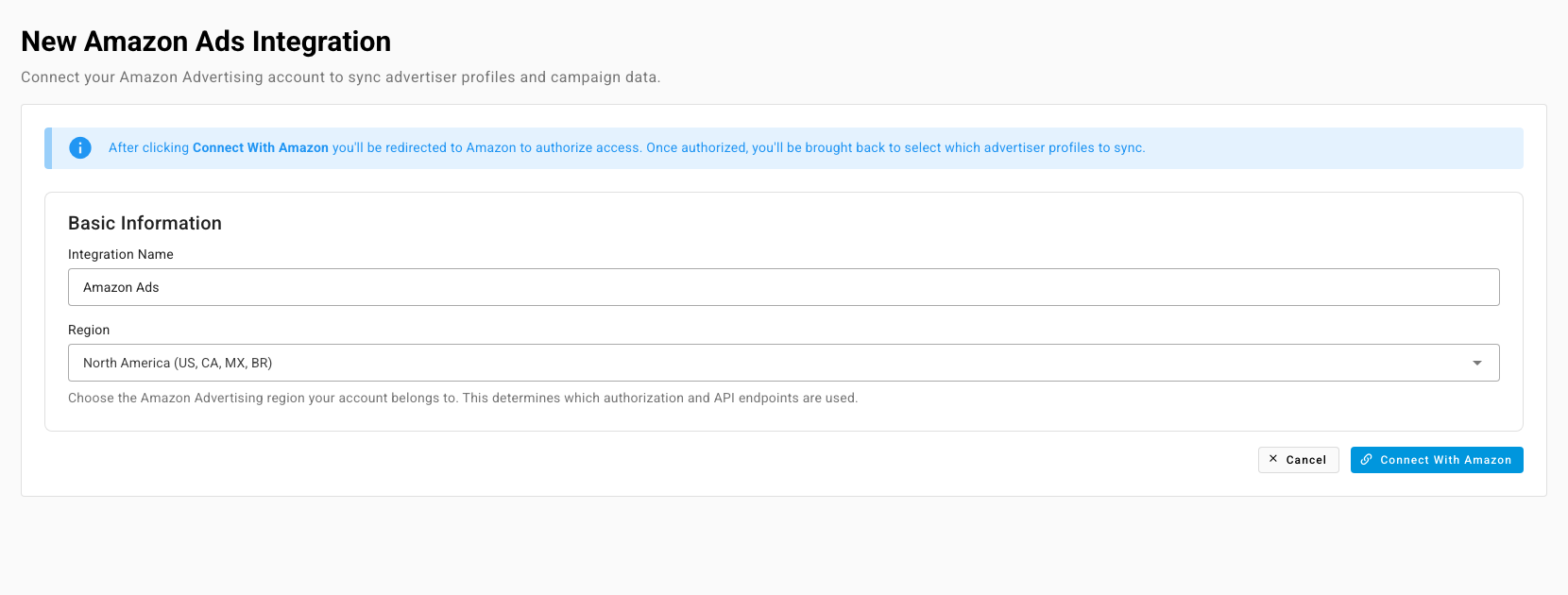
On New Amazon Ads Integration, enter an Integration Name, for example Amazon Ads - US.
-
Choose the Region your advertising account belongs to: North America (US, CA, MX, BR), Europe (UK, DE, FR, IT, ES, NL, etc.) or Far East (JP, AU, SG).
-
Click Connect With Amazon, sign in, and approve access. Amazon sends you back to SKU.io.
-
Open the connection's Profiles tab. Under Advertiser Profiles, tick the profiles to sync (one per marketplace you advertise in), then click Save Selection. Click Refresh from Amazon if a profile is missing.
Turn ad spend into product costs
On the connection's page, turn on Create cost entries from ad spend. Each sync then records the day's spend as a cost entry of type Amazon Advertising, split across the products it was matched to. With the switch off, SKU.io still keeps the spend, but it has no effect on product costs.
SKU.io syncs the last 14 days of spend every morning, so late adjustments from Amazon are picked up. To pull it now, click Sync Spend.
How spend is matched to products
For each advertised SKU, SKU.io tries in order:
- the seller SKU on your Amazon listing,
- a product with the same SKU,
- the advertised ASIN, when it belongs to exactly one product.
Spend that matches nothing stays Unmapped. The Sponsored Products Spend table shows each row's Advertised SKU, Advertised ASIN, Mapped Product, Spend, Attributed Sales, ACoS, clicks, impressions and purchases. Filter it to Unmapped to find SKUs that need a product. A cost entry with unmapped spend stays partly allocated until they're matched.
Where ad spend appears
- Profitability report. Grouped by SKU, brand or supplier, the report adds Ad Spend and TACoS, and its cost breakdown can show Ad Spend, ACoS and TACoS. Ad spend is already included in Contribution Margin.
- Product analytics. A product's Contribution Margin includes its ad spend.
The "Product Ads Payment" lines in your Amazon settlements are the same money, charged to you. SKU.io classifies them as a fee in your settlement, without splitting them by product.