Read FBA stock by state
Not every unit Amazon holds can be sold. Some are damaged, some are held for orders or moving between buildings, some are still on the way in, and some Amazon is looking for. SKU.io shows Amazon's own breakdown of your FBA stock by state, product by product, and per fulfillment center.
Before you begin
- FBA tracking is turned on for the connection. See Turn on FBA inventory tracking.
- The figures come from Amazon's FBA inventory and restock reports, which SKU.io refreshes through the day. They're Amazon's figures, as of the last refresh.
See every product's stock by state
-
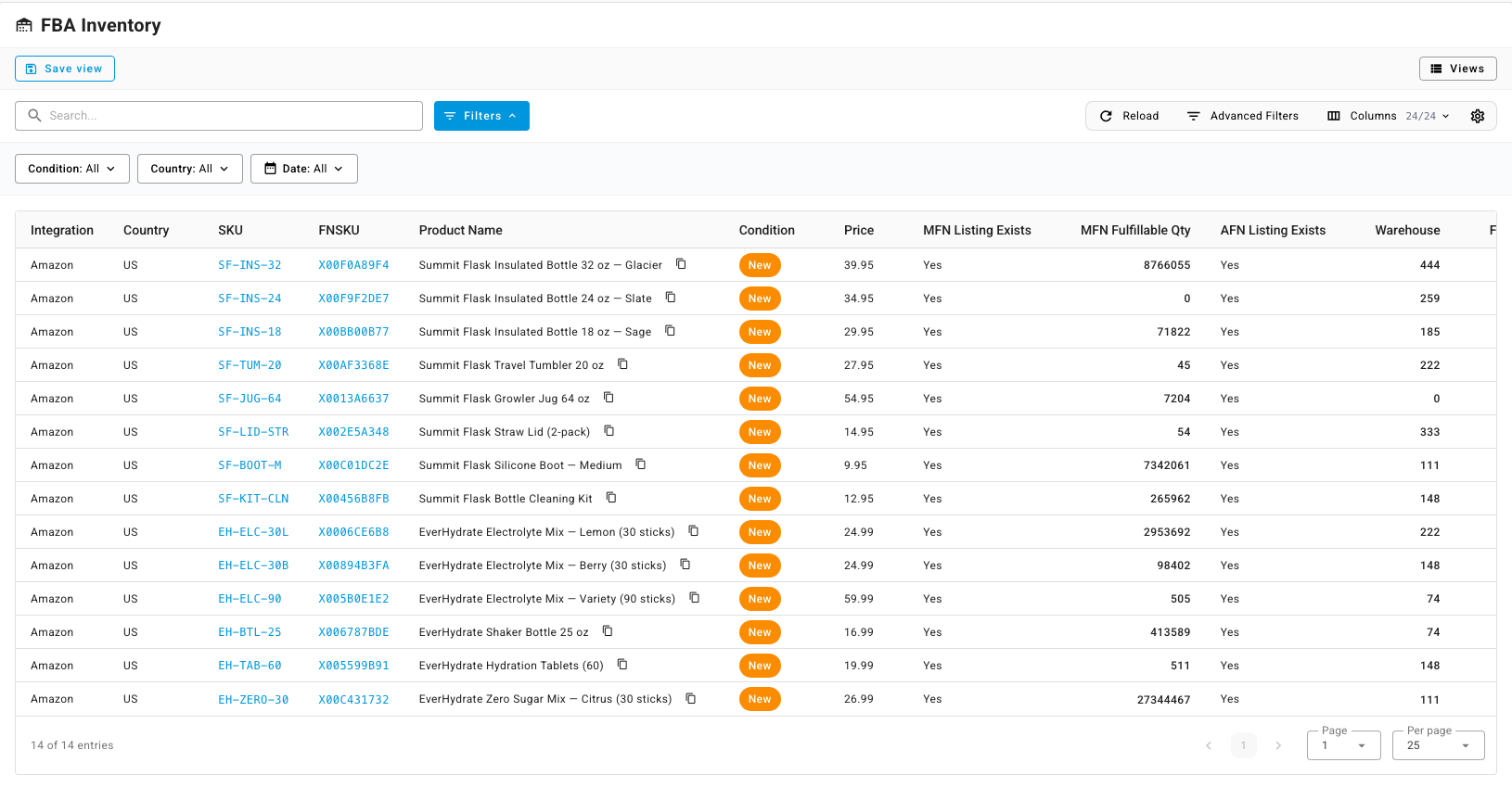
Go to Apps & Integrations, open your Amazon connection, click FBA, then open Inventory. The FBA Inventory list has one row per product, per country and condition.
-
Scroll right to the state columns, or use Columns to show only the ones you need. Narrow the list with Condition, Country and Date, or search by SKU, FNSKU or product name.
| Column | What it counts |
|---|---|
| Fulfillable | Units Amazon can pick and ship right now. |
| Unsellable | Units Amazon can't sell, such as damaged or defective units. |
| Reserved | Units held back: set aside for customer orders, moving between fulfillment centers, or being processed. |
| Researching | Units Amazon has misplaced and is looking for. |
| Inbound Working | Units on a shipment you've created but not yet shipped. |
| Inbound Shipped | Units on a shipment that's on its way to Amazon. |
| Inbound Receiving | Units Amazon has started checking in. |
| Warehouse | Units physically in Amazon's buildings. |
| Total | All of the above for the product. |
| Reserved Future Supply and Future Supply Buyable | Units customers can already buy before they arrive at Amazon. |
| MFN Fulfillable Qty | Units on the merchant-fulfilled offer you ship yourself. |
See why units are reserved
The Reserved figure lumps three reasons together. To split them, open Restock Report, which is Amazon's restock recommendations report. Its columns break each product's stock into Available, Inbound, Unfulfillable and three reserved reasons:
- Customer Order: units held for orders that haven't shipped yet.
- FC Transfer: units moving between fulfillment centers.
- FC Processing: units being checked or reworked.
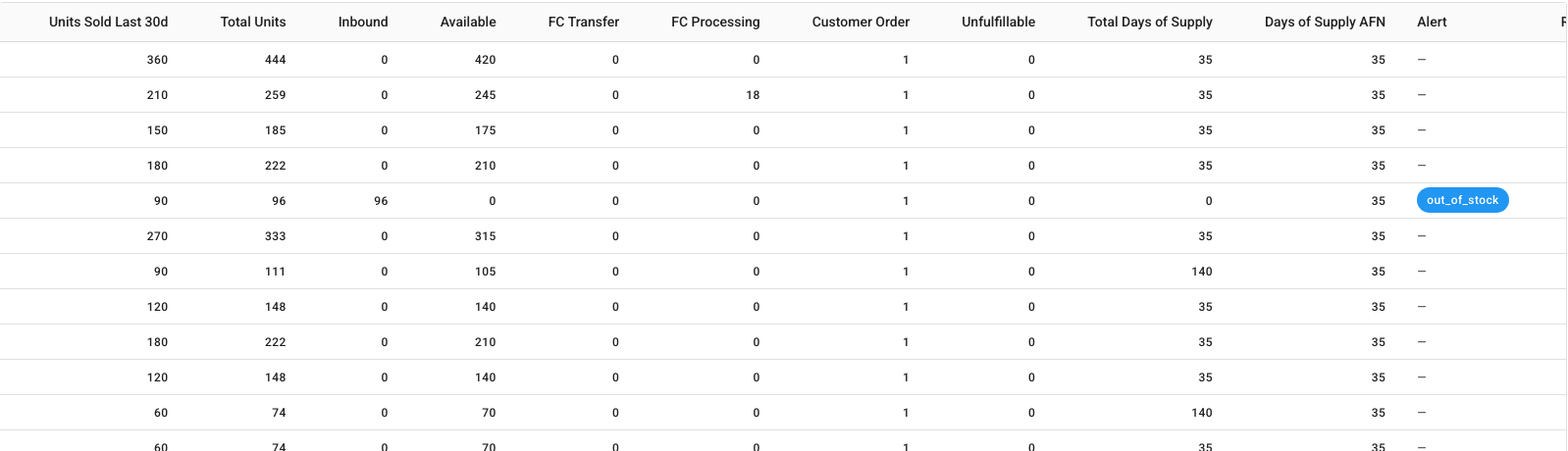
The same report gives Amazon's Total Days of Supply, its Alert (such as out of stock) and a Recommended Qty to send. To decide what to actually send, click Go to Replenishment; see Send stock to FBA with an inbound plan.
See stock per fulfillment center
Open Fulfillment Centers. Each row is one Amazon building, with its On-hand Qty, an estimated Inventory Value (est.), and counts of the storage fees, ledger events, returns, shipments and inbound shipments SKU.io has seen there.
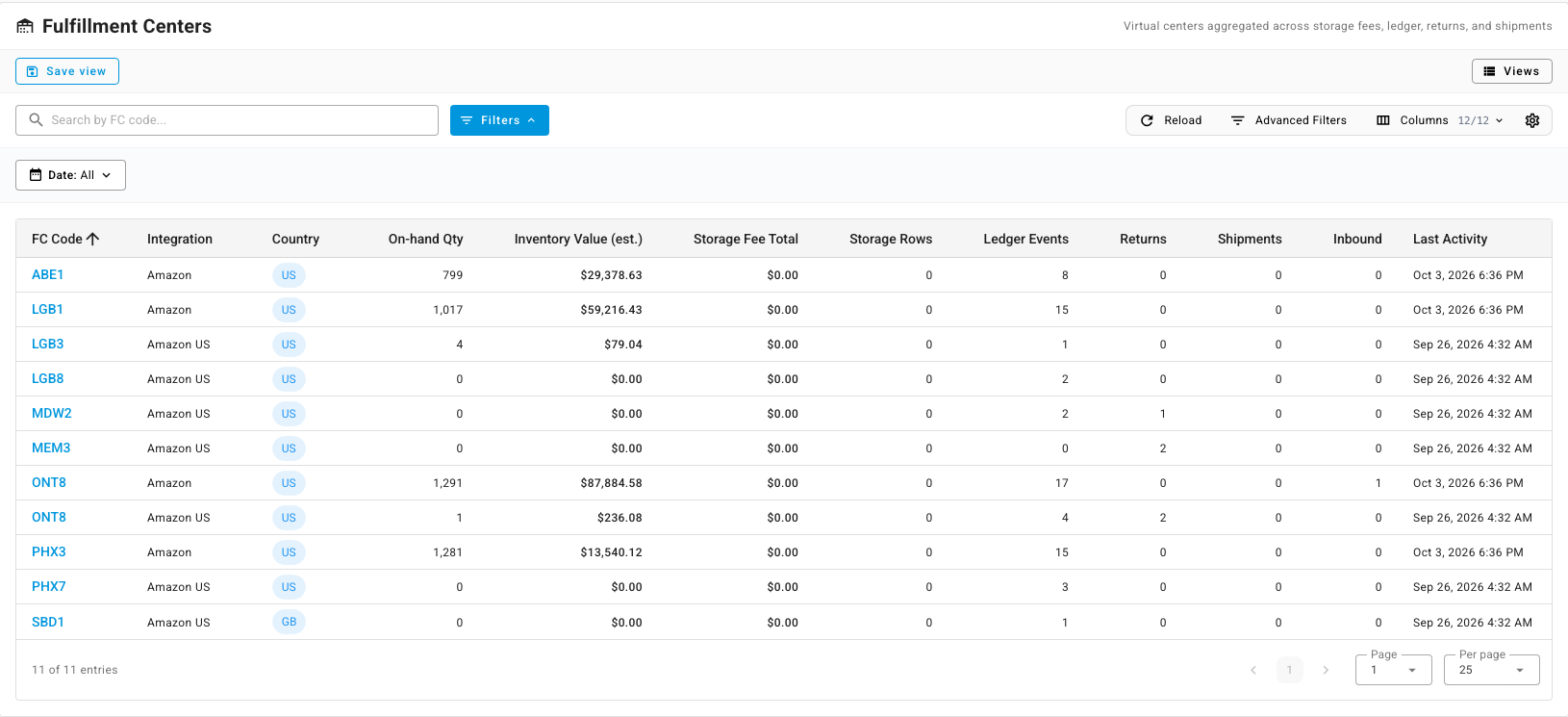
On-hand per building is the sum of the stock movements Amazon has recorded there, and its value uses each product's average cost, so treat both as estimates. Click a code to open the building's Storage Fees, Ledger, Customer Returns, Shipments and Inbound tabs.