Investigate FBA ledger discrepancies and cost exceptions
Amazon adjusts your FBA stock on its own: it loses units, finds them, damages them, disposes of them and changes their condition. SKU.io pulls each adjustment in from Amazon's ledger and values it, so your counts stay right without you doing anything. Three screens let you check that work and step in where it needs you.
Before you begin
-
FBA tracking is on, and Reconcile FBA Inventory Ledger is ticked under FBA Settings → General.

Review Amazon's adjustments
- Go to Apps & Integrations, open your Amazon connection, click FBA, open Inventory & Valuation, then Ledgers. Inventory Ledgers lists every event Amazon recorded.
- Set Event Type to Adjustments. Each row shows the Qty (negative for units that left), the fulfillment center (FC), the Disposition (condition), Amazon's Reason code, and the cost SKU.io put on it in COGS and Ext. COGS.
- Use Status to see rows that aren't Reconciled yet. A row is reconciled once SKU.io has valued it. Click a row to see its cost layer, what it used up, and its journal entry.
For what each event type and reason means, see How FBA inventory is tracked. To claim money back for units Amazon lost or damaged, use Amazon Recovery.
Look into a ledger discrepancy
When Amazon's detail rows don't add up to its daily summary, SKU.io adds a corrective entry each night so your count still lands on Amazon's figure. Discrepancy Ledgers lists them.
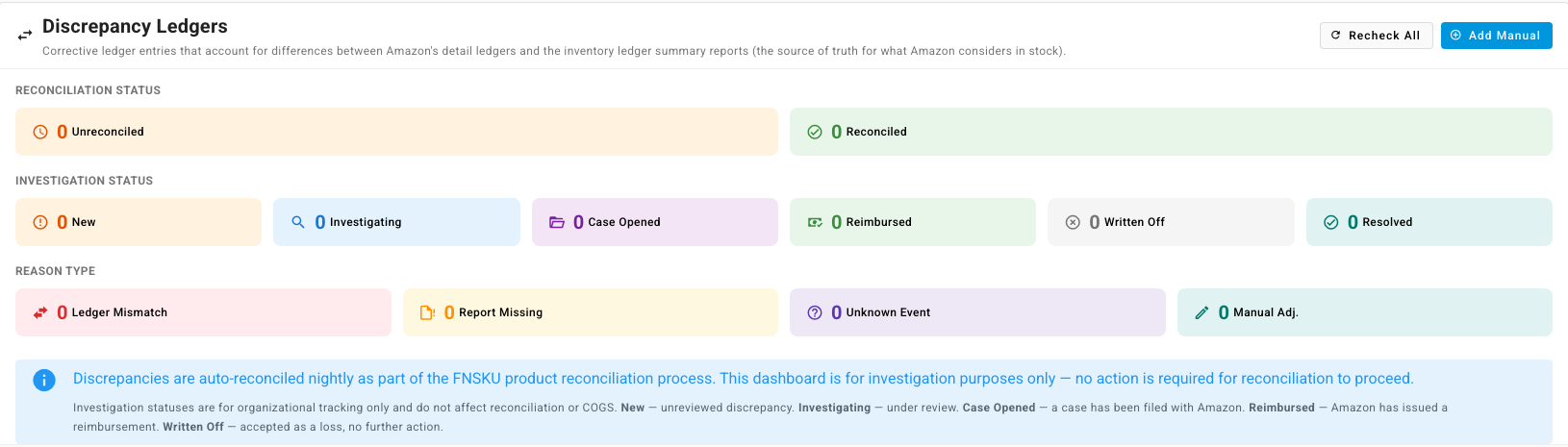
- Open Discrepancy Ledgers. The tiles count entries by Reconciliation Status, by Investigation Status and by Reason Type: Ledger Mismatch, Report Missing, Unknown Event or Manual Adj.
- Pick an entry and set what you're doing about it from its row menu: Investigate, Open Case, Mark Reimbursed or Write Off. Reset to New starts over. To update several at once, select them and use Set Status.
- To follow a missing unit up with Amazon, open the entry and click Open in Recovery.
Investigation statuses are for your own tracking. They don't change your stock or its cost.
To record a gap SKU.io hasn't found, click Add Manual, choose the product, the date and the event type, and click Create Discrepancy. To make SKU.io check entries again, for example after Amazon has resent a report, click Recheck All.
Give unpriced units a cost
Cost Exceptions lists FBA units that arrived with no cost SKU.io could use, so they'd otherwise be valued at nothing. The Reason is No cost source, Unit cost is 0 or Receipt mismatch.
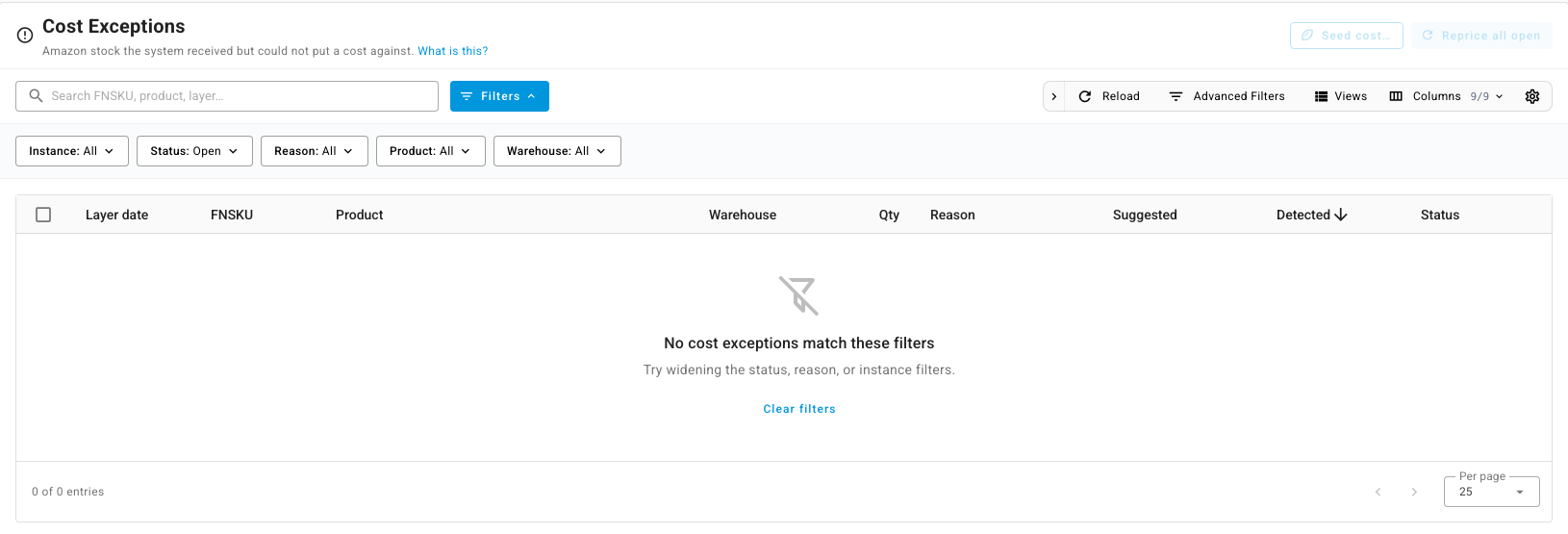
For each open exception, use the row menu:
- Set cost… to enter a cost yourself.
- Seed from product… to copy a cost from another product.
- Reprice now to try again, for example after you've added a cost to the product.
- Dismiss (accept $0)… for units that really cost you nothing.
To fix many at once, click Seed cost… or Reprice all open. The list starts on Open; switch Status to see Resolved, Auto-resolved or Dismissed exceptions.