
Product Information Management
SKU Rationalization Starts With the Duplicates
In August I was on a screen share with the person cleaning up a client’s catalog. She was moving their products onto a new list of master SKUs. For the first few minutes I couldn’t see her left-hand menu, because something in my Google Meet tab covered about an eighth of the screen. She stopped sharing and shared again. Same thing. It was on my end, so we carried on.
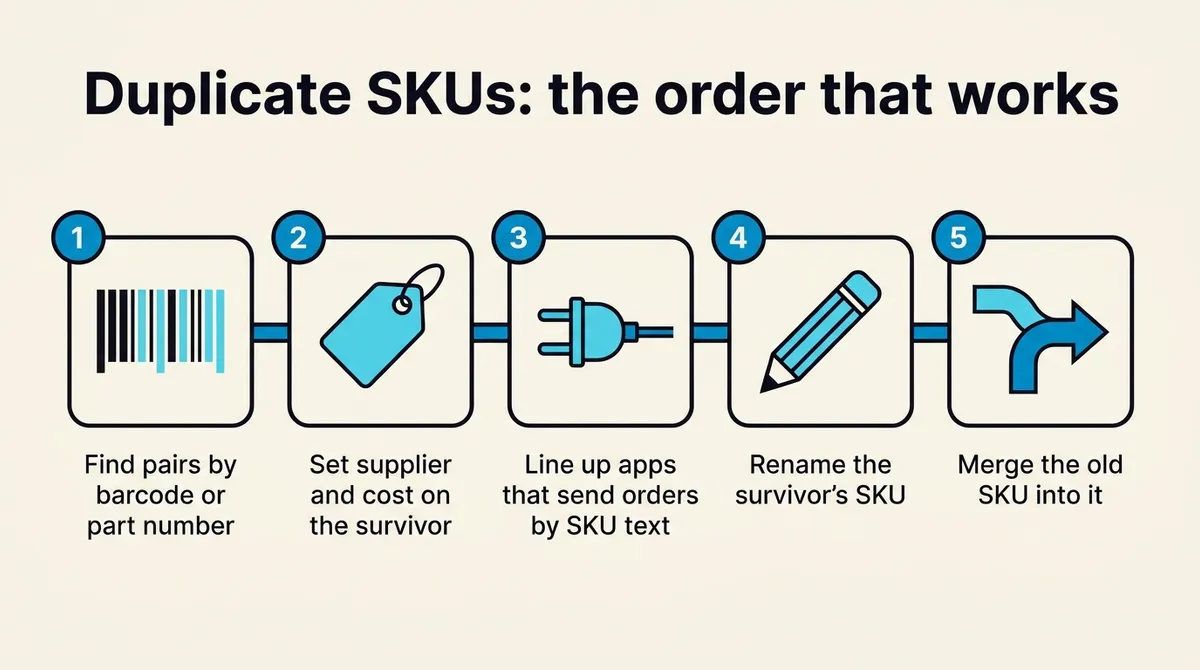
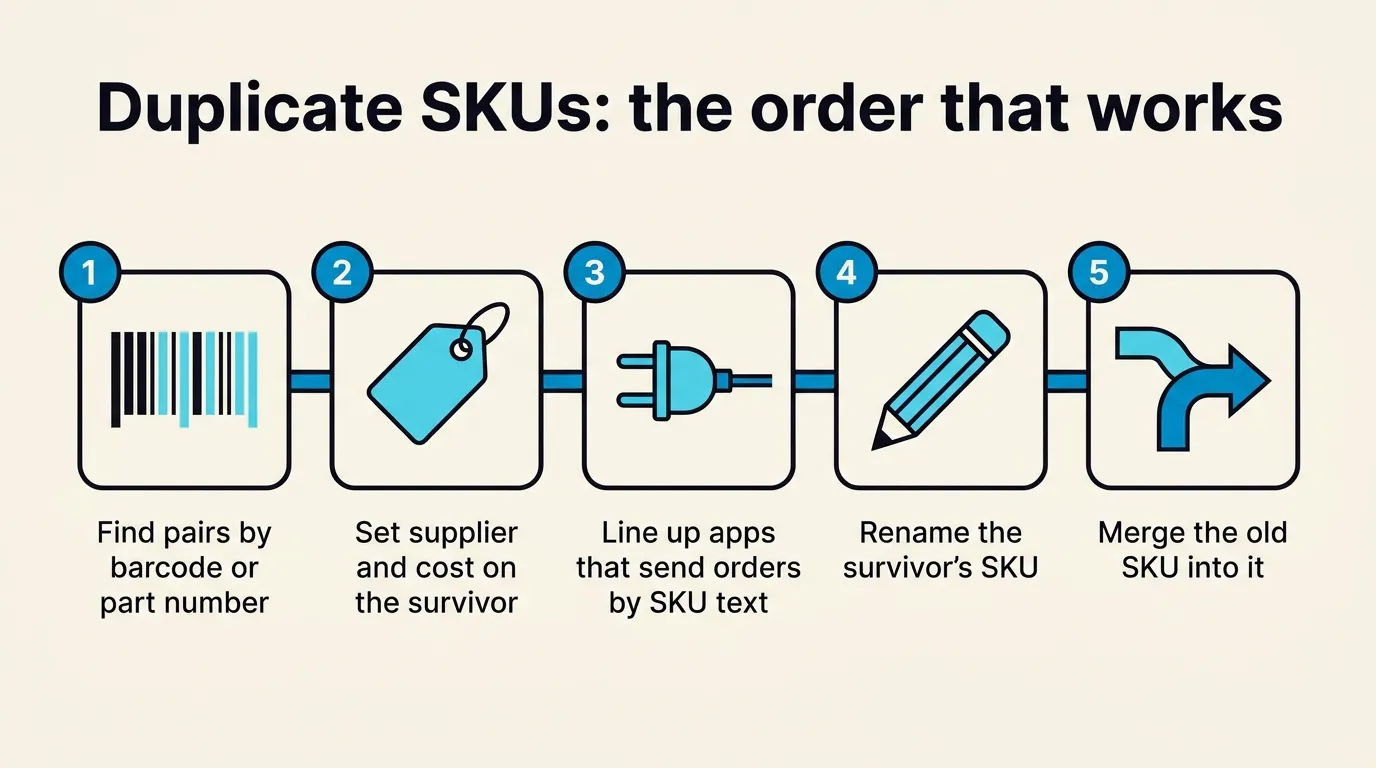
Her first question was whether to change the old SKU to the new one and then merge, or merge first. Rename first. Merge first and you’ve folded everything into a SKU you’re about to throw away. Then she asked whether to wait until the whole list was done. I said, “Yeah, I would say do it now. You don’t even have to do it all at once.” I’d rather a team rename some SKUs today and the rest next week than keep perfecting a spreadsheet while orders come in under the old ones.
One pair on her list was the same 1 oz item under two SKUs, its name spelled once with accents and once without. Both were becoming one new SKU. Until then, any report by SKU split that item’s sales in two, and neither half looked like much. That’s why I’d merge before doing what SKU rationalization articles tell you to do, which is sort by sales and margin and cut the bottom, the dead stock. If every product you sell has one SKU on one channel, that sort already works and you can skip this.
The duplicates exist mostly because Shopify allows them. It doesn’t make a SKU unique. SKU.io does, and the database won’t take a second product with a SKU that’s already in use, so they surface the first time a store’s products get pulled in. To find the pairs, ignore product names, which everybody has edited, and look at barcodes and manufacturer part numbers. Two SKUs on one barcode is where I’d start, and I’d still open both before merging.
Kits, bundles and the type column
About half an hour in she got to the pairs that mattered most, old drop ship SKUs she wanted to fold into the regular products. The first one was a kit, and her view didn’t show product type, so I had her add a type column and save it to the view. We need to make that easier, and I said so on the call.
She tried to make it a rule: a standard product can go into a kit, but never a kit into a standard product? I said it was more nuanced than that. “The problem is with bundles. I wouldn’t merge bundles into anything or anything into bundles.” A bundle gets expanded into its components when an order is created, so merging one while its order history is still in place throws that history off. For her it mattered less, because the client’s orders were being re-imported anyway. I still told her to check that none of the pairs were bundles.
The merge moves the history, stock and channel listings onto the product you keep, and deletes the old product’s images, prices and supplier links, so put the supplier and cost on the survivor first. There’s no undo. If you’re unsure about a pair, archive one of them instead. The CSV format and the preview screen are in our merge guide.
The ordering app that only knew the SKU
Near the end she asked about an outside ordering app the client used. I told her it would be fine, because I was pretty sure it sent us a product ID and not a SKU. Then I opened the raw request it had sent us, to show her, and said “Oh, actually interesting.” No product ID. Just the SKU text.
The consultant on the project asked whether we could put something in front of the app to translate old SKUs to new ones. I said we could build that, or someone could get the app’s owner on a call and ask them to change the SKUs on their side. I wasn’t keen on building anything for an app the client planned to replace. He said that replacement wasn’t coming soon, and the rename couldn’t wait for it.
We hung up a little after noon and she started renaming that afternoon. At 2:36 someone on the client’s team posted that an order from the app hadn’t gone through because its SKUs were invalid. She put the old SKUs back a bit over an hour later.
A week later we got the app’s rep on a call. The app treats the SKU as the truth and can’t hold a second one for the same product, so nothing was going to change on their side. The client approved the translator, and we built a mapping that sends any SKU the app uses to the right product. On August 31 she finished: the app’s SKUs mapped, the new master list imported, every drop ship SKU merged into its regular product.
The next day the renamed SKUs started showing up as duplicate listings inside the app. Only the app’s owner could clean those up. The client chose to leave them, since they don’t expect to keep the app.
If you want to go through your own pairs the same way, book a call and bring the list.