
Product Information Management
Gold, Silver and Ring Sizes: Generating Jewelry Variants Instead of Typing Them
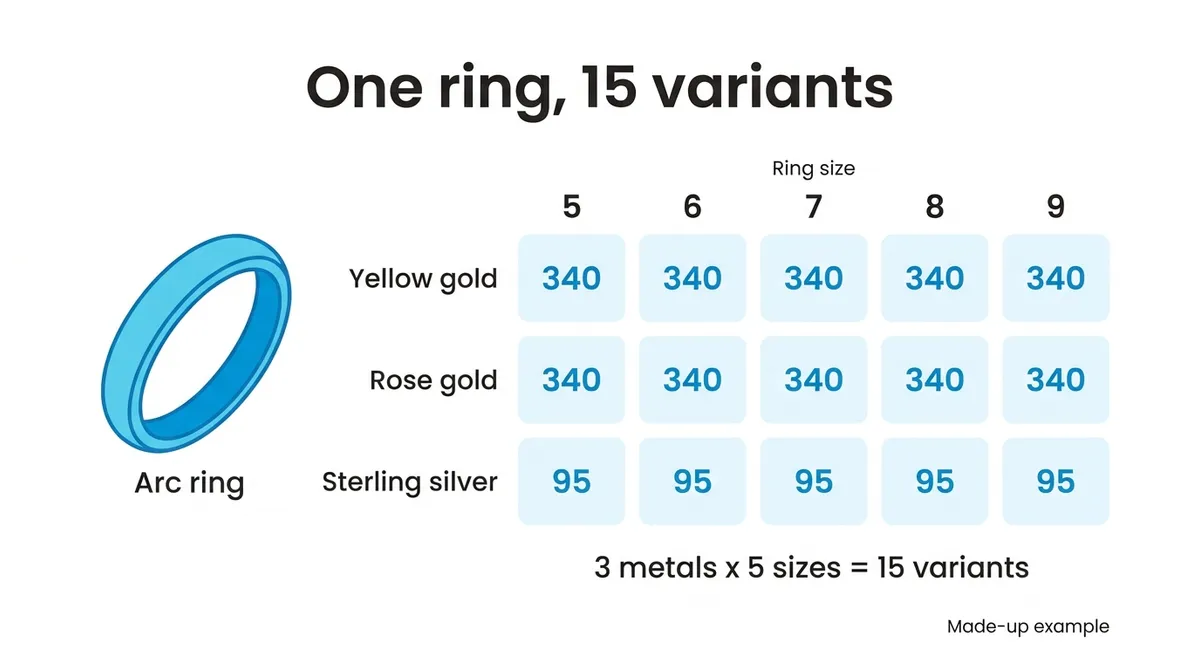
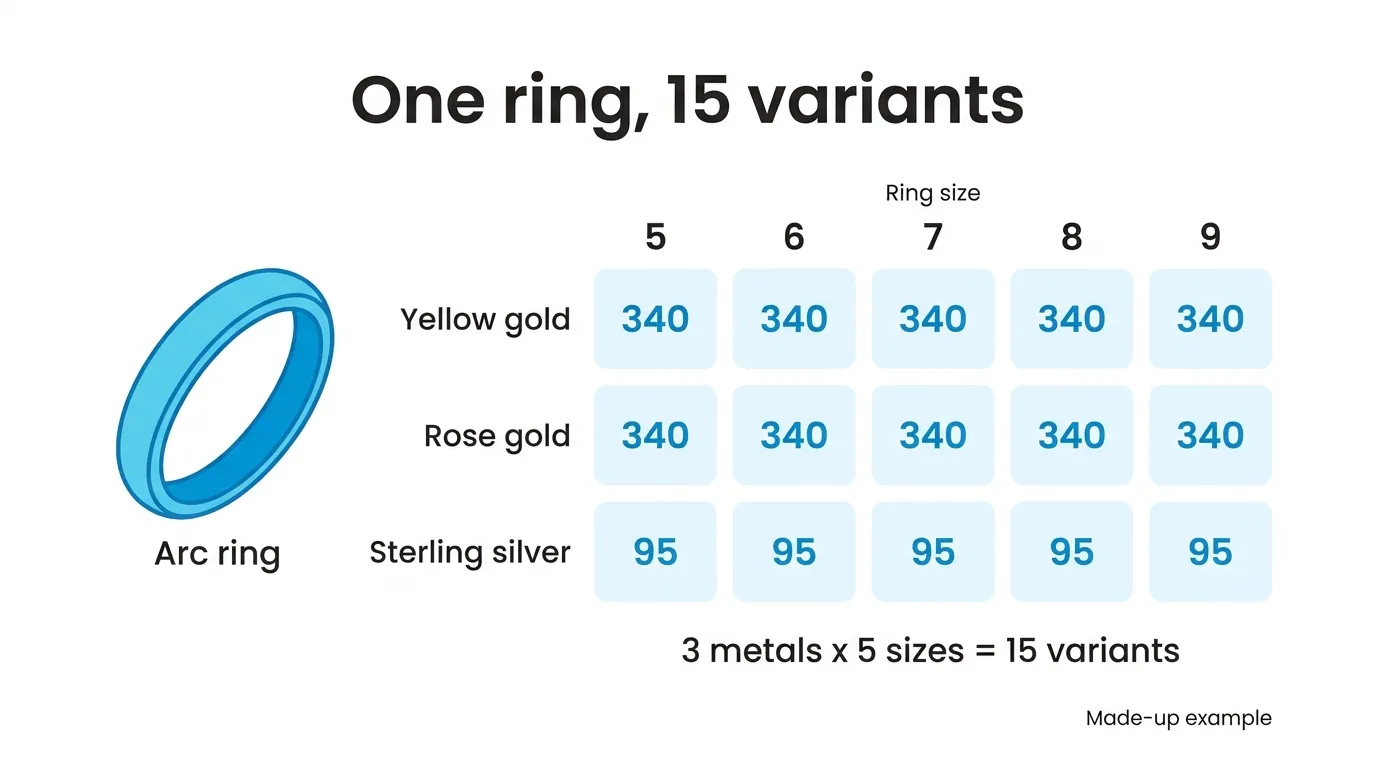
A ring in yellow gold, rose gold and sterling silver, in sizes 5 through 9, is 15 variants. In SKU.io you make the ring a matrix product, choose Metal and Ring size with their values, and Generate Variants creates all 15 with their SKUs, names, prices and costs. Shopify allows up to 2,048 variants per product but only 3 options, and for jewelry the options run out long before the variants do.
This is one part of running the catalog for a jewelry brand that sells online and wholesale, and it’s the part I’d settle first, because stock, purchase orders and wholesale orders all hang off the variant SKUs.
If you make every piece yourself and sell on one Shopify store under about $1M a year, Shopify’s own variant editor is fine for 15 rows, and Craftybase, Zoho Inventory or inFlow are a better next step than us. If you run a jewelry store with repairs, appraisals and a counter, you want store software with a point of sale. The rest of this is for a brand selling the same SKUs on its site and to stockists.
Jewelry multiplies
The co-founder of a jewelry brand described their catalog like this: “we have our style SKU and then there might be 400 different options underneath that one style SKU.” Rings get there fast, because every attribute multiplies the ones before it.
Take the Arc ring from Wrenmere Jewelry (an invented brand; every number here is invented too). It comes in three metals and five whole sizes. That’s 15. Add half sizes from 5 to 9 and there are nine sizes, so 27. Offer three stones on top and it’s 81.
| Arc ring | Metals | Sizes | Stones | Variants |
|---|---|---|---|---|
| Whole sizes | 3 | 5 | none | 15 |
| Whole and half sizes | 3 | 9 | none | 27 |
| Half sizes and stones | 3 | 9 | 3 | 81 |
None of those is near Shopify’s 2,048. Shopify’s help center, as of November 2026, gives that number along with the other one: up to 3 options per product. A ring in metal, size and stone has used them all.
Which attributes get the three slots
My rule: an attribute earns an option only if it changes which unit comes off the shelf. Metal does. Size does. A stone usually does.
The stone’s origin doesn’t, and neither does the carat weight of a stone that’s the same on every variant, or the care instructions. Those go in Shopify metafields filled from the same product record, where they show on the product page without using an option.
Finish is the hard case. Polished and brushed look like two products on a website. If you don’t stock them as separate units, and each ring is finished to order, it isn’t a variant. It’s a note on the order, and spending an option on it leaves no room for the stone.
What the SKU looks like
You type the values, Yellow gold, Rose gold, Sterling silver and 5 through 9, and a SKU pattern builds each SKU. For two attributes the pattern is {parent_sku}-{v1}-{v2}, so the Arc ring’s SKUs run from WM-ARC-Yellowgold-5 to WM-ARC-Sterlingsilver-9.
Two things in that SKU are worth knowing before you type anything.
Spaces and punctuation are dropped from the values. Rose gold becomes Rosegold. A half size typed as 5.5 comes out as 55. That’s still unique, but it’s easy to misread on a packing slip, so if you carry half sizes, decide now how you want them to read.
The value you type is also what the shopper sees as the option on the Shopify product. That’s why I’d keep “Rose gold” as the value and live with the longer SKU, instead of typing “RG” to get a short one. Shoppers read the option. The SKU is mostly read by your own team, and they’ll learn it in a week.
If you leave {v2} out of the pattern, every size of one metal gets the same SKU. The preview marks those rows Duplicate and won’t generate until each combination has its own. It also flags any SKU another product already uses, archived ones included, and leaves just those rows out.
Gold and silver don’t share a price
Every variation starts with the matrix product’s price and cost. With three metals, that’s wrong for most of the rows.
So the preview gives every combination its own Price and Unit cost cell. In the Wrenmere example the matrix product carries the yellow gold numbers, a price of 340 and a cost of 150. In this example rose gold costs the same and keeps them. In the five sterling silver rows you type 95 and 24. That’s ten cells.
Treat the gold cost as a starting point. The same co-founder explained why: if two customers order the same gold ring days apart, “we are going to have two different costs for that on the back end because it’s all based on the weight and the price of gold that time.” The cost you type at setup is what the variant starts with. What each unit actually cost comes from the receipt it arrived on.
The price lands in your default pricing tier, and that’s the price each Shopify variant is published with. A price of zero is left out of the publish. If your wholesale prices are another pricing tier, they’re copied from the matrix product as they are, so check them after generating.
The size run is a one-time decision
Generating more later is easy. Run it again with size 10, and the 15 variations that exist are skipped. Shopify is the catch. Once SKU.io has created the product in Shopify, publishing an update doesn’t re-send variants, SKUs or images. A size 10 you add next month has to be added to the Shopify product in Shopify as well.
An operations lead at a jewelry brand told us: “We have, like, one of every ring in every size in our showrooms.” For a brand like that, the size run is a stocking decision, not only a website one. If your stockists order sizes your website doesn’t usually sell, generate them before the first publish anyway. They’ll sit on the Shopify product with zero stock until you have some, and I’d take a size 10 at zero over adding it to Shopify by hand later.
Everything else on a variation can catch up later. Suppliers, weight, HTS code and country of origin are copied from the matrix product when you generate, and Copy from parent brings later changes across to existing variations, with a preview of each change before it’s saved.
The Generate Variants guide covers every field and limit. If one of your styles has more than three things a shopper picks, book a demo and bring that style.