
Product Information Management
Every Retail Buyer Wants Their Own Product File
In February 2022 I spent an hour and a quarter on a screen share with the e-commerce team of a company that sold parts through some of the largest distributors in the country. They were walking me through their old system, screen by screen, so I could see what they wanted to leave behind. Most of it was what you’d expect. Then they got to a page they called the queue.
The queue built spreadsheets. When they added a new part, or discontinued one, it filled in each distributor’s own setup sheet, in that distributor’s columns and order, ready to upload. I asked who the sheets were for, and the answer was the distributors themselves. They’re big enough to set the rules, and they load new items in bulk from their own templates. “You can’t give it to them any other way,” one of them told me. They were already connected to those distributors over EDI, and EDI would not set up a part. Item setup was still an Excel file, one per distributor.
I said this was the same thing I was building, which I was calling data feeds. My words on the recording: “you have the mappings of fields between SKU fields and the foreign fields.” You’d pick a destination, a download or a Google Sheet or an FTP folder, map each of the buyer’s columns to a field in SKU.io, and the file would build itself every time.
I believed it. I had spent years on the receiving end of files like this. I ran a parts store on a distributor feed of 300,000 parts, and for that supplier I had to log into their portal to get the sheet, because they didn’t offer it any other way. So later, on a call with another parts seller, I described the export side the same way: “you have the fields that you have in the export file that are needed. And then you map those to the SKU fields that feed them. Or if you just want a fixed value, you could do a fixed value.” I told him the sky was the limit.
We shipped it. Nobody set one up. When we removed Data Feeds from SKU.io in October 2026, the note in the code says why in five words: no tenant had a feed.
I’ve thought about why, and my answer is that I built the easy half. Matching “Item Description” to our Name field, or “GTIN” to Barcode, takes a few minutes in a spreadsheet. And when a buyer revises its template, a saved mapping breaks without telling anyone. Nobody was stuck on the column names. They were stuck before that, on where the data comes from.
That’s the part I hear on calls now, in some version. Someone lands a new retail account and gets the buyer’s setup sheet. The UPC, the color, the size, the title, the case pack and the wholesale price all live somewhere, but not in one place. The current title is in whichever file went to the last buyer. The case dimensions are in an email from the factory. Then they have to work out how many of each item they can actually promise, which means taking what’s on the shelf and subtracting what’s already sold or committed. The formatting is the last step. Most of the time goes into the hunt.
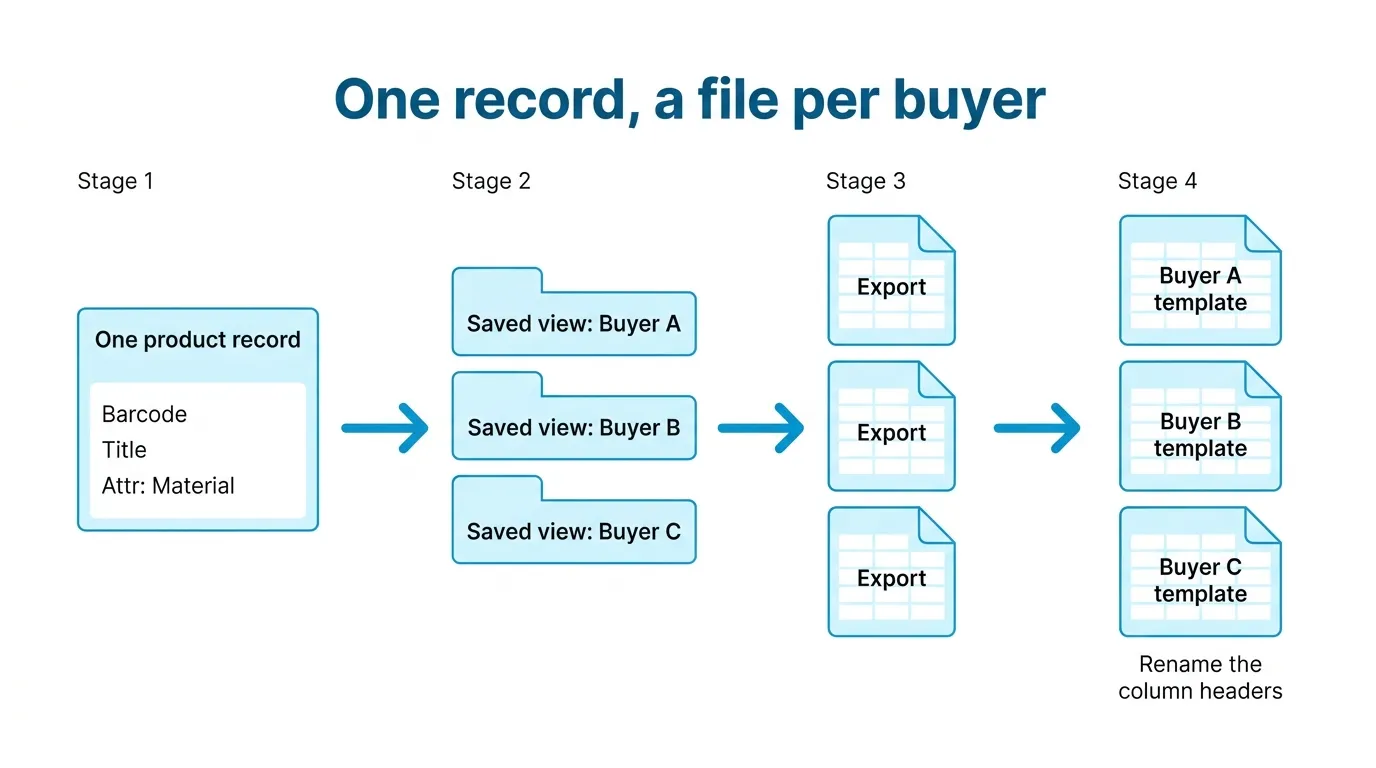
So my advice changed. Don’t buy a mapping tool for buyer files. Get every field a buyer has ever asked you for onto the product record itself, once, and let each buyer’s file be an export of it.
In SKU.io today that looks like this. Anything that isn’t a standard field, like material, country of origin, a retailer’s category code, or a carton count, becomes an attribute on the product. Every attribute shows up as its own column when you export the products list, headed Attr: Material and so on, and the import offers the same Attr: columns to map to, so you can fill in a whole catalog’s attributes from one spreadsheet instead of product by product.
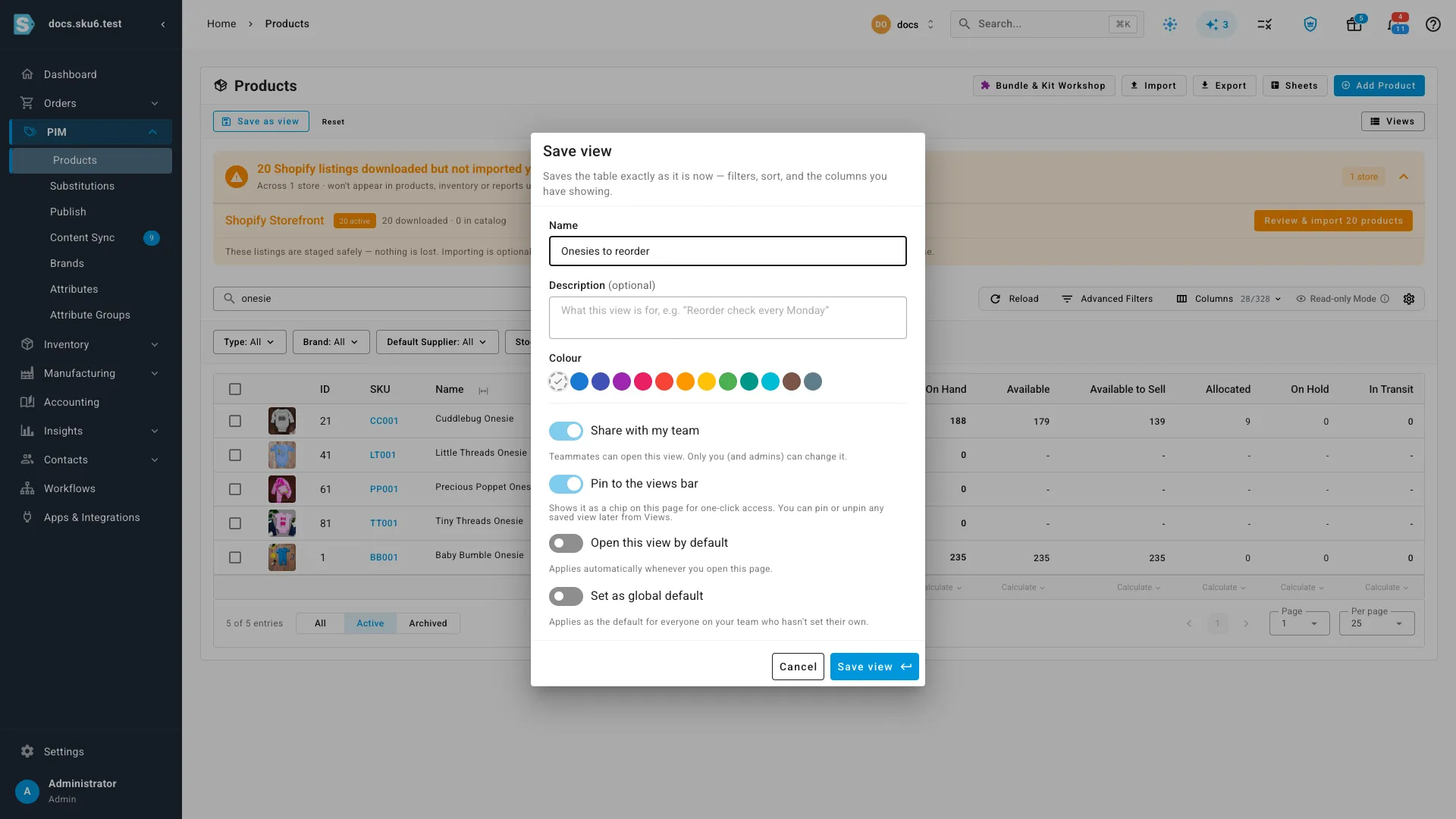
Then, for each buyer, you arrange the products list once: filter to the items that buyer carries, show only the columns their sheet asks for, drag them into its order, and save it as a view named after the buyer. Next time they ask, you open the view, click Export, and choose filtered results. The file has the columns you were showing, in the order you were showing them, and it can include Available to Sell, which is your stock on hand minus what is already allocated to orders or on hold, as of the moment you exported.
One detail matters more than it sounds. When Excel opens a file with a 12-digit barcode in it, it turns the barcode into a number and shows it as something like 5.01234E+11. Save the file and the real barcode is gone. A buyer’s system that loads that sheet sets up your item with a barcode that scans as nothing. Our export writes every cell as text, barcodes and part numbers included, so the number survives being opened and saved. If you build these sheets by hand, format the barcode column as text before you paste anything into it.
What I still haven’t solved is the last step. Our headings are our headings. If a buyer’s template wants “Item Description” in column D and “Vendor Style #” in column B, someone still renames and moves columns, or pastes our export into their template. With a saved view per buyer it’s a few minutes, not an afternoon, and the data underneath is the same everywhere. An AI agent like Claude Code can do that paste if you give it both files, and you check what it did. I haven’t made that a feature, partly because I already built one tool for this that nobody used.
And some buyers don’t take a file at all. They want you to type each item into their vendor portal, field by field. I don’t have an answer for that one. The record being in one place still helps, because at least you’re copying from one screen instead of five files.
If you’re facing a buyer’s setup sheet this week, book a demo and bring the sheet. We’ll go through which of its columns your products would fill and which they wouldn’t. If you’d rather read first, the docs cover exporting the products list, attributes and saved views.