
Holding Incoming Stock for a Wholesale Order So Your Shopify Store Can't Sell It
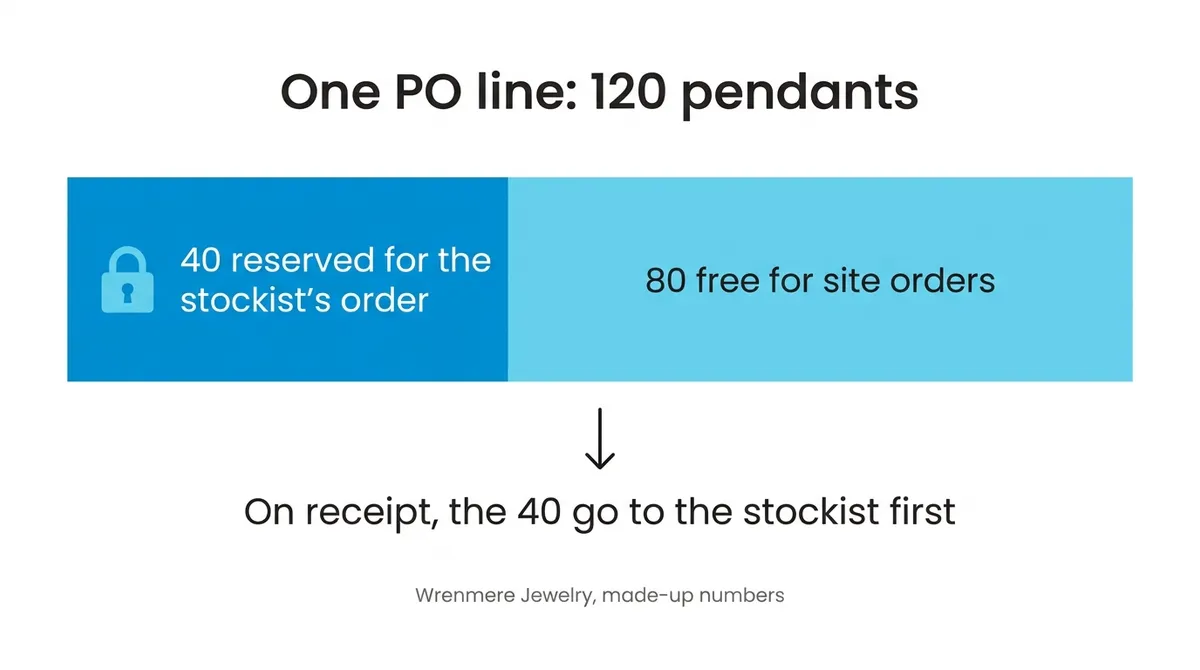
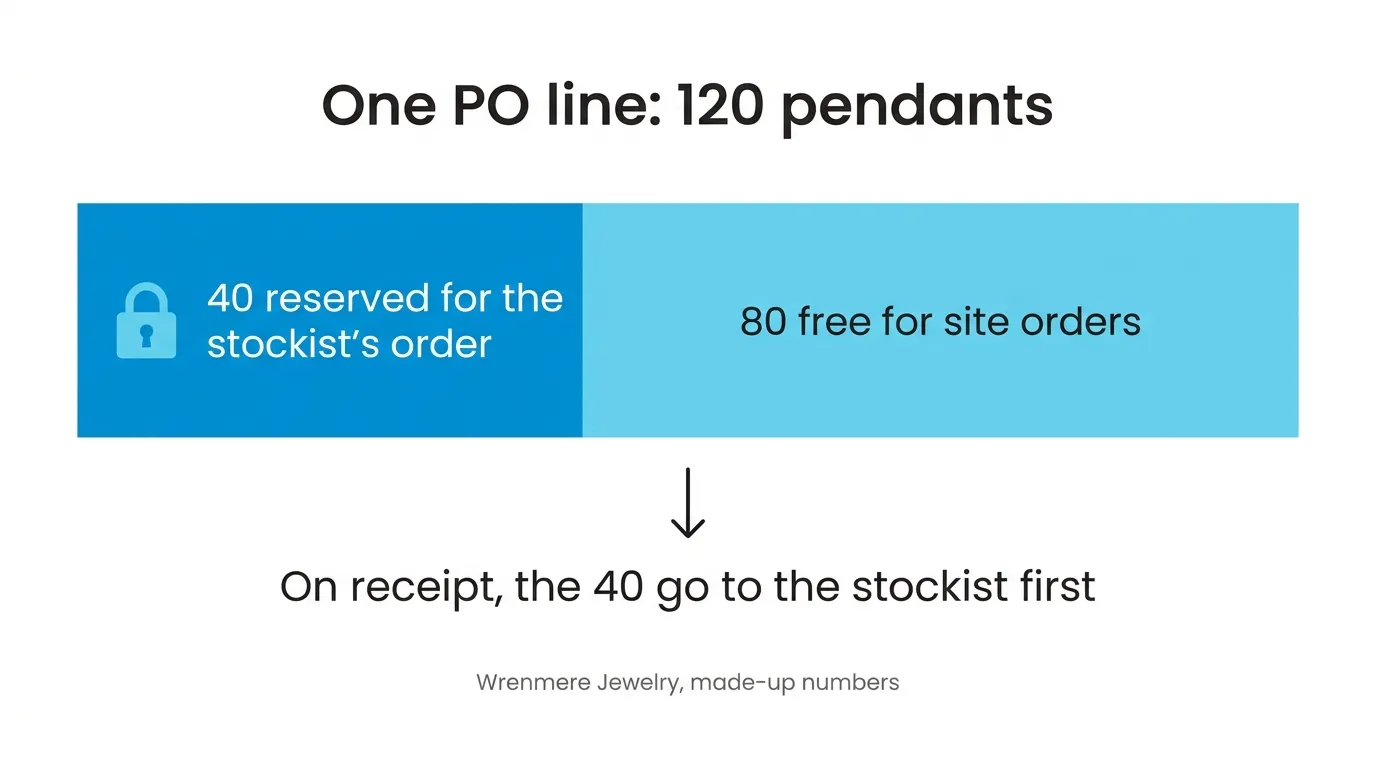
You can reserve part of an incoming purchase order line for one wholesale sales order: 40 of the 120 pendants on a PO that lands in six weeks, say, for one stockist. When the PO is received, those 40 go to that order before any other order waiting for the pendant. They’re never counted as available, so Shopify never gets them to sell. The other 80 on the line stay free for everyone else.
It’s one part of keeping stock straight across online and wholesale, and it’s for whoever has to answer a stockist who asks “are my pieces on that shipment?”
Usually the oldest order wins anyway
Without a reservation, an order SKU.io can’t fill from the shelf waits as a backorder against the next PO for that product. When the PO is received, the waiting orders are filled oldest first, from every channel. If the stockist ordered before the online customers did, it gets its units and you don’t need any of this. A maker selling only from her own site, under about $1M a year, never needs it: with no stockists there’s no one to hold stock for, and Craftybase or inFlow is a better fit than SKU.io.
It goes wrong when the stockist’s order isn’t first in line. That happens to brands that keep selling a core piece on their site after it runs out because a restock is coming.
Six weeks, 120 pendants
Made-up numbers for a made-up brand, Wrenmere Jewelry.
Week 0. Wrenmere places a PO for 120 sterling Tide pendants. The pendant is out of stock, and the site keeps selling it.
Week 2. A boutique stockist orders 40 for its holiday cases. By now 90 site orders are waiting, all placed earlier. Left alone, the receipt fills those 90 first and the stockist gets 30 of its 40.
So someone opens the PO line and reserves 40 for the stockist’s order. They could just as well have started from the stockist’s order and picked the PO line to take the units from. We built it from both sides because the person looking at the shipment and the person on the phone with the stockist are often not the same person, and neither should have to go find the other’s screen.
Week 4. The supplier writes to say the shipment slips a week. Nothing about the reservation changes. The PO’s date moves, and so does the date shown on the stockist’s order.
Week 7. The box arrives three short: 117 pendants, with 3 to follow.
| Who | Without the reservation | With 40 reserved |
|---|---|---|
| 90 earlier site orders | 90 | 77 (13 wait) |
| Stockist | 27 (13 wait) | 40 |
| Left on the shelf for Shopify | 0 | 0 |
Either way 117 units go out and 13 wait. The reservation is filled first even on a short delivery, so the shortfall lands on the site orders instead. With it, the 13 that wait are 13 single-pendant orders, not a third of the stockist’s holiday delivery.
I think that’s usually right. The stockist’s order is one commitment with a date on it, placed by a buyer who decides whether you’re in next season. But someone could fairly say ten customers who paid first matter more, and that’s the point: it should be a choice someone made, not the side effect of when an email arrived.
Splitting a line between accounts
One PO line can be split across several orders: 40 for this stockist, 25 for another, the rest left for the site. One order can also take units from two PO lines if neither has enough. What you can’t do is promise more than the line still has coming, so two people can’t hand the same 40 pendants to two stockists. The order also has to ship from the warehouse the PO is received into.
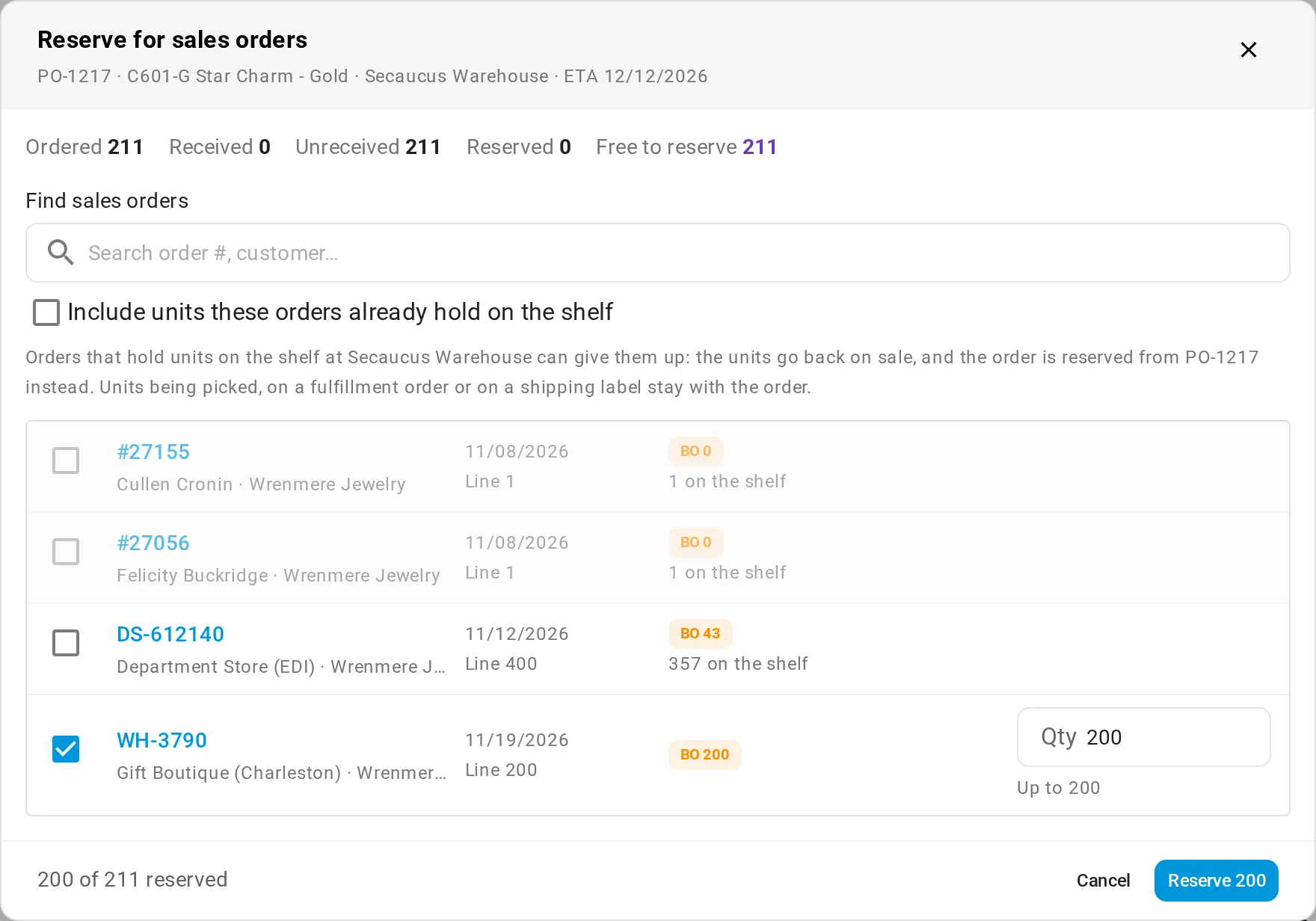
From the purchase order line, pick the orders and how many each gets. Here a boutique’s 200 come out of 211 on the way:
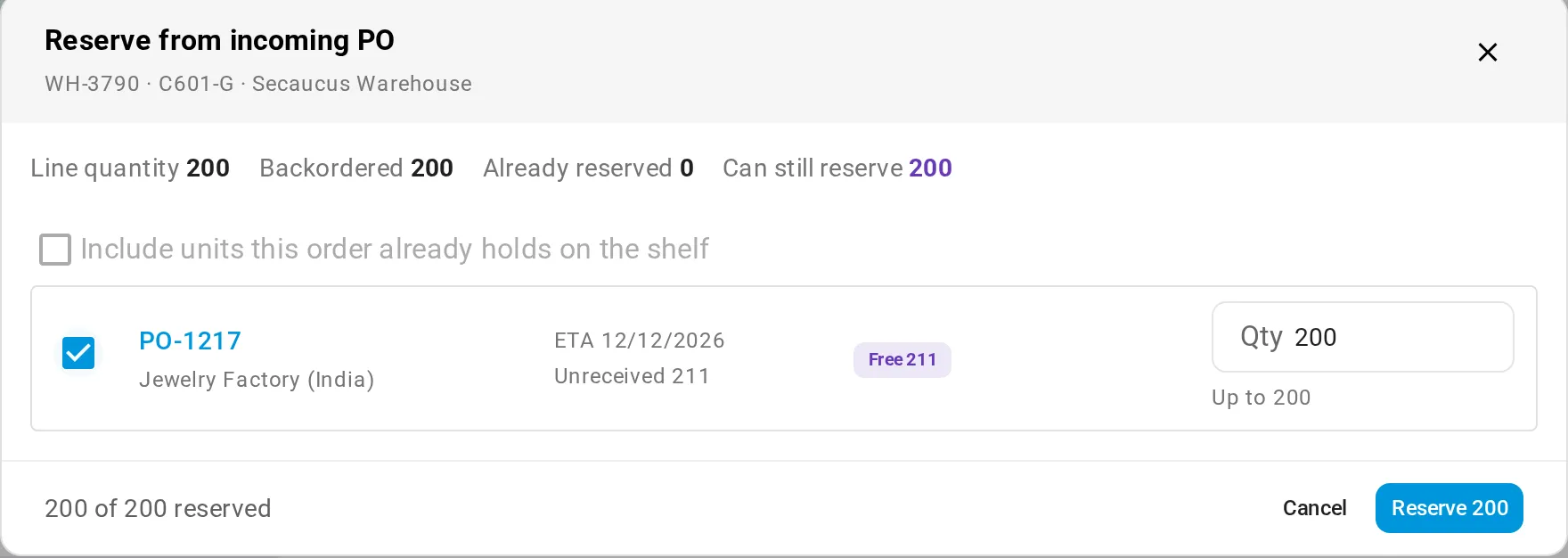
From the sales order, it’s the same hold the other way round: pick the purchase order and the quantity.
Both dialogs also offer to include units an order already holds on the shelf. Tick it and those units go back on sale, and the order waits for the purchase order instead. Units being picked, on a fulfillment order or on a shipping label stay with the order.
Afterwards, the line’s Allocations column, which already shows the orders the line covers, gets a lock on its chip. Hover over it to see each reserved order and its units. Open it to change a quantity or remove a reservation. Removing one puts the order back in the queue at the place it had.
I’d look at that column before promising anyone a date. If the line is already spoken for, you find out before the stockist does.
It waits for that PO and nothing else
We built it this way on purpose, and it’s the part that catches people out. A reserved order takes units only from its own PO line. If a return comes back, or a second PO for the same pendant lands first, the reserved order doesn’t take those units. They go to the next orders in line. A promise tied to one shipment shouldn’t quietly move to another. If you’d rather the order took stock from anywhere, remove the reservation.
If the PO is cancelled, closed short or sent back to draft before the reserved units arrive, the reservation ends. The order rejoins the normal queue at its old place, its activity log says why, and whoever made the reservation gets an email, so the account manager hears about it from SKU.io and not from the stockist. Cutting the PO line’s quantity below what’s reserved ends part of it, and SKU.io asks before saving. The one that’s easy to miss is receiving into the wrong warehouse: a reservation is for the warehouse on the PO, so stock received somewhere else doesn’t fill it. Whoever is receiving gets a warning first.
When the stockist wants it after the PO lands
A growth lead at a brand with retail and wholesale Shopify stores described key accounts that order now for delivery in the autumn, and said “we don’t want to reserve all the 100 units at one time.” That’s the partial reservation: hold what this account ordered, not the delivery.
If the PO lands before the account’s window, the reserved units go onto the order on receipt and stay off sale. To stop it shipping early, give the order a Hold Until date, the earliest day it may ship. It keeps its stock and can’t be fulfilled before that day.
Some owners want the opposite for wholesale orders they key in by hand. The owner of a watch and jewelry business put it this way: “until that person or the wholesaler or vendor paid that sales order, it has to be available throughout the sales channel.” If that’s your rule, reserve when the stockist pays or confirms, not when they email.
Stock that’s already here
A reservation is for stock that hasn’t arrived. Stock on the shelf is a different habit, and jewelry has its own version of it. The same owner, who also sells to jewelry stores, said those buyers “put the hold on the specific items for like up to like a 30 minutes” before deciding, on pieces where he has two or three in stock. For that, or for units you’re keeping for an account that hasn’t ordered yet, place a stock hold. It moves the units from Available to On Hold so nothing can sell them, and you release it when they decide. (If that counter is your own shop, with repairs and appraisals, you want jewelry store software rather than this.) Once there is an order, approving it claims the shelf stock for that order by itself, as covered in how a sales order is approved and allocated.
For the same question without a reservation, who gets a delivery when several channels are waiting, see backorders across online and wholesale.
If stockist orders and site orders keep landing on the same POs, book a demo. Bring one PO and the orders waiting on it, and we’ll split it up together.