Review WFS fees and reconciliation
When Walmart stores and ships your stock through Walmart Fulfillment Services (WFS), it charges fees through your settlements and reports each month what happened to every unit. WFS Fees & Recon brings both into SKU.io. You can see what WFS charged, compare Walmart's count with yours, and find units Walmart may owe you for.
Before you begin
- Connect your Walmart account and use WFS.
- SKU.io pulls fees and the reconciliation report every day. To fetch them now, click Sync Reconciliation on the page.
Open WFS Fees & Recon
-
Go to Apps & Integrations → Walmart and choose your account in the integration selector.
-
Open the WFS Fees & Recon tab.
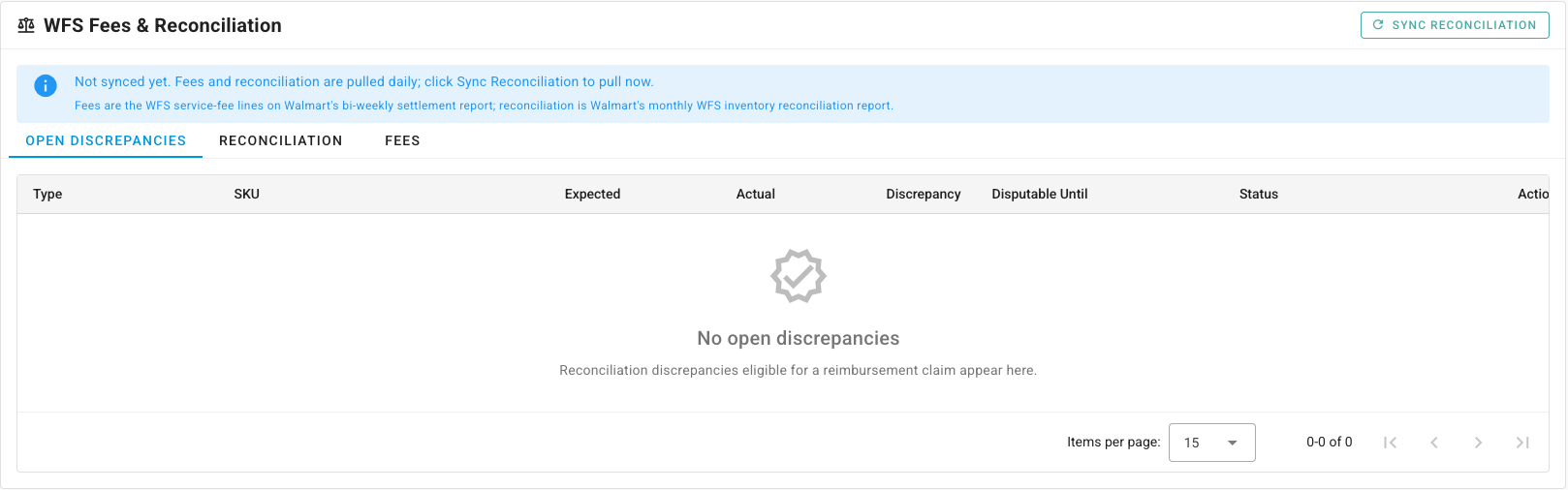
The page has three tabs: Open Discrepancies, Reconciliation and Fees.
Review the fees WFS charged
Open Fees. Each row is one WFS fee line from Walmart's bi-weekly settlement report, including the WFS Fulfillment fee Walmart lists as an adjustment, with its Fee Type, Amount, Currency, Charged At, SKU and Reference ID.
SKU.io sorts each fee by its description into storage, fulfillment, prep, removal, inbound, return or other, so you can see what WFS costs you by type and by SKU.
Compare Walmart's count with yours
Open Reconciliation. Each row is one SKU for one month of Walmart's WFS inventory reconciliation report. Walmart lists an item once per fulfillment center, and SKU.io adds the centers together. Hover over a column header to see what it means.
| Column | What it counts |
|---|---|
| Starting | Units on hand at the start of the period. |
| Received | Units received into a fulfillment center: from your inbound shipments, from another fulfillment center, or returned by a customer. |
| Sold | Units shipped to customers, as Walmart counts them. Walmart can add a sale weeks after it shipped. |
| Returned | Units returned, when Walmart's report has a separate column for them. The current report counts customer returns under Received. |
| Lost | Units lost in a fulfillment center. |
| Damaged | Units damaged, when Walmart's report has a column for them. |
| Found | Units found in a fulfillment center, including units lost in an earlier period. |
| Undelivered | Units that couldn't be delivered to the customer and came back to the fulfillment center. |
| Transferred | Units moved between fulfillment centers. |
| To seller | Units sent back to you. |
| Removed | Units removed from the fulfillment center. |
| Ending | Units on hand at the end of the period, as Walmart reports it. |
| Period | The calendar month, shown as dates, for example Nov 1 – 22, 2026. The current month runs through yesterday. |
When Walmart's ending quantity differs from the WFS stock SKU.io holds for that SKU by more than one unit, SKU.io opens a discrepancy.
Claim units Walmart owes you
SKU.io opens a discrepancy in two cases: when Walmart's count differs from yours, and when Walmart marks an inbound shipment received with fewer units than you shipped. You can file an inbound shortage with Walmart from 10 to 50 days after the shipment was delivered.
- Open Open Discrepancies. Each row shows the Type and SKU, then the Claim column: the claim's status, or an Open claim button when there's no claim yet. Then come the Expected and Actual quantities, the Discrepancy, its Value at cost, and the date it's Disputable Until. Value at cost is the units short times your average cost. Walmart reimburses at its own price, which can be higher.
- Work the oldest Disputable Until dates first. After that date, Walmart no longer accepts a claim.
- Click View reimbursement claim packet on a row. The packet collects the evidence for the claim and links to Seller Center, where you file it. Walmart doesn't let other apps file claims for you.
- To track the case, click Open claim in the row's Claim column. SKU.io starts a Walmart claim with the discrepancy's value, deadline and packet details. The Claim column then shows the claim's status. See File and track a claim.
- If you didn't open a claim, click Mark discrepancy resolved once it's settled or you've confirmed there's nothing to claim. A claim that ends Recovered, Closed or Denied resolves its discrepancy for you.
Walmart's reimbursements arrive in your settlements. SKU.io matches them to your open WFS claims by SKU and records them on the claim.
Download the settlement itself
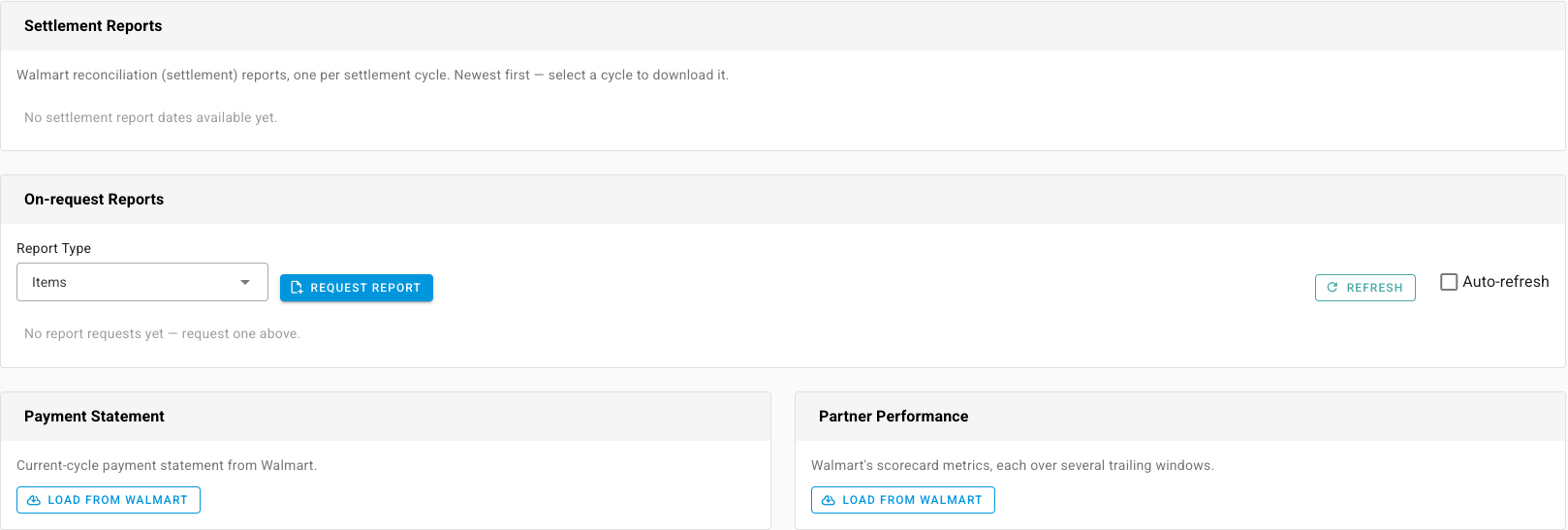
For the full settlement, go to the Reports tab. Settlement Reports lists one report per settlement cycle, newest first. Select a cycle to download it. Payment Statement loads the current cycle's statement from Walmart, with the opening balance, order activity, WFS charges, reserve, the amount paid to you and the closing balance.
WFS fees and the reconciliation report are for review. SKU.io doesn't post Walmart settlements or WFS fees to your ledger, doesn't map them to accounts, and doesn't tie fee lines to individual orders. Record WFS fees in your accounting system from the settlement report.
Next steps
-
File and track a claim: record the case ID, deadline and reimbursement.
-
Mark a WFS inbound shipment as abandoned: close out an inbound shipment Walmart won't receive.