Check whether Trackstar reaches your 3PL
Before you set up a 3PL in SKU.io, find out how SKU.io can reach the warehouse management system (WMS) that the 3PL runs. There are three ways: a direct integration, a Trackstar connection, or the 3PL's own system connecting to SKU.io. This page shows how to check each one, and what the system supports once it's connected.
Before you begin
- Ask your 3PL which warehouse management system it uses. A 3PL often runs a system it licenses, such as Logiwa or Extensiv (3PL Central), and sometimes one it built itself.
- You need permission to connect integrations.
Steps
-
Go to Apps & Integrations → All Integrations.
-
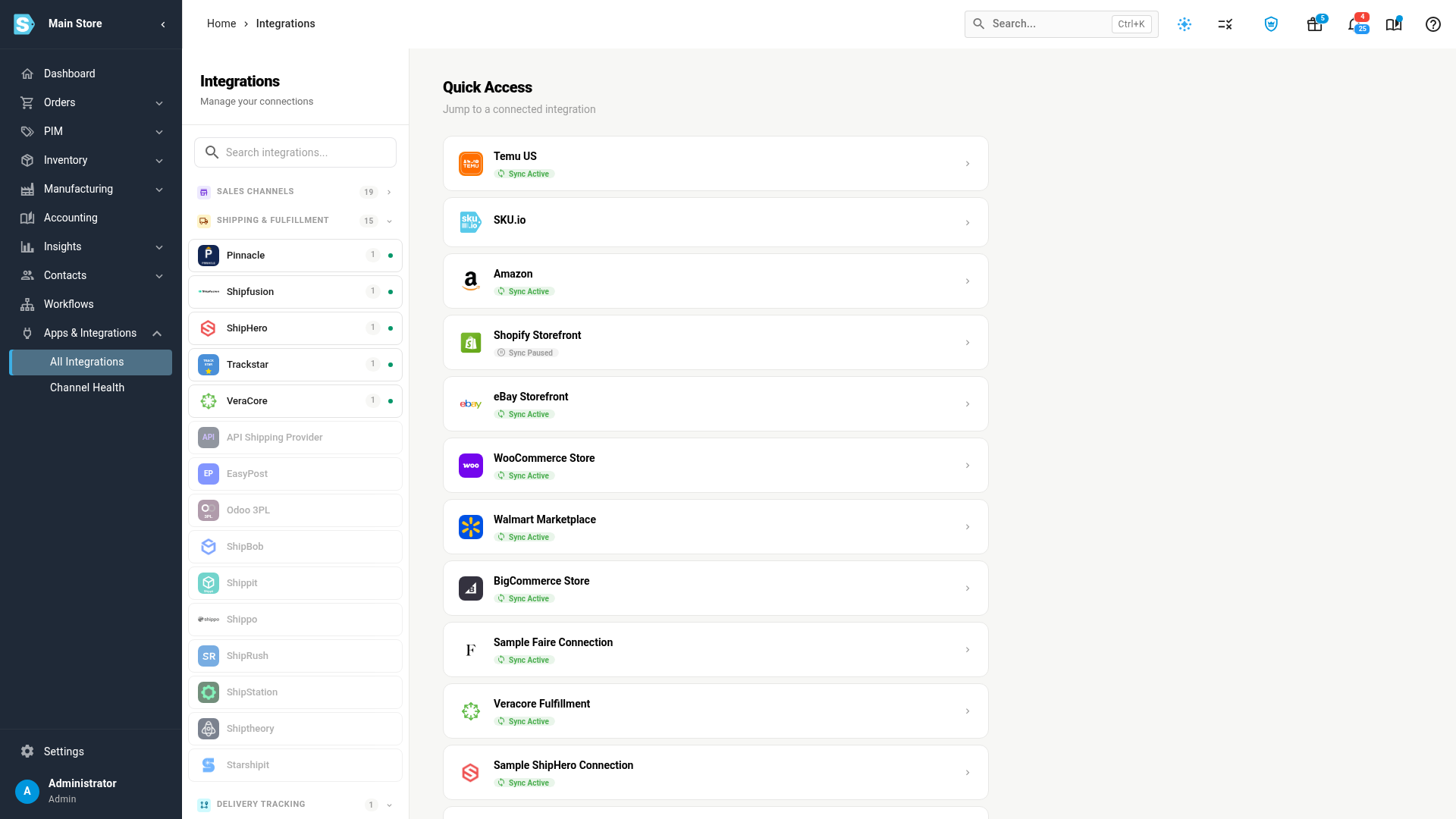
Collapse Sales Channels, and look under Shipping & Fulfillment. If your 3PL's system is listed there, connect it directly. Each direct integration has its own guide; see Direct integrations.
-
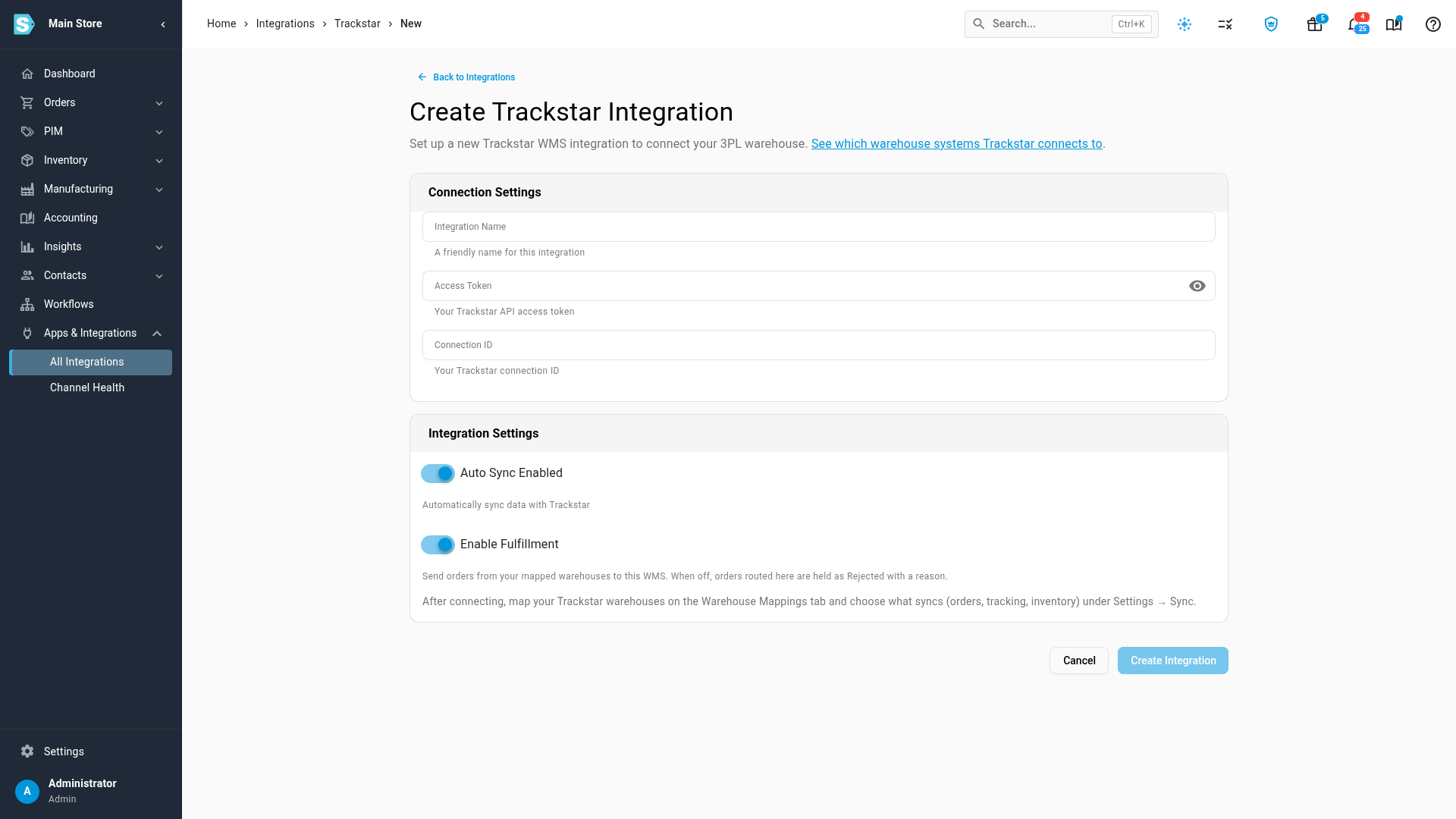
If it isn't there, choose Trackstar and click Add Instance. At the top of the Create Trackstar Integration page, See which warehouse systems Trackstar connects to opens Trackstar's own list in a new tab.
-
Search Trackstar's list for your 3PL's system. If it's there, connect it through Trackstar.
-
After you connect, open the connection's Dashboard. Available actions lists what Trackstar can do in that system. Check it against what each action lets SKU.io do.
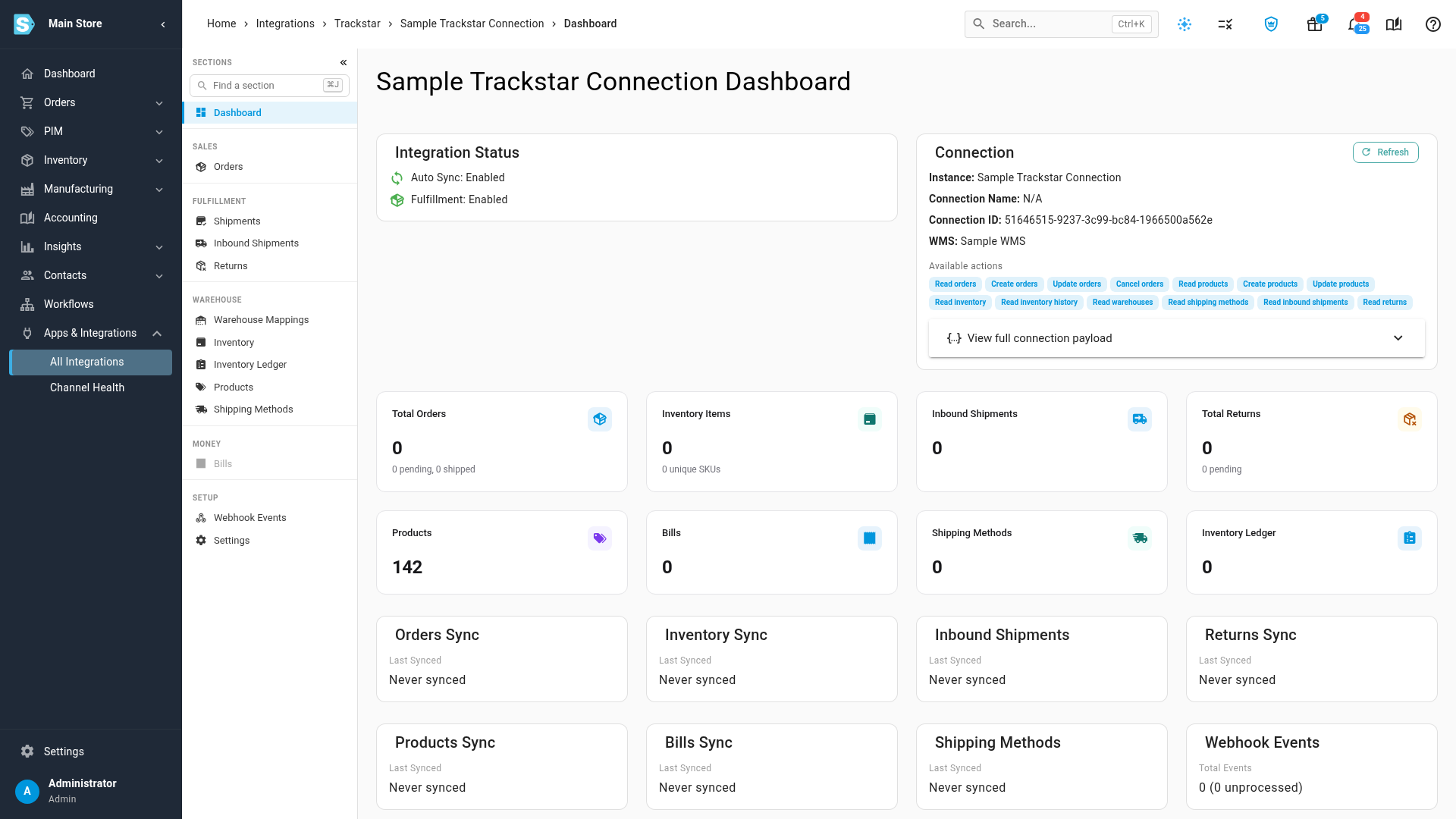
What you'll see: a section the system doesn't support is greyed out in the connection's menu, and pointing at it says "Not supported by" and the system's name.
If your 3PL's system is on neither our list nor Trackstar's list, see When your 3PL's system isn't on the list.
Direct integrations
These warehouse systems and fulfillment networks connect to SKU.io directly, without Trackstar. ShipBob, ShipHero, Shipfusion, and VeraCore are also on Trackstar's list. When a system has a direct integration, use it.
| Your 3PL runs | Connect it with |
|---|---|
| ShipBob | ShipBob |
| ShipHero | ShipHero |
| Shipfusion | Shipfusion |
| VeraCore | VeraCore |
| Odoo (ShipPro) | Odoo 3PL |
| Pinnacle, for Metropolitan Warehouse & Delivery | Pinnacle |
The other apps under Shipping & Fulfillment, such as ShipStation, Shippo, EasyPost, and Starshipit, are for labels and tracking. They don't run a 3PL's warehouse.
What each action lets SKU.io do
Trackstar reports what each system can do, and the Available actions on the connection's Dashboard show it. A tab or button that needs an action the system doesn't have is greyed out.
| Available action | What it lets SKU.io do |
|---|---|
| Create orders | Send your fulfillment orders to the warehouse. |
| Update orders, Cancel orders | Change or cancel an order the warehouse already has. |
| Read orders | Bring back each order's status and its shipments, with tracking and shipping cost. |
| Read products, Create products, Update products | List the warehouse's catalog on the Products tab, and push your products to it. When the system can't take products, Push to is greyed out. |
| Create ASNs (inbound shipments) | Send an ASN from a purchase order or transfer. |
| Read inbound shipments | List the stock arriving at the warehouse on the Inbound Shipments tab. |
| Read inventory, Read inventory history | Compare the warehouse's stock with SKU.io's on the Inventory tab, and list its stock movements on Inventory Ledger. |
| Read warehouses | Map the warehouse's sites to SKU.io warehouses on Warehouse Mappings. |
| Read shipping methods | Route shipping methods. |
| Read returns | List the returns the warehouse processed. |
| Read bills | List the warehouse's billing charges on Bills. |
When your 3PL's system isn't on the list
-
Ask Trackstar to add it. Trackstar takes requests for systems it doesn't connect to yet.
-
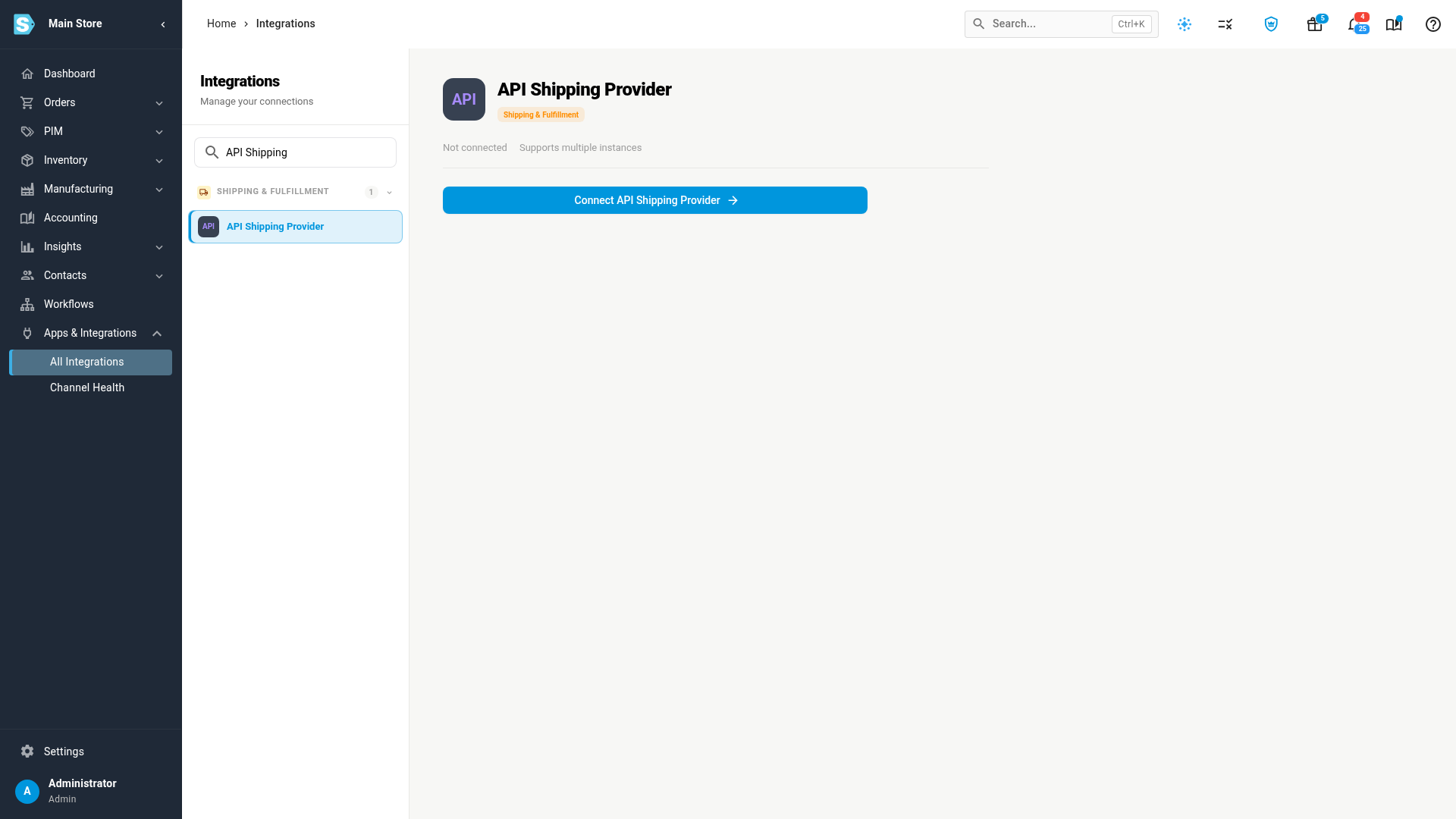
Have the 3PL connect its own system. A 3PL that runs a system of its own can connect it to SKU.io as an API Shipping Provider. Its developers use an API token you create in SKU.io. Their system collects the orders you release from the warehouse it runs, and reports each shipment back with its tracking number. D3 works this way; see Connect D3 for the steps.
-
Ask SKU.io about a direct integration. Contact SKU.io support with the system's name and what your 3PL needs from it, such as orders, inventory, and ASNs.
-
Ship the orders yourself in the meantime. A warehouse with no shipping provider uses manual fulfillment: you record each shipment and its tracking number on the order. See Fulfill a sales order.
Next steps
- Connect a warehouse through Trackstar
- Trackstar overview
- Connect D3, an example of an API Shipping Provider
Video transcript
To ship through a 3PL, you need a way to reach the warehouse system it runs. Start with the direct connections. Open Apps and Integrations, and then choose All Integrations from the menu. Collapse the Sales Channels group, so the Shipping and Fulfillment group moves up into view. These are the 3PLs and warehouse platforms with a direct integration, like ShipHero. If your 3PL runs one of them, use its own integration. If it isn't listed, try Trackstar. It's one connection to many different warehouse systems. Choose Trackstar in the Shipping and Fulfillment list. Then click Add Instance, and the setup page for a new connection opens. Under the title, this link opens Trackstar's own list of warehouse systems. That list names more than 170 warehouse systems and 3PLs. Click the search box, and type the name of the one your 3PL uses. If it shows up in the results, you can connect it with Trackstar. Once it's connected, come back here, choose Trackstar again, and open your connection by name. Its Dashboard shows Available actions: everything this connection can do in your 3PL's system. This one can create orders and products, but it can't create ASNs. Anything the system can't do is greyed out, such as Bills. Some 3PLs run warehouse software of their own. Their developers can connect it to your account. Click the search box at the top of the list, and type API Shipping. Then choose API Shipping Provider from the results. The 3PL's system then collects your released orders, and reports each shipment back.