Connect D3
D3 connects to SKU.io as an API Shipping Provider. You create the connection, give D3 an API token for its system, and map the warehouse D3 runs for you. From then on, D3 downloads the orders you release from that warehouse.
Before you begin
- You need permission to connect integrations.
- Create the SKU.io warehouse that D3 runs for you, if you don't have one yet. See Create and edit a warehouse.
- Ask D3 for its own ID for that warehouse.
Steps
Add the connection
-
Go to Apps & Integrations → All Integrations.
-
In Search integrations, type API Shipping, and choose API Shipping Provider.
-
Click Connect API Shipping Provider. If you already have an API Shipping Provider connection, the button reads Add Instance.
-
In Provider Name, enter D3. The name appears on every D3 order, for example on the fulfillment order's D3 chip.
-
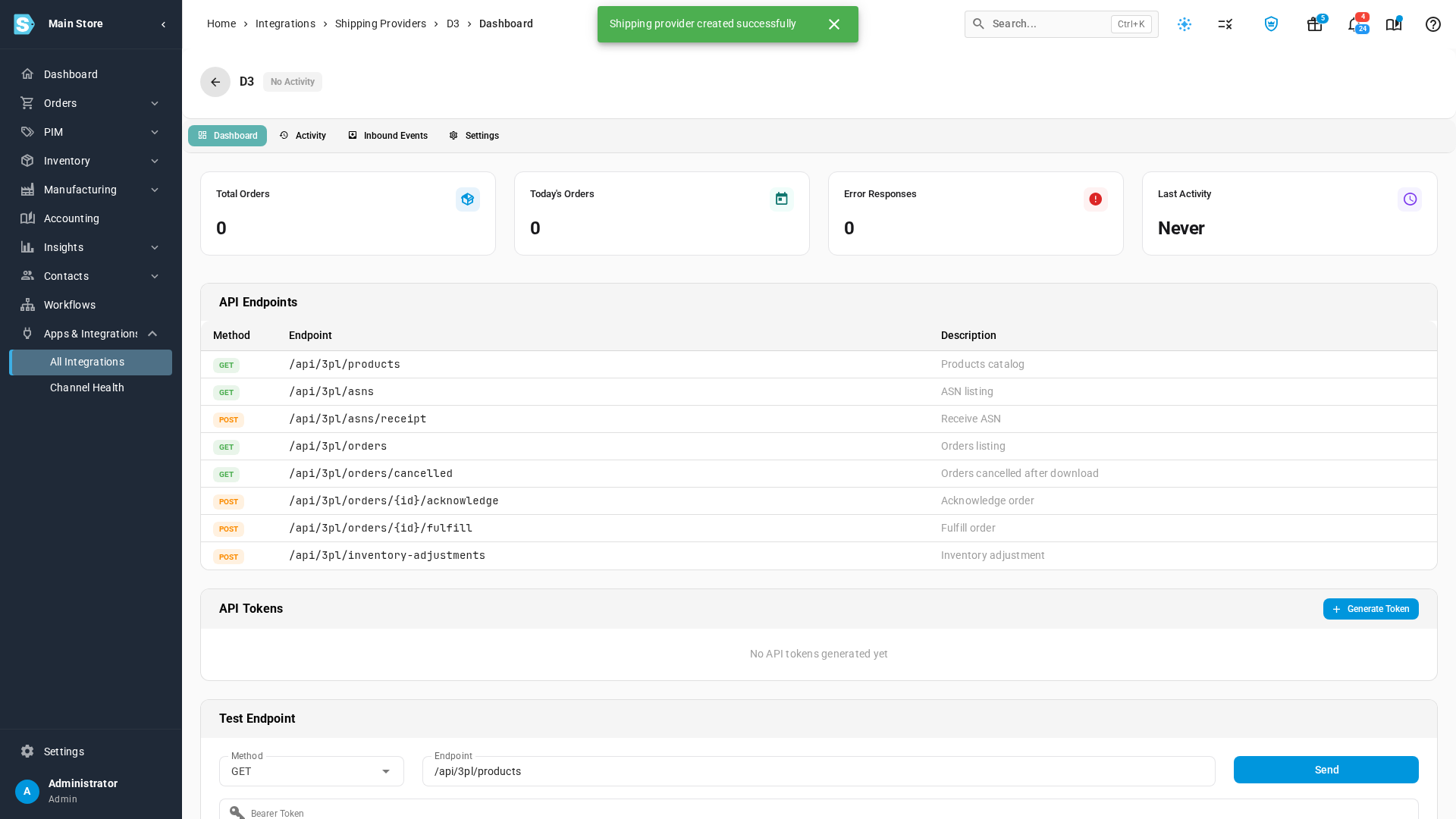
Click Create. The connection's Dashboard opens.
Give D3 an API token
-
Under API Tokens, click Generate Token.
-
Enter a Token Name, such as D3 middleware, and click Generate.
-
Copy the token, and send it to D3 securely. It's shown only once. If it's lost, generate a new one and delete the old one.
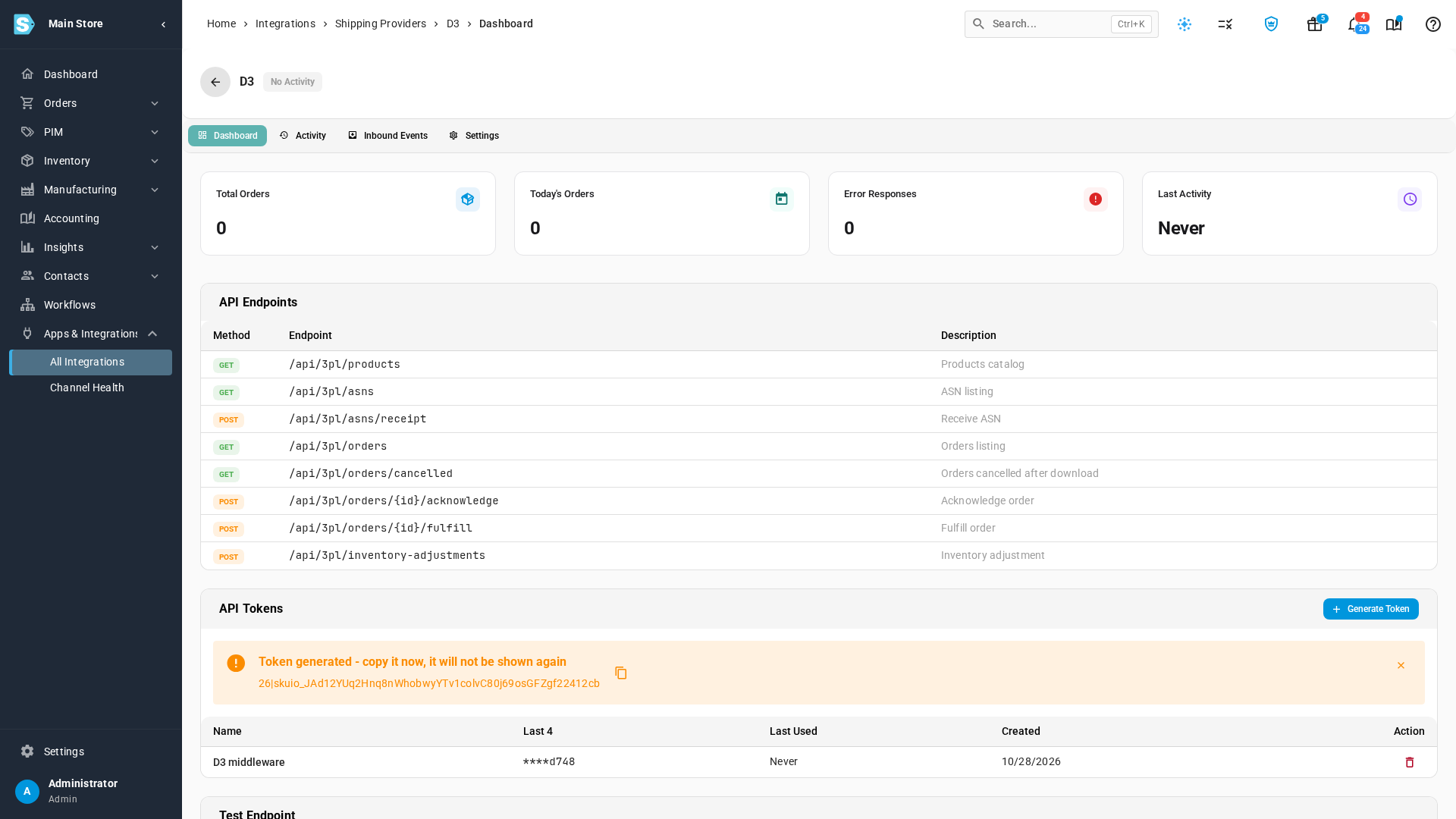
D3's system uses the token to download your released orders every 30 minutes, and to report shipments back. The Dashboard counts its orders and shows when D3 last connected.
Map your D3 warehouse
-
Open Settings.
-
Under Warehouse Mappings, click Add Warehouse Mapping.
-
Under SKU Warehouse, search for and choose the warehouse D3 runs for you.
-
Under External ID, enter D3's own ID for that warehouse.
-
Click Save Changes.
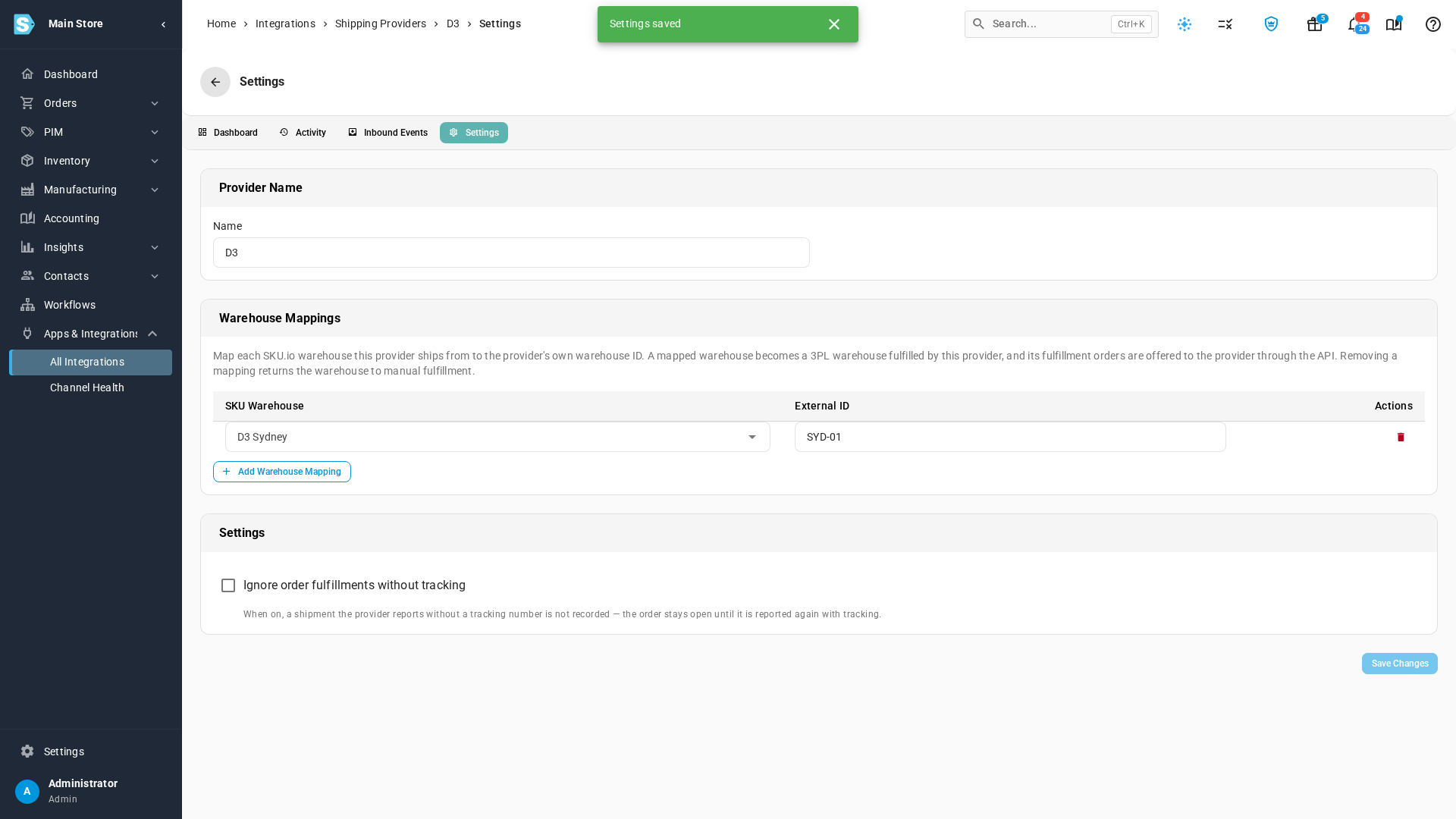
What you'll see: the warehouse becomes a 3PL warehouse that ships through D3. Its fulfillment orders now have a Release for D3 button, and D3 downloads each one you release. If you remove the mapping, the warehouse goes back to manual fulfillment.
Shipments without tracking
Under Settings, turn on Ignore order fulfillments without tracking if D3 sometimes reports a shipment before it has a tracking number. SKU.io then skips those reports, and the order stays open until D3 reports the shipment again with tracking.
Next steps
- D3 overview: what Released, Downloaded and Shipped mean
- Cancel an order D3 has downloaded
Video transcript
D3 connects to SKU.io as an API Shipping Provider. Open Apps and Integrations, and search for API Shipping. Choose API Shipping Provider, and click Connect API Shipping Provider. Name the connection D3. The name appears on every D3 order. Click Create, and the connection's dashboard opens. D3 needs an API token to download your orders. Under API Tokens, click Generate Token, at the right of the card. Give it a name you'll recognize, and click Generate. Your new token appears at the top of the list. Copy it now, and send it to D3 securely. It's shown only once. Now map the warehouse that D3 runs for you, so its orders reach D3. Open the Settings tab, at the top of the connection. This page holds the connection's name, and its warehouse mappings. Under Warehouse Mappings, click Add Warehouse Mapping. Search for that warehouse by its name, and then choose it from the list. Then enter the ID that D3 uses for it. Click Save Changes. D3 Sydney is now a 3PL warehouse that ships through D3. When you release one of its orders, D3 downloads it within 30 minutes.