Pay a vendor deposit with Mercury
A vendor deposit is money you pay a supplier before the goods arrive: a deposit to start production, or the balance before shipment. Pay it from Mercury the same way you pay a bill. Once the payment is approved and Mercury sends it, SKU.io marks the deposit paid, dated on the day the money left the bank, so the purchase order's cash flow shows it in the right place.
Before you begin
- Connect Mercury, and link the supplier to its Mercury recipient (you can also do it in the dialog).
- You need the Send payments permission (under Mercury Bill Pay in Settings → Roles).
- The deposit must be Approved or Partially Paid, and in US dollars. A deposit that's still a draft or waiting for approval can't be paid yet: approve it first. See Approve a vendor deposit.
- If the deposit's payee bank details haven't been verified, verify them before paying.
Pay the deposit
-
Open the purchase order and click the Deposits tab.
-
In Vendor Deposit Documents, click ⋮ on the deposit's row, then Pay with Mercury.
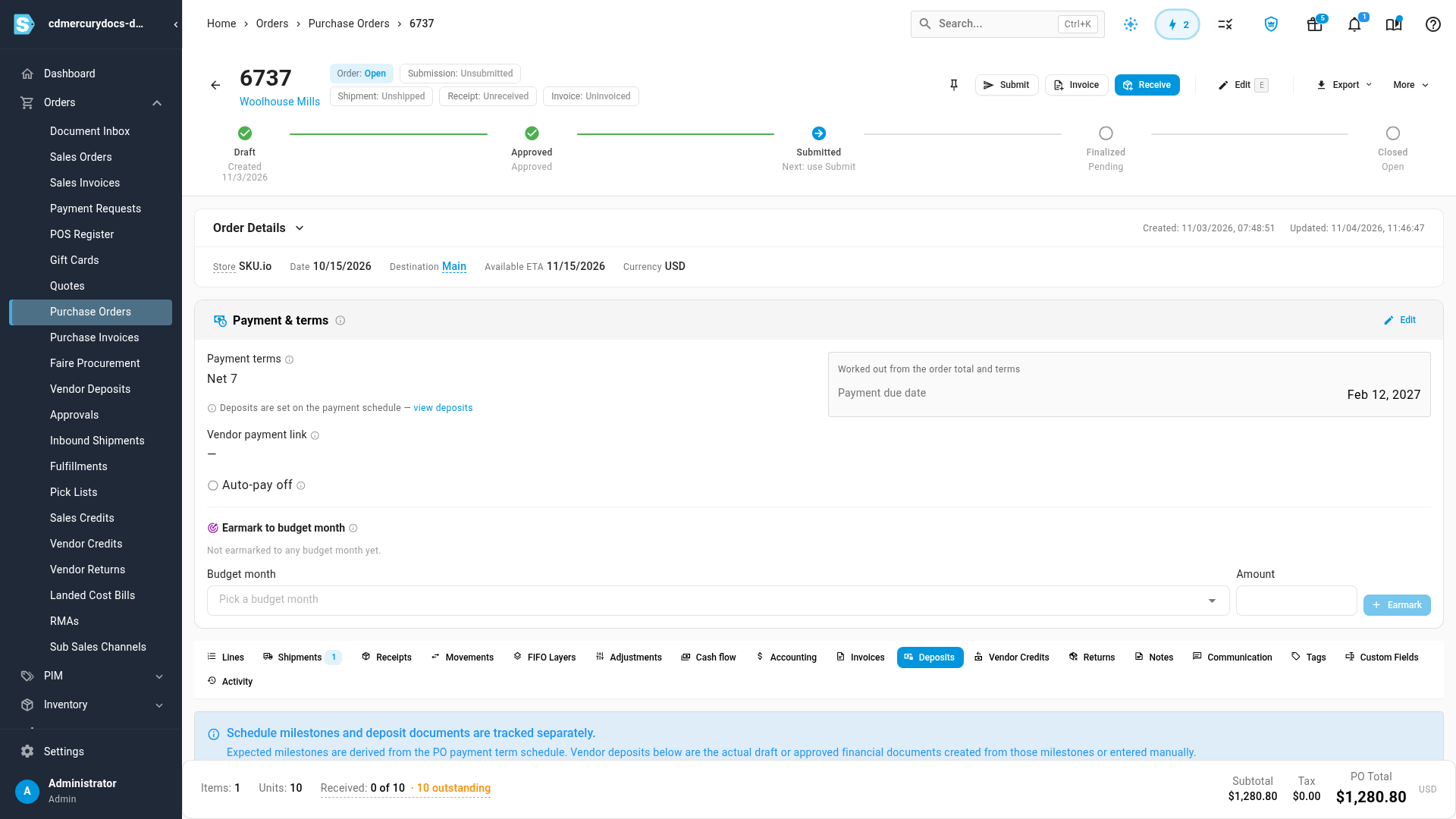
You can also open the deposit itself (Orders → Vendor Deposits) and click Pay with Mercury at the top.
-
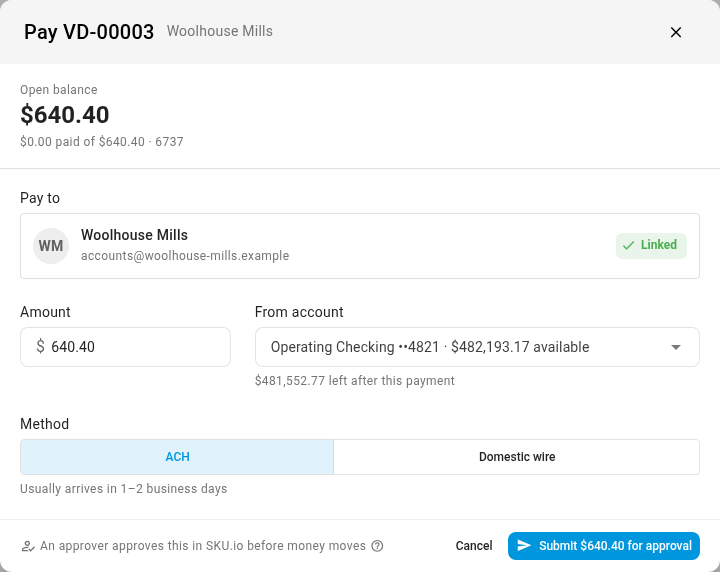
The Pay dialog opens on the deposit, with what's still unpaid as its open balance. Check Pay to, Amount, From account and Method.
-
Click the send button (Submit $… for approval, or Send $… to Mercury when payments are approved in Mercury).
You can pay part of a deposit; the rest stays open. You can't pay more than is still unpaid on it.
If Pay with Mercury is greyed out, point at it to see why. For example, Approve the deposit before paying it. Deposits in another currency, or with nothing left to pay, don't show it at all.
What happens next
The payment goes through the same approval as a bill payment: on the Payments tab, or in Mercury. If your deposit approval policy already approved the deposit, there's no second approval, and the payment goes straight to Mercury. See Approve or decline Mercury payments.
When Mercury confirms the money was sent, the deposit becomes Paid (or Partially Paid), with the payment dated on the bank date. While the payment is in progress, opening Pay with Mercury again shows that payment instead of the form, so the deposit can't be paid twice.
Paid the deposit from Mercury's own app?
If you wired a deposit straight from Mercury, record it from the Bank transactions tab instead. A wire that matches an approved deposit is suggested there, and Confirm records it in one click. A wire with no deposit behind it can be recorded as a new paid deposit on the purchase order. See Review Mercury bank transactions.