Ship Amazon merchant-fulfilled orders
Amazon orders come in two kinds. FBA orders ship from Amazon's warehouses, and SKU.io only records them. Merchant-fulfilled (MFN) orders are yours to ship: they arrive in SKU.io as open sales orders, you pick, pack and ship them like any other order, and SKU.io sends the carrier and tracking number back to Amazon so the order is marked shipped there.
Before you begin
- The Amazon connection is set up. See Connect Amazon and choose your marketplaces.
- You have permission to change the connection's settings.
Turn on the order sync
-
Go to Apps & Integrations, open your Amazon connection, then open Amazon Settings and the Sync tab.
-
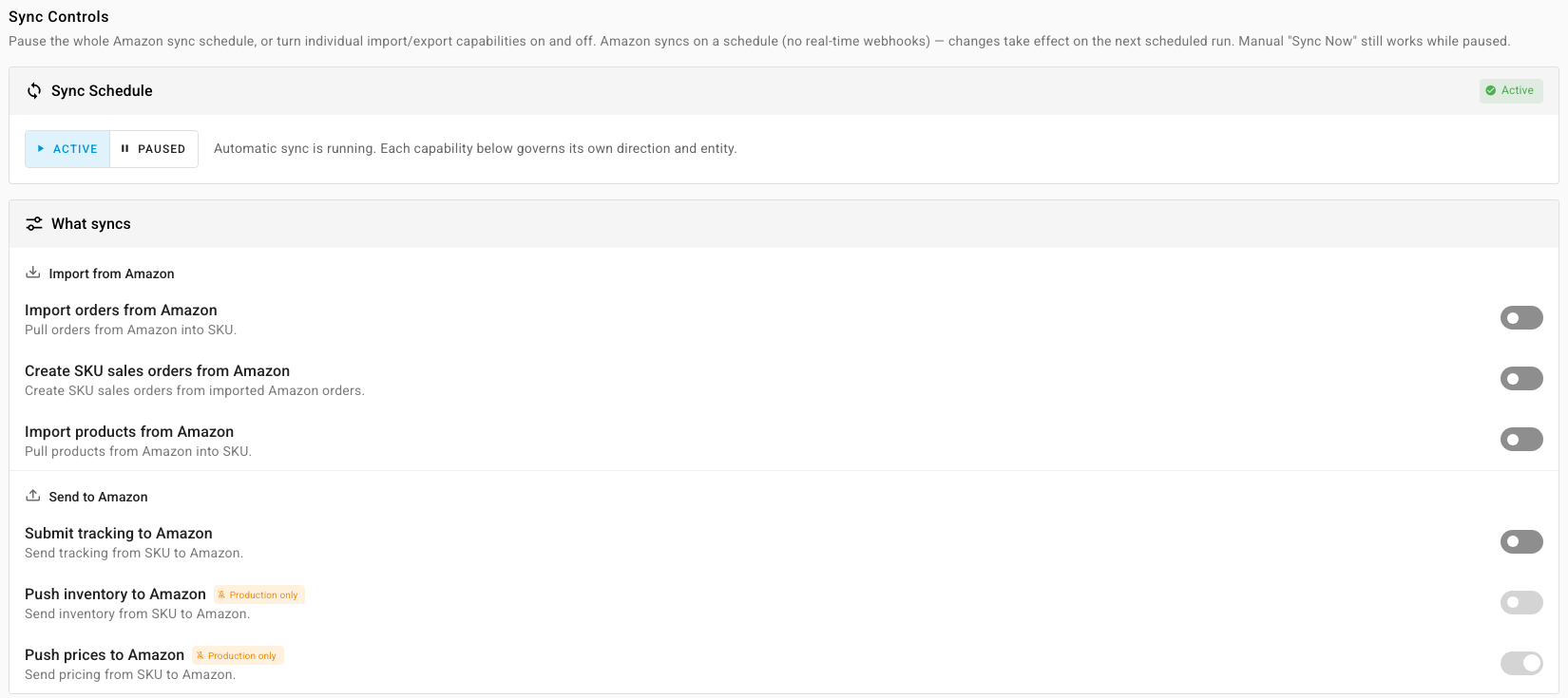
Under Import from Amazon, turn on Import orders from Amazon and Create SKU sales orders from Amazon.
-
Under Send to Amazon, turn on Submit tracking to Amazon.
-
On the Orders tab, check Order Download Start Date. Orders created before it aren't downloaded.
New merchant-fulfilled orders now arrive as open, unfulfilled sales orders, on the MFN sub-sales channel of the connection. FBA orders arrive already fulfilled and closed, on the FBA sub-sales channel. On the Orders tab of the Amazon connection, the Fulfillment Channel filter separates the two, and each order shows Merchant Fulfilled or Fulfilled by Amazon.
Map Amazon's shipping speeds
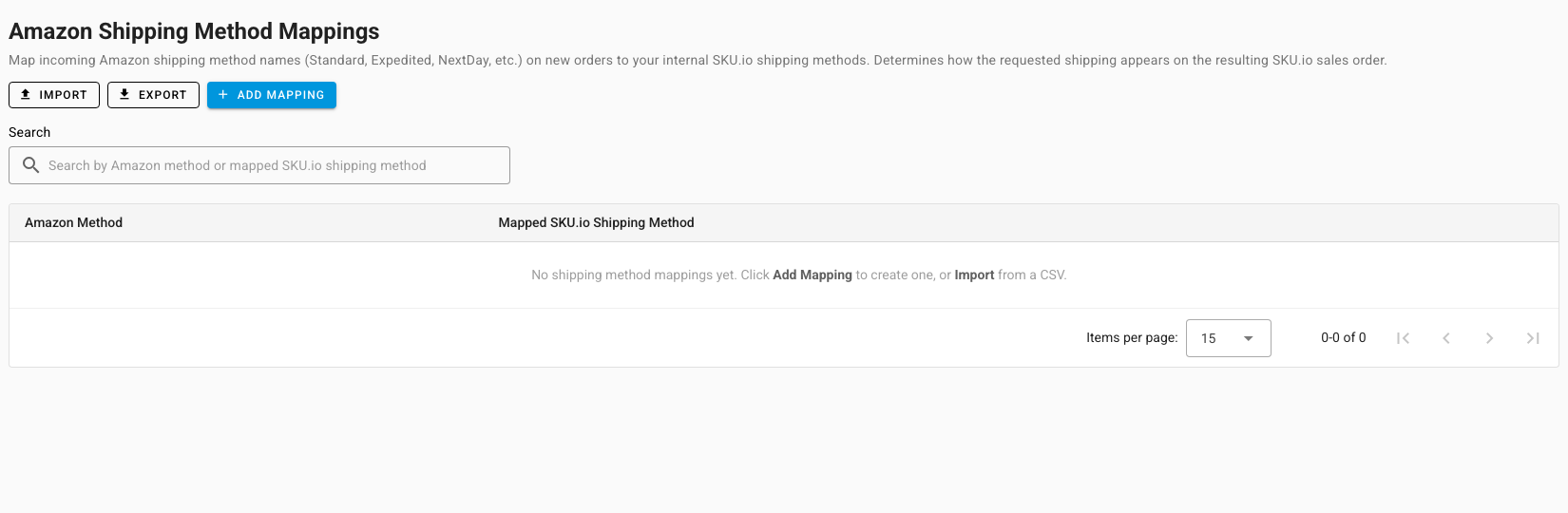
Each Amazon order carries the shipping speed the buyer paid for, such as Standard, Expedited or NextDay. Map each one to a shipping method, so the sales order asks for the right service.
- Open the Shipping tab of the Amazon connection. If it asks you to pick a single Amazon integration, choose one in the picker at the top.
- Click Add Mapping, choose the Amazon Method, and pick the Mapped SKU.io Shipping Method. Use Import and Export to manage many at once.
- Click Save Changes.
Ship the order
Fulfill the sales order the way you fulfill any order, from your own warehouse, a 3PL or a shipping app. See Fulfill a sales order.
When the fulfillment is recorded with a carrier and tracking number, SKU.io sends them to Amazon. Anything still waiting goes out on a regular run every 15 minutes. SKU.io matches your carrier's name to Amazon's list of carriers, ignoring case, spaces and punctuation. If it can't find a match, it sends the carrier as Other with the name you used, so the tracking number still reaches the buyer.
SKU.io doesn't buy shipping labels through Amazon's own shipping service. Buy labels with your usual carrier account or shipping app, and SKU.io sends the tracking to Amazon.
If you shipped some orders outside SKU.io before you connected, SKU.io records them as already shipped, using the quantities Amazon reports.