How Amazon returns become RMAs
For the Amazon orders you ship yourself, SKU.io downloads Amazon's returns report and turns each return into an RMA (return merchandise authorization) on the sales order, so you're ready to receive the item. Whether that RMA is approved or left as a draft depends on what Amazon reports about the return.
Before you begin
- Set a Default Returns Warehouse under Settings → General → Returns. SKU.io creates every Amazon RMA there; without it, Amazon returns can't become RMAs.
- The returned product is mapped to its Amazon listing, so SKU.io can find the line on the sales order.
What each return becomes
| Amazon reports the return as | SKU.io creates |
|---|---|
| Approved or Closed | An Approved RMA, ready to receive. |
| Rejected, Pending, PendingApproval, or anything else | A Draft RMA, for you to review. |
| A refund or replacement where the customer keeps the item | No RMA, because nothing comes back. |
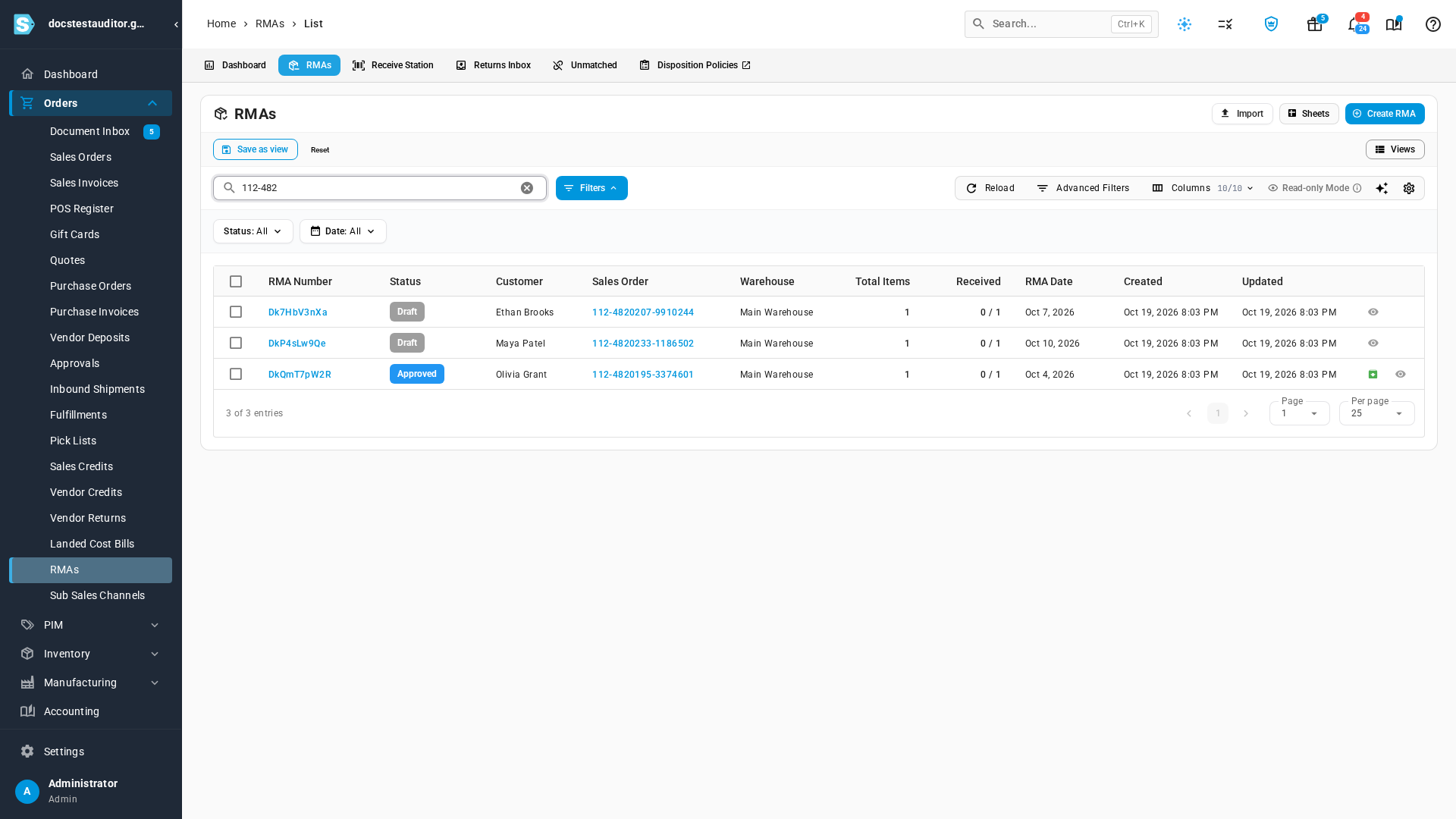
Each RMA is numbered with Amazon's own RMA ID, and carries Amazon's carrier, tracking number and return reason. To find them, go to Orders → RMAs, open the RMAs tab, and search for the Amazon order number.
Review a draft RMA
A draft RMA's Notes show what Amazon reported and why it's a draft, for example: Left as draft: Amazon reports this return as Rejected. Only Approved or Closed Amazon returns are approved automatically; approve it here once the return is confirmed.
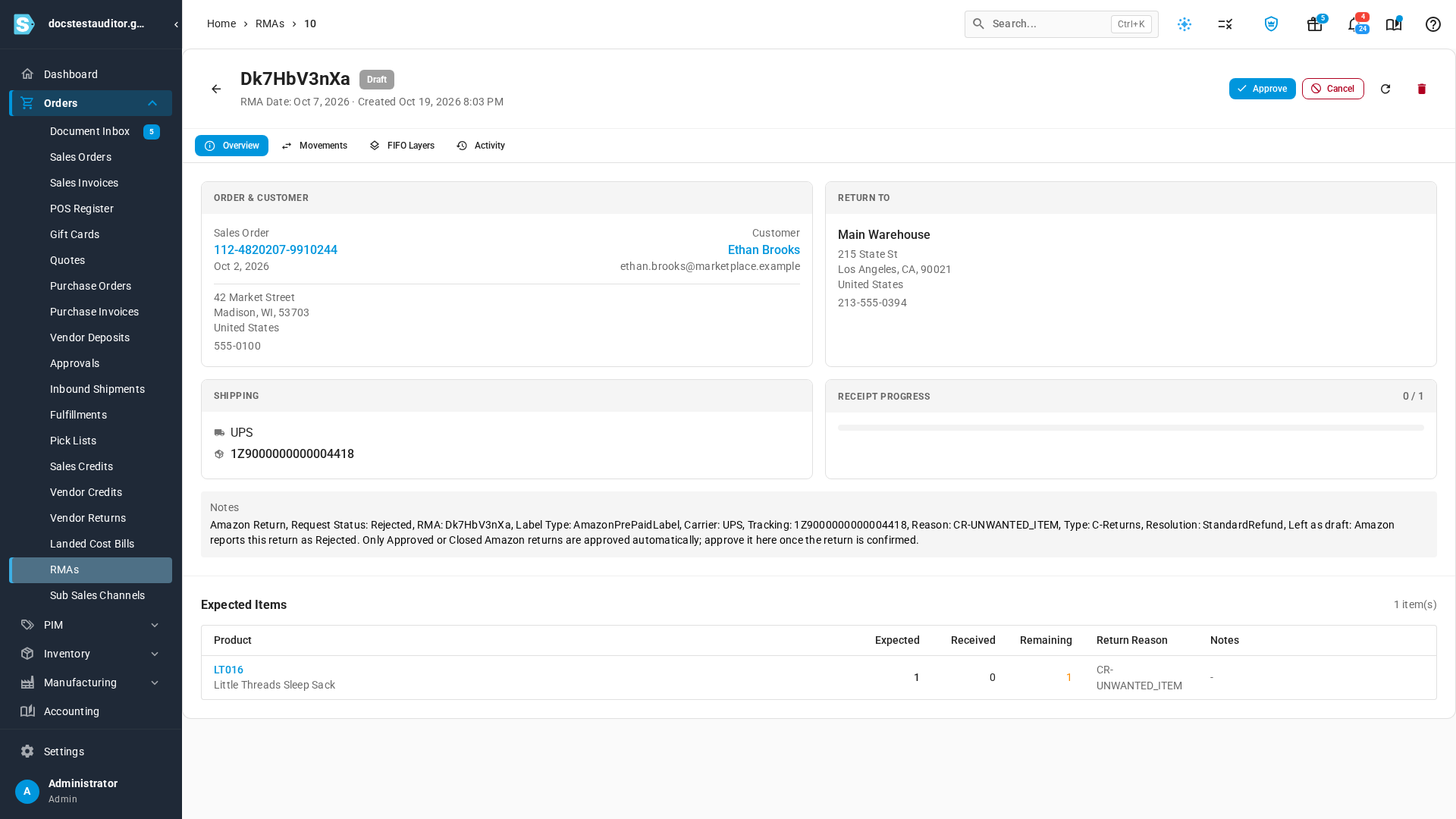
- If the item does come back, click Approve and receive it as usual.
- If it won't come back, click Cancel.
Next steps
- RMA status reference: what each RMA status means.
- Configure returns settings: set the default returns warehouse.
- Ship Amazon merchant-fulfilled orders: bring in the orders you ship yourself.