Split settlements and payouts at month end
A settlement or payout often covers days in two calendar months. Posted whole on its own date, the earlier month's sales, fees and refunds land in the later month, and both months' results are wrong. With Split settlements at month end on, SKU.io posts one set of documents for each month the settlement's lines fall in. Revenue and fees land in the month they happened, and the parts still add up to the one bank deposit.
Amazon, Walmart, eBay and TikTok Shop share this setting. Shopify and Temu have their own; see Shopify and Temu.
Before you begin
- Post the channel's settlements or payouts to your books first, with Per Settlement or Per Payout accounting. See Map Amazon settlements to your accounts, Account for Walmart settlements, Account for Shopify and eBay payouts or Account for TikTok Shop payouts.
- Know your accounting lock date, if you've set one. The split never starts inside a locked period.
How a split settlement posts
Each line in a settlement carries the day the channel posted it. SKU.io groups the lines by calendar month, in your account's timezone, and posts one part per month:
| Part | Posts on | Reference |
|---|---|---|
| Each earlier month | That month's last day | The settlement's reference with the month added, such as Walmart settlement 2026-08-11-2026-07 |
| The last month | The settlement or payout date, as before | The plain reference |
Every kind of line rides its own month's part: sales, fees, refunds, reserves and adjustments. A line without a date goes in the last part. A settlement whose lines all fall in one month isn't split, and its documents are the same as before.
A part never posts outside its month. If a settlement has no lines in its own month, its last part posts on that month's last day too.
Nothing ever posts into a locked period. Lines dated in a locked month, or before the Split from date, post in the first month the split covers.
Turn on the split for a channel
New Amazon, Walmart, eBay and TikTok Shop connections start with the split on, from the first day of the month you connect them. For a channel you connected earlier:
-
On the channel's store page, open the Finance tab, then its mappings tab: Settlement Mappings for Amazon and Walmart, Payout Mappings for eBay and TikTok Shop.
-
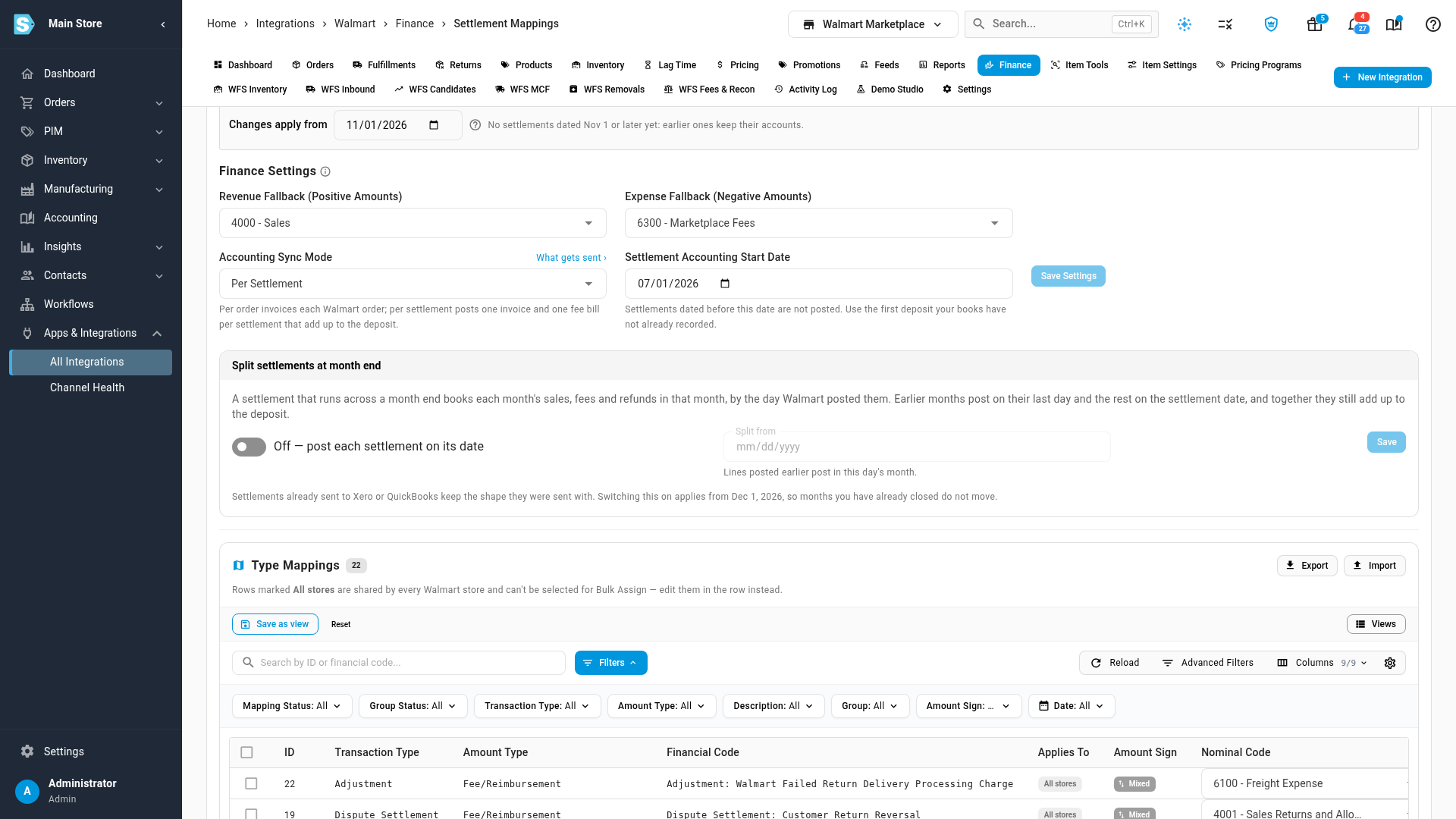
Find the Split settlements at month end card, below Finance Settings. For eBay and TikTok Shop it's called Split payouts at month end.
-
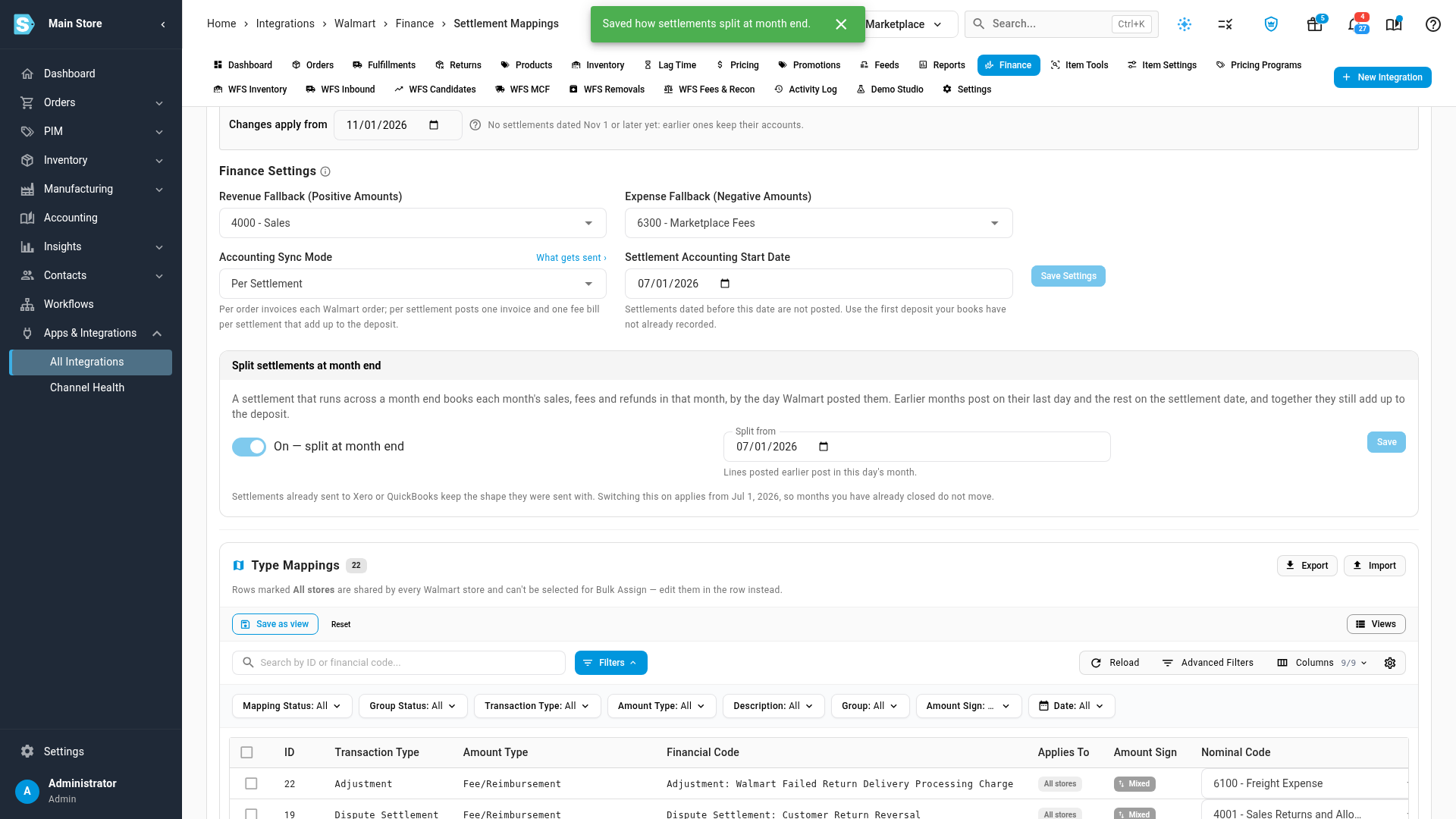
Turn the switch on. Split from fills in with the first day of next month, so months you've already posted don't move.
-
To re-split settlements you've already posted, enter an earlier date in Split from. It can't be on or before your lock date: the earliest day you can pick is the first open day after it, shown under the field.
-
Click Save.
SKU.io re-posts the channel's settlements from the earlier of the old and the new Split from dates, so the new shape reaches every settlement it covers.
A settlement whose documents are already in Xero or QuickBooks Online keeps the shape it was sent with. Turning the split on or off never re-sends it. That keeps a deposit you've already reconciled matched. To re-split settlements that are already in your accounting system, contact SKU.io support: their documents must be voided and sent again, and you then reconcile each deposit against the new documents.
Check the months a settlement posted to
-
On the Finance tab, open Settlements (or Payouts) and click a settlement's date.
-
Find Months posted to. A chip says Split across 2 months, or One month when the settlement isn't split.
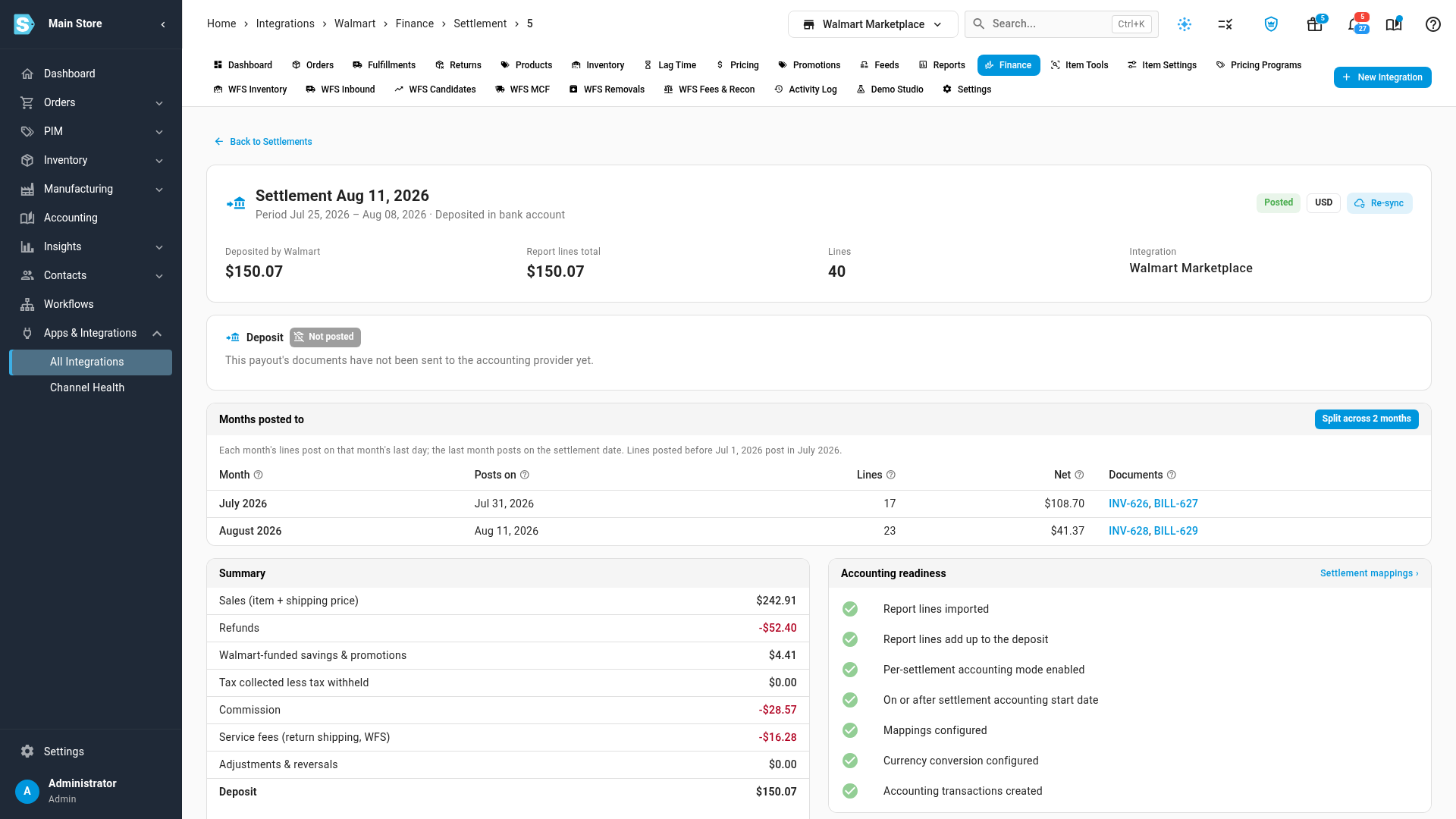
Each row is one month:
| Column | Shows |
|---|---|
| Month | The calendar month the channel posted the lines in. |
| Posts on | The date this month's documents carry: the month's last day, or the settlement date for the settlement's own month. |
| Lines | How many of the settlement's lines fall in this month. |
| Net | What this month's lines add up to. The months together add up to the deposit. |
| Documents | The invoice and bill this month posted. A cloud icon means the document is in your accounting system. Not posted yet means the part has no documents yet. |
The note at the top of the card explains the settlement's shape. For example, Already in your accounting system, so it keeps the shape it was sent with marks a settlement whose documents were sent before the split applied to it.
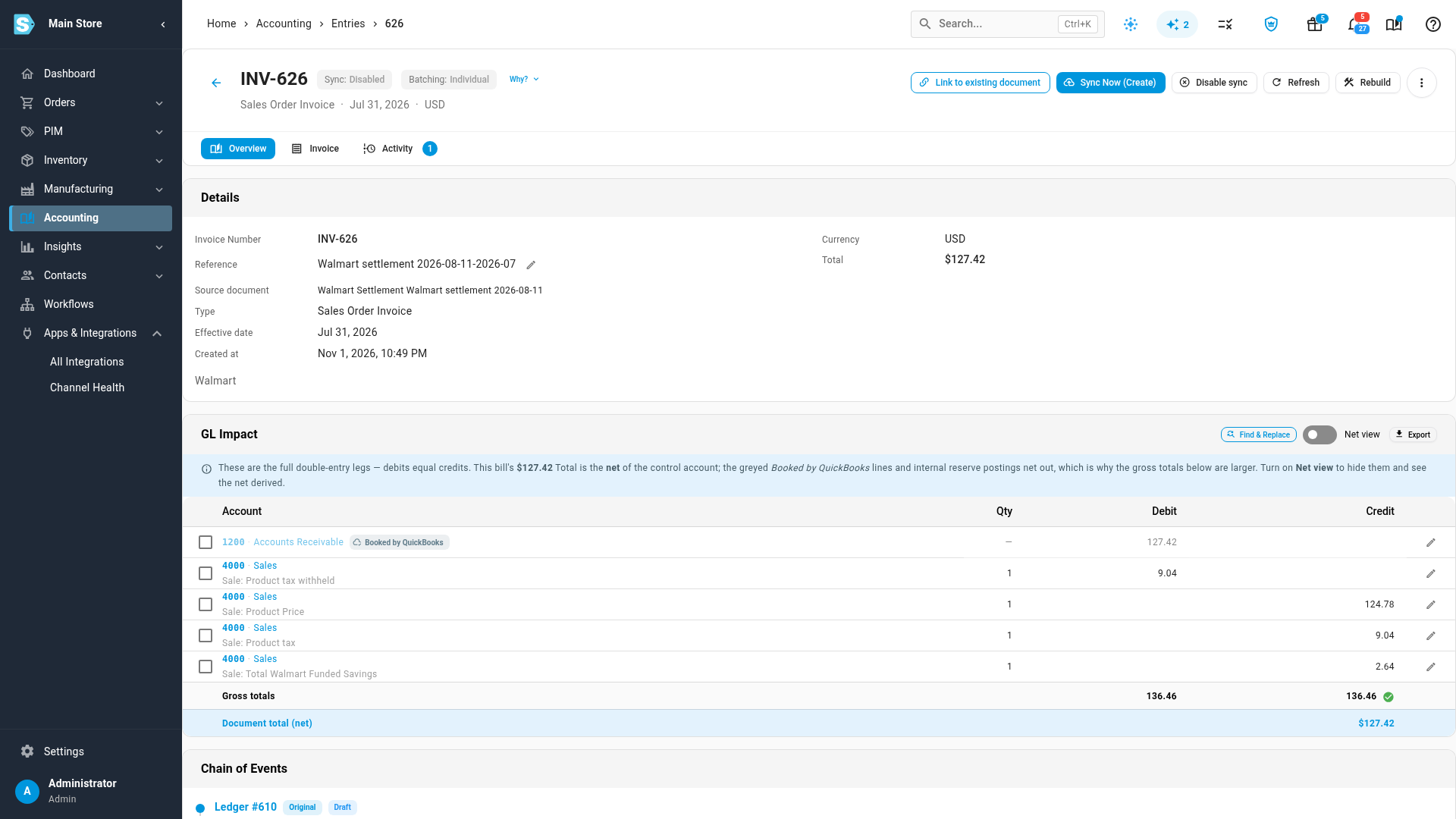
Click a document to open it. An earlier month's document is dated that month's last day, and its Reference ends with the month.
Shopify and Temu
Shopify and Temu split payouts at month end with their own setting, Split payouts at month end, in Finance Settings on their Payout Mappings tab:
- Shopify posts the last month's part on the date you choose under Payout entry date. See Account for Shopify and eBay payouts.
- Temu statements only carry totals for the whole period, so you enter each earlier month's amounts when you record the statement. See Account for Temu payouts.
Next steps
- Change payout mappings from a date: change which accounts lines post to, without rewriting closed months.
- Check whether a settlement deposit is reconciled: match each deposit in your accounting system.
- Close a month: lock a month once its settlements have posted.
Video transcript
A Walmart settlement often covers days in two months. By default it posts whole on its settlement date, so last month's sales land in this month. To change that, go to your Walmart store's page and choose the Finance tab. Then open the Settlement Mappings tab, beside Report Lines. Scroll down, past Finance Settings, to the card called Split settlements at month end. With it on, each month's lines post in that month, by Walmart's posting day. You can use the same card for Amazon, eBay and TikTok Shop. To start, turn on the switch at the left of the card. Split from fills in the first day of next month, so months you've already posted don't move. To re-split earlier settlements too, enter an earlier date. Lines posted earlier join that date's month, and the date can't be in a locked period. When the date is right, click Save to apply the change. Now scroll back up, and go back to the Settlements tab, which lists every deposit. Open a settlement whose period crosses a month end by clicking its date. Its Months posted to card lists one row for each month, here July and August. July's lines post on the last day of July, and August's lines on the settlement date. Together, the two months add up to the deposit Walmart paid. Open one of July's documents from the Documents column. Its effective date is the month's last day. Its reference ends with the month, so each part is easy to tell apart. The last month keeps the plain reference, so you can match the deposit as before.