Landed-cost bills paid by an Amazon payout
Amazon takes some inbound shipment fees, such as placement and partnered-carrier transport, straight out of a settlement payout. SKU.io moves those fees onto a landed-cost bill (its number starts with AMZN-LC-), so they become part of the shipment's cost. The payout already paid the fees, so the bill must not stay open in your payables.
Usually the payout's own deposit settles the bill. Sometimes it can't: your accounting software reconciled that payout to the bank before SKU.io started posting payments, or the payout falls in a period you've closed. SKU.io settles those bills against the payout on its own. The bill reads Paid, nothing new reaches Xero or QuickBooks, and your books stay closed.
Before you begin
- Connect your Amazon account and let SKU.io import your settlements.
- Choose Auto-create bills from settlement data for FBA inbound fees. See Map Amazon settlements to your accounts.
See how the bill was settled
-
Go to Orders → Landed Cost Bills and open the bill.
-
Click the Payments tab.
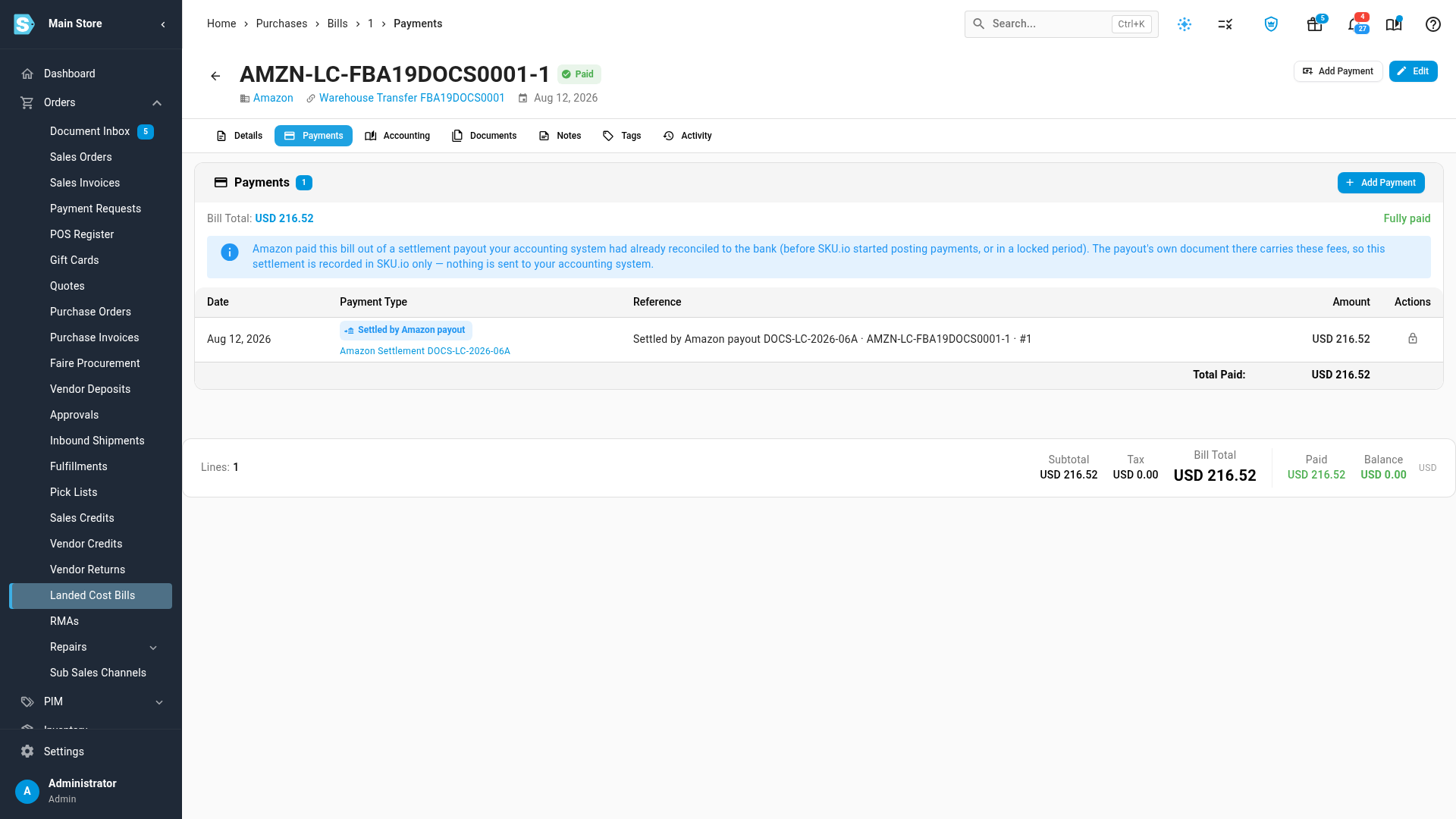
- The bill reads Paid.
- Its payment is marked Settled by Amazon payout.
- The link under it opens the Amazon settlement that paid the fees.
- The note above the table explains that this payment is recorded in SKU.io only. Your accounting software already has the fees inside that payout's document, paid by the deposit, so sending the bill or this payment would count them twice.
- The lock in Actions means you can't edit or delete this payment. SKU.io keeps it in step with the payout.
-
Click the Accounting tab.
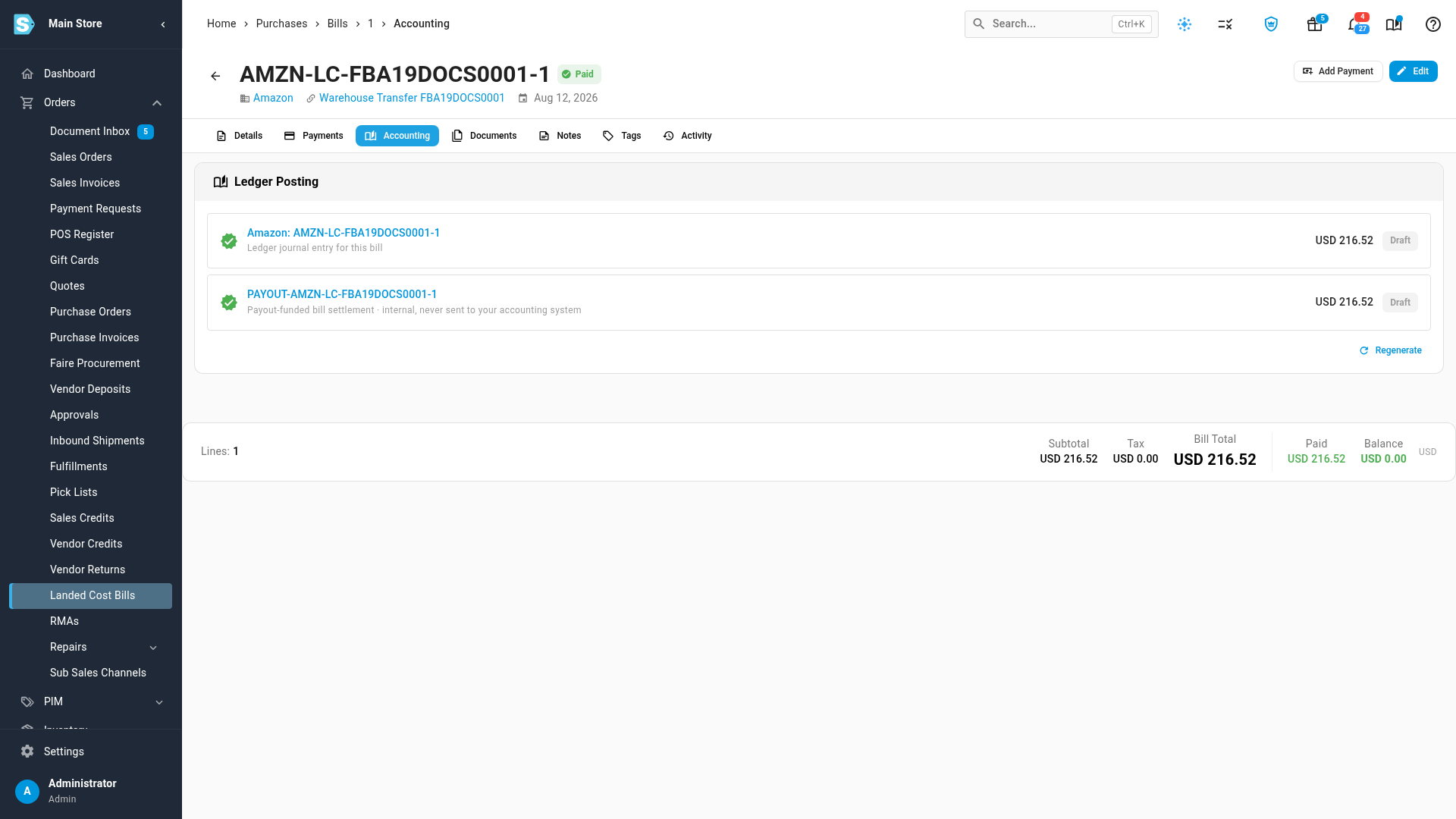
The bill's own entry is listed first. Beside it, Payout-funded bill settlement clears the bill from Accounts Payable against the fee accounts the payout used. It's dated on the bill's date, or on the first open day if that date is in a closed period. It's internal and never sent to your accounting software.
The fees stay part of the shipment's landed cost. Settling the bill changes what you owe, not what the stock cost.
Catch bills left open at month end
The month-end close checks that no landed-cost bill is still open after its payout paid it.
-
Go to Accounting, then Close, and choose the month.
-
Find Landed-cost bills paid by an Amazon payout are settled in the checklist.
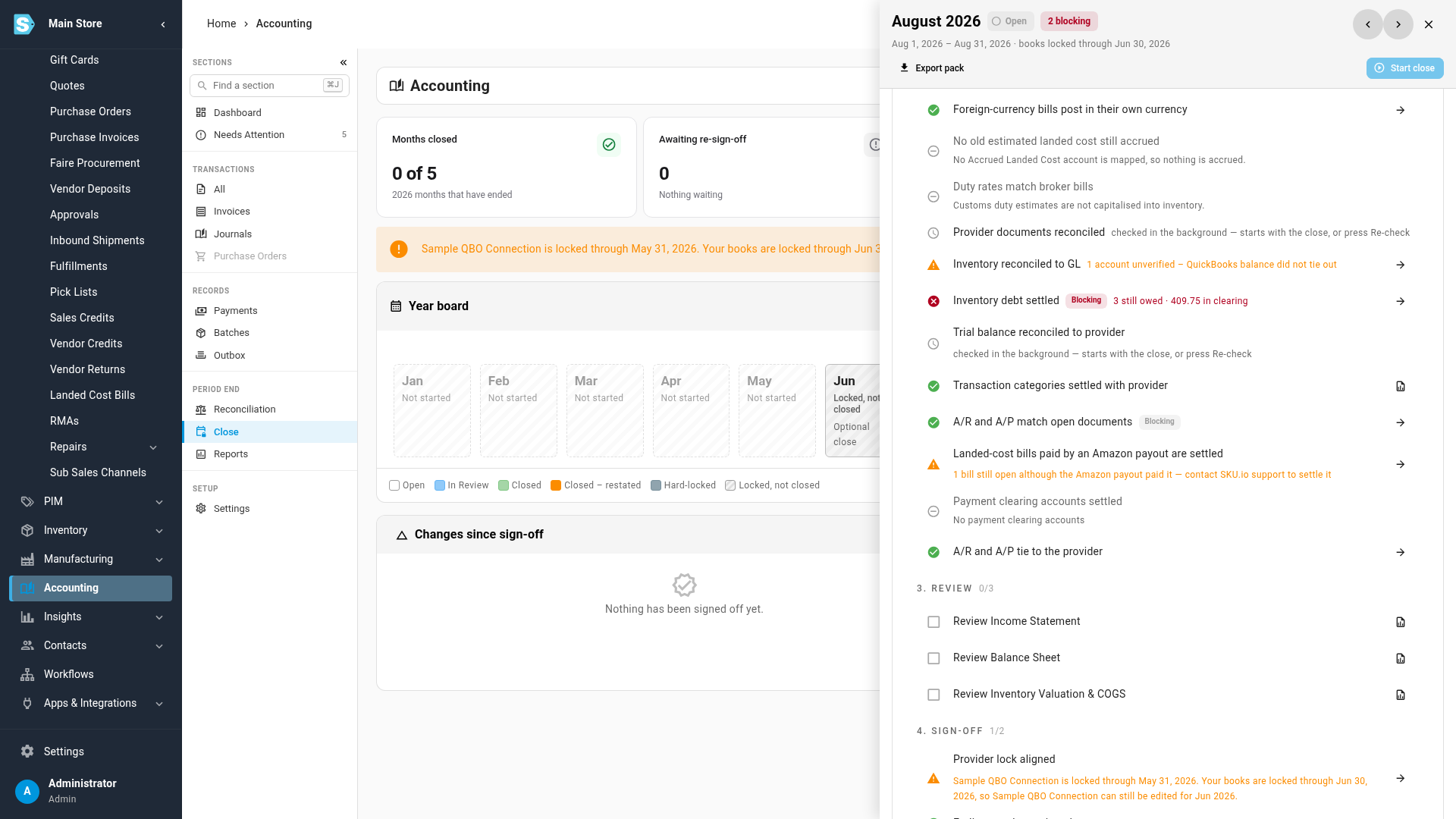
What the warning means and what to do:
| Warning | What to do |
|---|---|
| A bill is still open although the Amazon payout paid it | Contact SKU.io support. We settle the bill against its payout, without touching closed periods. |
| A bill is also in your accounting provider | Void that bill in Xero or QuickBooks. The payout's own document there already carries the fees. |
| A bill is marked settled by a payout that no longer pays it | Contact SKU.io support. This happens when the payout's deposit is now posted in SKU.io, and that deposit settles the bill instead. |
| A settled bill carries a fee with no account | Map the fee under your Amazon settlement mappings, so the fee is credited to the right account. |
The check is a warning. It doesn't stop you from closing the month.
Next steps
- Map Amazon settlements to your accounts
- Check whether a settlement's deposit is reconciled in Xero
- Close checks reference
Video transcript
Amazon takes some inbound fees straight out of a settlement payout. SKU.io moves them onto a landed-cost bill, so they count toward what your stock cost. You'll find these bills under Orders, then Landed Cost Bills. On the Payments tab, a bill the payout already paid reads Paid. Its payment is marked Settled by Amazon payout. The note explains why nothing is sent to your accounting software. The link underneath opens the settlement that paid the fees. You can't edit or delete this payment, because SKU.io keeps it in step with the payout. The Accounting tab shows the bill's own entry. Beside it, an internal entry clears the bill from payables on the bill's date. It is never sent to your accounting software, because the payout's own document already carries the fees. Closing a month checks this for you as well. In the month's checklist, under Accounting and Close, this row warns about any landed-cost bill still left open. If you see it, contact support, and we'll settle the bill against its payout.