
Can Drop-Ship Orders Go to the Closest Supplier Warehouse?
The founder on the July 2024 demo sold large items and was only starting out, so his suppliers were all he had. Most had one warehouse. A few had several around the US. What he wanted was simple to say: send the order to whichever supplier warehouse is nearest the customer, and if that one is out, the next nearest.
I had my own setup on screen, so I started there. I ship from the 3PL first. “If it’s not in stock in 3PL, then send from Amazon. If it’s not in stock in either, then it just goes to the default first warehouse,” as a backorder. Drop-ship suppliers can go on the same list, I said, and “if supplier A, who carries this one SKU, is not in stock, then send the dropship order to supplier B instead.”
He liked that. He wanted the cheaper one, the closer one. I said we had a “prioritized closest warehouse to customer feature, and it just bases it on the zip code of the warehouse.” Then I asked if any of his suppliers had more than one warehouse. Yes. And I said: “We haven’t had a user who had that use case yet.” I opened a supplier’s warehouses tab so he could see you can store several per supplier. “I just don’t know if that sort of workflow has been factored into the routing logic,” I said, which is a long way of saying I hadn’t checked.
Here is what happens now, from the routing code on our production servers, if an order for one product comes in from a Seattle address.
Say closest-warehouse mode is on. The Seattle zip becomes a latitude and longitude. So does the zip on each of your own direct and 3PL warehouses, and they get sorted by straight-line distance. Amazon FBA warehouses are skipped unless you’ve told it otherwise, contractor sites are skipped, and the supplier warehouses are not in this sort at all. If the address were in Canada, none of this would run and you’d get your ordinary priority list. A zip is a point in the middle of an area, so this tells you roughly which coast, not which carrier zone.
The router goes down that list and takes the first warehouse with the stock.
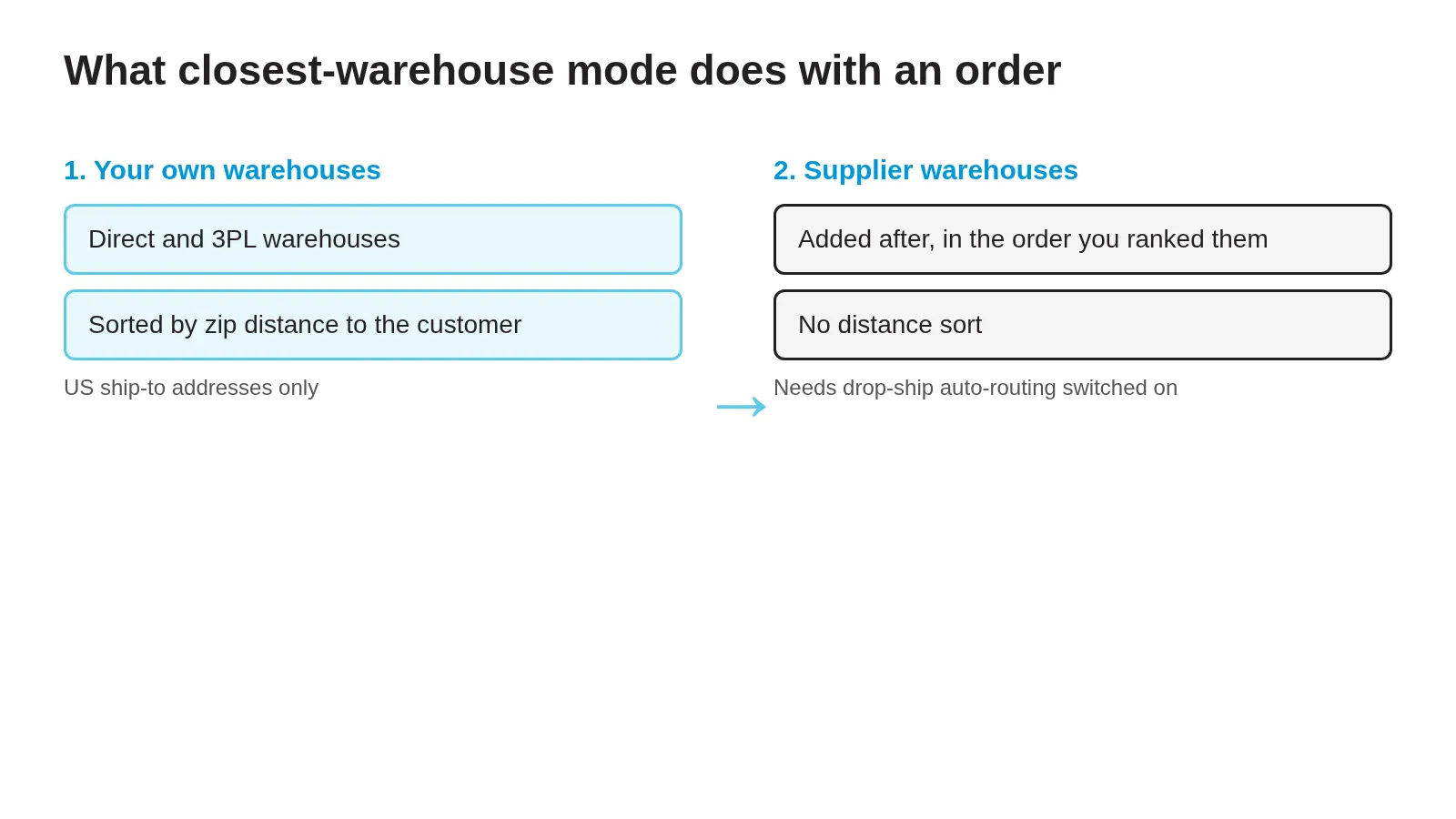
Supplier warehouses come in only if you’ve also switched on drop-ship auto-routing (Settings, Fulfillment, Warehouses), which is off until you do it. Then every active drop-ship supplier warehouse is added to the list as its own entry. In closest mode they’re stuck on the end, in whatever order you ranked them, because that part has no distance in it. In normal mode you drag them wherever you like, including above your own warehouses. When the order reaches one, SKU.io checks that the product is marked drop-shippable and that the supplier’s feed row for that warehouse shows enough quantity or an in-stock flag. If both hold, the order goes there. If not, it moves to the next.
So the Seattle order never learns that a supplier’s Tacoma warehouse is near and its Atlanta one isn’t. A dozen distributors with five warehouses each is sixty entries to order by hand, and the best you can do is group them by region. That wasn’t what the founder asked for, and I’d rather say so.
The same goes for a two-line order where each line is only in a different supplier’s warehouse. Whether the order may be split across warehouses is a setting. Neither answer takes distance into account.
I’d still put my own stock first. If it’s on my shelf, I’m not paying anyone a drop-ship fee for it, and both modes do put your own warehouses ahead of the suppliers unless you drag it the other way.
The switch is described in the July 2026 drop-ship automation release notes. Routing to the nearest of many supplier warehouses would be custom work, so if that’s your case, book a call and bring the number of warehouses.