
Live Does Not Mean Anyone Is Using It
This summer I was on a call with a customer’s outside accountants. They had stopped posting the stock-take and adjustment entries to the books, because every one of them pushed inventory value up, and they couldn’t work out why. A stock take should mostly find things missing. The accountant’s best guess for a count going up was that somebody had forgotten to receive a whole purchase order. I pulled up the data while we talked and there were about 1,500 adjustments. Their picture of the warehouse was someone adding a hundred units of a product because it was physically on the shelf and not in the system, so an order could ship.
We had already reset that customer’s data once for a fresh start, and it had crept back. I said it on the call: “instead of bringing up an issue and investigating what’s going on, it’s just like, Band Aid. Band Aid. Band Aid.”
Nothing in the setup was wrong, either time. The integrations ran, orders flowed. The stock just didn’t come in through purchase orders.
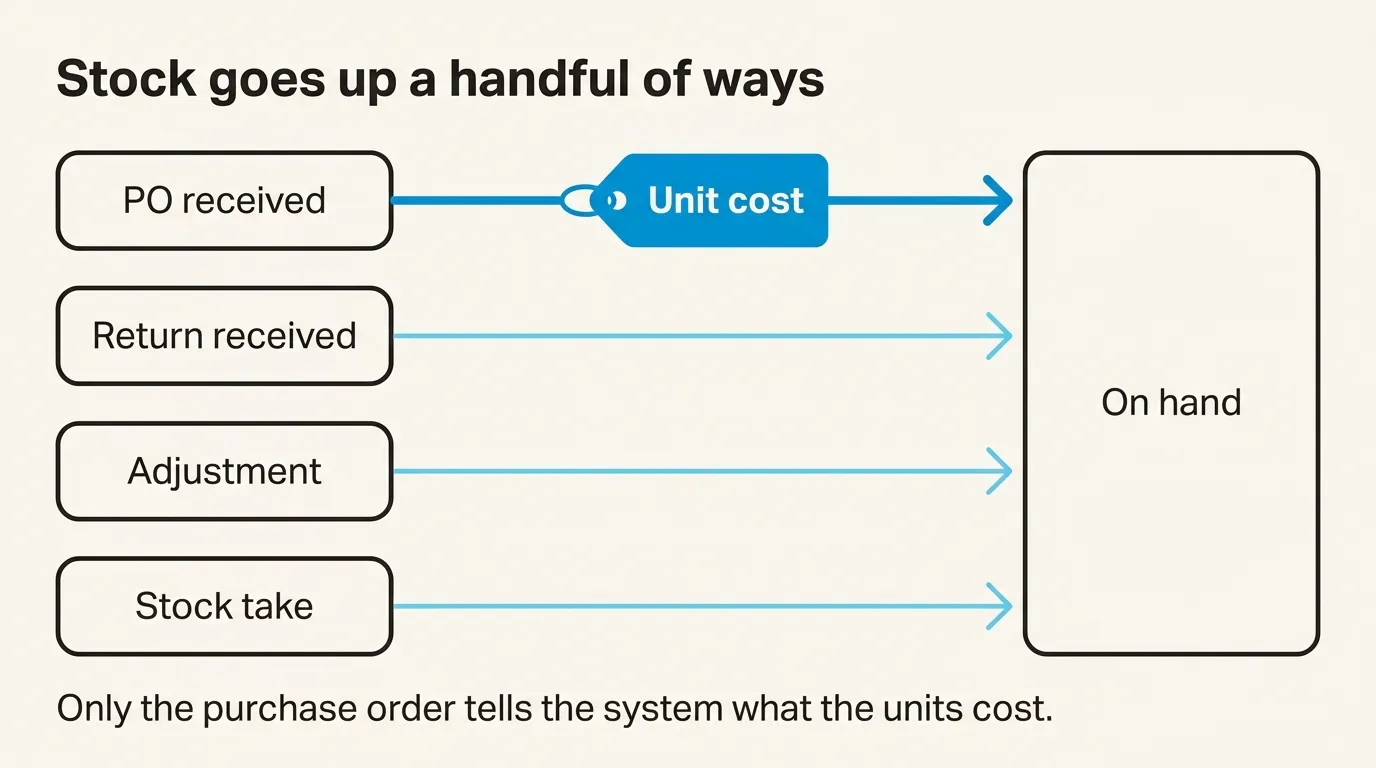
That matters more than it sounds. Stock goes up in SKU.io a handful of ways: a purchase order gets received, a return gets received, somebody adjusts a count, somebody does a stock take. Only the purchase order tells the system what the units cost. If a delivery comes off the truck and nobody receives the PO, the PO sits open, the stock isn’t on hand, and the software can’t know anything arrived. An adjustment that “fixes” it later brings the units in at whatever cost the adjustment carries, not the one on the purchase order, and the books inherit that.
The other end of this looks better and is still fragile. Partway through onboarding a different brand last December, I asked their operations lead whether the worry was that every time stock moved there would now be a new step in SKU.io. They’d been on mute.
“I’m the only person who creates POs, and the only person who brings, you know, marks that it’s received and does all that. But I don’t even know where to begin my process change.”
That brand was receiving properly, through one person, who didn’t yet know what their week would look like.
I don’t have a feature for either case, and I’m suspicious of vendors who say they do. Receiving is its own permission, separate from creating or editing a purchase order, so it can go to whoever unloads the truck and nobody else. That’s useful once someone is receiving. It does nothing to make them start.
What helps is a person whose job it is. Usually there’s one champion on the customer’s side who works with us directly, writes their own SOPs, and brings the rest of the team on over the first month or two, and most of the team is using it by about three months. For bigger brands I send them to consultants who run operations on a fractional COO basis and already know how we work. One of them described their business to me as human behavior far more than software, and I think that’s right.
The setup is rarely what holds things up. Our fastest onboarding was two days. On average it’s been about three weeks, and a good part of that is customers putting it down for two weeks and coming back. When something does stall it’s usually their own catalog, which shows its problems the moment we pull it from Shopify: duplicate SKUs, products they thought were discontinued, items nobody ever entered a cost for.
None of that tells you whether the dock is receiving. The test I’d use is whether the person who unloads the truck has received a real purchase order in the system, start to finish, with nobody from our side watching. I’d hold off calling it live until they have.
In the meantime, old purchase orders that nobody received stay on the open list. I’ve been asked for a filter to hide them and said no, for these reasons. The same goes for a catalog that isn’t clean yet: create the products anyway and mark which ones you’ve checked.
If you’re about to switch and want to talk through who will be at your dock on day one, book a demo.