
Moving Off the Inventory Spreadsheet Without Losing Count
In July I had a long call with a customer who runs a parts distributor. He’d been on SKU.io for years, and he still ran the money side of the business on spreadsheets. By the end of the call I understood why, and part of the reason was us.
If you sell on one channel, you’re under about a million in revenue, and you’re the only one who updates the sheet, keep the sheet. Zoho Inventory or inFlow will serve you better and cost less. What follows is for brands where a second person touches the count, or two channels pull from the same stock.
His first integration went in badly. A partner built the connection to his store instead of us, the numbers drifted, and there was never time to repair them. So when he needed to know what he owed, he didn’t ask the system. He asked his sheets.
He had two. The first was a Monday sheet. Cash was tight, and every Monday he worked out who he’d pay this week and next, four weeks rolling, and which supplier orders had to go out first. He asked how I’d manage that. I said a purchase order can carry a payment term, some percent due when you place it, some at customs, the rest on arrival, and those dates land in a cash flow schedule you can sync to Google Calendar. Then I had to admit I hadn’t opened the purchase order version in a while, because my own team mostly uses the vendor deposit one. I went looking for it while he watched. His next question was “So now when you pay a supplier, you mark here that you paid a vendor, right?” Yes, on the invoice or on the deposit. There’s an approve button too. I told him to ignore it. Nothing depends on it.
The second sheet was older. Every time he paid a bill he typed the PO number and the total into it, so at month end he could work out what each line on the bank statement was. I wanted to show him how I do that now: screenshot the bank line in Xero, paste it into SKU.io, and let it find the invoices, deposits and credits that add up to that amount. My screen share showed the wrong window. Once it worked I had almost nothing to match, because I’d already reconciled everything. I found one leftover line, money out of 1,059, and walked through it. Then I scrolled to a deposit of about 20,000 and said I didn’t know which supplier it was. I hadn’t entered the invoice yet. He would have known his to the cent, and that was more or less his point.
His sheet was more accurate than our system. It also lived with him. If he’d been away for a week, a container could have landed short and nothing would have said so until month end.
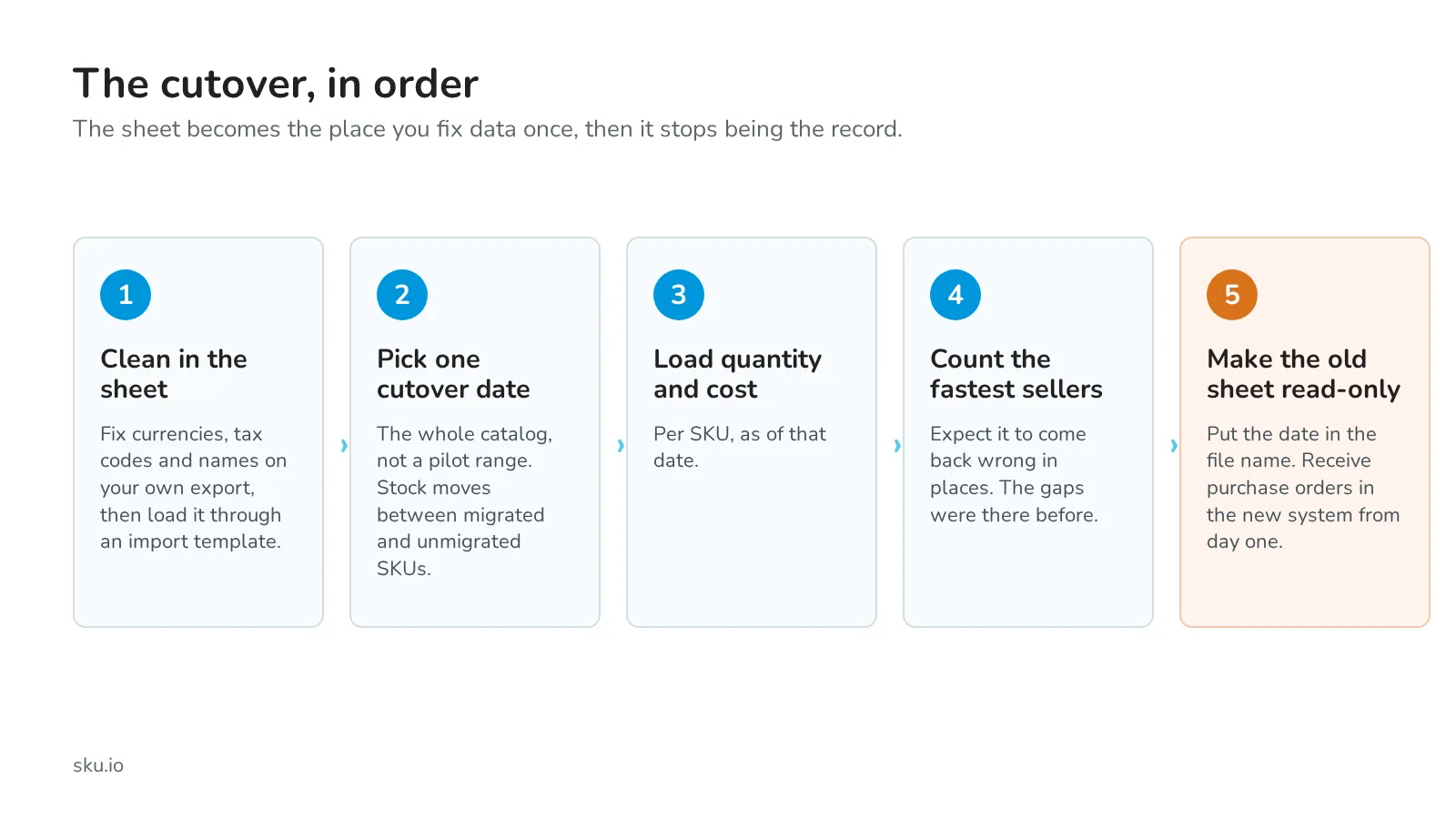
I told him to stop patching. Do a stock count, pick one date, set inventory to that count, and watch it closely for the first few weeks. We’d bring his older orders in closed, as history for forecasting, with no stock movements behind them. He wanted to export his supplier list first and fix the currencies and tax codes before loading it back. “I might as well do it properly and clean now,” he said. I said there are import templates for that now, and that import and export hadn’t been used hard yet. “There’s always like little nuances.” I’d found one on products that morning. Tell me if you hit a hole.
Not every sheet has to go. The ones that hold what you owe or what you have do. I still keep one: after a discovery call I build a scope page for the prospect with a Google Sheet behind it, so I can price each item. Nobody else edits it and nothing ships from it.
When you do cut over, receive purchase orders in the system from the first day, and rename the old sheet with the date and make it read-only, or someone will open it out of habit within a couple of Mondays. The first count against the new system will show gaps. That is the count doing its job. I wrote about why I won’t hide them here, and this post covers where the mismatches come from.
We didn’t set his date on that call. The next step was his: credentials for his store, so this time we could build the integration ourselves.
If you want to talk through a cutover date, book a demo.