Fill Default Cost from Shopify
A product's Default Cost is the cost SKU.io falls back on when it has no purchase cost to use, for example for stock you had before you started, or for margins on products you haven't bought through SKU.io yet. When products are created from Shopify without one, their Default Cost is 0, and every margin report reads close to 100%.
Fill Default Cost copies Shopify's Cost per item into those products in one go. A preview shows what will change first. It only writes Default Cost: supplier pricing stays as it is, and nothing is sent to Shopify.
Before you begin
- The products must be linked to listings of the Shopify store. See Link a channel listing to a product.
- You need the Integrations Edit permission (
integrations.update) to start the fill. - The fill uses the Cost per item SKU.io read at the store's last product refresh. If you changed costs in Shopify recently, click Refresh from Shopify on the Products page first.
Steps
-
Go to Apps & Integrations, open Shopify, pick your store from the selector at the top, and open Products.
-
Click Fill Default Cost, next to Field Mappings. On a phone, it's in the ⋯ menu as Fill Default Cost from Shopify.
-
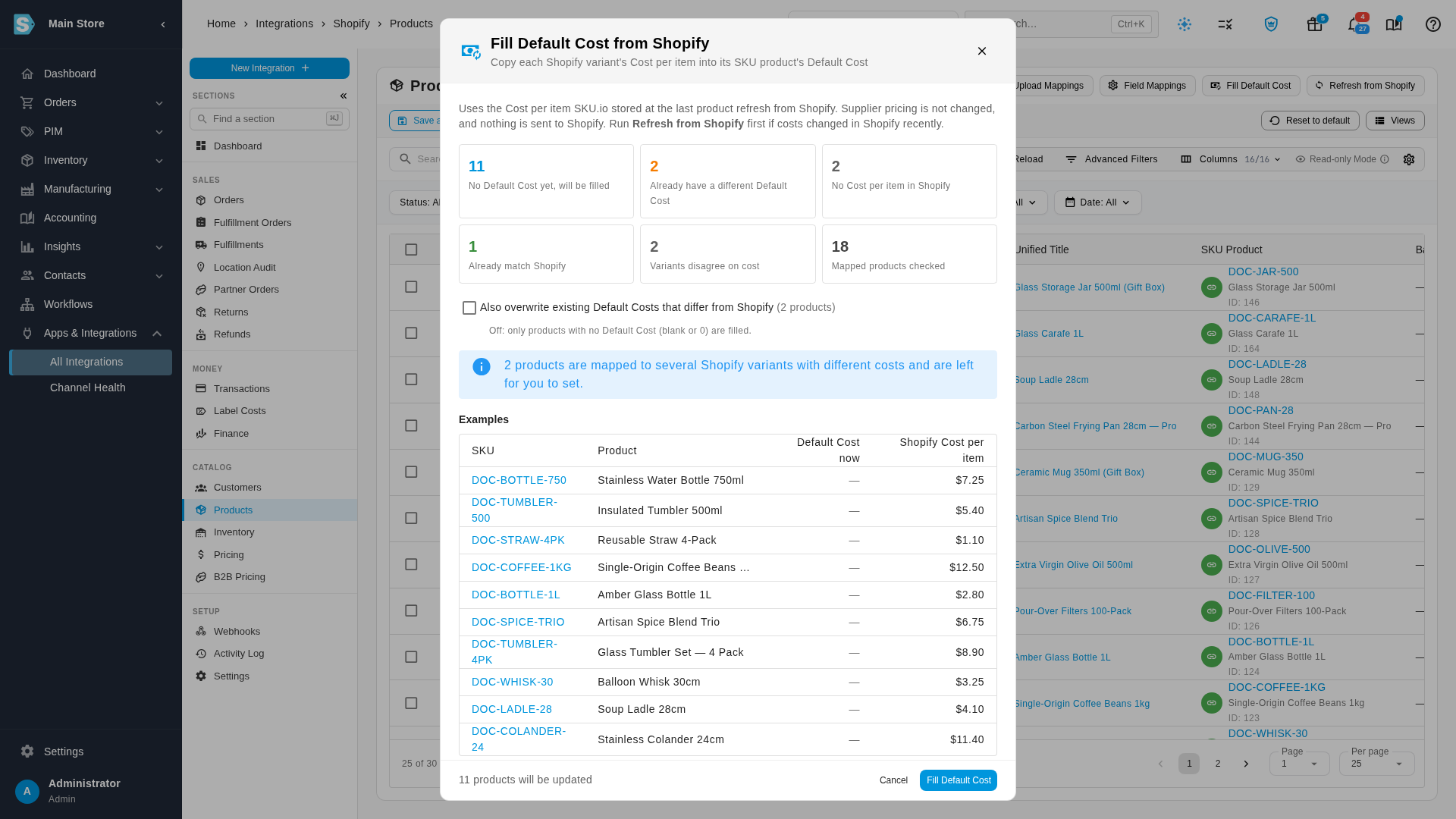
Read the preview. The counts cover every product linked to the store:
Count What it means No Default Cost yet, will be filled The product's Default Cost is blank or 0, and Shopify has a cost. These are filled. Already have a different Default Cost You've set a Default Cost that isn't Shopify's. Kept, unless you tick the overwrite box in the next step. No Cost per item in Shopify Shopify has no cost for the variant. Left alone. Already match Shopify Nothing to do. Variants disagree on cost The product is linked to several Shopify variants with different costs, so SKU.io can't tell which is right. Left for you to set. Mapped products checked Every product linked to the store. Bundles and matrix parents are never filled, because their cost comes from their components. A Shopify cost in a currency other than your base currency is skipped, and the dialog says how many.
Examples lists up to 10 products, with their Default Cost now and the Shopify Cost per item they'll get. Click a SKU to open the product.
-
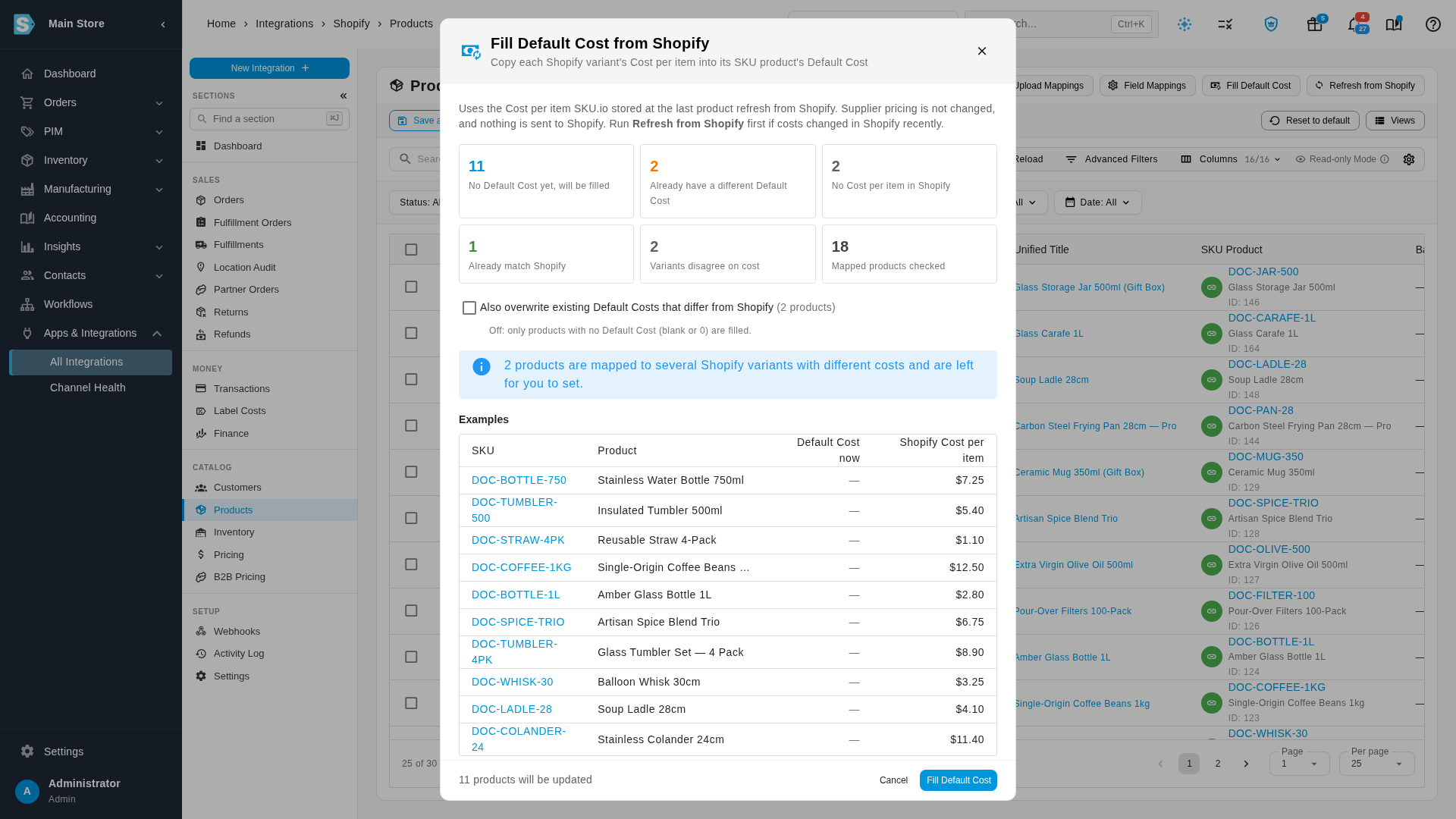
Choose whether to replace costs you've already set. Also overwrite existing Default Costs that differ from Shopify is off by default, so only blank costs are filled. Tick it to replace those too: the products with a different cost then join the examples.
-
Check the line at the bottom, such as 11 products will be updated, and click Fill Default Cost.
-
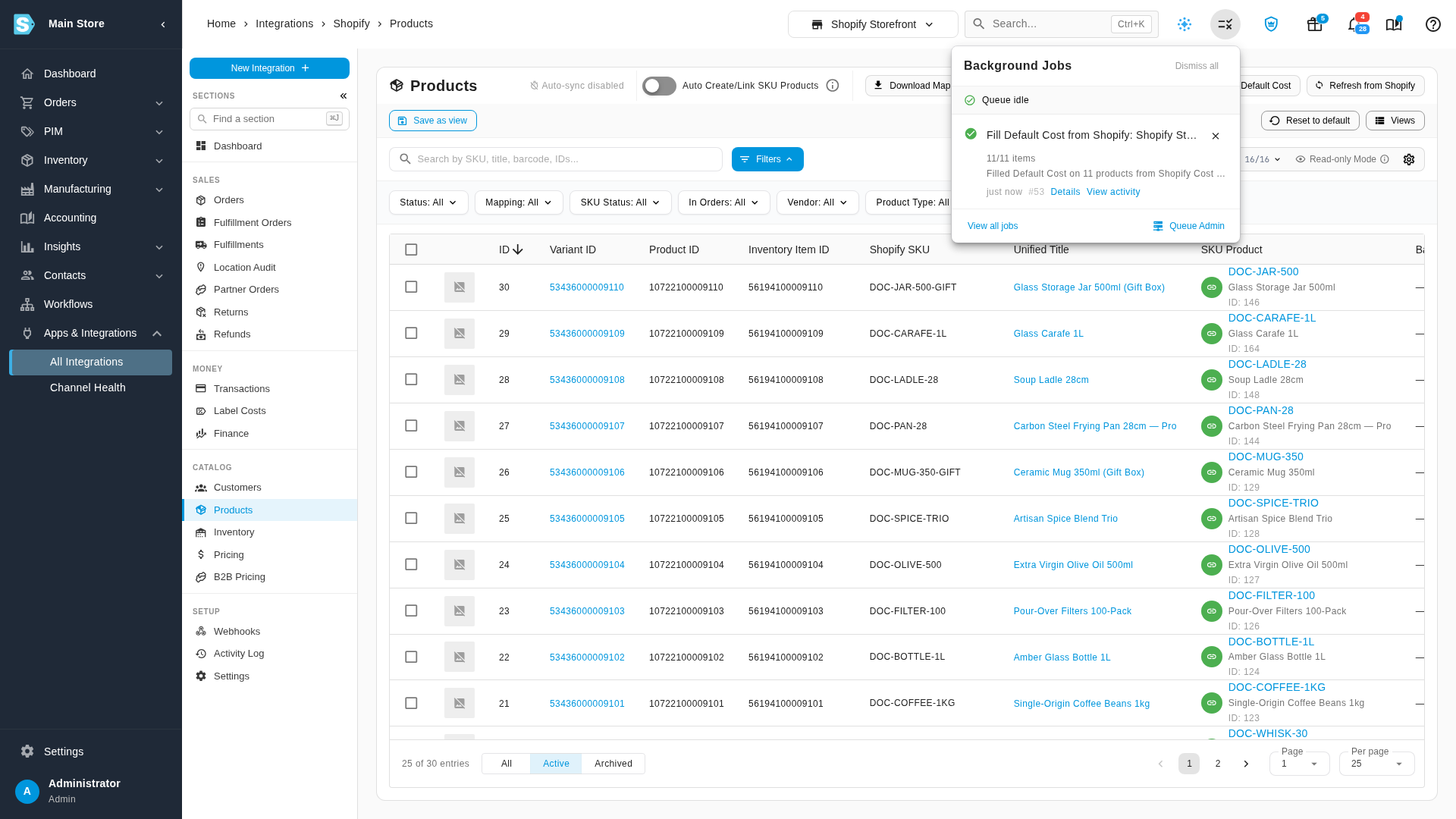
The fill runs in the background. Follow it in the job tray, where it shows as Fill Default Cost from Shopify and your store's name. When it finishes, it says how many products it filled, such as Filled Default Cost on 11 products from Shopify Cost per item.
Each product's change is recorded in its activity log, the same as if you had typed the cost in. Margin and inventory value reports pick up the new costs as they recalculate.
If a fill is already running for the store, the dialog says so and you can't start a second one.
Run it again
Running it again is safe. With the overwrite box off, it only fills products whose Default Cost is still blank, so it never changes a cost you set. Run it after a Refresh from Shopify to pick up new costs, or after you import more products.
New products take Cost per item automatically
A product created from a Shopify listing now takes Cost per item as its Default Cost, as long as Shopify's cost is above 0 and in your base currency. If one of the store's Field Mappings sends a Shopify field to Default Cost, that mapping wins. In Field Mappings, Shopify's cost field is named Cost per item, and a note there points back to this button for products you've already imported.
Default Cost works best when it includes what you pay to land the stock, such as freight and duty. Shopify's Cost per item is a good start if you don't track landed cost yet.
Related
- Push product costs to Shopify: the other direction, sending SKU.io's average cost to Shopify's Cost per item.
- Set opening stock from Shopify: fill Default Cost first if you want the opening count valued at it.
- Map channel fields to products: decide which Shopify fields fill new products.
Video transcript
Products linked from Shopify sometimes arrive with no Default Cost, and then your margins look too good. You can copy Shopify's Cost per item into them in one go. On your store's Products page, click Fill Default Cost, next to Field Mappings. The preview compares Shopify's costs with your products before anything changes. These products have no Default Cost yet, so they will be filled. Products with no cost in Shopify are left alone. So are products linked to several variants whose costs disagree, which you set by hand. The examples show each product's cost now, and the cost it will get. A Default Cost you've already set is kept. To replace those with Shopify's cost too, tick Also overwrite existing Default Costs. They join the examples, with the cost they have now. We'll leave it off, so only blank costs are filled. Check the count at the bottom, then click Fill Default Cost. The work runs in the background, so open the job tray to follow its progress. When it finishes, the tray says how many products were filled. From now on, a product created from Shopify takes Cost per item as its Default Cost, unless a field mapping sets that field. Run the fill again any time, for example after Refresh from Shopify. It only touches products that are still blank.