Connect Magento 1
Magento 1 and OpenMage connect through Magento's SOAP web services. You create an API user in your Magento admin and give SKU.io its user name and API key.
Before you begin
- You need admin access to your Magento 1 store, and permission to connect integrations in SKU.io.
- In your Magento admin, go to System → Web Services → SOAP/XML-RPC Users and create a user. Assign it a role that includes Catalog, Sales Order, and Inventory, and note its user name and API Key.
Connect the store
-
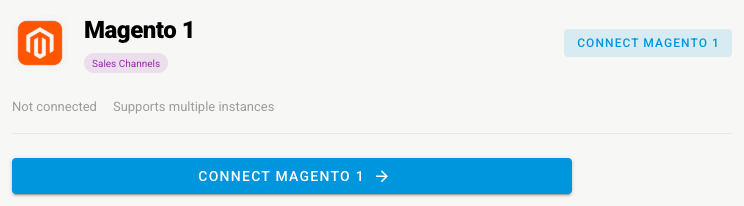
Go to Apps & Integrations, open Sales Channels, and choose Magento 1.
-
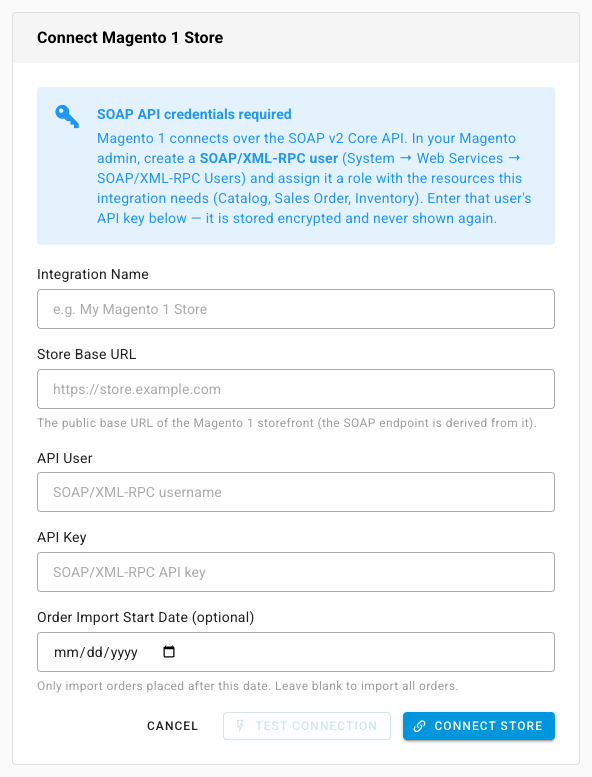
Click Connect Magento 1. The Connect Magento 1 Store page opens.
-
Type an Integration Name.
-
Type the Store Base URL, the public address of your storefront.
-
Enter the API User and API Key you created. The key is stored encrypted and never shown again.
-
Optionally set an Order Import Start Date. Leave it blank to import all orders.
-
Click Test Connection to check the details, then click Connect Store.
Set it up
| Settings tab | What to check |
|---|---|
| General | The name, and Allow refunds from SKU |
| Sync | The What syncs switches for orders, products, tracking, stock, and prices. See Manage a connected app |
| Authentication | The API user and key, if they change |
| Orders | The start date |
| Inventory Sync | Master of Stock, the warehouses whose stock Magento sees, and min, max, and buffer rules |
| Pricing Sync | Master of Price, which price to send, and guardrails. See Sync prices with your sales channels |
| Accounting | A pointer to Channel Accounting, where this channel's accounts are set. See Use different accounts for each sales channel |
| Content Sync | Whether SKU.io watches your Magento products for content changes. See Content Sync |
A refund you issue from SKU.io creates an offline credit memo: the order is marked refunded in Magento, but no money moves. Refund the customer through your payment processor as well.
Next steps
- Magento 1 overview — what moves each way.
- Handle unpaid channel orders — set how unpaid Magento orders import.