Receive FBA removal orders back into stock
When you ask Amazon to send stock back, or to dispose of it, Amazon creates a removal order. SKU.io imports each one with its lines and its removal fee. Units Amazon disposes of leave your FBA stock through Amazon's ledger at their FIFO cost, with nothing for you to do. Units Amazon ships back to you need receiving, so they land in one of your warehouses carrying the cost they had at Amazon.
Before you begin
-
FBA tracking is on. See Turn on FBA inventory tracking.
-
You create the removal order in Seller Central. SKU.io doesn't create removal orders.
-
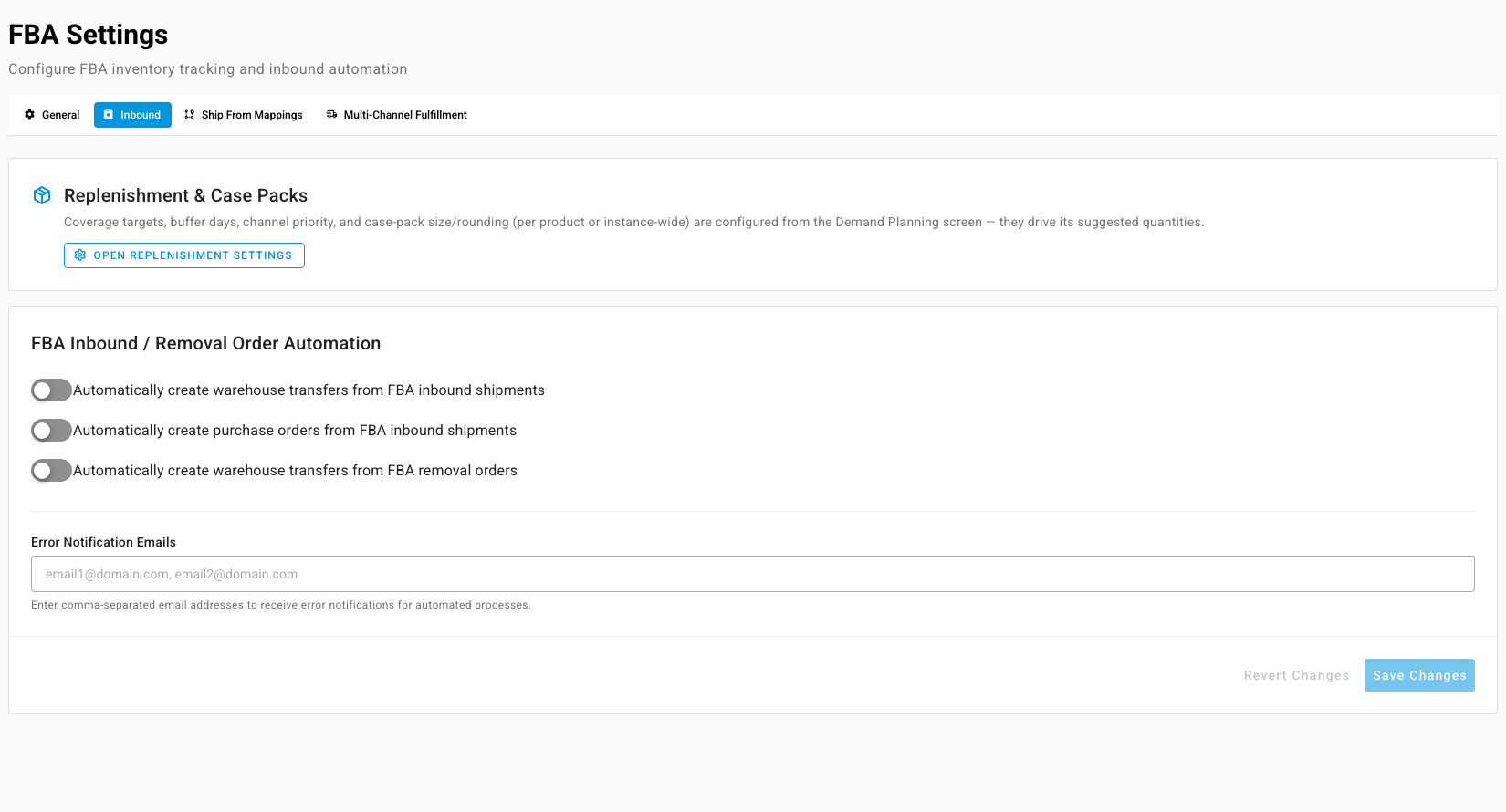
Optionally, under FBA Settings → Inbound, turn on Automatically create warehouse transfers from FBA removal orders and choose a destination warehouse for each FBA country under Removal Order Destination Warehouses. SKU.io then processes new removal orders on its own, toward those warehouses.
Find a removal order
-
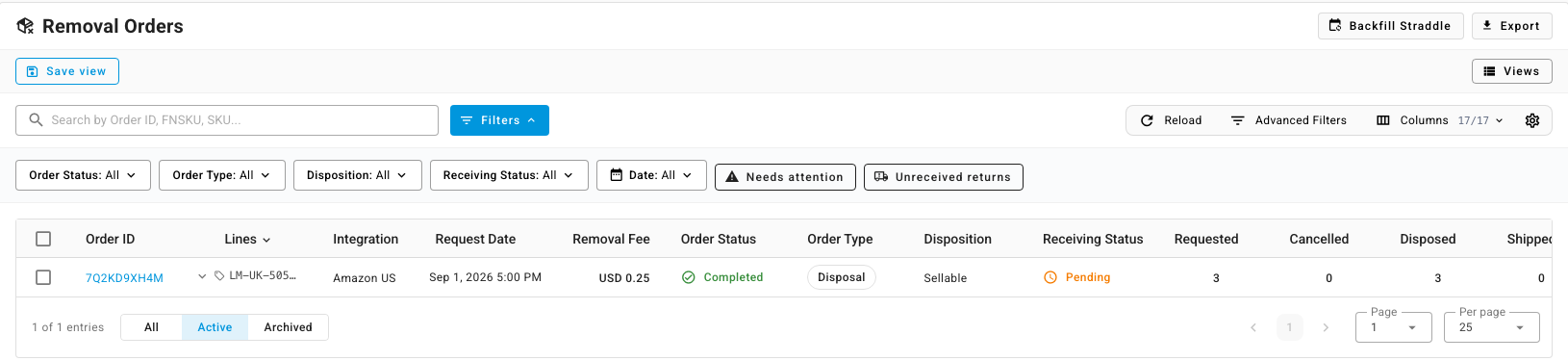
Go to Apps & Integrations, open your Amazon connection, click FBA, then open Removal Orders.
-
Narrow the list with Order Status, Order Type (Return, Disposal or Liquidations), Disposition and Receiving Status. Two quick filters help: Needs attention, and Unreceived returns for returns still waiting to be received.
-
Click the Order ID. The order shows what was Requested, Shipped, Cancelled, Disposed and In Process, the Removal Fee, and every line.
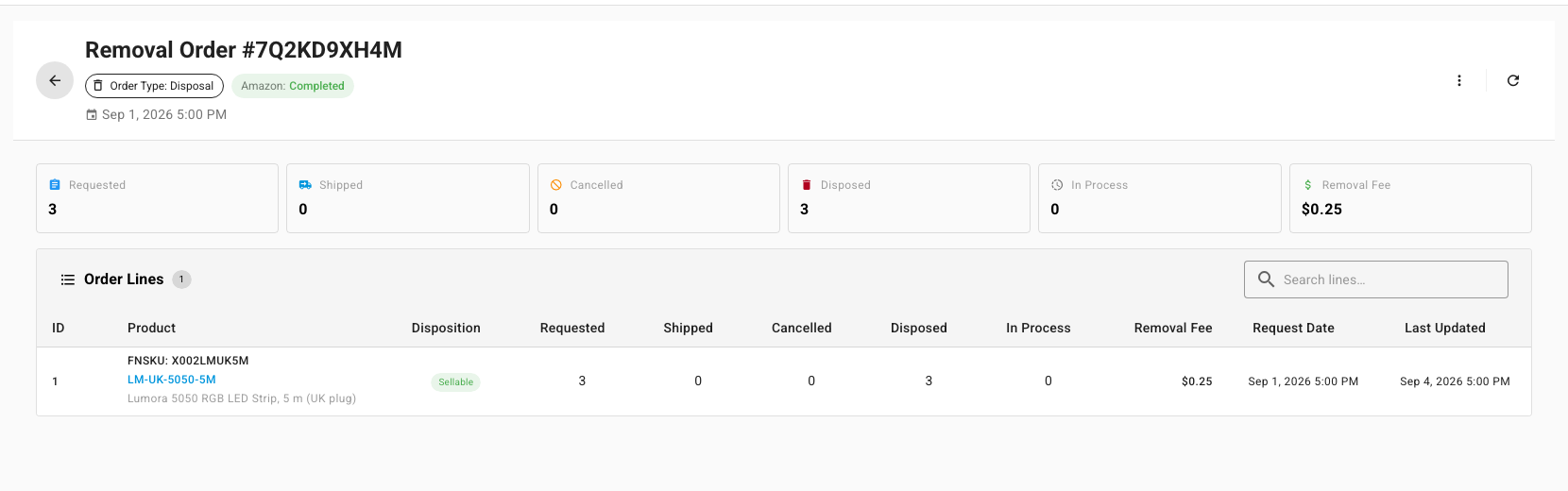
A disposal order needs nothing more: its Receiving Status becomes Disposed on its own.
Receive a returned shipment
- On a return-type removal order, under Receiving Warehouse, click Set and choose where the units are arriving. Receive Shipments stays unavailable until a warehouse is set.
- Click Receive Shipments, or Receive on one carrier shipment in the shipment table.
- In Receive Shipment, check the Receipt Date and Receiving Warehouse, then, for each item under Items to Receive, enter how many arrived New, how many were Blemished, and how many you Discarded (with a Discard reason). Use LPN Lookup to find an item by the license plate number on the box.
- Check COGS per unit. SKU.io fills it from the cost the units carried at Amazon.
- Click Receive Items.
SKU.io adds the received units to the warehouse at that cost. Blemished units are received as the product's blemished version. The order's Receiving Status moves through Partially Received to Received.
When a return comes back short
- If no more boxes are coming, open the order's actions menu and click Close Receiving (accept partial / no items received). The status becomes Received for Less or Closed Without Receipt. Resume Receiving reopens it.
- To start again, click Undo All Receipts. It reverses every receipt on the order and takes the units back out of your warehouse.
- To claim units that never arrived, use Amazon Recovery.
Track the carrier shipments
Removal Shipments lists each carrier shipment Amazon sent, with its Carrier, Tracking Number, Shipped and Discarded quantities. Filter by Disposition or Order Type.