Attribute AWD departures to where they went
When units leave AWD, Amazon records them as Departed. Most departures go to FBA, and SKU.io matches those to the FBA shipment that received them on its own. This guide covers the two cases that need you: an AWD facility nobody has mapped, and Amazon outbound orders that sent stock somewhere other than FBA, such as your own 3PL or an AWD direct sale.
Before you begin
- AWD tracking is set up for your Amazon connection. See Track AWD inventory.
- You have an AWD warehouse in SKU.io to map facilities to.
Map an AWD facility you haven't mapped
-
Go to Apps & Integrations, open your Amazon connection, click FBA, open AWD Inbound, then open the Departure Attribution tab.
-
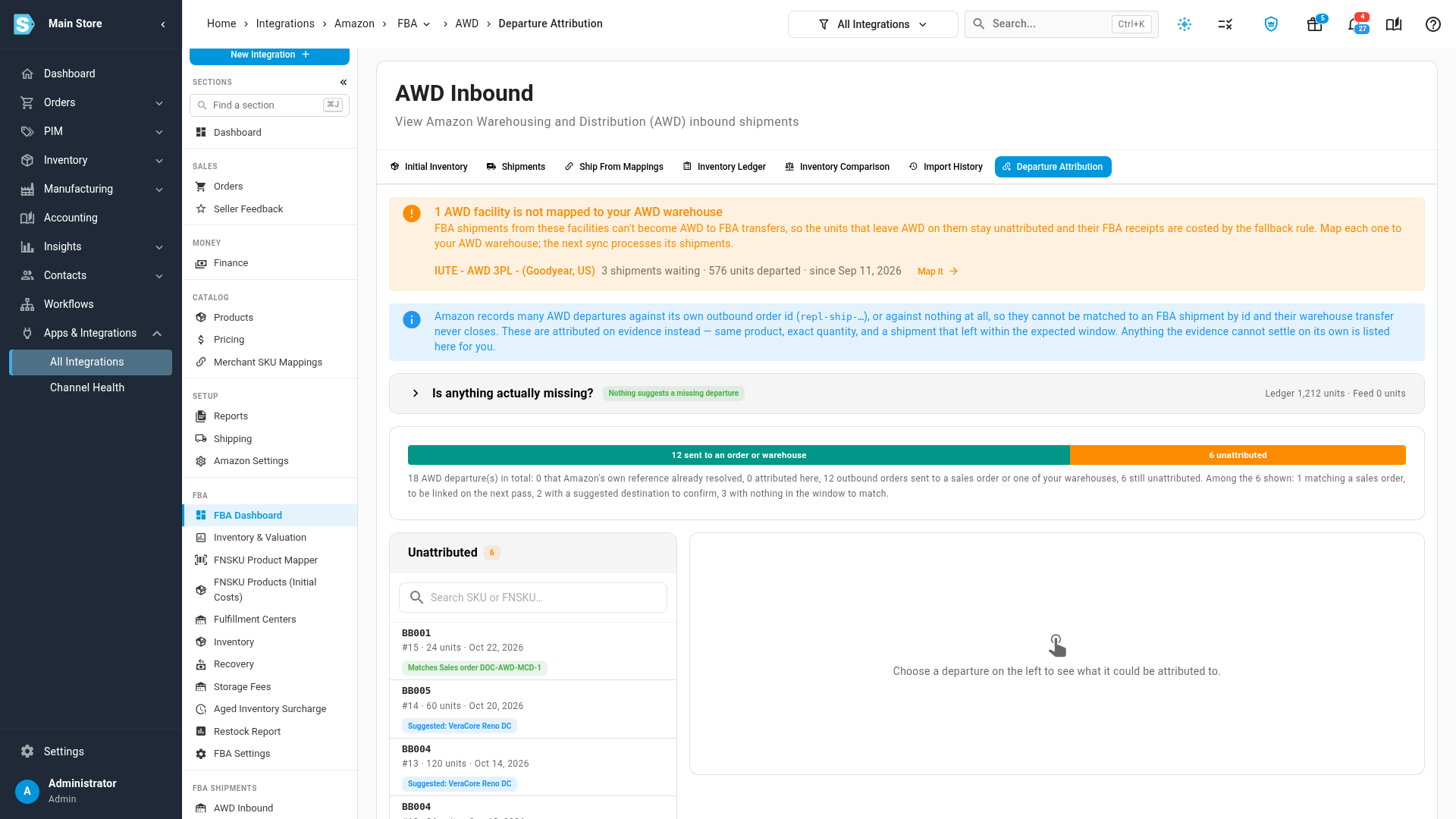
If Amazon ships stock to FBA from an AWD facility that isn't mapped, a banner at the top lists it, with how many FBA shipments are waiting on it and how many units have already left AWD on them. Until it's mapped, those shipments can't become AWD to FBA transfers, so the units stay unattributed and their FBA receipts are costed by the fallback rule.
-
Click Map it. Ship From Mappings opens, filtered to that facility.
-
Set the facility's warehouse to your AWD warehouse.
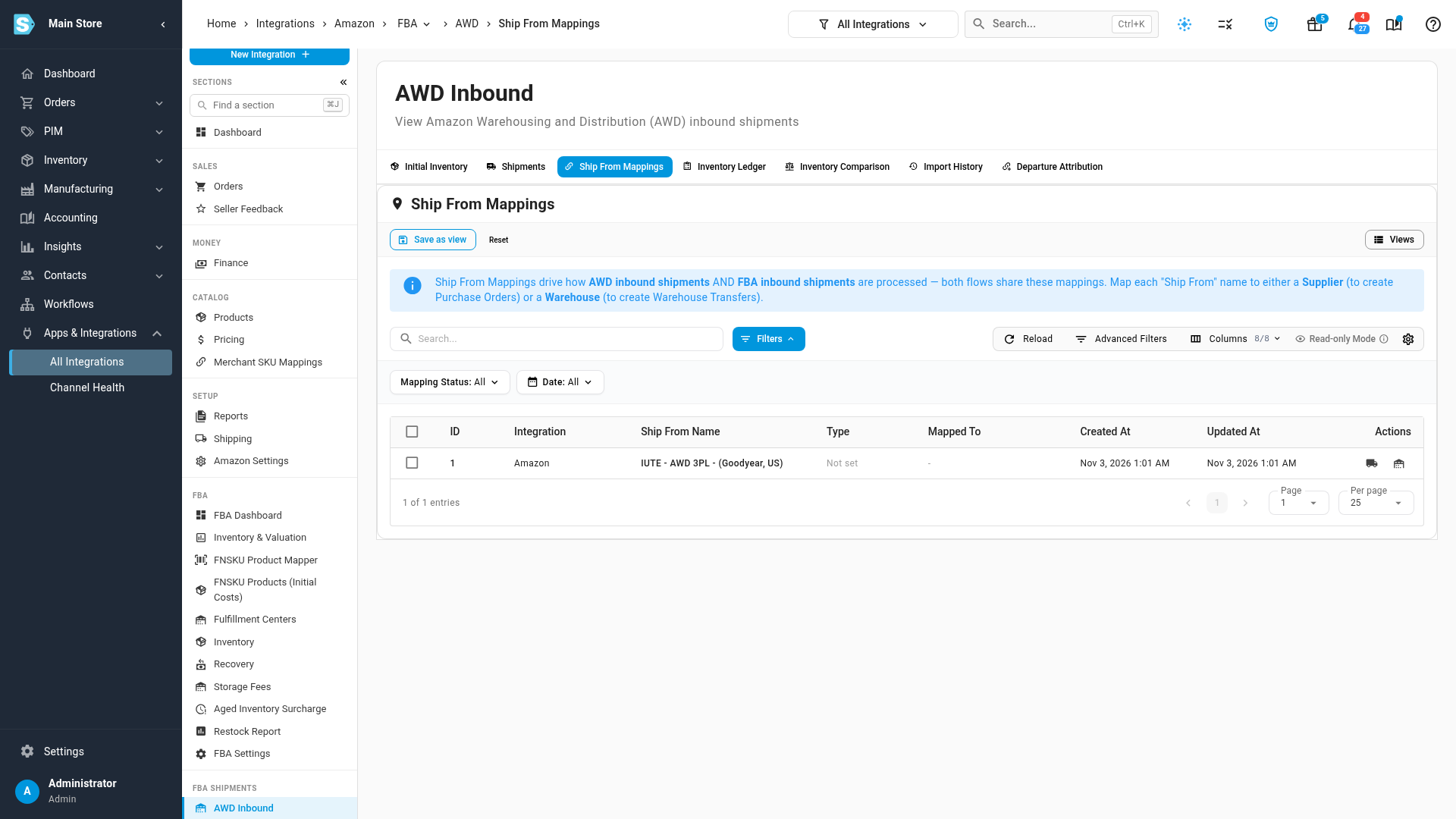
The banner clears as soon as you save, and the next sync turns the waiting shipments into AWD to FBA transfers. You also get an AWD Facility Not Mapped to a Warehouse alert when this happens, and each waiting shipment says why it's waiting.
Send an outbound order to where it went
Amazon outbound orders (their reference starts with repl-ship-) move stock out of AWD to an
address you choose: one of your own warehouses, or a customer for an AWD direct sale. Amazon
doesn't say where, so SKU.io works it out from what it can see.
-
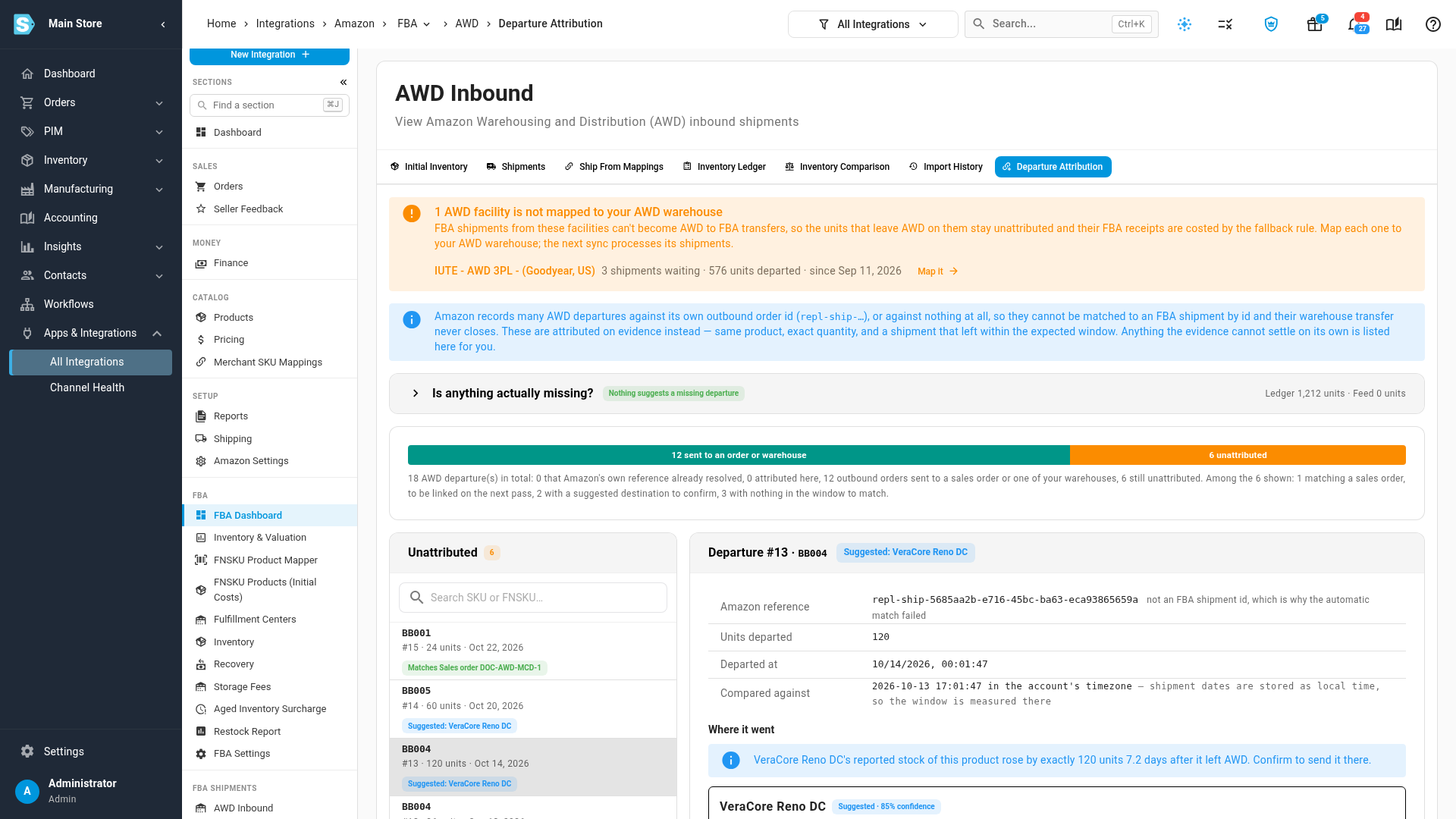
On Departure Attribution, each outbound order in the list shows where it most likely went, such as Suggested: and a warehouse name. Select it.
-
Where it went says why. When your 3PL reports its stock of the product rising by exactly the units that left AWD, within two weeks, that warehouse is suggested.
-
If that's right, click the Send to button for that warehouse. SKU.io creates the transfer from AWD to the warehouse, costed at what the units cost in AWD, and the departure leaves the list. If it went somewhere else, click that destination instead.
When nothing at a warehouse confirms it, SKU.io suggests the warehouse most of your earlier outbound orders went to. A warehouse is never chosen without you: sending stock to the wrong warehouse would put it somewhere it never arrived.
Outbound orders that match a sales order
An outbound order that matches exactly one AWD sales order line, with the same product and quantity still to ship, ordered between 14 days before and a day after it left AWD, is linked by the daily matching pass on its own. Until then, it shows Matches and the order number. Click Link now to link it straight away.
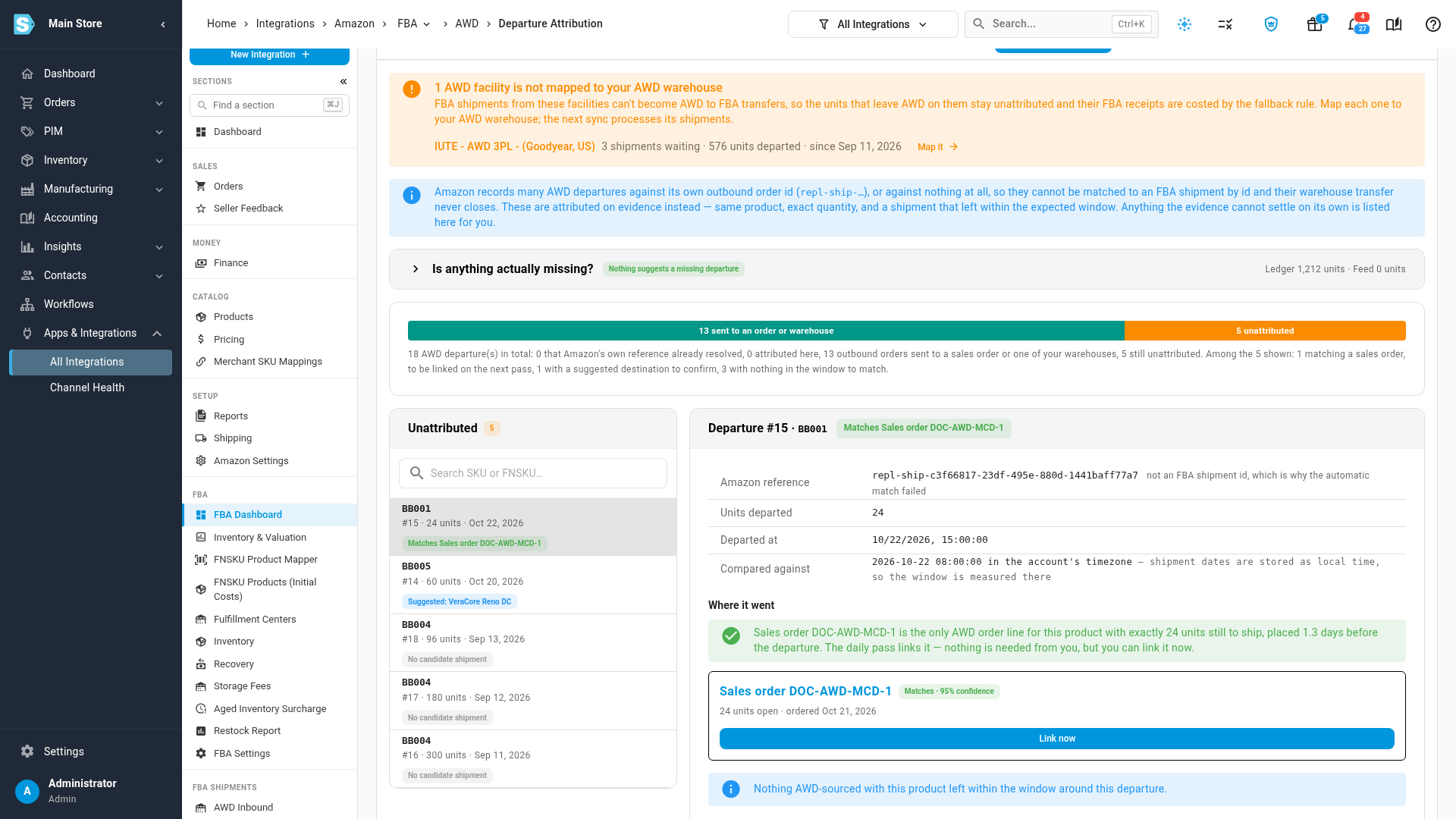
If more than one order or warehouse fits equally, nothing is linked automatically. Pick the right one from the options shown.
Next steps
Video transcript
In AWD Inbound, open the Departure Attribution tab. If Amazon ships stock to FBA from an AWD site you haven't mapped, a banner names it at the top of the page. It counts the shipments waiting there, and the units that have already left AWD. Until it's mapped, those shipments can't become transfers.
Click Map it to open Ship From Mappings for that facility. Set its warehouse to your AWD warehouse. The banner clears, and on the next update from Amazon, its shipments become AWD to FBA transfers.
Back on Departure Attribution, Amazon outbound orders that went somewhere other than FBA are listed with where they most likely went. Select one to see why. Here, the warehouse's reported stock of this product rose by exactly the units that left AWD, a week later.
If that's right, click the Send to button for that warehouse. A transfer out of AWD is created at what the units cost there, and the departure leaves the list.
With no stock evidence, the suggestion is your usual destination, where most earlier outbound orders went. Nothing there confirms it yet, so you always make the final call.
An outbound order that matches exactly one AWD sales order, with the same product and the same quantity still to ship, is linked by the daily pass on its own. You don't have to wait. To link it straight away, click Link now.