Channel Health — see your Amazon and Walmart seller scores before the marketplace acts
Amazon and Walmart grade every seller on how they ship: valid tracking, late shipments, cancellations, order defects. Miss a target and the marketplace can restrict a category or your whole account — and the first you usually hear of it is an email after the damage is done. When an account ships a handful of orders a month, a single bad shipment is enough to tip a score below the line. Channel Health brings those scores into SKU.io every day, warns you before a target breaches, and flags the individual shipments that are about to count against you while there's still time to fix them.
✨ What this means for you:
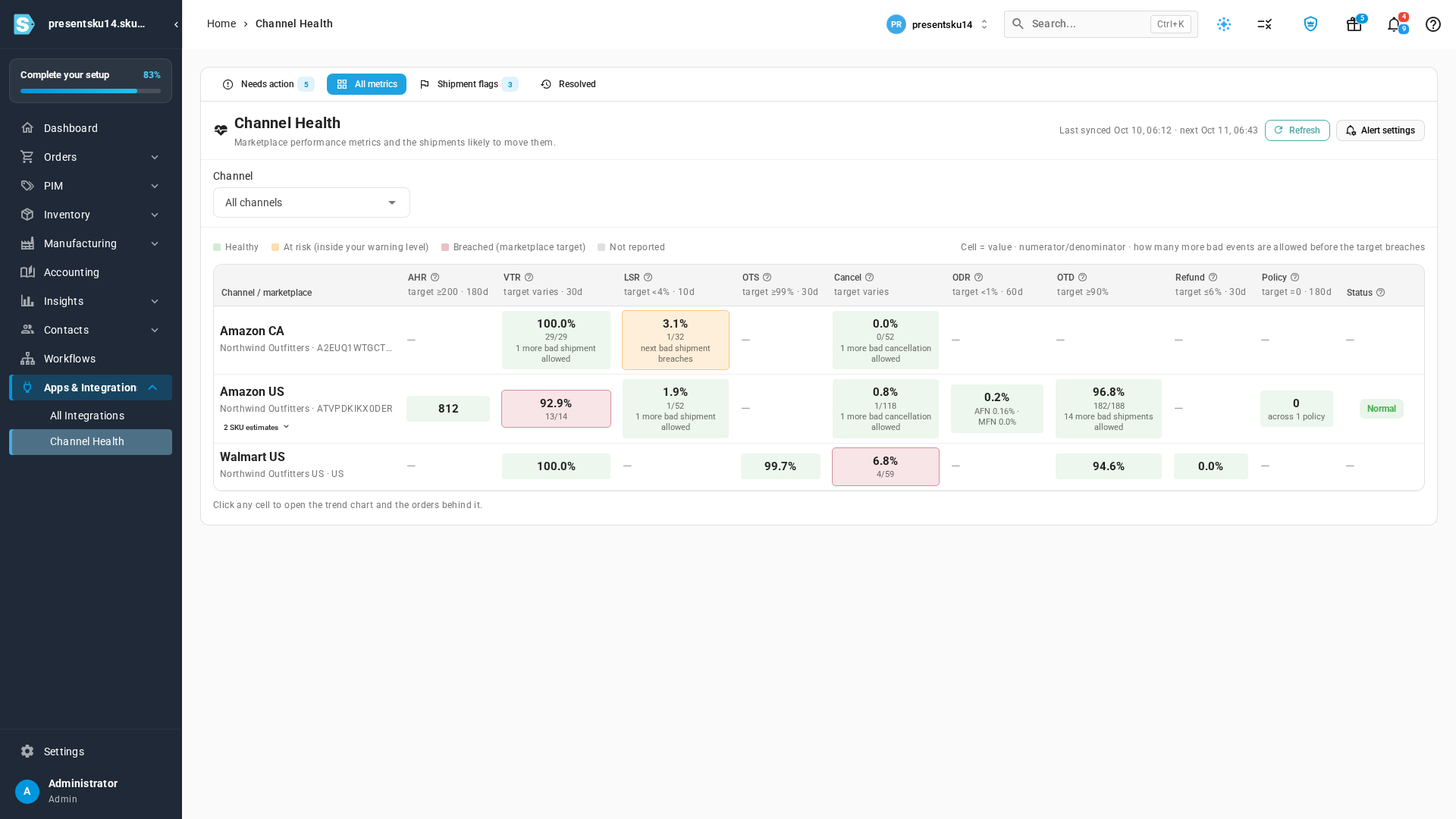
- Every Amazon and Walmart seller-performance metric in one place, refreshed daily, with the marketplace's own target next to each number.
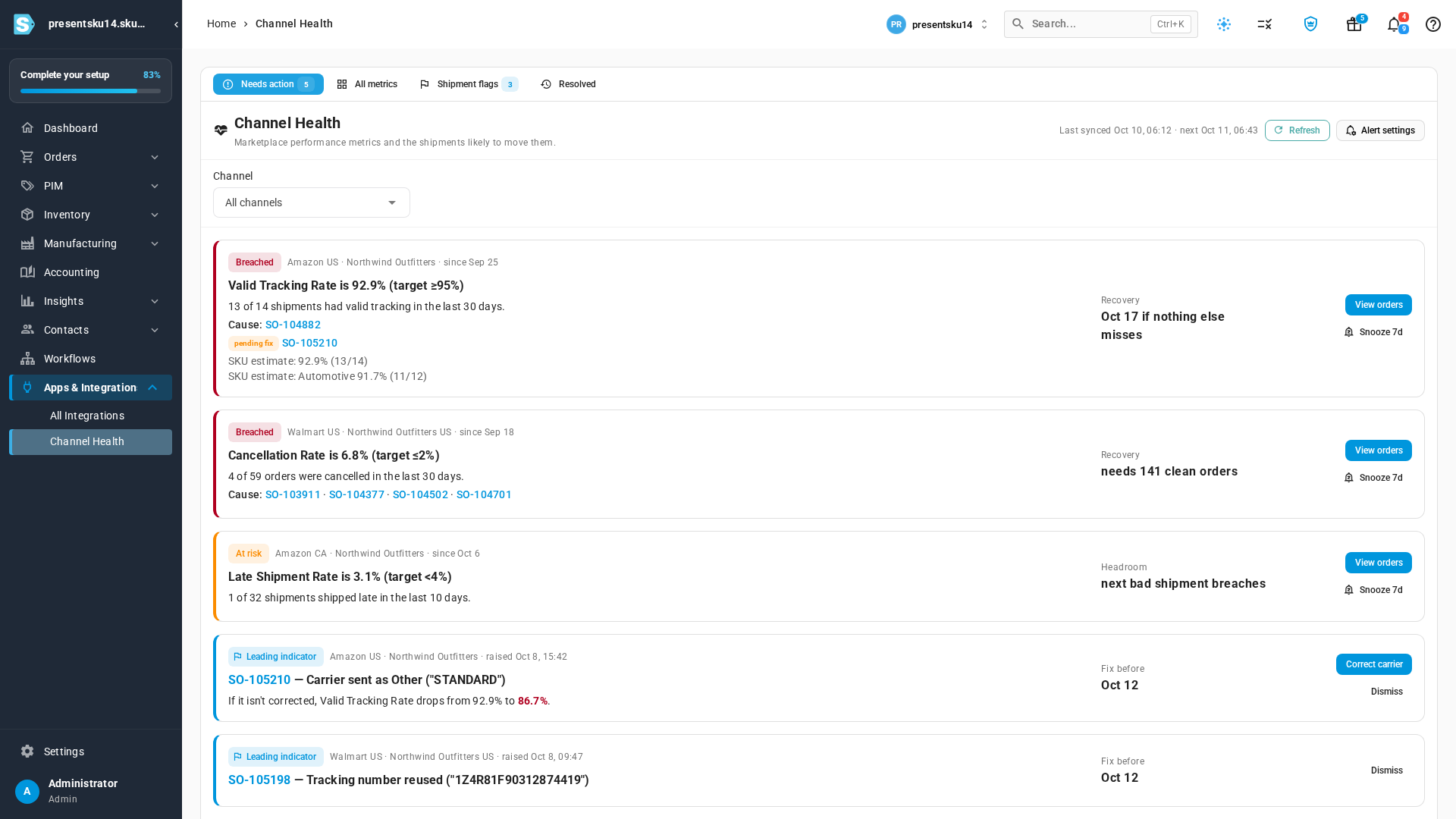
- A Needs action list that puts breached and at-risk metrics first and names the sales orders behind them.
- Headroom and Recovery for each problem — how many more bad shipments you can absorb, and when the number heals.
- Flagged shipments the moment tracking is sent — a carrier sent as "Other", a reused tracking number, a late confirmation — with the predicted hit to your score.
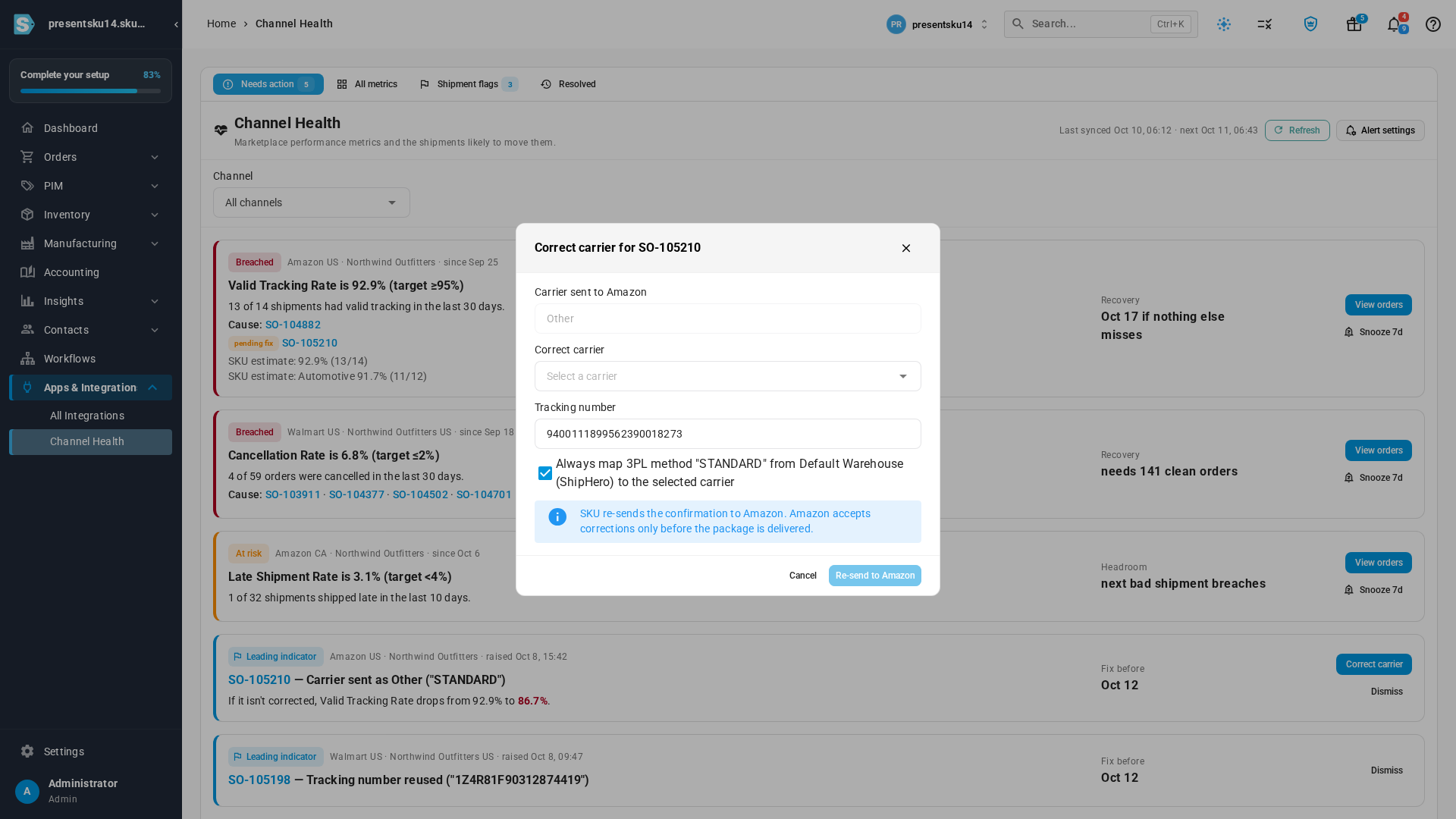
- A one-click Correct carrier fix that re-sends the right carrier to Amazon before the package is delivered.
- Your own warning levels, delivered through the same alerts you already use — in SKU.io, by email or in Slack.
Start with what needs action
Open Channel Health and the Needs action tab shows every breached and at-risk metric, worst first. Each card names the metric, the marketplace's target, and the counts behind the value — "13 of 14 shipments had valid tracking in the last 30 days" — plus the sales orders that pulled it down. Recovery tells you when the number heals if nothing else goes wrong, and Headroom tells you how close you are when a metric is still inside the line.
For Amazon's Valid Tracking Rate, which Amazon enforces per product category, SKU.io also works out a per-category estimate from your own shipments, so a problem in one category doesn't hide inside a healthy overall number.
Compare every account and marketplace side by side
The All metrics tab lays every account and marketplace out in one grid — Account Health Rating, Valid Tracking, Late Shipment, Cancellations, Order Defect Rate, On-Time Delivery and policy issues — each cell coloured by status and showing the counts behind it.
See the trend and the orders behind any number
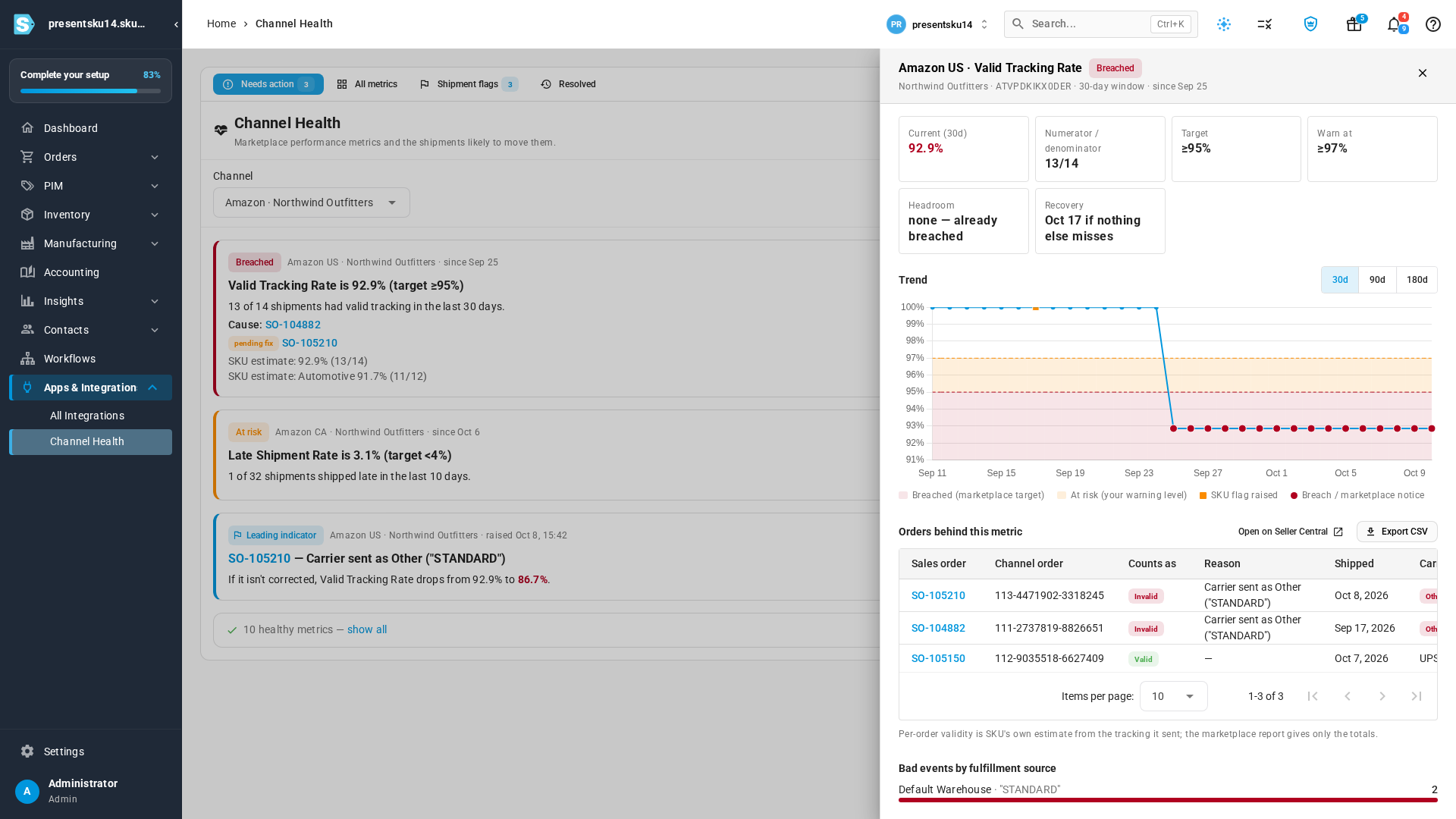
Click any metric to open its history. The chart shades the marketplace target and your own warning level, marks the days SKU.io flagged a shipment, and lists the orders behind the number — each one linked to its sales order — so you know exactly what to fix.
Fix a shipment before it counts
SKU.io checks every shipment as its tracking is sent. When a shipment is about to count against a metric — most often a 3PL shipping method that reaches Amazon as carrier "Other", which Amazon can't track — it appears as a leading indicator with the predicted change to your score. Click Correct carrier, pick the carrier that actually shipped the parcel, and SKU.io re-sends the confirmation. For 3PLs connected through ShipHero, tick Always map and later shipments with the same shipping method go out with the right carrier automatically.
Choose when you hear about trouble
Under Channel Health Thresholds you can set your own Warn me at level for each metric — tighter than the marketplace's target, never looser — so you hear about a slide before it becomes a penalty. Channel Health alerts appear in SKU.io like every other alert; turn on email or Slack for the ones you want delivered in Alert Preferences.
Where to find it
Go to Apps & Integrations → Channel Health. Warning levels live under Settings → Alerts & Notifications → Channel Health Thresholds, and alert delivery under Alert Preferences. Your Amazon accounts also show an Account Health card on the Amazon integration dashboard.
Full guide: Monitor channel health