Shipping method conditions — one checkout label, the right carrier per country
Your checkout says "Free Shipping" to everyone. But free shipping to Ohio and free shipping to Berlin are not the same job — one goes USPS, the other goes DHL Express. Until now SKU.io could only map that label to a single shipping method, so sellers had two bad options: rename the rates in Shopify so every market got its own label, or fix the carrier by hand after the order landed. Shipping method conditions remove the choice. A channel shipping method can now carry ordered conditions that override its default mapping for specific destinations, so one label routes correctly everywhere.
✨ What this means for you:
- One checkout label can resolve to a different shipping method per destination — no renaming your Shopify rates
- Pick countries individually or as a group, like European Union (27), so a bloc stays correct as membership changes
- Say "assign no shipping method" on purpose, for labels like Local Pickup that should never be dispatched
- See which combinations are actually arriving on your orders, and what each one resolves to today
- Test any label and destination before you save, and see exactly which condition would win
Conditions live with the method they modify
Each shipping method in your mapping list can be expanded to reveal its conditions. They are evaluated top to bottom and the first match wins, with a greyed row at the bottom showing what happens when none of them match — so the fall-through is never a guess.
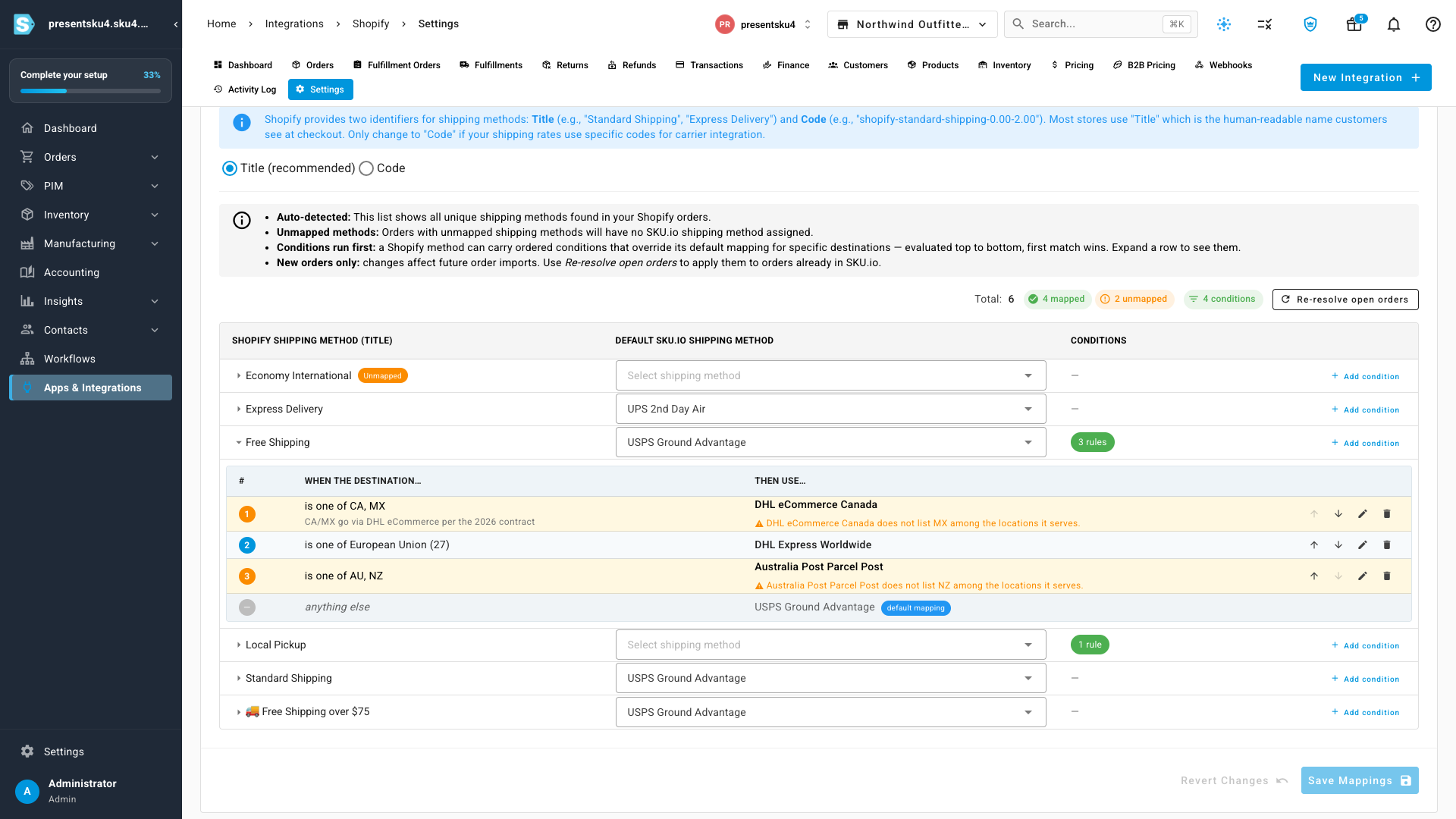
SKU.io also flags conditions that need a second look: one that can never fire because an earlier condition already covers it, one pointing at a shipping method that has since been archived, and — as above — one routing to a country the method's own service area doesn't list.
See what's actually arriving
You can't write a rule for a market you didn't know you were selling to. The What's actually arriving table shows every shipping method and destination combination that has come in on real orders, how many, and which layer decides it — a condition, the method's default mapping, or your channel fallback.
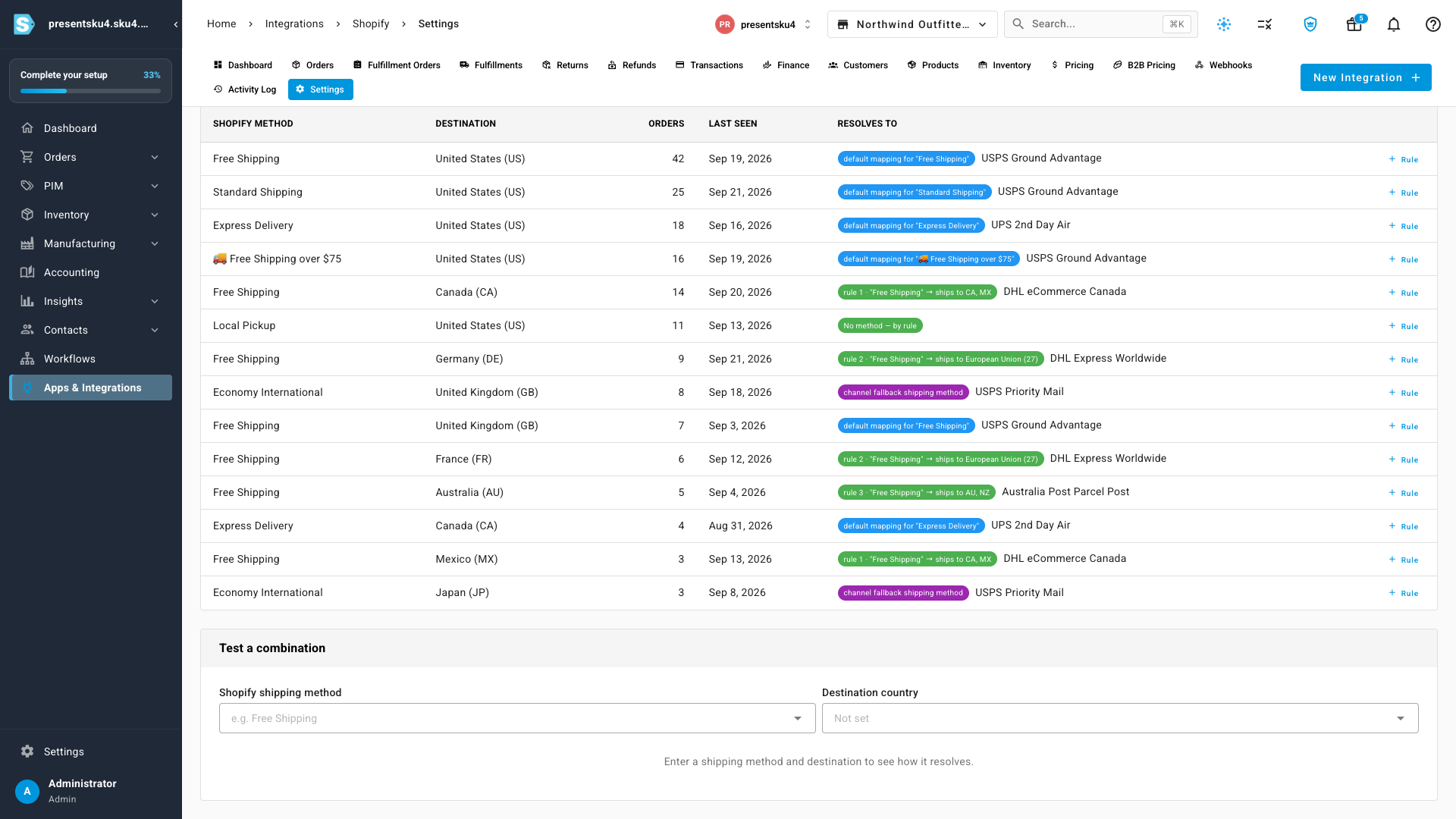
Anything still unresolved is called out, and every row has a one-click Rule button that opens the editor pre-filled with that exact method and destination.
Check your work before you save
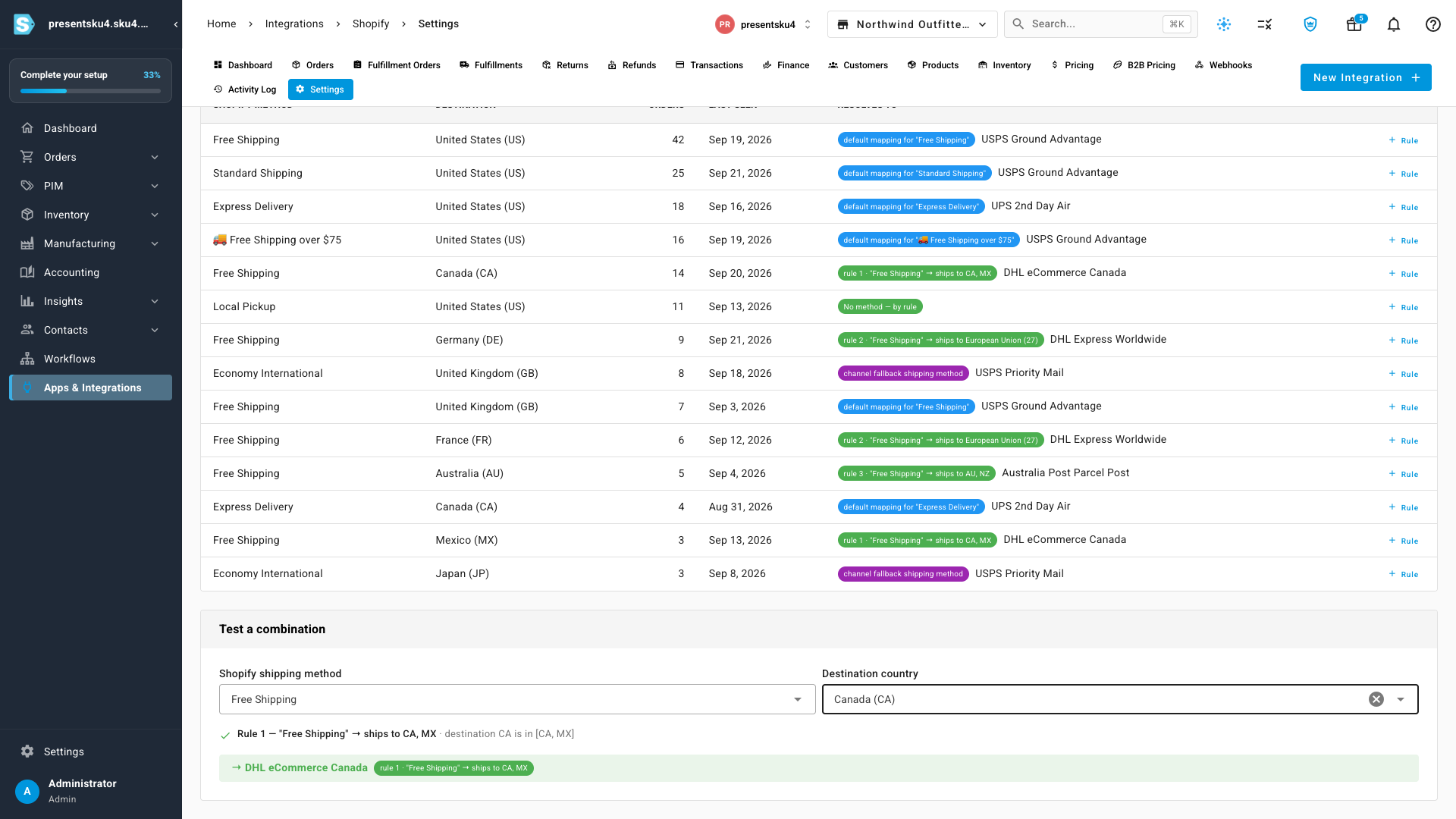
Test a combination answers "why would this order get that carrier?" without creating an order. Enter a shipping method and a destination and you get the full reasoning — each condition that was considered, why it did or didn't match, and which one won.
Applying it to orders you already have
Conditions affect future order imports. When you want them applied to orders already in SKU.io, Re-resolve open orders shows you exactly what would change — grouped by which method moves to which, with a count and example order numbers — before anything is written. Every order is re-resolved against its own destination, so orders bound elsewhere keep the method they earned. Closed and cancelled orders, and anything already handed to a fulfillment provider, are never touched.
Where to find it
Go to Apps & Integrations → Shopify → Settings → Shipping. Your existing mappings are unchanged and keep working exactly as before — conditions are additive, so nothing routes differently until you add one. Expand any shipping method in the mapping table and choose Add condition to start.