How WooCommerce orders import
Every WooCommerce order SKU.io imports becomes a SKU.io sales order. This page explains what that sales order holds, how WooCommerce's statuses carry across, what SKU.io tells WooCommerce when you ship, and how unpaid orders are held.
The sales order totals what the shopper paid
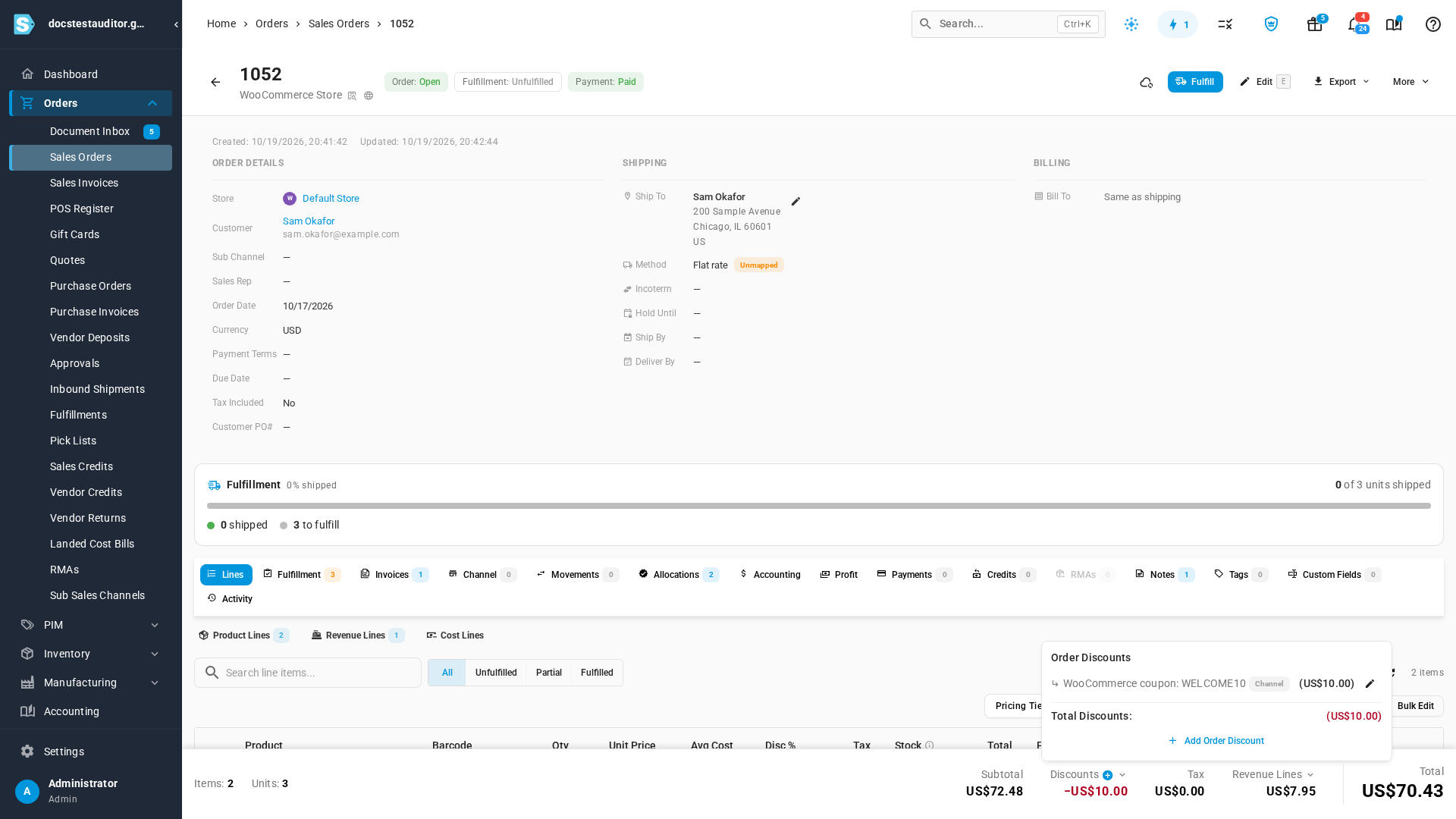
On your WooCommerce channel's Orders tab, the SKU SO # column links each order to its sales order. The sales order is built so its total matches the WooCommerce order:
- Product lines keep the price the shopper saw before any coupon.
- Shipping arrives as a Shipping revenue line, for the order's shipping charge.
- A coupon becomes an order discount named after its code, such as WooCommerce coupon: WELCOME10. It's spread across the order's lines, so each line's revenue reflects it.
How WooCommerce statuses carry across
| WooCommerce status | The sales order |
|---|---|
| Processing | Open, ready to ship. |
| Pending payment, On hold | Reserved: stock is allocated, but nothing ships until it's paid. |
| Cancelled, Refunded, Failed | Closed. |
| Any unpaid order | Reserved, whatever its status, unless your unpaid-order settings say otherwise. |
Statuses SKU.io doesn't recognise
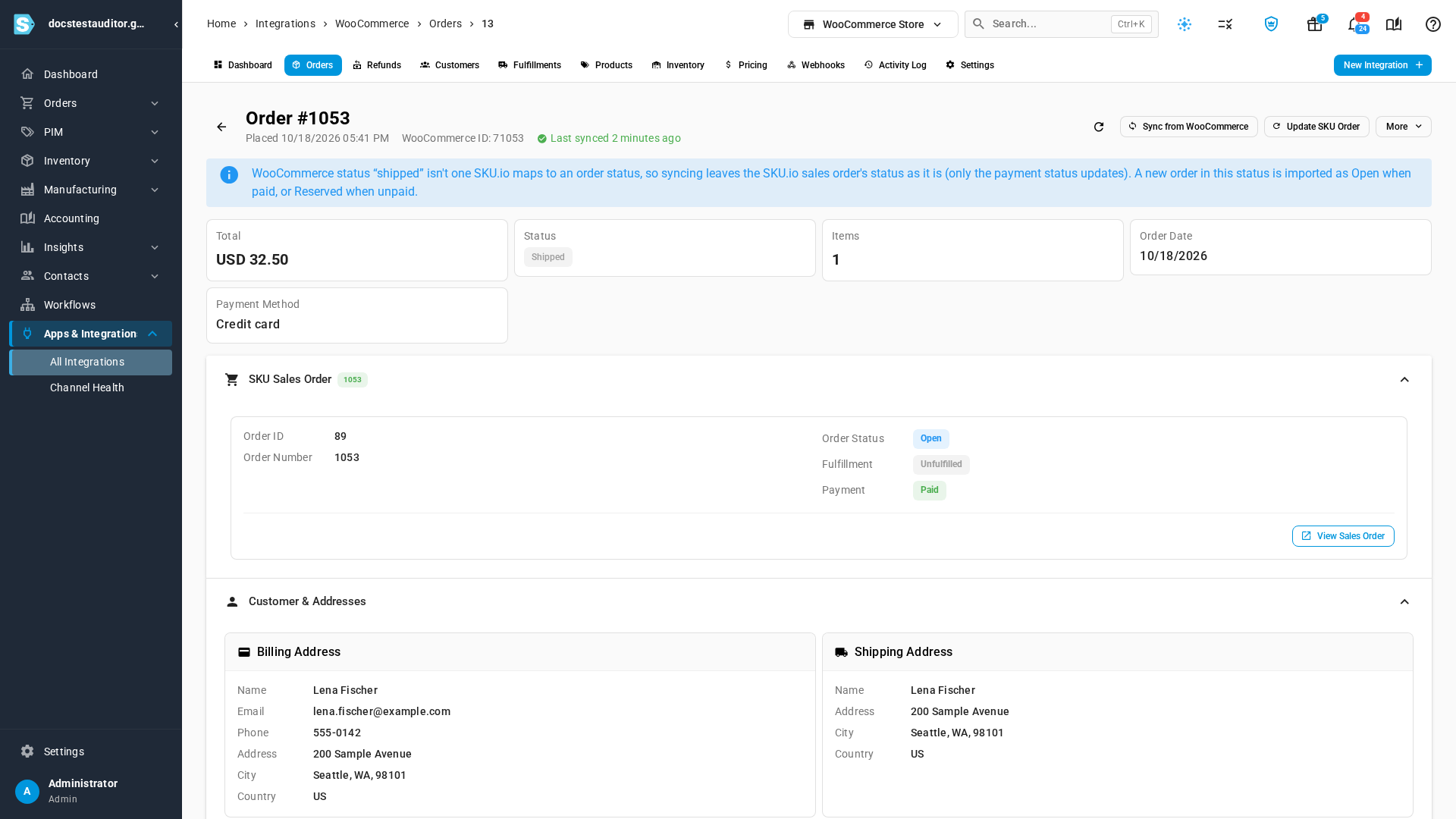
Some stores add their own statuses with a plugin, such as Shipped. When a WooCommerce order moves to a status SKU.io doesn't map, syncing leaves the sales order's status as it is and only updates its payment status. A new order that arrives in such a status is imported as Open when it's paid, or Reserved when it isn't. The WooCommerce order's page says so at the top.
Partial shipments
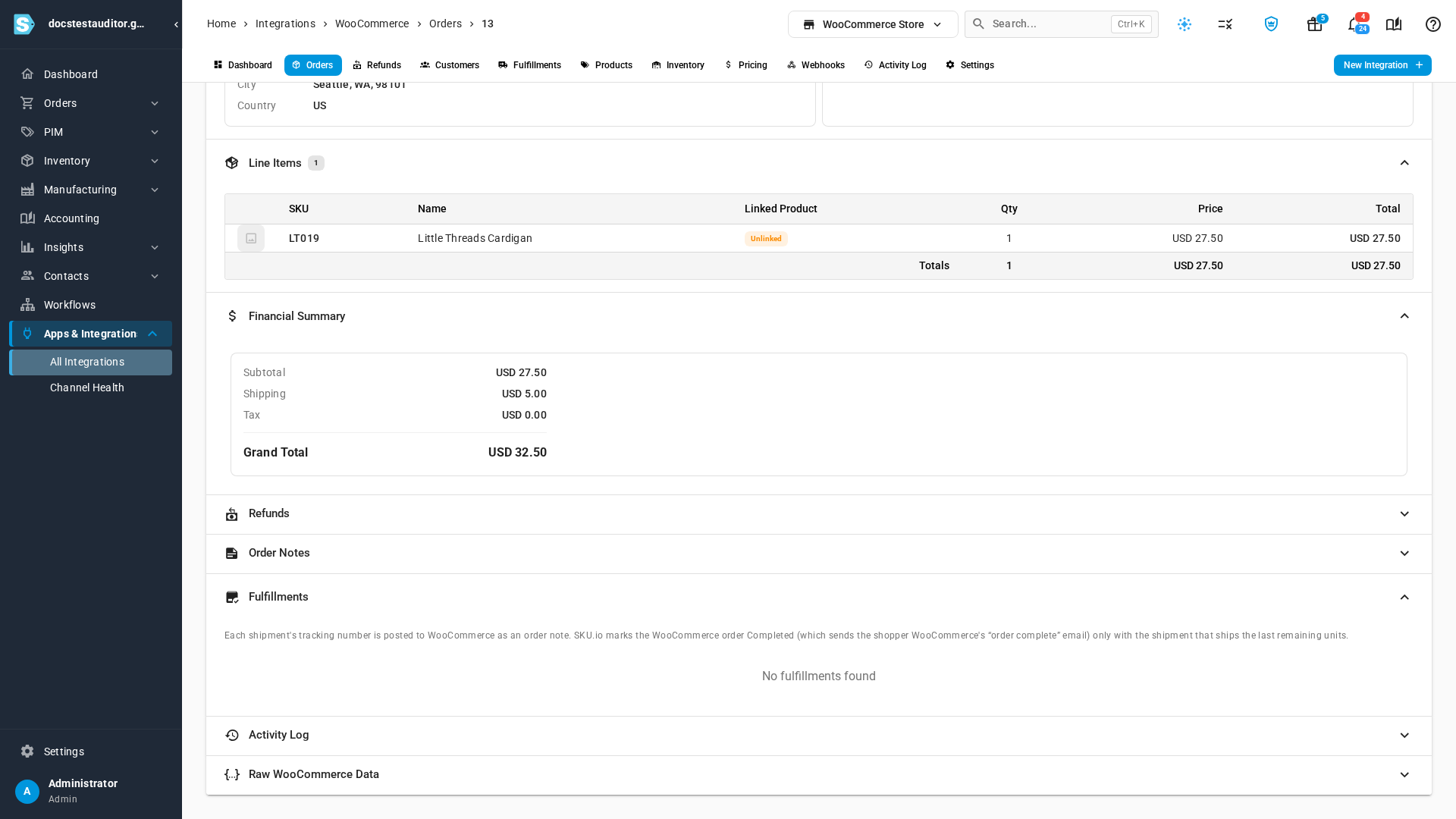
When you ship from SKU.io, each shipment's tracking number is posted to WooCommerce as an order note. SKU.io marks the WooCommerce order Completed only with the shipment that ships the last remaining units. Completing an order sends the shopper WooCommerce's "order complete" email, so they get it once, when everything has shipped. The Fulfillments section of the WooCommerce order's page explains this.
If you ship part of an order and then cancel the rest of its units, SKU.io doesn't mark the WooCommerce order Completed. Complete it in WooCommerce.
Unpaid orders
Unpaid orders follow Settings → Unpaid Orders; see Handle unpaid channel orders. When that page reserves unpaid WooCommerce orders, an order that arrives unpaid is Reserved and held for payment: the sales order shows Awaiting payment and when the reservation releases.
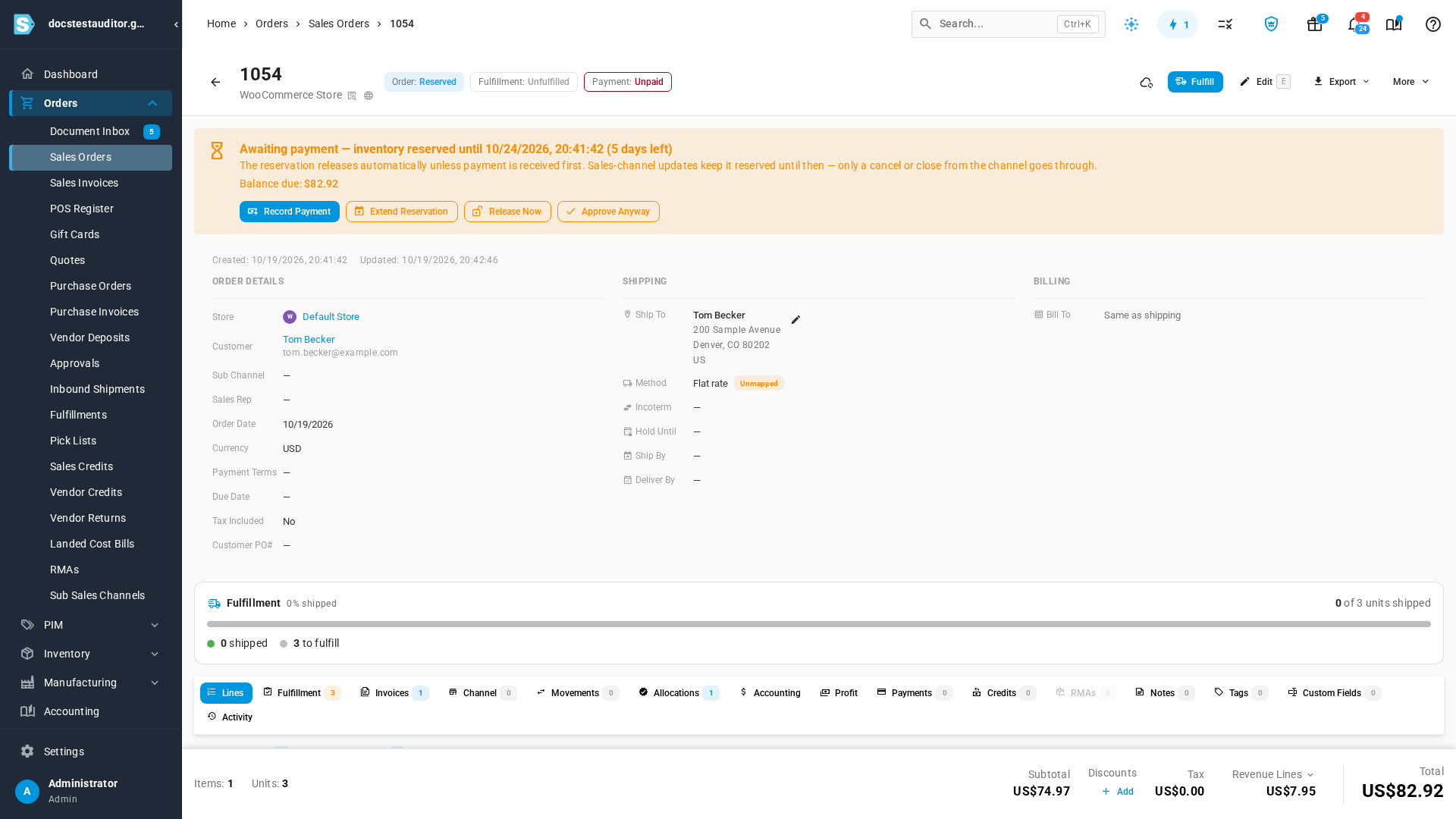
While the hold lasts, updates and refreshes from WooCommerce keep the order Reserved, even if its WooCommerce status changes to one that would normally open it. Only a cancel or close from WooCommerce goes through.
Next steps
- Refresh WooCommerce orders: fetch orders now, for a date range, or since the start date.
- Handle unpaid channel orders: choose how unpaid orders arrive, and when a hold releases.
Video transcript
Every order your WooCommerce store sends becomes a sales order. The SKU SO number column links to it. Open the sales order for order 1052. The sales order totals exactly what the shopper paid for the order. Each product line keeps the price the shopper saw, before any coupon. The order's shipping charge arrives as a Shipping revenue line. And the coupon becomes an order discount, named after its code. Some stores use plugins that add statuses of their own. Open a WooCommerce order in a status like that, and a note explains what happens. SKU.io leaves its sales order's status as it is, and only updates the payment status. A new order in that status arrives Open when it's paid. Further down, open the Fulfillments section to see how shipping works. Each shipment's tracking number is posted to WooCommerce as an order note. SKU.io marks the WooCommerce order Completed only with the shipment that ships the last units. So the shopper gets one order complete email, when everything has shipped. Unpaid orders follow your Unpaid Orders settings. This store reserves stock for unpaid orders for five days, so this order arrives Reserved, awaiting payment. While the hold lasts, updates from WooCommerce keep it Reserved. Only a cancel or close from WooCommerce goes through.