Resolve an "Already at" hold on a fulfillment order
Before SKU.io sends a fulfillment order to a 3PL or shipping app, it checks whether the provider already has that order, for example because the provider also imports orders from your store. If it does, SKU.io doesn't send it. It holds the fulfillment order with an Already at card instead, such as Already at ShipBob — not sent, so the customer never gets the order twice.
Before you begin
- You need permission to submit fulfillment orders. Without it, the card's buttons stay greyed out and say which permission is missing.
Find held orders
Held orders show up in three places:
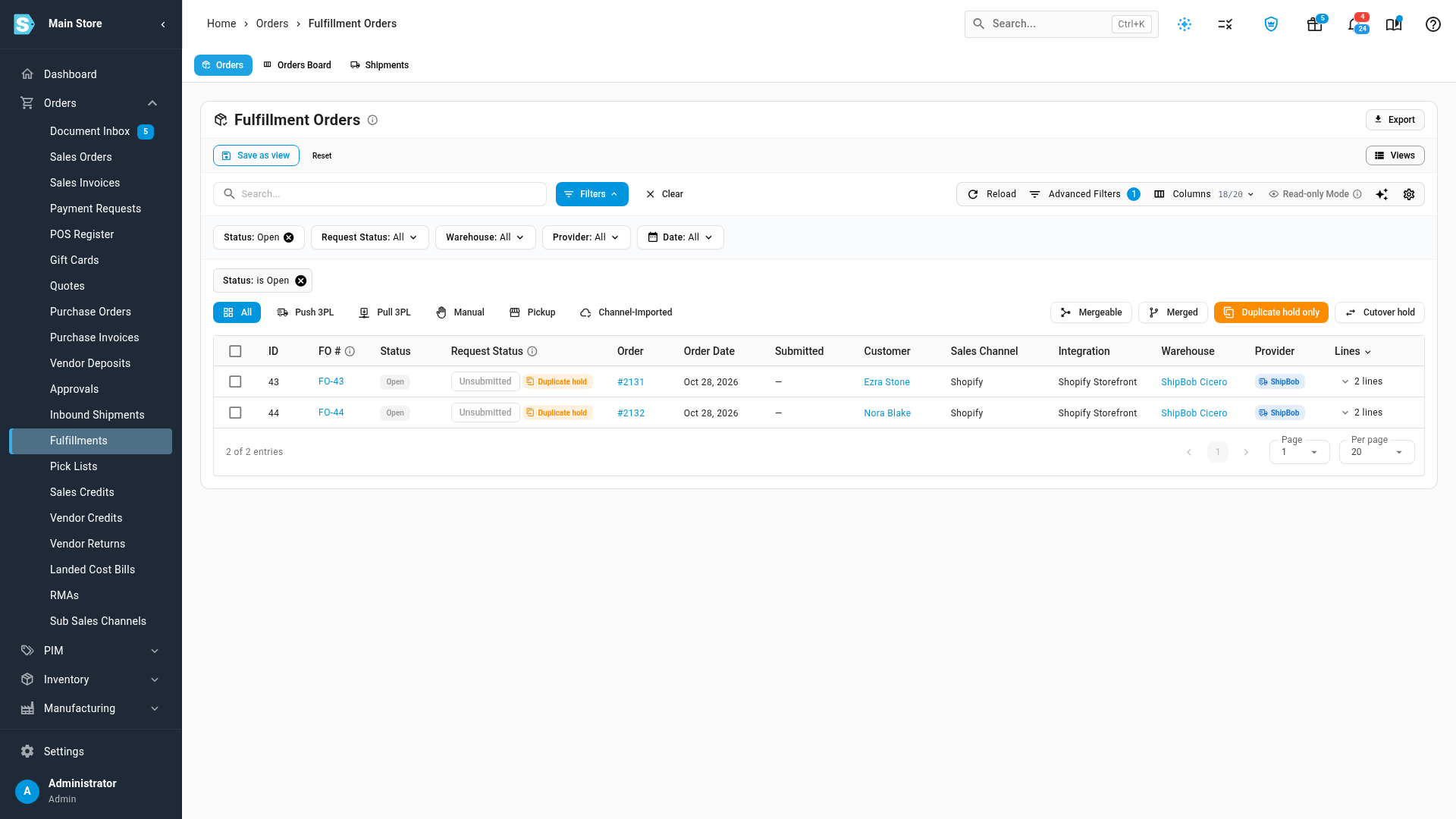
- Orders → Fulfillments: click Duplicate hold to list only these orders. Cutover hold lists the orders held by a running cutover.
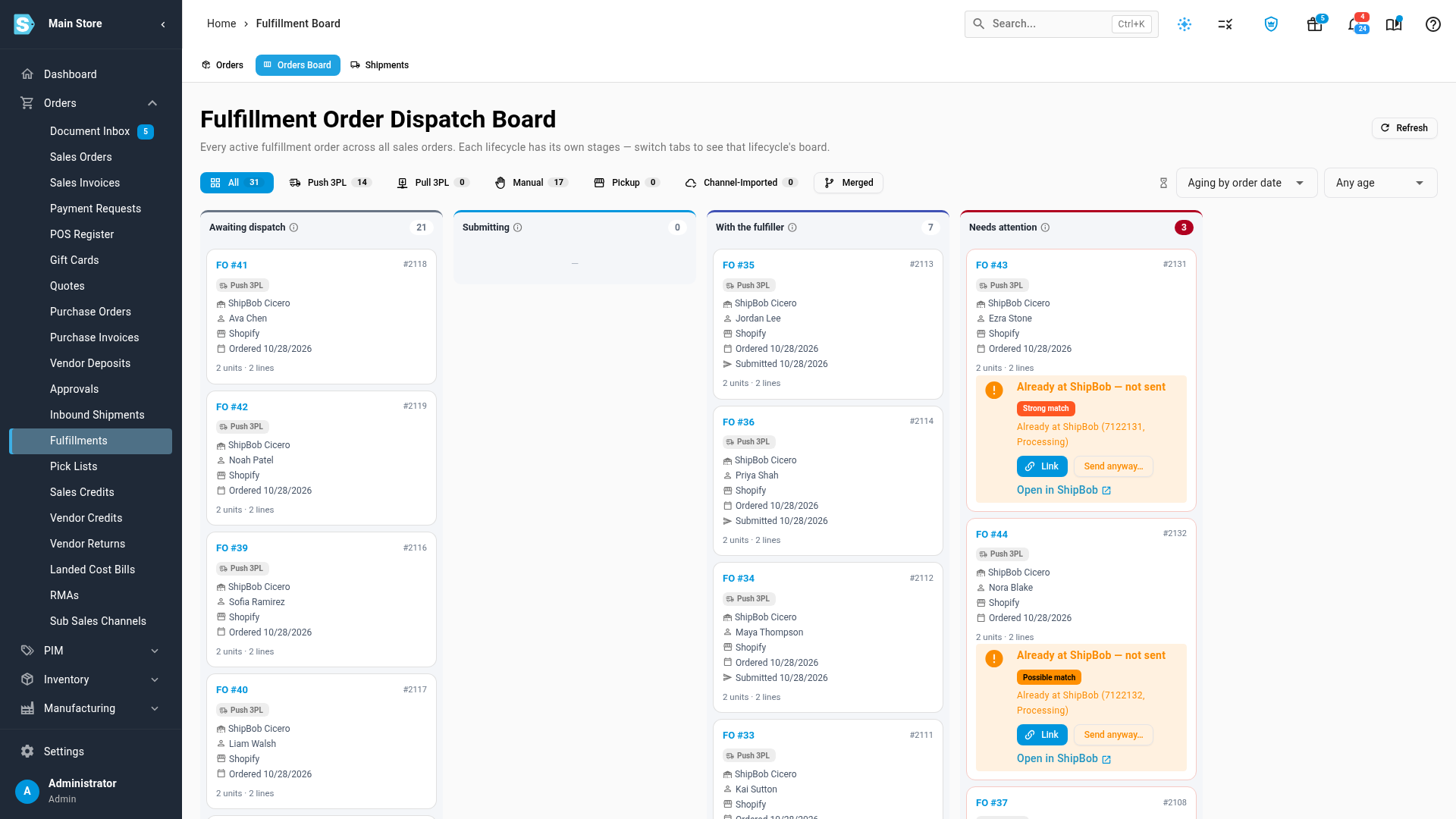
- The Orders Board tab on the same page: held orders wait in the Needs attention column.
- The order itself: on the sales order's Fulfillment tab, and at the top of the fulfillment order's own page.
Steps
-
Open the held order. Click its card on the board, or its row in the list.
-
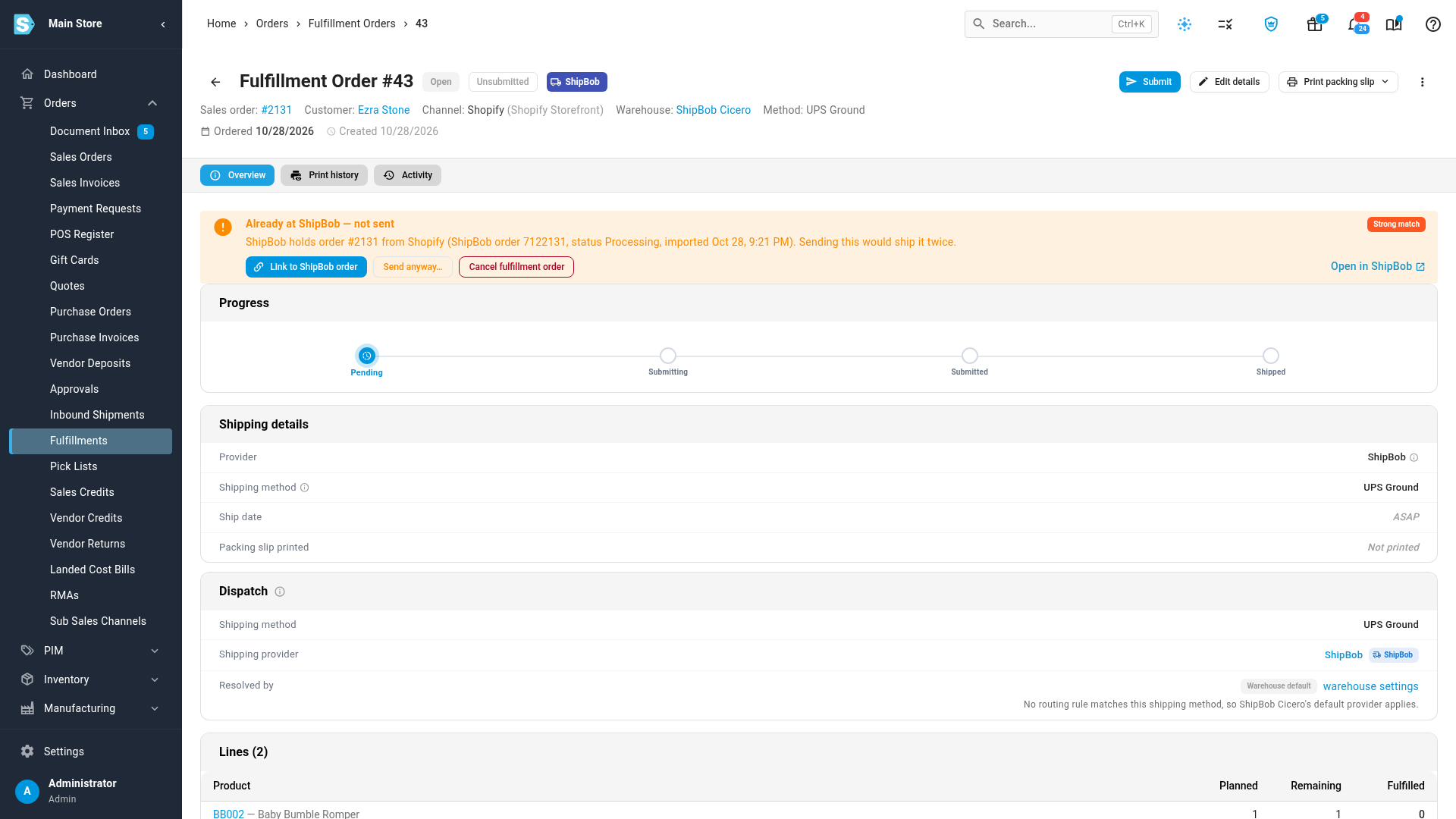
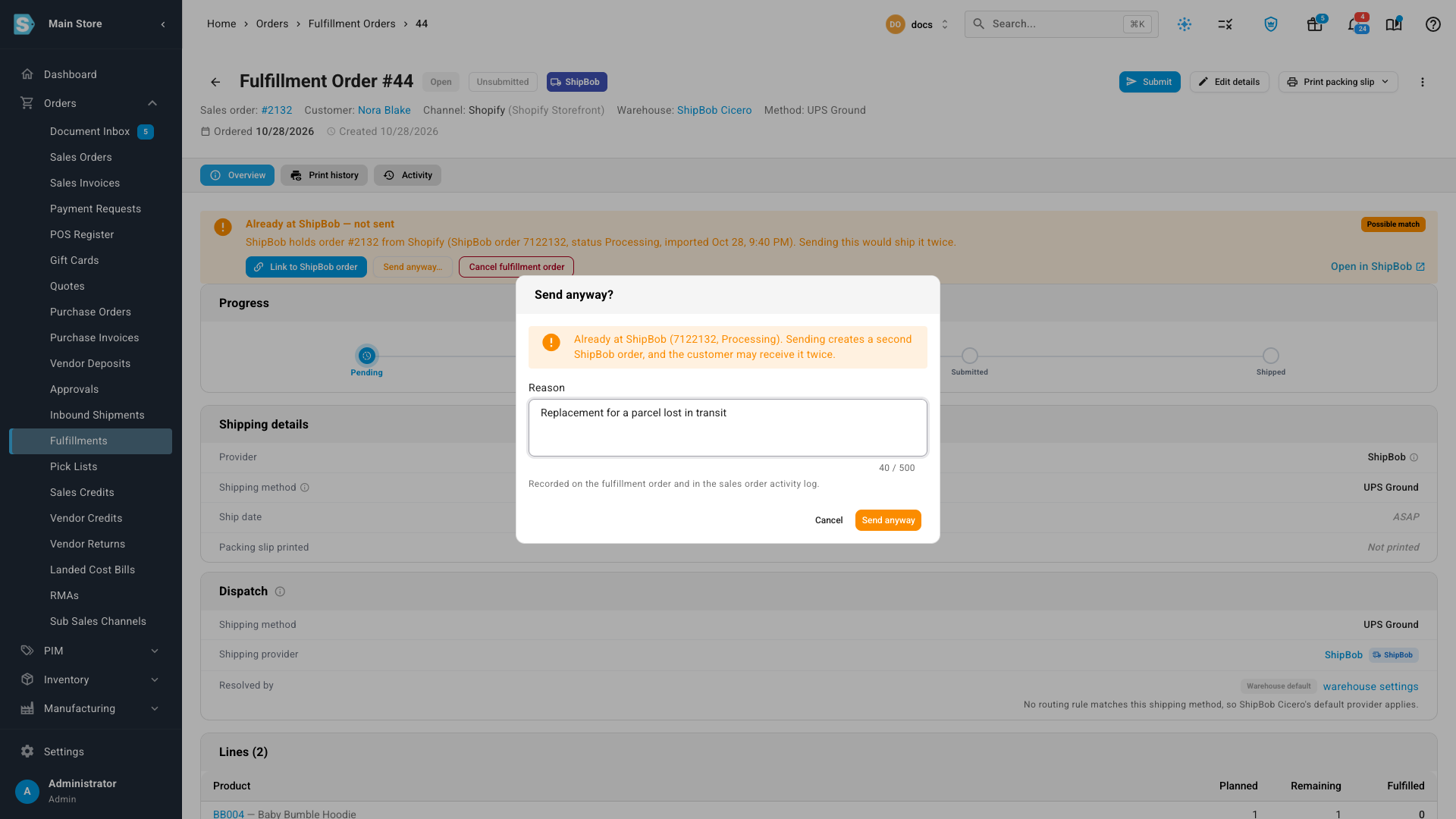
Read the card at the top. It names the provider's order, its status there and when the provider imported it, and shows a Strong match or Possible match badge (see How SKU.io spots an order the provider already has). To check the order in the provider's own app, click Open in the provider, such as Open in ShipBob.
-
Decide what the order is, and act on it:
If… Do this It's the same order the provider already has Click Link to the provider's order, such as Link to ShipBob order. The customer really needs a second shipment, such as a replacement Click Send anyway…, type the reason, then click Send anyway. It shouldn't ship from SKU.io at all Click Cancel fulfillment order.
Link to the provider's order
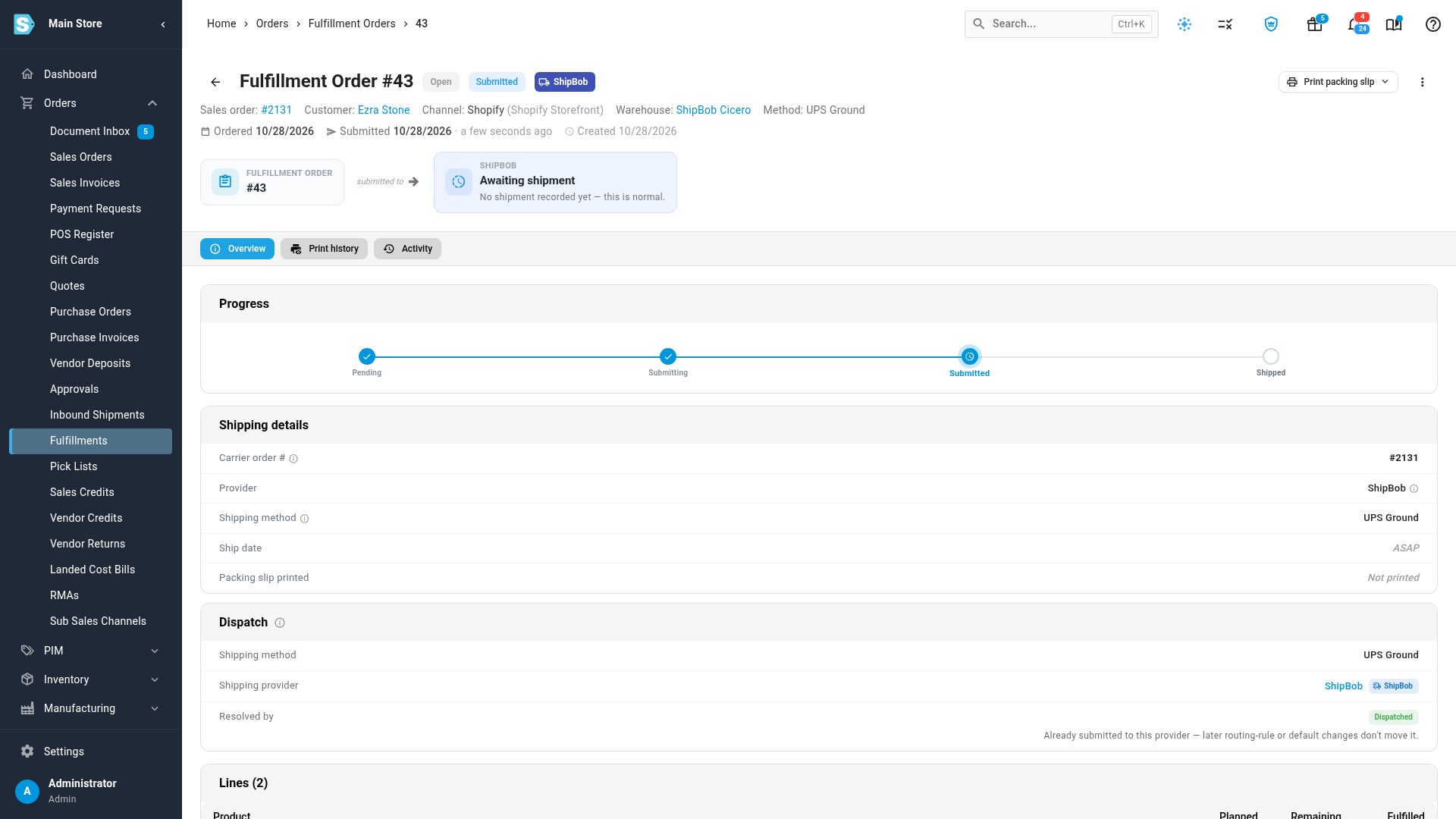
Linking sends nothing. SKU.io connects the fulfillment order to the provider's copy, and it moves to Submitted, under the provider's own order number. When the provider ships it, the shipment, tracking and shipping cost come back to SKU.io and stock is deducted, the same as for an order SKU.io sent.
When more than one provider order matches, SKU.io asks Which … order is this?. Pick the right one from the list.
Send anyway
Send anyway creates a second order at the provider, so the customer may receive the goods twice. The reason must be at least 10 characters. SKU.io records it, with your name, on the fulfillment order and in the sales order's activity log. A later, different order the provider holds for the same sales order still gets held.
An order the provider never received
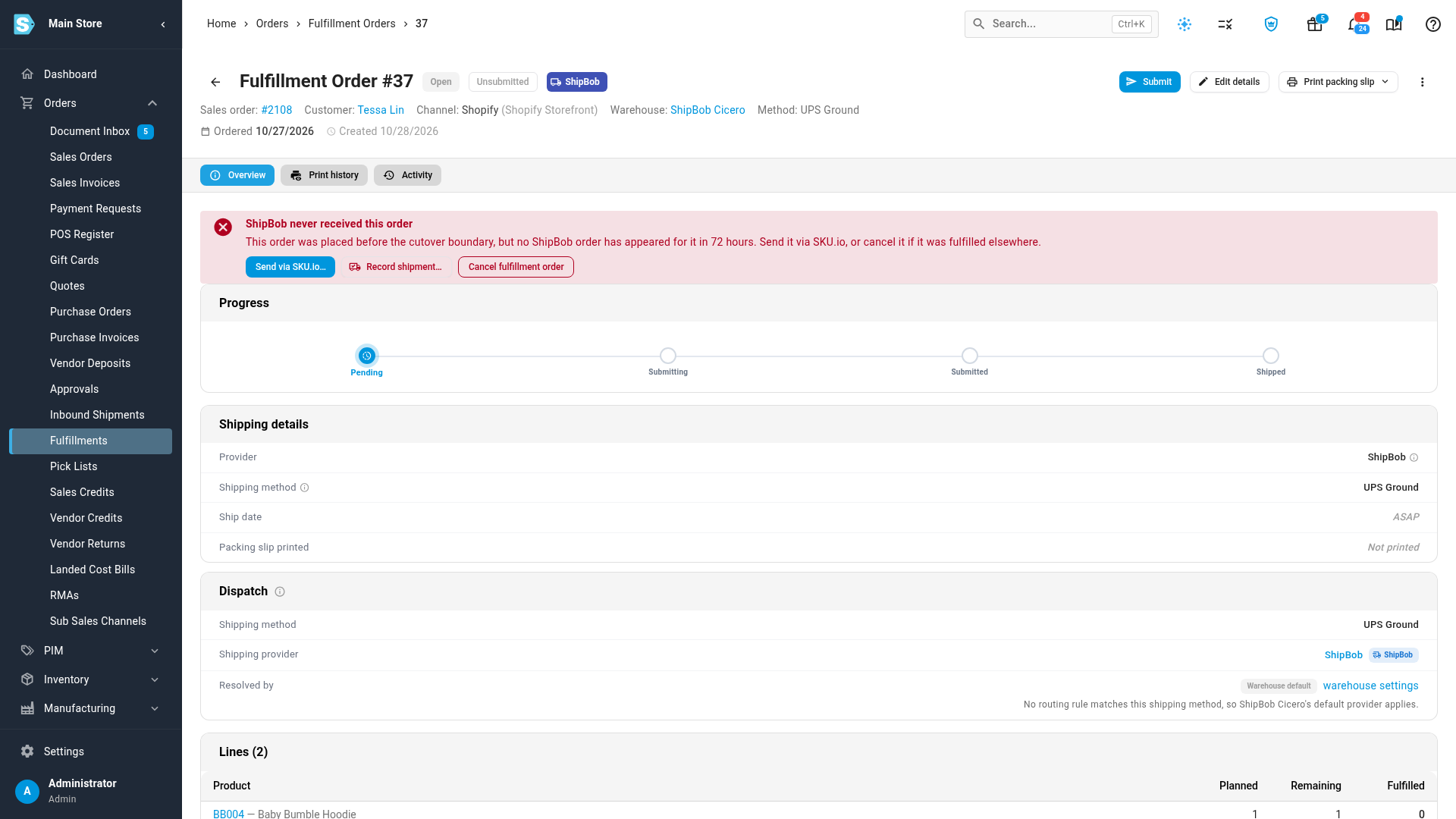
During a cutover, orders placed before the boundary stay with the provider. If one of them hasn't appeared at the provider after 72 hours, it was probably placed just before you turned the provider's import off. It moves to Needs attention with the card … never received this order, such as ShipBob never received this order. If the provider's order turns up late, SKU.io links it on its own.
| If… | Do this |
|---|---|
| The provider really doesn't have it | Click Send via SKU.io…, type the reason, then confirm. SKU.io sends it now. |
| The provider shipped it another way | Click Record shipment… and enter the shipment. |
| It was fulfilled somewhere else | Click Cancel fulfillment order. |
Next steps
- Switch a sales channel from your 3PL's store import to SKU.io — the cutover that sorts these orders out in bulk.
- Work the Fulfillment Board — the board's other columns.
Video transcript
SKU.io never sends an order your provider already holds. It holds it for you to review instead. To find held orders, open Orders, then Fulfillments. Click Duplicate hold to list only the orders held this way. Each row in the list is marked Duplicate hold, next to its sales order. The Fulfillment Board shows them too. Open the Orders Board tab, at the top of the page. Held orders wait on the right, in the Needs attention column. Each card says the provider already has the order, and how close the match is. Click a held order's card to open that fulfillment order. The card at the top explains the hold. A strong match means the provider holds the same store order. It goes to the same postcode. Sending it again would ship it twice. When it's the same order, click the Link button. It names your provider. SKU.io links this order to the provider's copy and sends nothing. It now shows as submitted, under the provider's own order number. When the provider ships it, the shipment and tracking come back here. Click the back arrow, at the top left of the page. Then open a possible match, the second held order. Here only the order number matches, so it's never linked on its own. Check the provider's order with Open in the provider's app before you decide. If the customer really needs a second shipment, click Send anyway. Type why, such as a replacement for a lost parcel. Your reason is saved on the order and in its activity log. A second order then goes to the provider. If you're not sure, click Cancel instead. During a cutover, an order placed just before the boundary may never reach the provider. After three days they show here as never received. Send via SKU.io sends the order to the provider now. Record shipment logs a parcel the provider shipped another way. If it shipped somewhere else, use Cancel fulfillment order.