Look up what Amazon shipped
Amazon ships your FBA orders from its own fulfillment centers, so the shipment never passes through a warehouse of yours. Amazon reports each one in its fulfilled shipments report, and SKU.io imports that report every day into FBA → Shipments Detail: one row per order line Amazon shipped, with the date, quantity, price, destination, carrier, tracking number and fulfillment center. It's the place to answer "did Amazon ship this, when, and how?" for a customer or a claim. For how SKU.io treats orders Amazon ships, see Amazon FBA, MCF, and externally fulfilled orders.
Before you begin
- FBA is on for your Amazon connection. See Turn on FBA inventory tracking.
Open Shipments Detail
- Go to Apps & Integrations, open your Amazon channel, and click FBA at the top of the page.
- Open Shipments Detail.
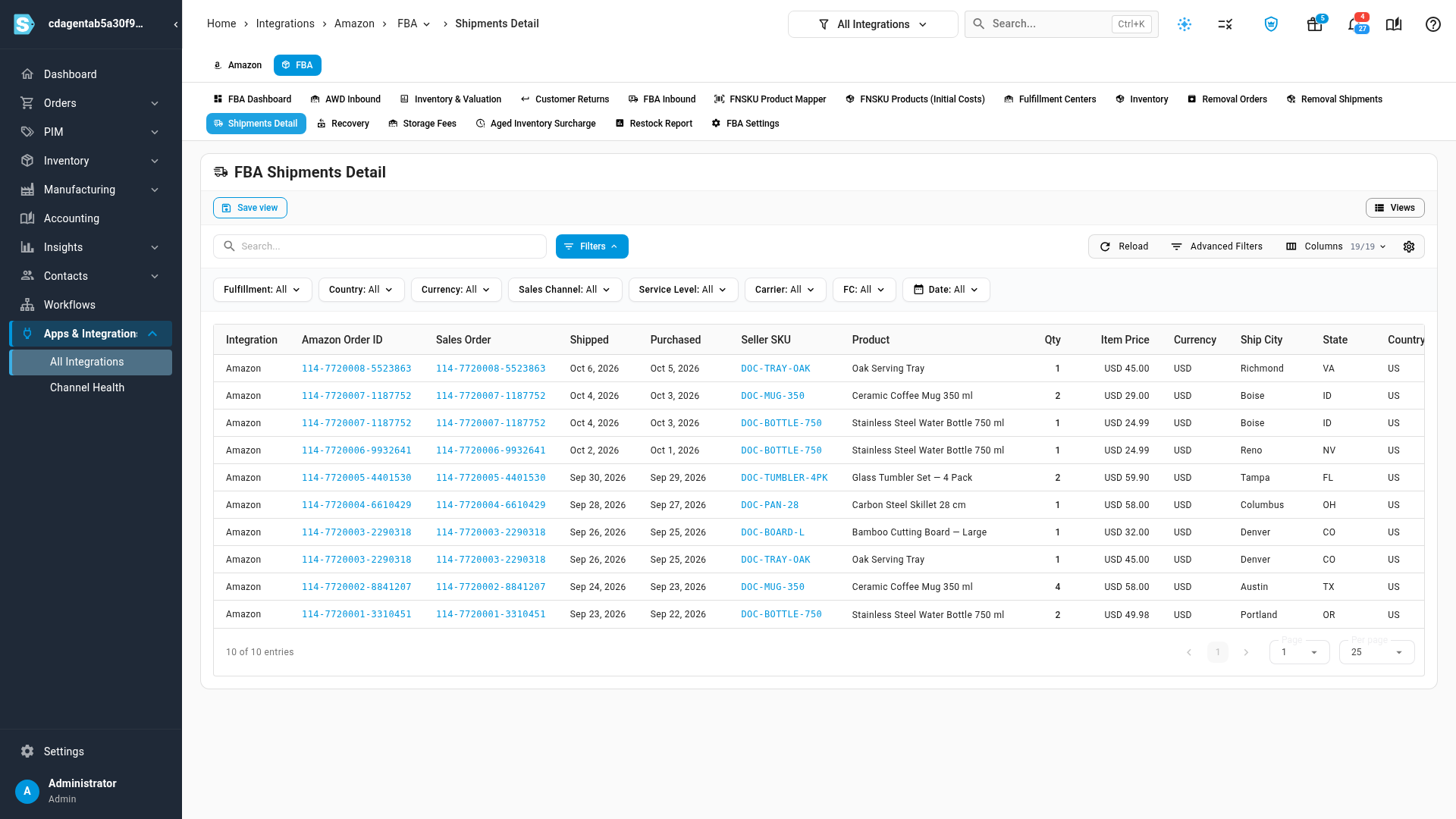
| Column | What it tells you |
|---|---|
| Amazon Order ID | The Amazon order. Click it to open Amazon's copy of the order in SKU.io. |
| Sales Order | The matching sales order in SKU.io. Click it to open the order. |
| Shipped, Purchased | When Amazon shipped the line, and when the customer ordered. |
| Seller SKU, Product | The listing that shipped. |
| Qty, Item Price, Currency | Units shipped and what the customer paid for them. |
| Ship City, State, Country | Where it went. |
| Fulfillment | Amazon for a line Amazon fulfilled. Filter it with Amazon (FBA) or Merchant (FBM). |
| Sales Channel | The marketplace, such as Amazon.com. |
| Service Level, Carrier, Tracking # | How it shipped. |
| FC | The fulfillment center it left from. |
Use Columns to show or hide columns, and the integration selector at the top to see one Amazon account only.
Find a shipment
- Search by Amazon order ID, merchant order ID, shipment ID, seller SKU, product name, tracking number, recipient name or integration. An order with several lines shows one row per line.
- Filter with Fulfillment, Country, Currency, Sales Channel, Service Level, Carrier, FC and Date, or open Advanced Filters for any column.
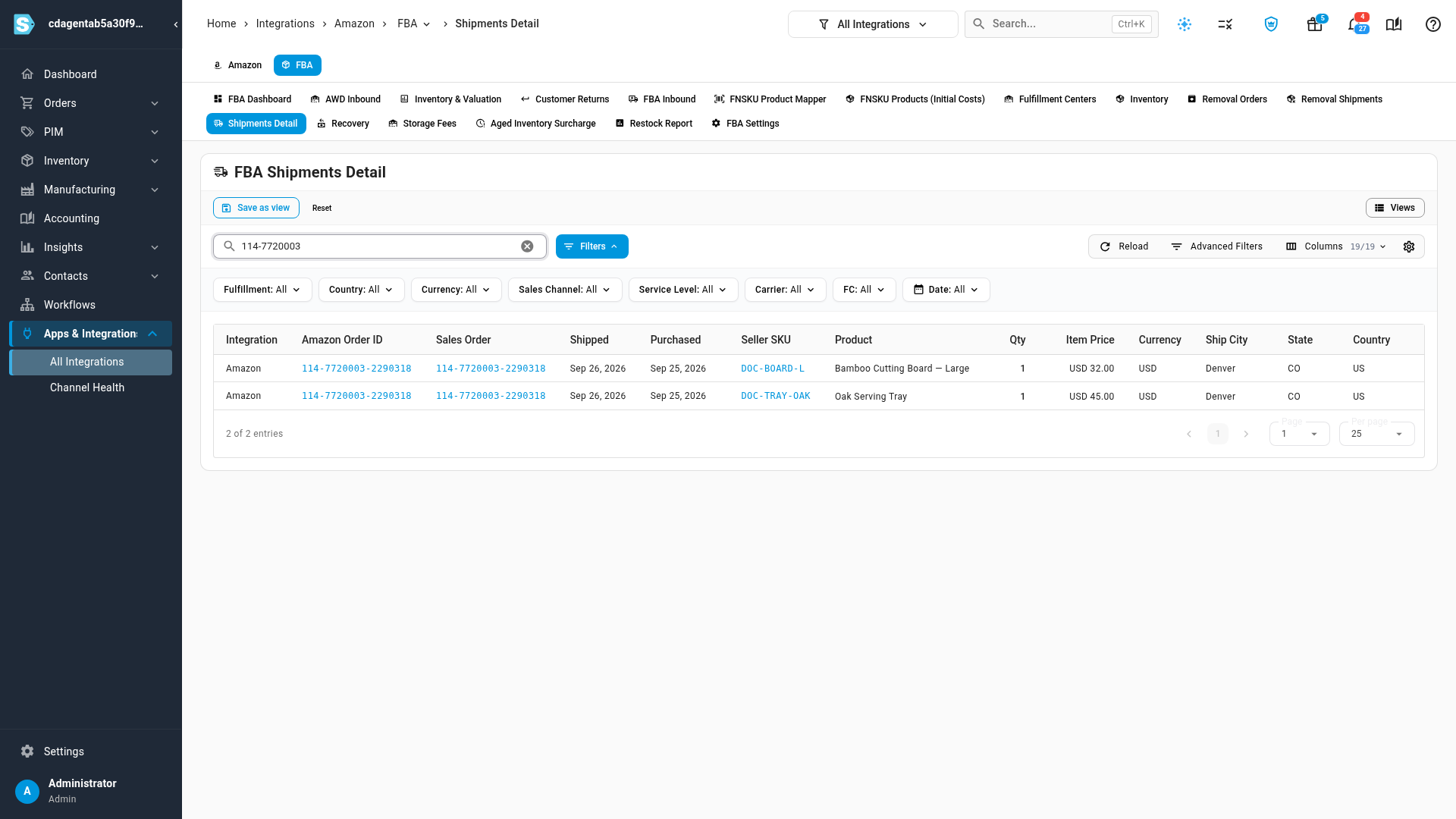
Save a search and its filters as a view with Save view to come back to it.
Open the order
- Click the Amazon Order ID to open the Amazon order SKU.io imported.
- Click the Sales Order to open it in SKU.io, with its lines, payments and profit.
A line with no Sales Order is a shipment for an order SKU.io hasn't imported, such as one from before your order download start date.
Next steps
- Amazon FBA, MCF, and externally fulfilled orders: what changes for an order Amazon ships.
- Review FBA customer returns: what came back from those shipments.
- Match Amazon MCF orders to sales orders: the orders Amazon shipped for your other channels.
Video transcript
Amazon reports every unit it ships from FBA in its fulfilled shipments report, and SKU.io imports it each day. To look something up, click FBA at the top of the channel's pages. Then open the Shipments Detail tab, to see the whole report. Each row is one order line Amazon shipped. It shows the Amazon Order ID, and the Sales Order it matches in SKU.io. Then when it Shipped, the Seller SKU, and how many units were sent, at what Item Price. Further along are where it went, the Carrier and tracking number, and the fulfillment center that packed the parcel. To find a shipment, type an order ID, a SKU, a tracking number, or a recipient into Search. Here, an order with two lines shows both rows. The filters narrow the list by Fulfillment, Country, Carrier, Service Level, or FC. The Amazon Order ID shows the order exactly as Amazon sent it. The Sales Order column links to the matching sale in SKU.io, with its lines, payments and profit margin.