Cancel Walmart order lines
When you can't ship a Walmart order, or part of one, cancel its lines from SKU.io. SKU.io sends the cancellation to Walmart with the reason you pick, and Walmart counts most reasons against your cancellation rate, so pick the one that matches what happened.
Before you begin
- Your Walmart channel is connected under Apps & Integrations, and the order has synced into SKU.io.
- You can cancel a line until Walmart ships it: its status is Created or Acknowledged. When nothing on the order can be cancelled any more, Cancel Order Lines isn't offered.
- You need the Cancel permission for sales orders. Without it, Cancel Order Lines doesn't appear.
Cancel lines
-
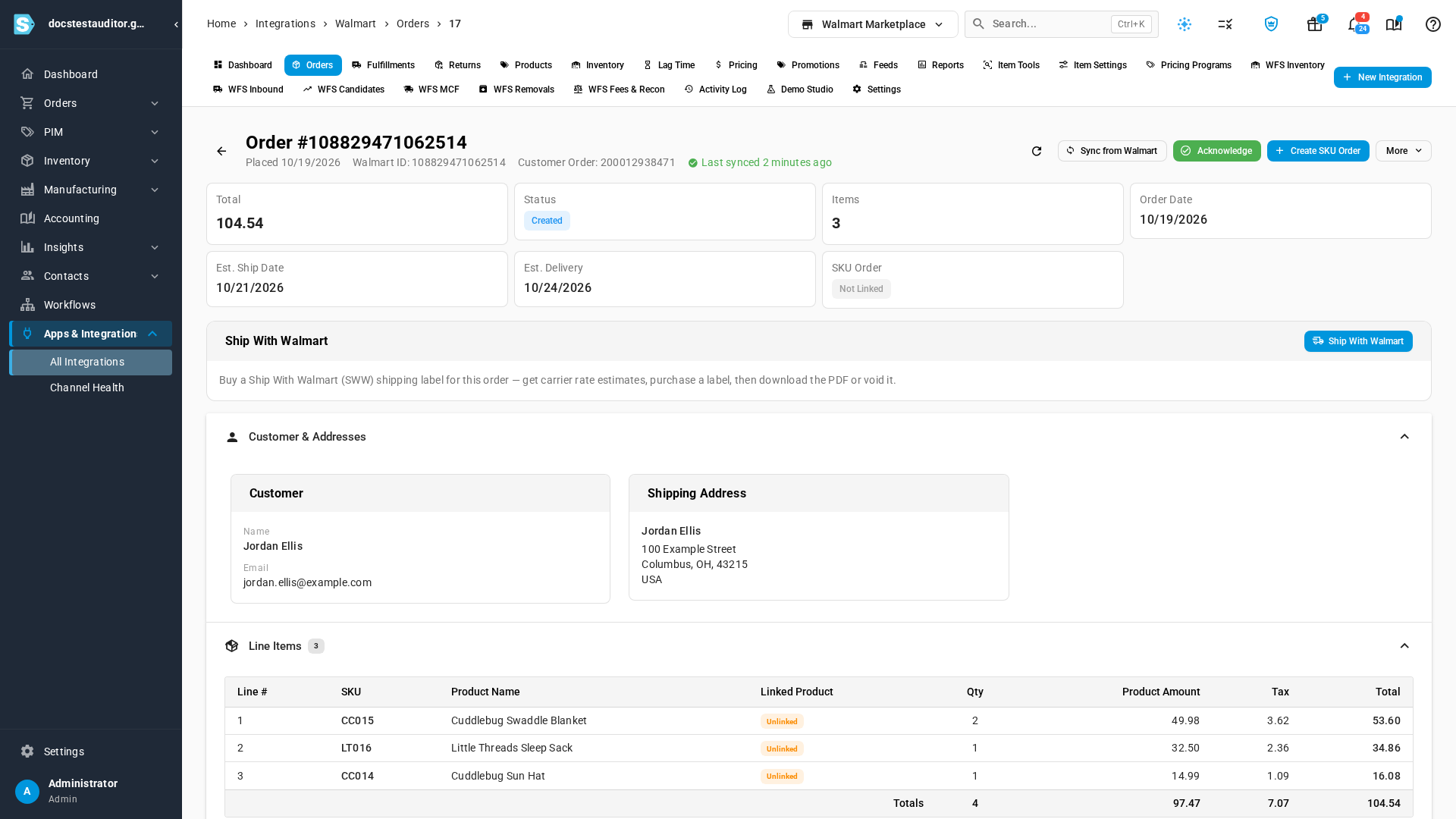
Open your Walmart channel under Apps & Integrations, then the Orders tab, and click the order.
-
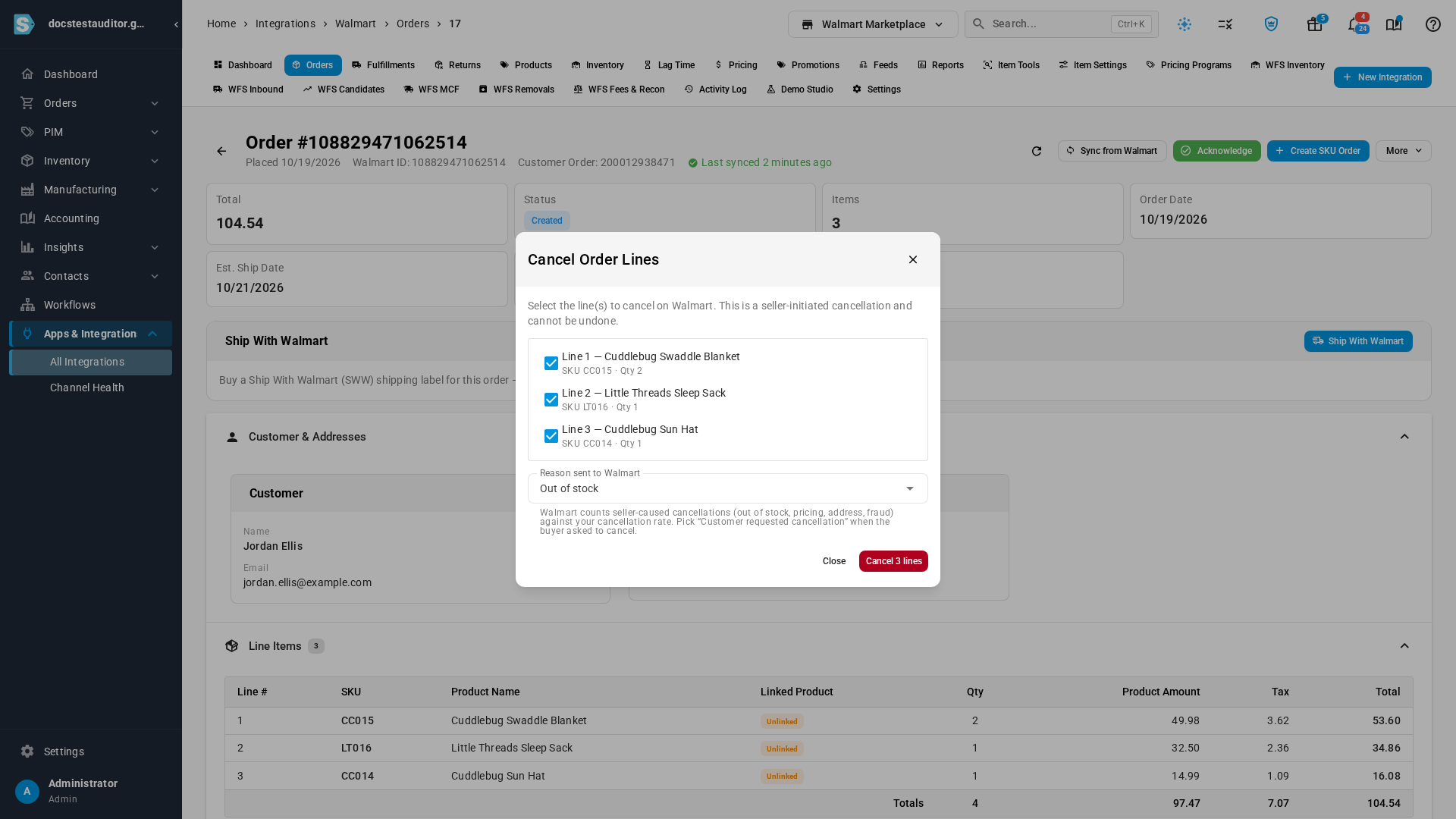
Click More, then Cancel Order Lines. The dialog lists every line Walmart hasn't shipped yet, and all of them are ticked.
-
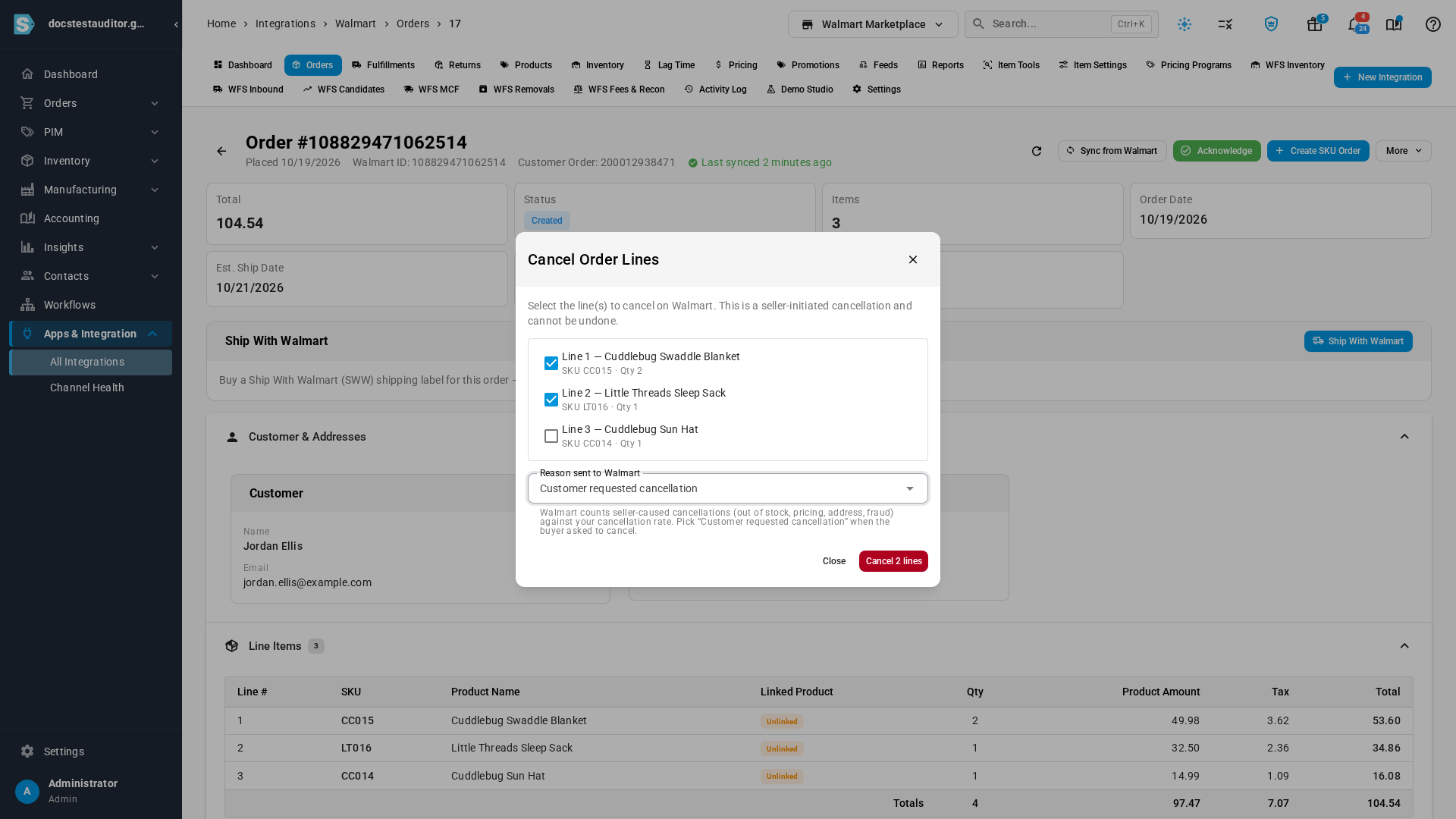
Untick any line you still want to ship. Each ticked line is cancelled for its whole quantity.
-
In Reason sent to Walmart, pick the reason. Out of stock is the default.
-
Click the red Cancel button. It counts the lines you ticked, for example Cancel 2 lines. SKU.io confirms with Order line(s) cancelled on Walmart, and Walmart's new line statuses arrive with the order's next sync.
A cancellation can't be undone. If Walmart refuses it, the message says why and the order stays as it was.
Which reason to pick
Walmart accepts five reasons. Pick Customer requested cancellation whenever the buyer asked you to cancel: Walmart counts the other four, which are the seller's doing, against your cancellation rate.
| Reason | Use it when |
|---|---|
| Out of stock | You don't have the stock to ship the line. This is the default. |
| Customer requested cancellation | The buyer asked you to cancel. |
| Pricing error | The listing went out at the wrong price. |
| Can't ship to this address | You can't deliver to the order's shipping address. |
| Suspected fraud | You're stopping a shipment you believe is fraudulent. |
Cancel the sales order instead
When you cancel the sales order that a Walmart order created, SKU.io also cancels the Walmart order's remaining lines on Walmart, as long as Push cancellations to Walmart is on in the channel's Settings → Orders. It's on by default when you connect with Connect with Walmart. That automatic cancellation always reports Out of stock, and lines Walmart has already shipped are never sent. Turn the setting off if you cancel orders in Walmart Seller Center yourself. To send a different reason, cancel the lines from the Walmart order, as in Cancel lines.
Next steps
- Refresh Walmart orders: pull an order's latest line statuses from Walmart right away.
- Buy a Ship With Walmart label: ship the lines you kept.
Video transcript
When you can't ship a Walmart order, you can cancel its lines from SKU.io. Your channel's Orders tab lists its orders. Click the one you can't ship. This order is still waiting to be acknowledged, so every line can be cancelled. At the top right, click More, and then choose Cancel Order Lines from the menu. The dialog lists every line Walmart hasn't shipped yet, and ticks them all. Untick any line you still want to ship. Each one left ticked is cancelled for its whole quantity. Next, pick the reason Walmart receives, from Reason sent to Walmart. Out of stock is the default. Walmart counts the seller-caused reasons, like a pricing error, against your cancellation rate. So when the buyer asked you to cancel, choose Customer requested cancellation. The red button counts the lines you ticked. Click it to send the cancellation. This can't be undone, and the order's lines update on the next sync.