Match Amazon MCF orders to sales orders
When Amazon ships an order for another sales channel through Multi-Channel Fulfillment (MCF), SKU.io needs to know which sales order it belongs to. Until it does, the sales order waits for tracking and your stock looks higher than it is. The Multi-Channel Fulfillment page lists every MCF order Amazon reports, shows which ones aren't mapped yet, and suggests the sales order each one probably belongs to.
To send a sales order to Amazon from SKU.io in the first place, see Fulfill via Amazon FBA or MCF.
Before you begin
- Your Amazon channel is connected, with FBA tracking turned on.
- You need permission to fulfill sales orders to map orders, and to create sales orders to create them. Archiving and deleting need permission to change integrations.
Open the MCF orders
- Go to Apps & Integrations, open your Amazon channel, and open FBA.
- On the FBA Dashboard, click Multi-Channel Fulfillment.
A banner counts the MCF orders that aren't mapped to a sales order, and how many have a high-confidence match. It covers orders Amazon has shipped or is still processing. Until they're mapped, their sales orders stay in Awaiting tracking, and any units Amazon ships for them still count as on hand in SKU.io. The chips next to the title count the unmapped orders and the ones awaiting ship. Click a chip to filter to them.
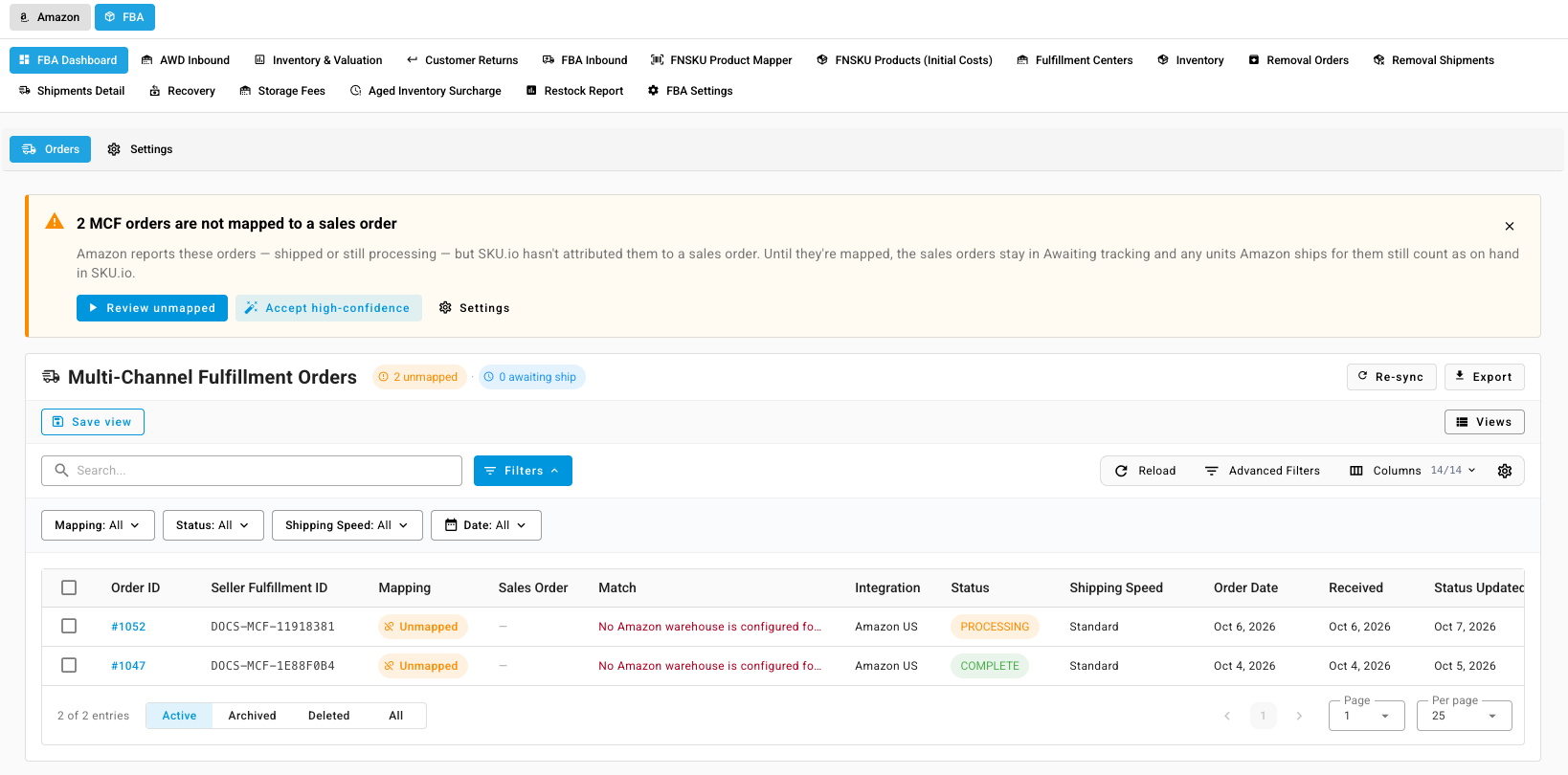
The Mapping column shows each order's state:
| Mapping | Meaning |
|---|---|
| Mapped | Tied to a sales order, and Amazon has shipped it |
| Mapped · awaiting ship | Tied to a sales order. The shipment appears once Amazon reports it. |
| Unmapped | No sales order claims it yet |
| Not mappable | Amazon cancelled it, or reported it unfulfillable or invalid |
| Pre-SKU.io | Dated before your cutover date, so it's left out of the unmapped count |
| Archived | You archived it, with a reason |
Map an order
The Match column suggests the likeliest sales order, with a score. The score rises when the order number, fulfillment reference, tracking, items, or address match, and falls when the sales order is already fulfilled.
- A high score shows Accept. Click it to map in one step.
- Otherwise click Review to see the candidates.
- A red message means something blocks mapping, for example an Amazon FNSKU that isn't mapped to a product. Click Map FNSKU → to fix it.
To map by hand:
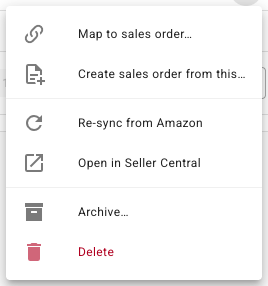
- On the order's row, open the ⋮ menu and choose Map to sales order….
- Pick a suggested sales order. If none fits, click Search manually and search by order number, customer, or tracking.
- Click Map to SO #….
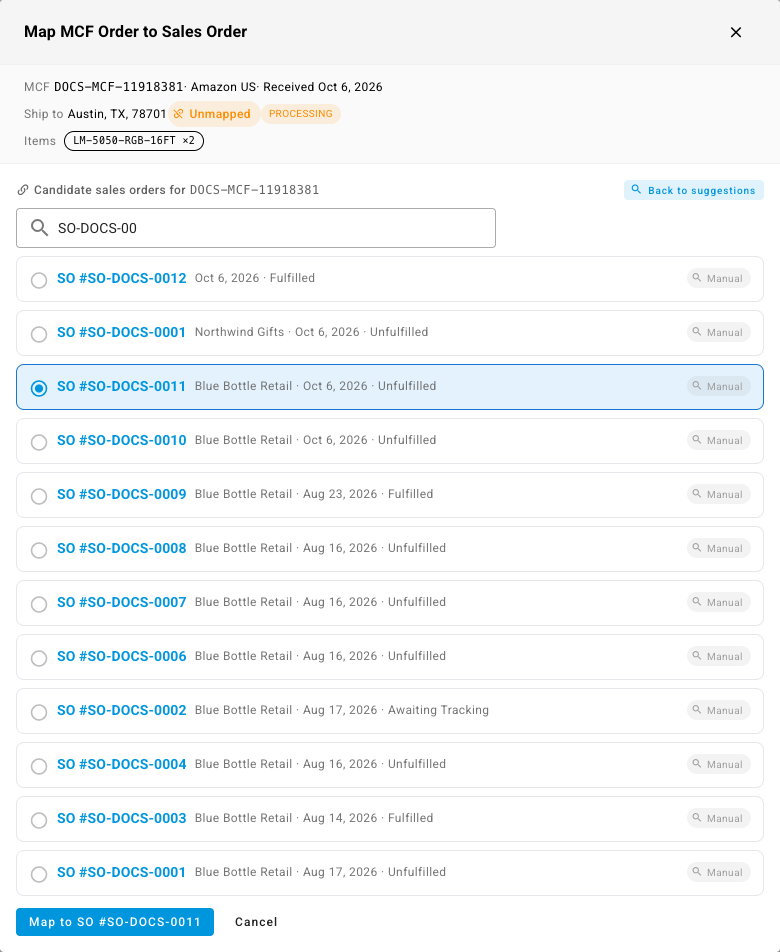
What you'll see: the order shows Mapped. If Amazon has already shipped it, SKU.io records the shipment on the sales order. Otherwise it shows Mapped · awaiting ship until Amazon reports the shipment.
To map every high-confidence match at once, click Accept high-confidence in the banner or the toolbar. Orders below a score of 90 are skipped.
Create a sales order from an MCF order
Some MCF orders have no sales order in SKU.io, for example orders placed outside your connected channels.
- Open the order's ⋮ menu and choose Create sales order from this….
- Pick the Sales channel, or leave None — manual.
- Turn on Create customer records to add the customer too.
- Choose the Order status and Payment status. Automatic marks it paid when Amazon sent prices.
- Click Create sales order.
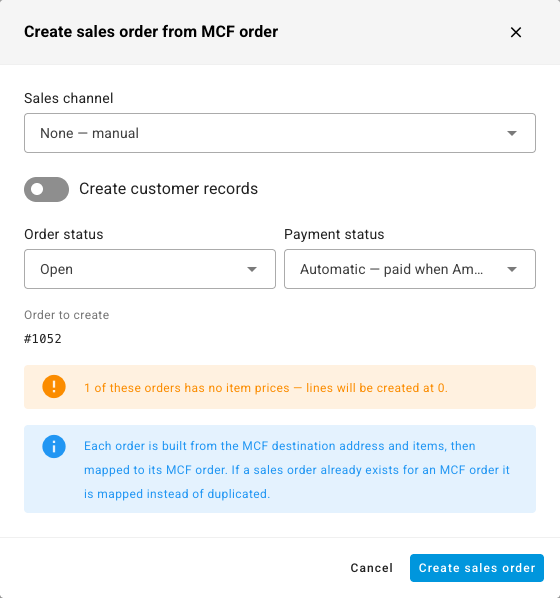
SKU.io builds the order from the MCF address and items and maps it. If a sales order already exists for that MCF order, it maps to that one instead of making a duplicate.
Archive an order that needs no sales order
- Open the order's ⋮ menu and choose Archive….
- Under Why is this not an exception?, choose Fulfilled before we adopted SKU.io, No sales order exists and none is needed, Duplicate of another MCF order, or Other, and add a note if you like.
- Click Archive N.
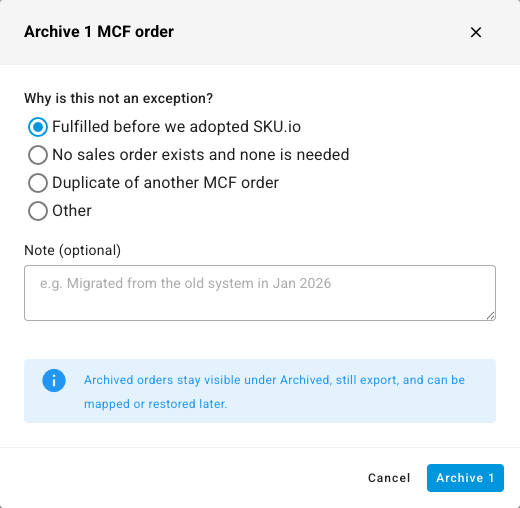
Archived orders leave the unmapped count but stay under Archived at the bottom of the list. You can still map or unarchive them later.
Other actions
| Action | What it does |
|---|---|
| Unmap | Removes the link while the order is still awaiting ship. Once Amazon has shipped it, reverse the fulfillment from the sales order instead. |
| Re-sync from Amazon | Pulls the order from Amazon again |
| Open in Seller Central | Opens the order at Amazon |
| Delete | Hides the order from the list. Restore it from Deleted. It doesn't undo any stock change. |
| Export | Downloads orders, order items, or shipments and tracking |
Select several rows to run most actions in bulk. Bulk work runs in the job tray.
Set the cutover date
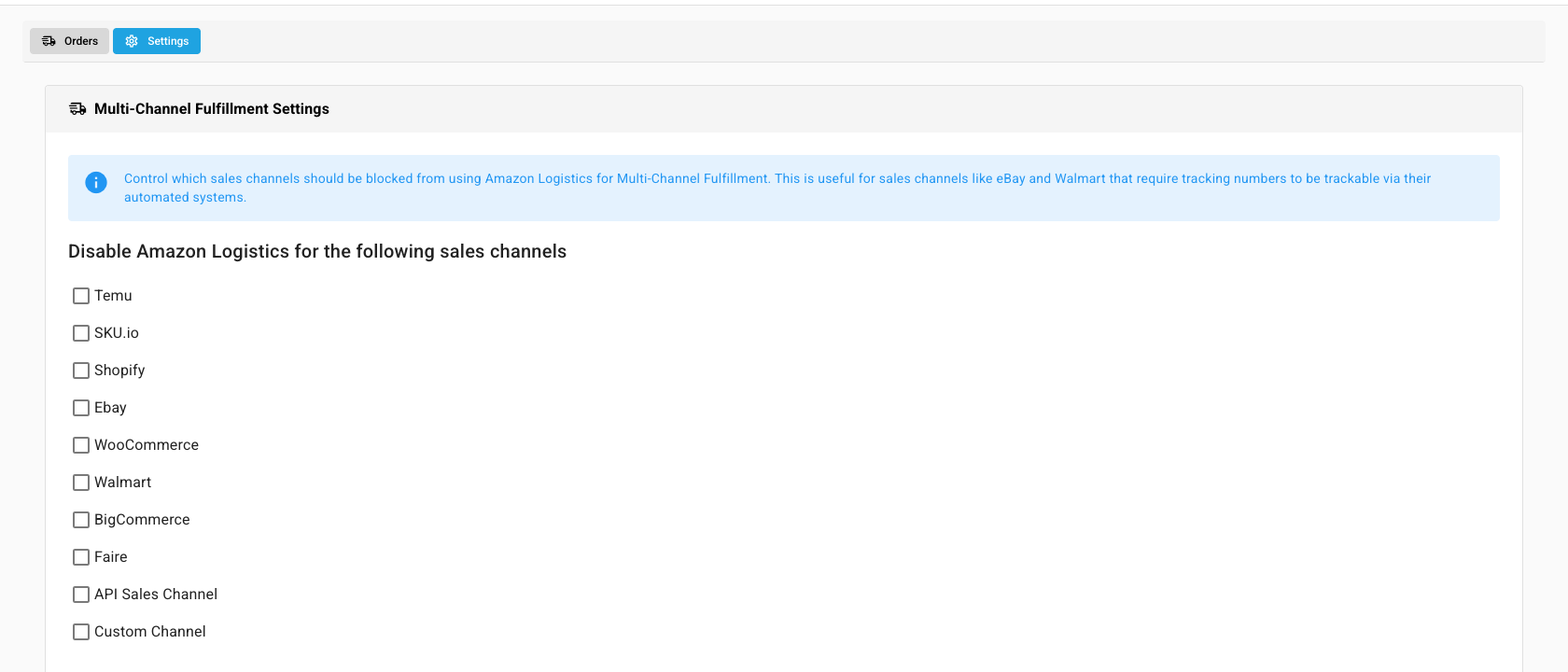
Open the Settings tab beside Orders. MCF cutover date sets the date before which MCF orders count as Pre-SKU.io and don't count as unmapped. It defaults to your Amazon sync start date. The same tab lets you stop Amazon Logistics being used for sales channels that need carrier tracking, such as eBay and Walmart. Click Save Changes.