How Temu order prices import
Temu's order list doesn't include any prices. Every time SKU.io fetches your Temu orders, it also asks Temu's Order Amount API for each order's money, and that answer sets the prices on the order and on the sales order it creates.
What comes from the Order Amount API
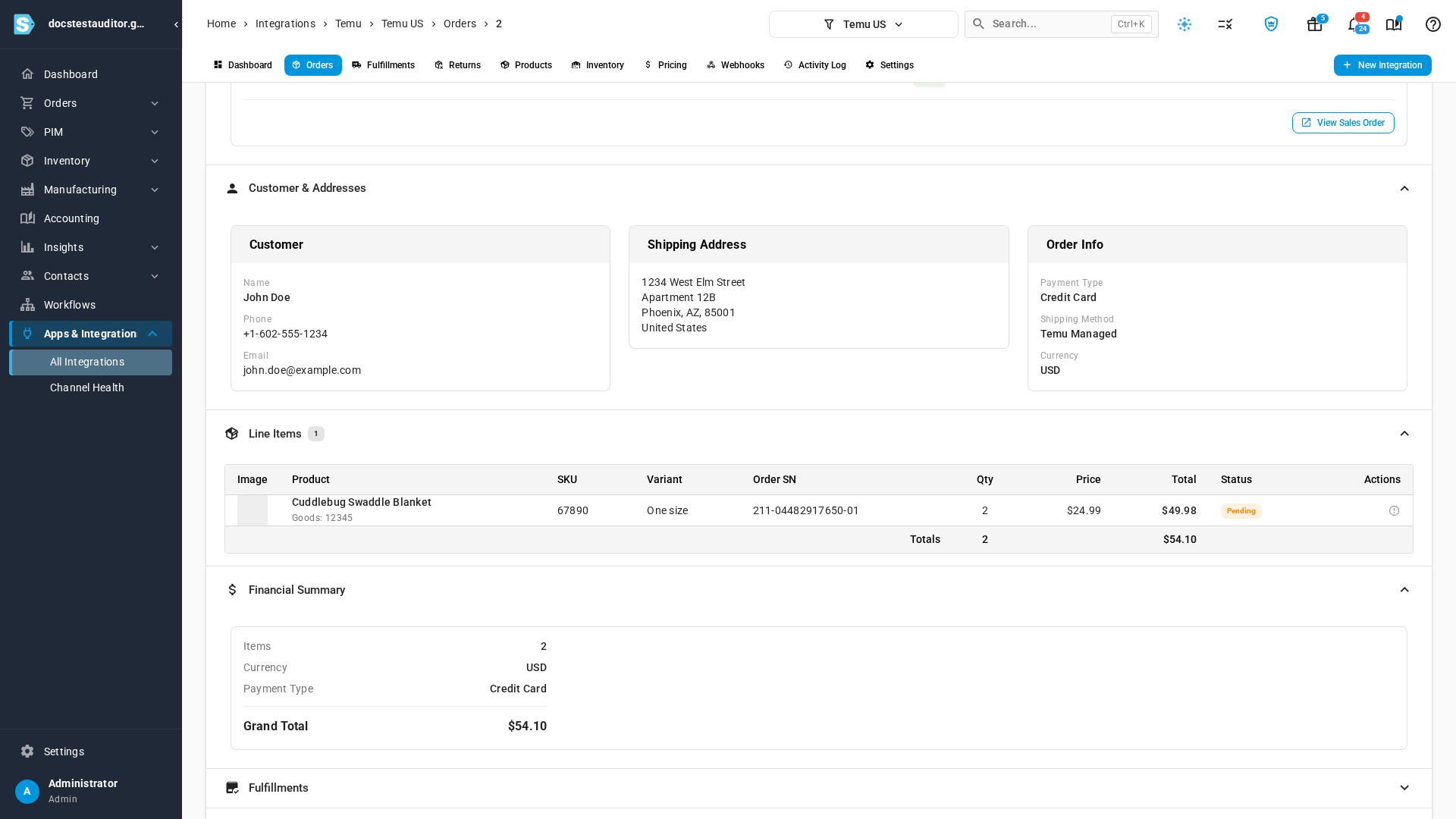
When Temu answers:
- Each line takes Temu's unit price and its product tax.
- The order's Total is what the customer paid, including tax.
- The sales order SKU.io creates from it has the same prices.
When Temu refuses
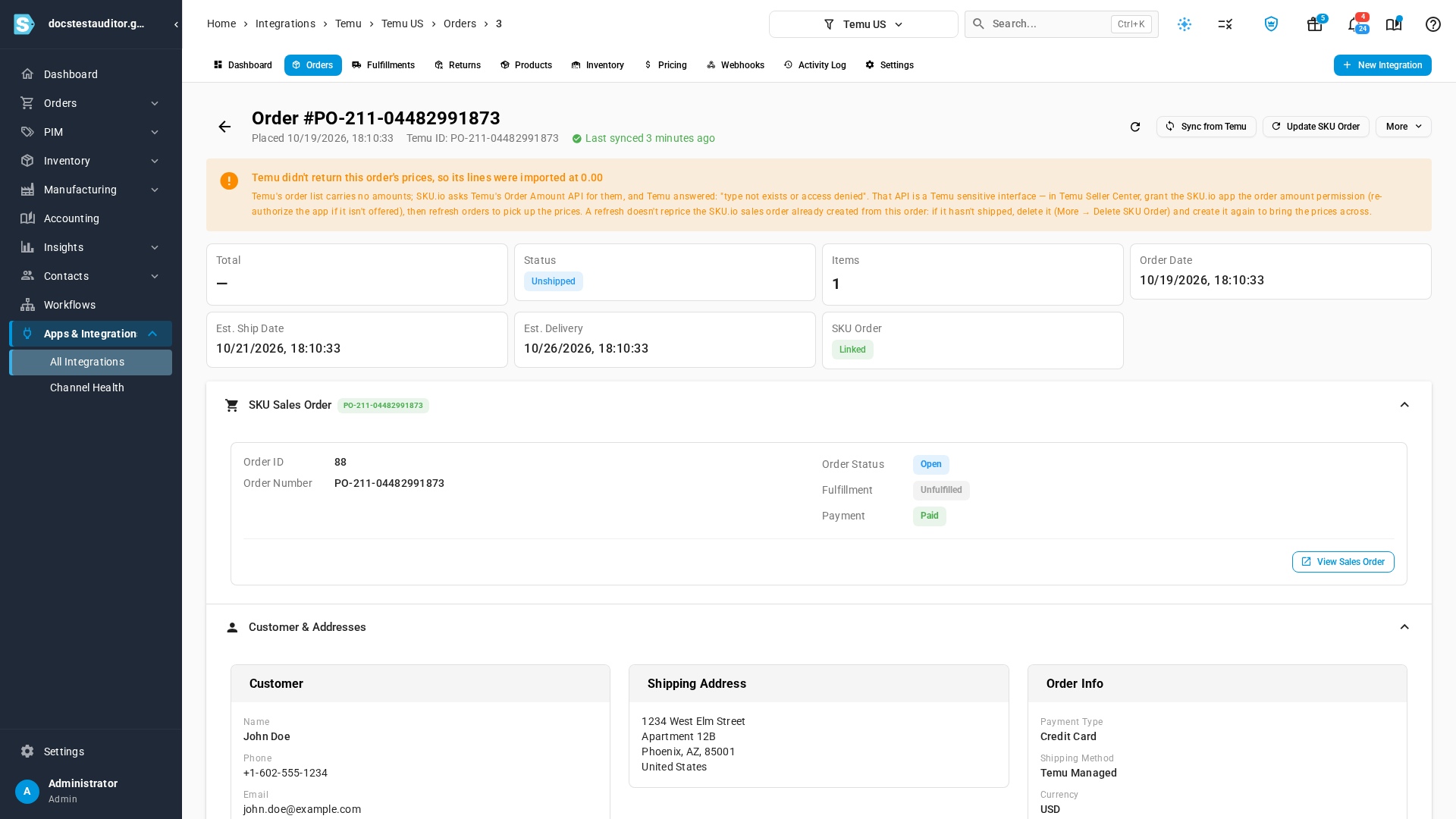
Temu treats the Order Amount API as a sensitive interface: it only answers stores it has given access. When it refuses, the order still imports, so you don't miss it, but its lines come in at 0.00 and its Total is empty. The order's page then shows Temu didn't return this order's prices, so its lines were imported at 0.00, with Temu's reason, such as type not exists or access denied.
Get the prices
- In Temu Seller Center, grant the SKU.io app the order amount permission. If it isn't offered there, authorize the app again.
- Once it's granted, open your Temu channel's Orders tab and click Refresh from Temu. Orders fetched from then on arrive with their prices.
- A sales order SKU.io already created at 0.00 keeps its 0.00 lines: a refresh doesn't reprice it. If it hasn't shipped, open the Temu order, click More → Delete SKU Order, then Create SKU Order to create it again with the prices.
If it has already shipped, correct the prices on the sales order instead.
Next steps
- Connect Temu: connect a Temu store to SKU.io.
Video transcript
The order list from Temu doesn't include any prices. So with every refresh, each order's money comes from a second call to Temu. The Total column shows what came back. Open a priced order. Its total is what the customer paid, including tax. Each line takes the unit price and product tax that Temu sent. Now open an order without prices. A warning at the top shows the reason Temu gave. Temu only shares prices with stores it has given access. Without it, the order still imports, with its lines at zero. In Temu Seller Center, grant the SKU.io app the order amount permission, as the warning says. Then refresh your orders, and new orders arrive with their prices. For a sales order already created at zero that hasn't shipped, open More. Delete the SKU order, and create it again.