How Square order amounts import
When a Square order becomes a SKU.io sales order, every amount the customer paid comes across: item prices with their modifiers, service charges, shipping and tips. This page explains where each one lands, so the sales order matches Square and your reports and accounting stay right. Your Square connection's Settings → Orders tab sums this up under How Square amounts come across.
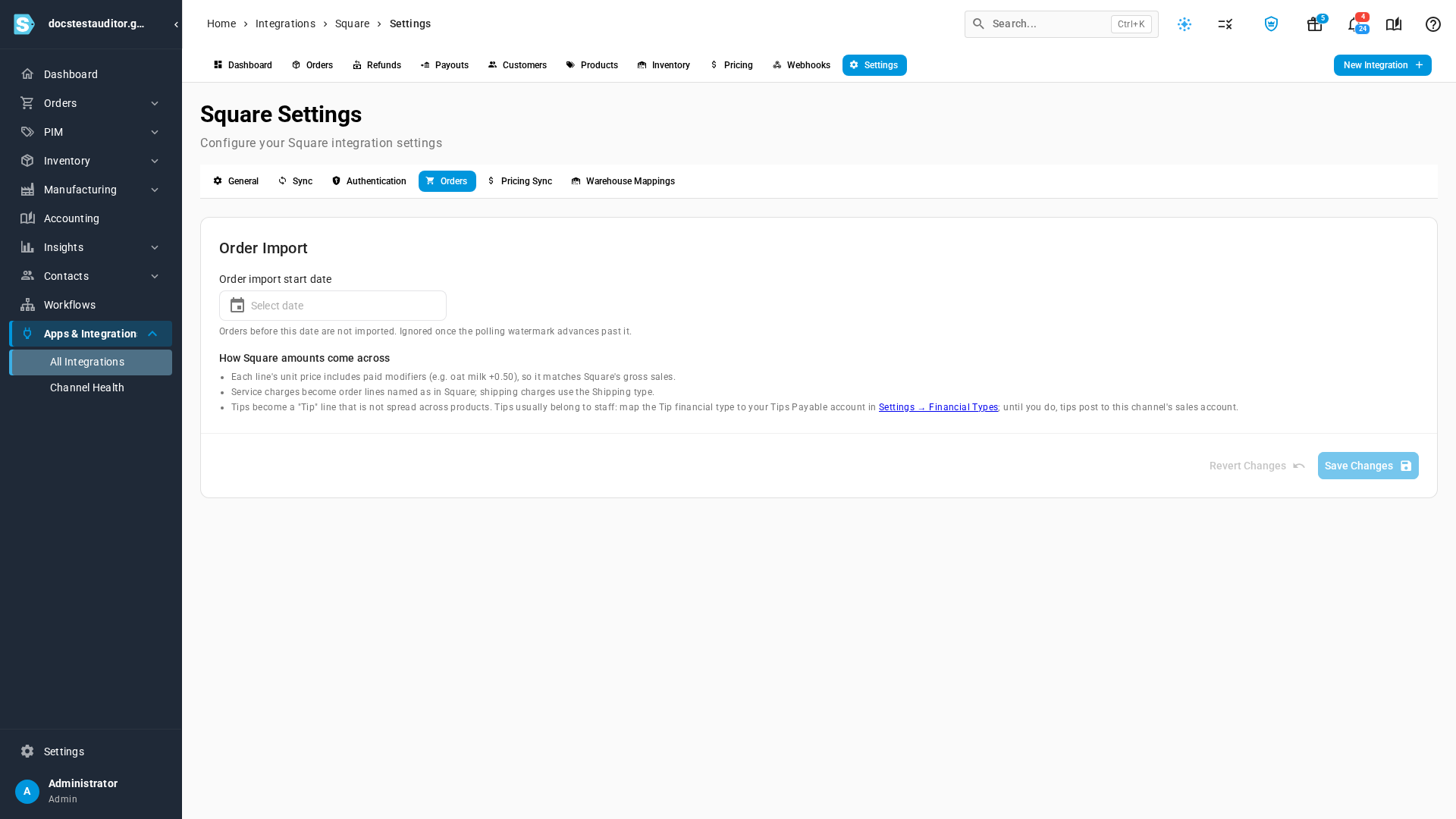
Modifiers are in the unit price
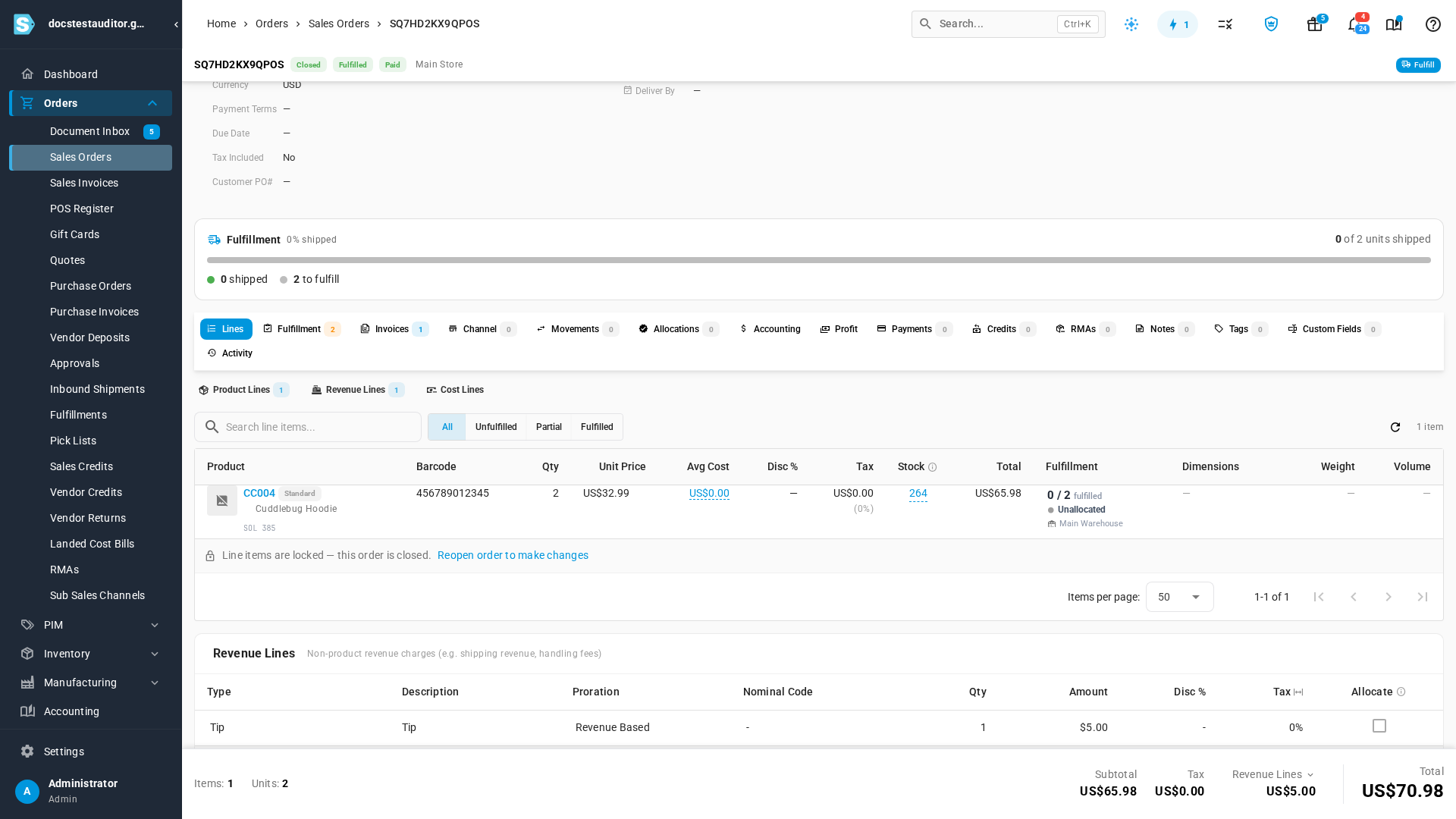
A paid modifier, such as gift wrap or oat milk, is part of the line's unit price. Two hoodies at 29.99 with 3.00 gift wrap each come across as 2 × 32.99, so the line matches Square's gross sales. A line discount is a percentage of that same amount, modifiers included.
Service charges and shipping
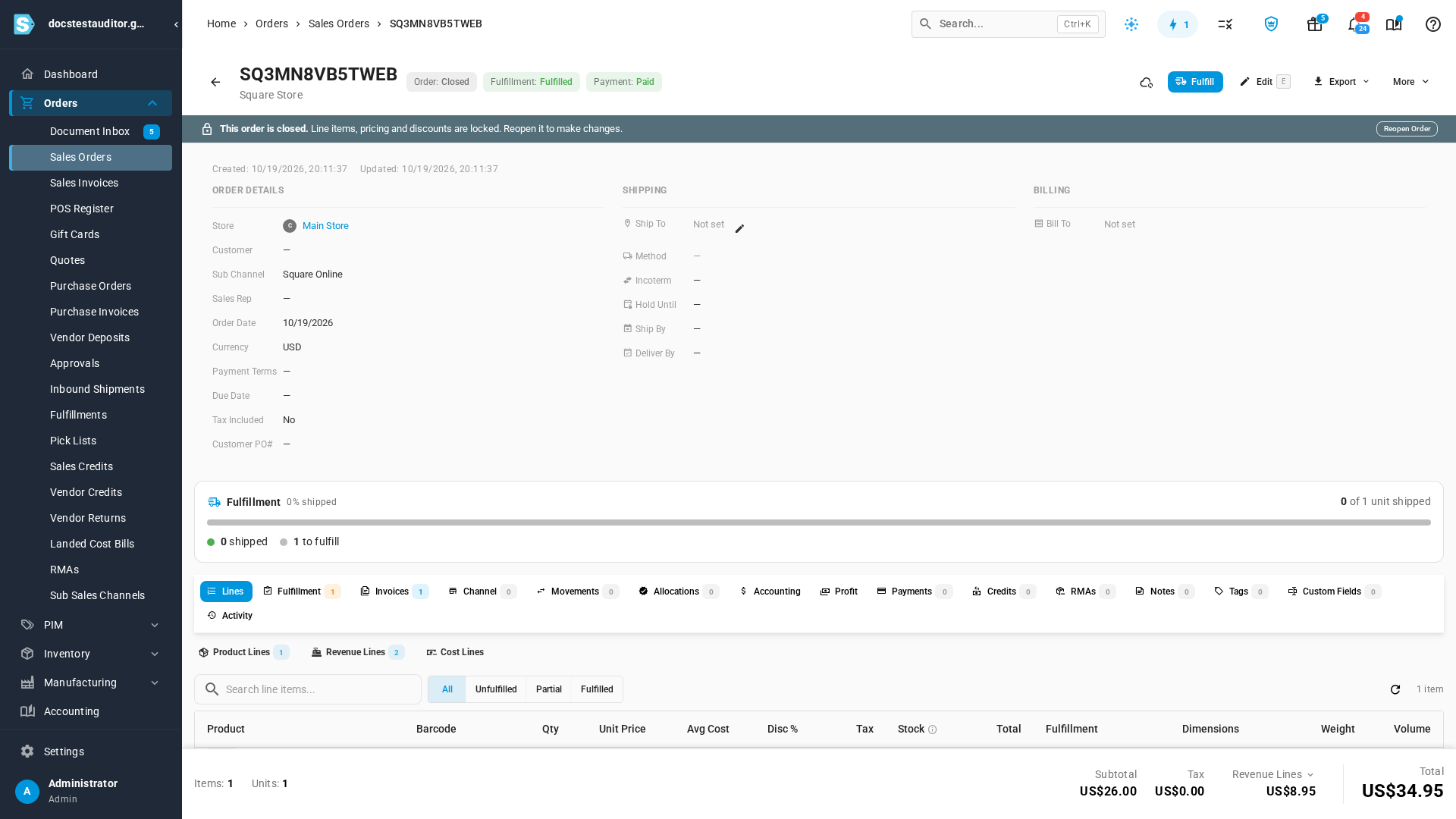
Each Square service charge becomes a line under Revenue Lines, named as it is in Square:
- A shipping charge uses the Shipping type.
- Any other charge, such as a gift message or service fee, uses the Service Charge type.
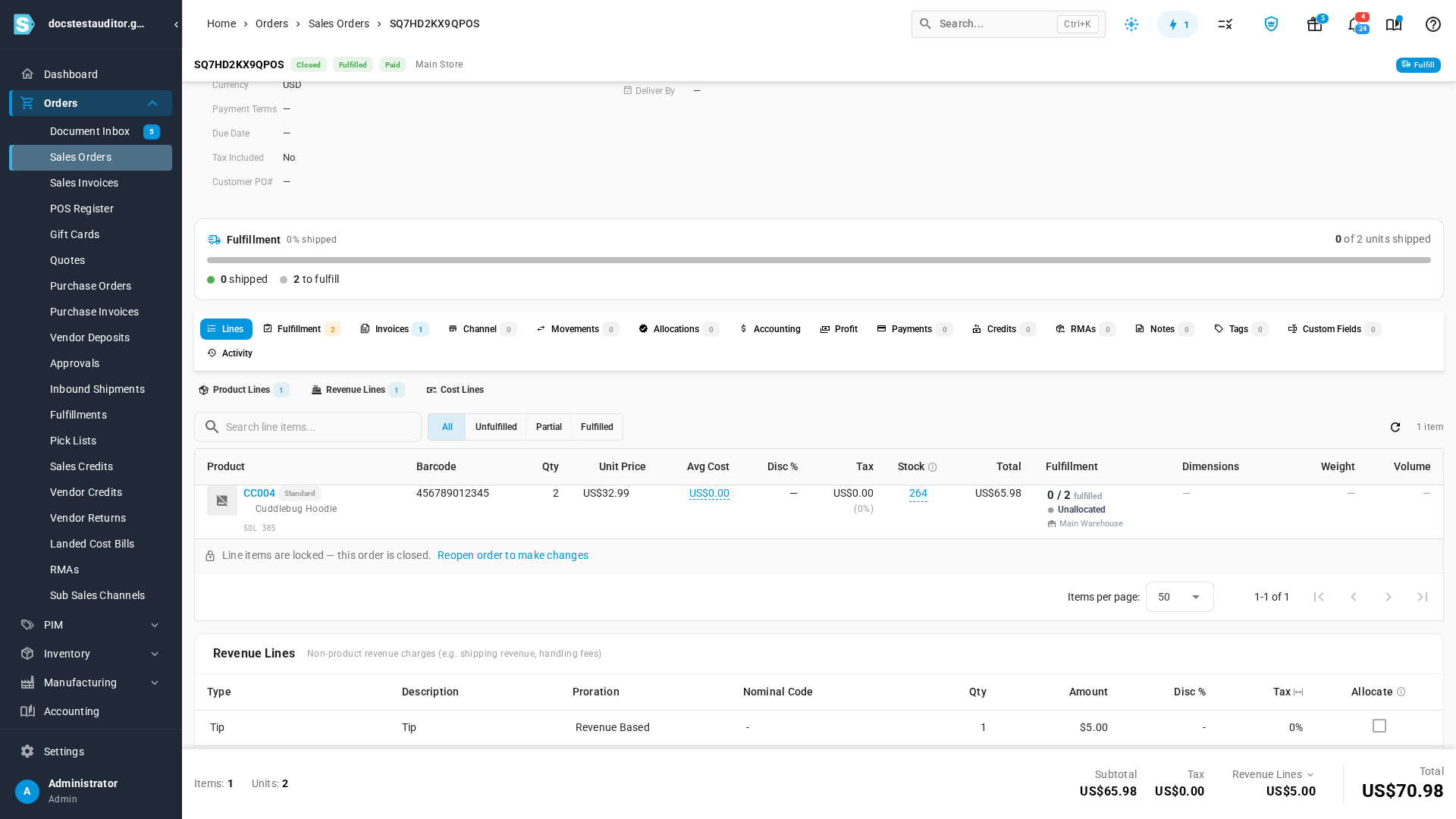
Tips
A tip comes across as its own Tip line under Revenue Lines. It isn't spread across the order's products, so their revenue doesn't include it.
Tips usually belong to your staff, so they're money you owe, not sales. Go to Settings → Financials → Financial Types, edit the Tip type, and set its nominal code to your Tips Payable account. Until you do, tips post to the Square channel's sales account. The Tip type appears once your first tip has come in.
Currencies without decimals
Square sends amounts in the currency's smallest unit. SKU.io converts them with each currency's own number of decimals, so a yen or won amount comes across whole: ¥1,500 is 1,500, not 15. The same rule applies to item prices you push to Square, refunds, and the Square refunds and payouts pages.
Next steps
- Connect Square: connect your Square account to SKU.io.
Video transcript
The connection settings explain how order amounts come across from Square. Open the Orders tab, and read the section on amounts. Here's a register sale of two hoodies, each with gift wrap added. The unit price includes the paid modifier, so each hoodie is thirty-two ninety-nine, not twenty-nine ninety-nine. That way the line matches Square's gross sales. The customer's tip arrives as its own Tip line, under Revenue Lines. It isn't spread across the products, so product revenue stays clean. This online order had two service charges. Each one becomes a line named as it is in Square. The shipping charge uses the Shipping type, and any other charge uses Service Charge. Tips usually belong to your staff, so they aren't sales. Financial Types, under the Financials settings, lists a Tip type. Give it the liability account you use for tips. Until you do, tips post to the channel's sales account.