Set up Walmart Fulfillment Services
WFS is Walmart's fulfillment service: you send stock to Walmart's fulfillment centers, and Walmart ships your Walmart orders from there. Turning WFS on in SKU.io gives your Walmart channel a WFS stock location, syncs the stock Walmart holds, routes Walmart-fulfilled orders to it, and opens the WFS tabs for sending stock in, removing it and reconciling it.
Before you begin
- Your Walmart seller account is enrolled in WFS. The switch in SKU.io doesn't enroll you. If you aren't enrolled, Walmart refuses inbound shipments and stock syncs with "Program Eligibility is not enabled."
- The Walmart channel is connected under Apps & Integrations, with its Import inventory sync turned on.
- You have permission to change integrations.
Turn on WFS
-
Go to Apps & Integrations, open your Walmart channel, then open Settings and the WFS tab.
-
Turn on WFS enabled and click Save Changes. The chip changes to Enabled.

-
Optionally, copy the Walmart webhook URL and register it in your Walmart notification settings. Walmart then tells SKU.io about inbound, stock and return changes as they happen. Keep the URL private. Without it, SKU.io still checks Walmart every few minutes.
SKU.io creates a warehouse named WFS with your channel's name, of type Walmart WFS. Automatic order routing never picks it for other channels' orders; to ship those from WFS, use multichannel fulfillment. Walmart, not SKU.io, counts its stock, so fulfilling an order from it writes no stock movements in SKU.io.
Set the replenishment targets
Further down the WFS tab, Replenishment & Candidate Settings drive the suggestions on WFS Inbound and WFS Candidates.

| Field | What it sets |
|---|---|
| Target Days | How many days of demand to keep covered at WFS. |
| Buffer Days | Extra safety days on top of the target. |
| Lead Time | Days between sending stock and it becoming sellable at WFS. |
| Case Pack | Units per case. Suggestions round up to whole cases. |
| Velocity Window | How many days of past sales set the daily sales rate. |
| Candidate Min Units | How many Walmart units a listing you ship yourself must sell in the window to count as a WFS candidate. |
Click Save Settings.
See the stock Walmart holds
Open WFS Inventory. Each SKU shows Walmart's Available, Reserved, Inbound, Unfulfillable and Total figures, as of Last Synced. Click Refresh to pull them now.
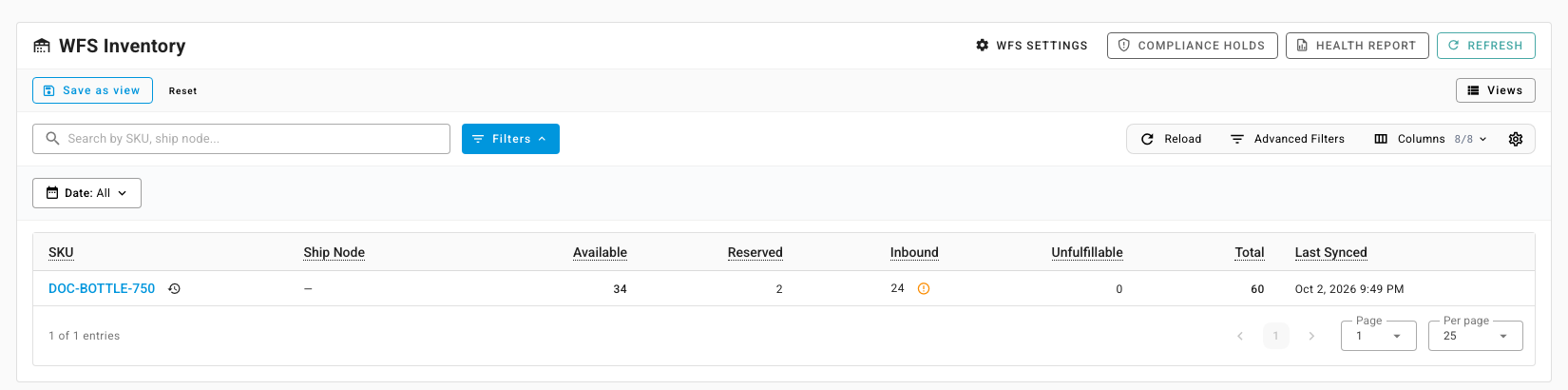
- Click the icon beside an Inbound figure to see the shipments behind it.
- Use the row's movement log to see the stock changes Walmart reported for the SKU.
- Compliance Holds lists items Walmart has put on hold, for example for hazmat review.
- Health Report downloads Walmart's inventory health report.
Find listings worth sending to WFS
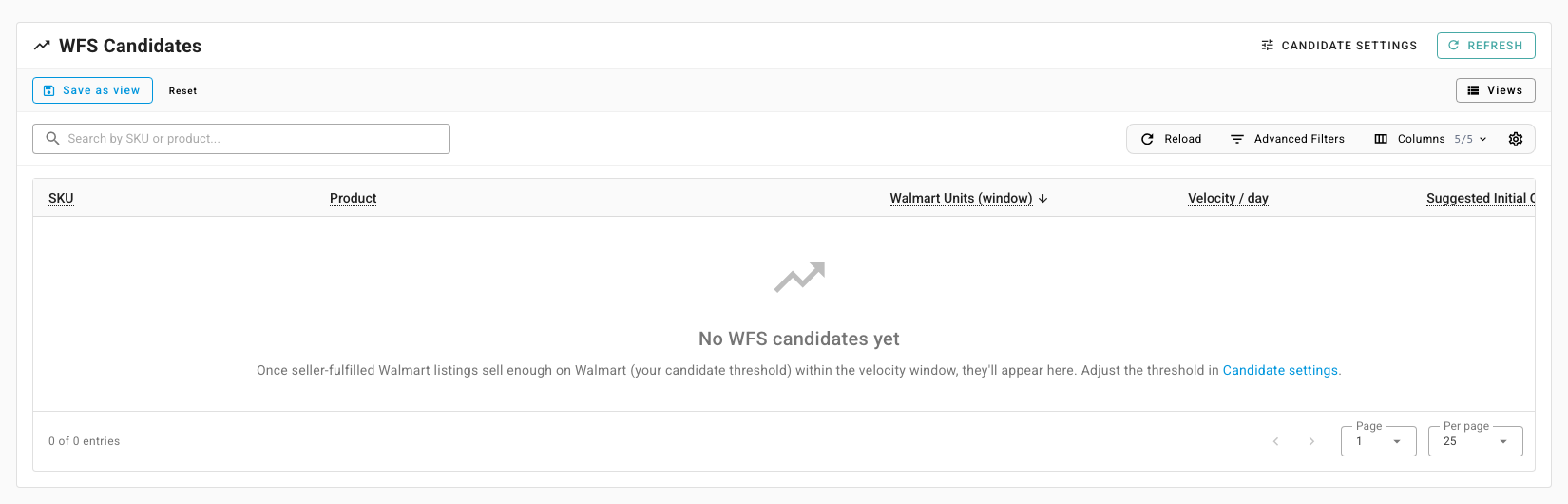
Open WFS Candidates. It lists listings you ship yourself that sold at least Candidate Min Units on Walmart within the velocity window, with their Velocity / day and a Suggested Initial Qty.
How WFS orders flow
Walmart marks each order with how it's fulfilled. On the Orders tab, filter Ship Node Type to WFS Fulfilled to see them. SKU.io routes their lines to the WFS warehouse and closes them as fulfilled when Walmart ships. With WFS turned off, those lines stay without a warehouse rather than being sent to your own warehouses.
Turn WFS off
Turn off WFS enabled and save. If the WFS warehouse still holds stock, or shipments are still on their way, Disable WFS? asks you to confirm. SKU.io stops syncing WFS and archives the warehouse once it's empty.