Enforce credit limits at portal checkout
When a dealer orders on account through the Customer Portal, checkout checks the order against their credit limit before it goes through. You choose what happens when an order would take them over it: stop it at checkout, or let it through and hold it until someone reviews it. Buyers see their available credit on the cart, at checkout and on their account page, so a block never comes as a surprise.
The limit is the same one you set on the customer, and checkout measures it the same way SKU.io does for sales orders. See Manage credit holds on sales orders.
Before you begin
- You need the portal.manage permission to change the setting.
- To release held orders, you need the Sales Orders Release credit hold permission (
sales_orders.release_credit_hold). - Set a Credit limit on each dealer whose ordering you want to cap. See Set a customer's payment terms and credit limit. A dealer with no limit and no credit hold is never checked, and their buyers see no credit figures at all.
Choose what happens over the limit
-
Go to CRM → Customers, click the Portal tab, and then click Portal settings.
-
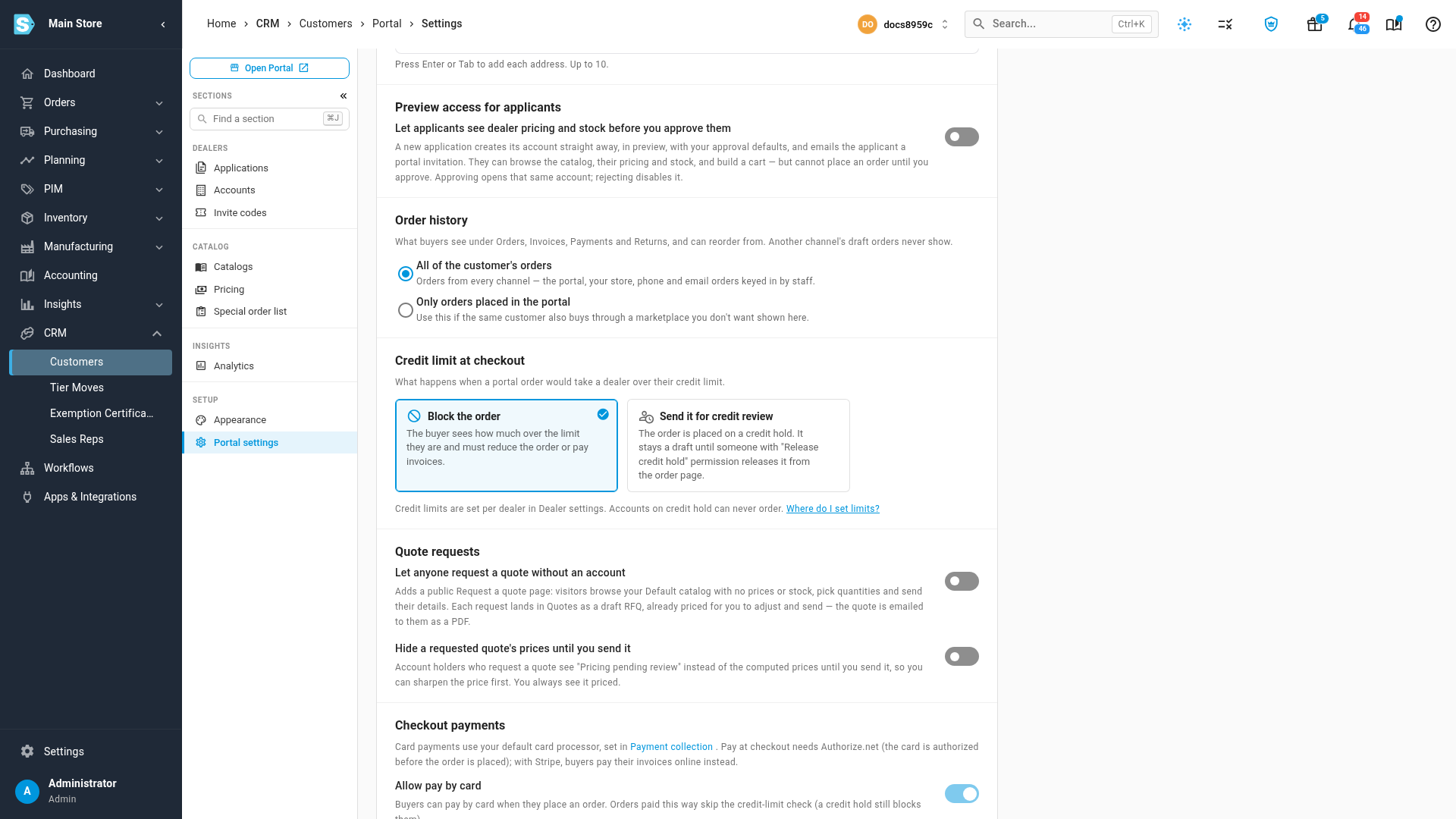
Scroll to Credit limit at checkout and choose one:
- Block the order (the default): the buyer sees how much over the limit they are, and must reduce the order or pay invoices before they can place it.
- Send it for credit review: the order is placed on a credit hold. It stays a draft until someone with the Release credit hold permission releases it from the order page.
-
Click Save Changes at the bottom of the page.
A customer on a manual credit hold can never order through the portal, under either policy. A credit hold is a stop, not a review.
How checkout decides
Checkout compares the order with the dealer's available credit:
Available credit = Credit limit − Owed on account − Orders awaiting confirmation
- Owed on account is open invoices, orders shipped but not yet invoiced and on-account charges, less unapplied credits.
- Orders awaiting confirmation is the dealer's other portal orders that haven't been confirmed yet.
- The order counts at what the buyer will owe: the items plus shipping and estimated tax, once checkout has them.
| Situation | Block the order | Send it for credit review |
|---|---|---|
| The order fits within available credit | The order is placed | The order is placed |
| The order is over available credit | The buyer can't place it | The order is placed as a draft on credit hold |
| The customer is on a credit hold | The buyer can't place it | The buyer can't place it |
| The customer has no credit limit | The order is placed | The order is placed |
Orders a buyer pays for by card at checkout skip the credit-limit check, because nothing is owed on account. A credit hold still stops them. If the account requires approval for portal orders, the check runs when the order is sent for approval and again when the last approver approves it.
What buyers see
In the cart
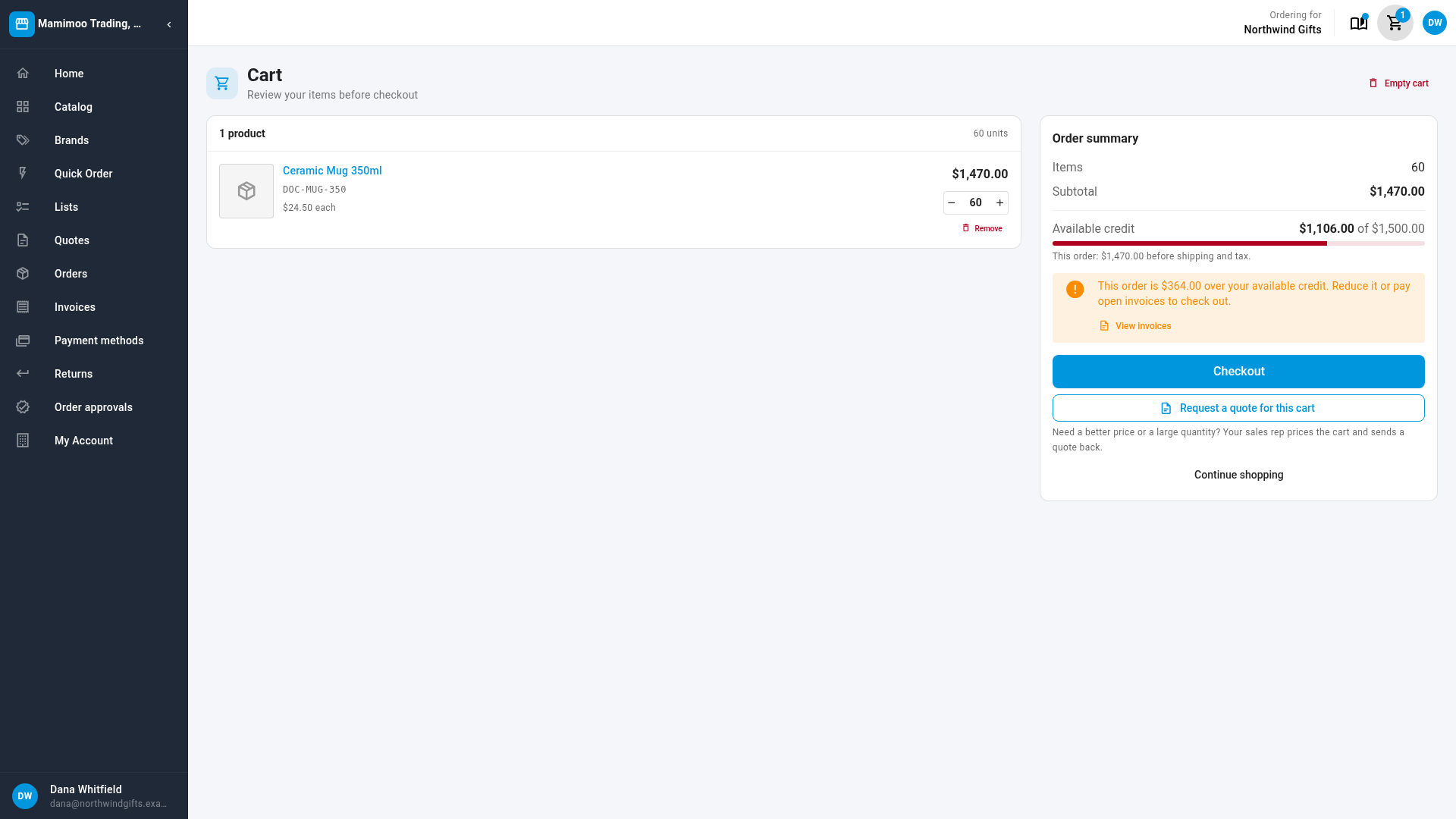
The order summary shows Available credit, for example $1,106.00 of $1,500.00, with a bar. When the cart is bigger than that:
- Under Block the order, a warning says how much over it is: This order is $364.00 over your available credit. Reduce it or pay open invoices to check out. View invoices opens their invoices.
- Under Send it for credit review, a note says Orders over your available credit are reviewed before they're confirmed.
At checkout
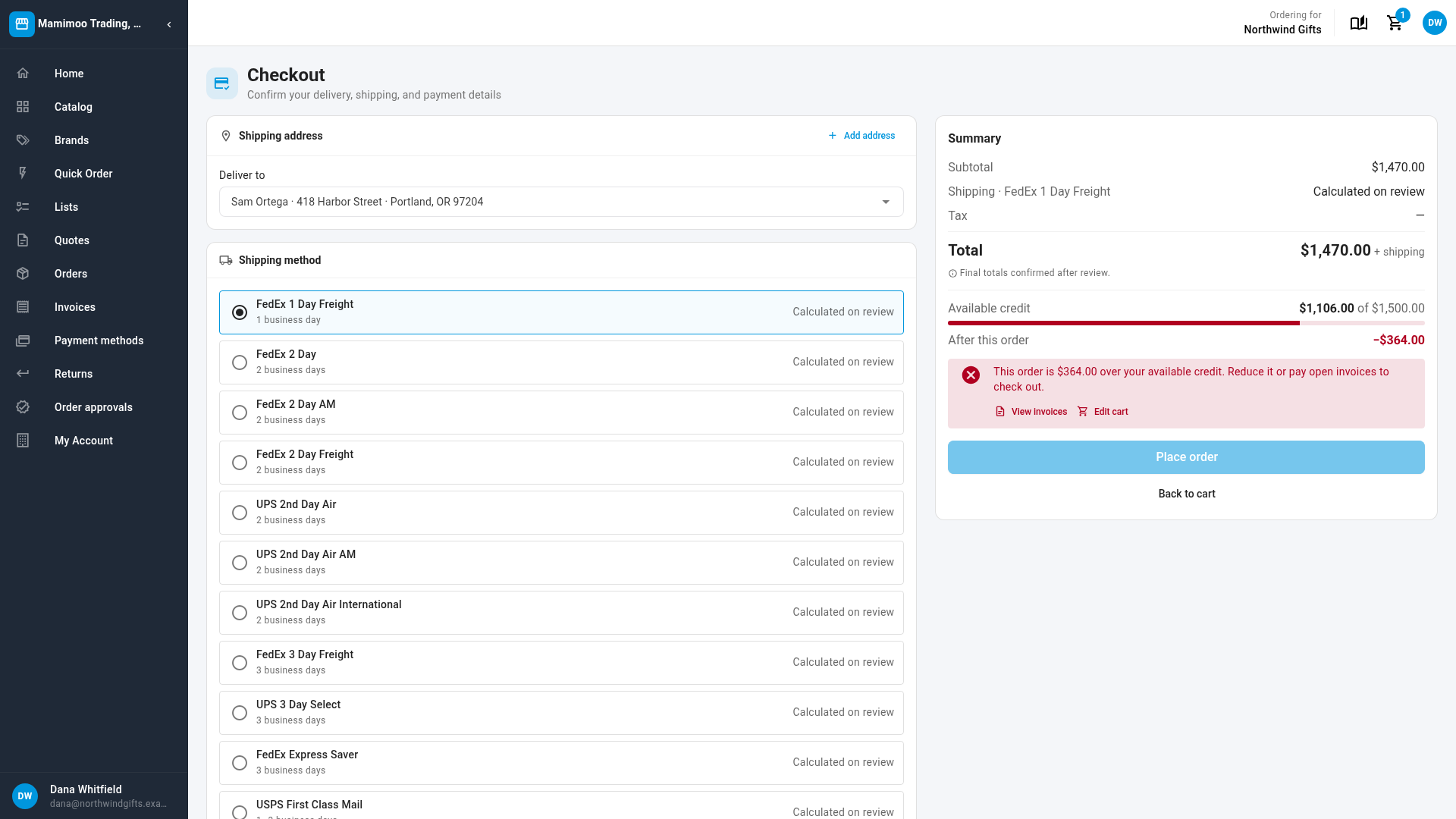
The summary adds After this order, which shows where the account would end up, in red when it goes below zero.
- Under Block the order, Place order is turned off, with the reason directly above it and links to View invoices and Edit cart.
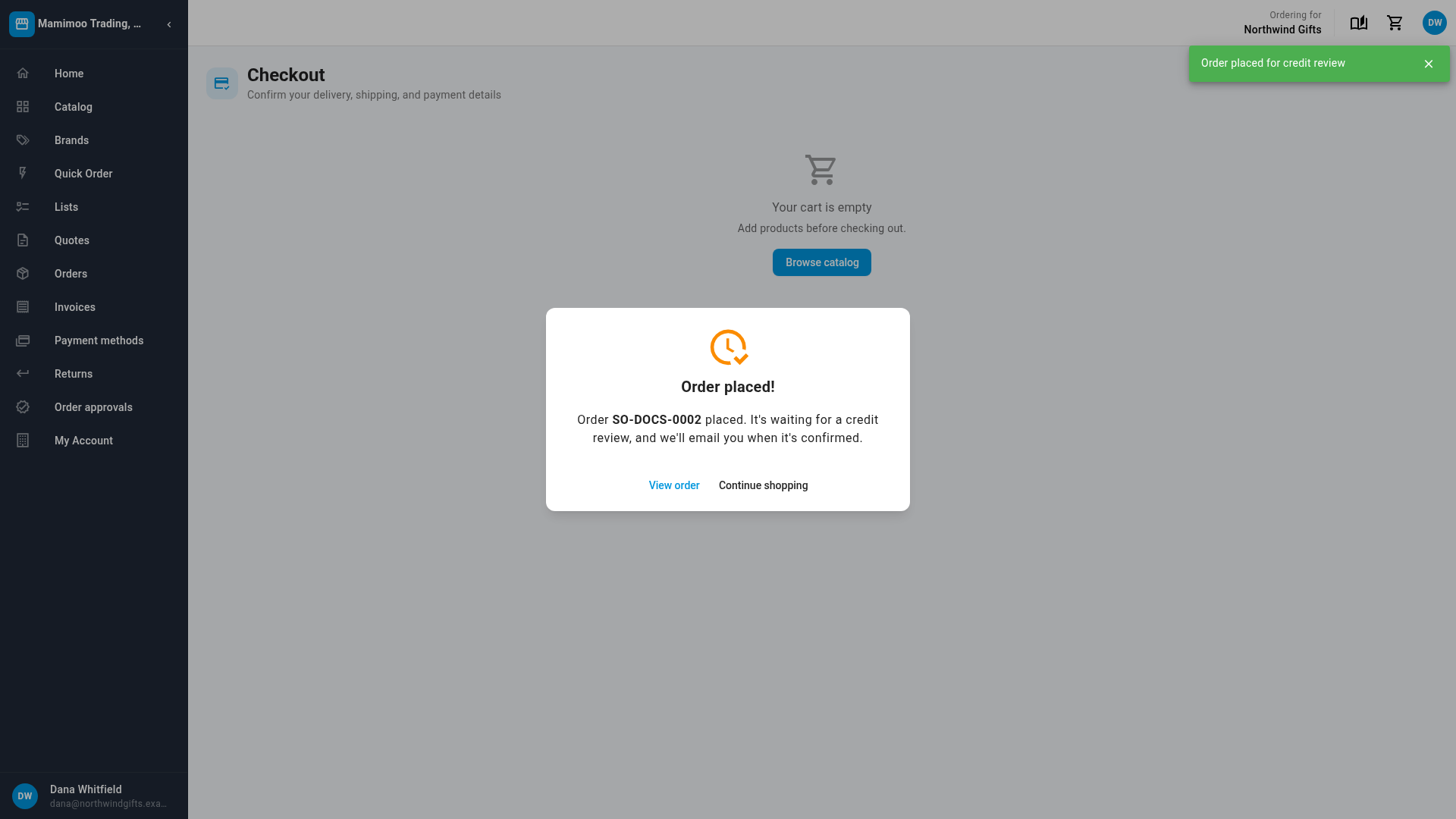
- Under Send it for credit review, the button reads Place order for credit review. The confirmation says the order is waiting for a credit review, and we'll email you when it's confirmed.
- On a credit hold, Place order is turned off with Your account is on credit hold. Please contact us to place orders.
On My Account and Orders
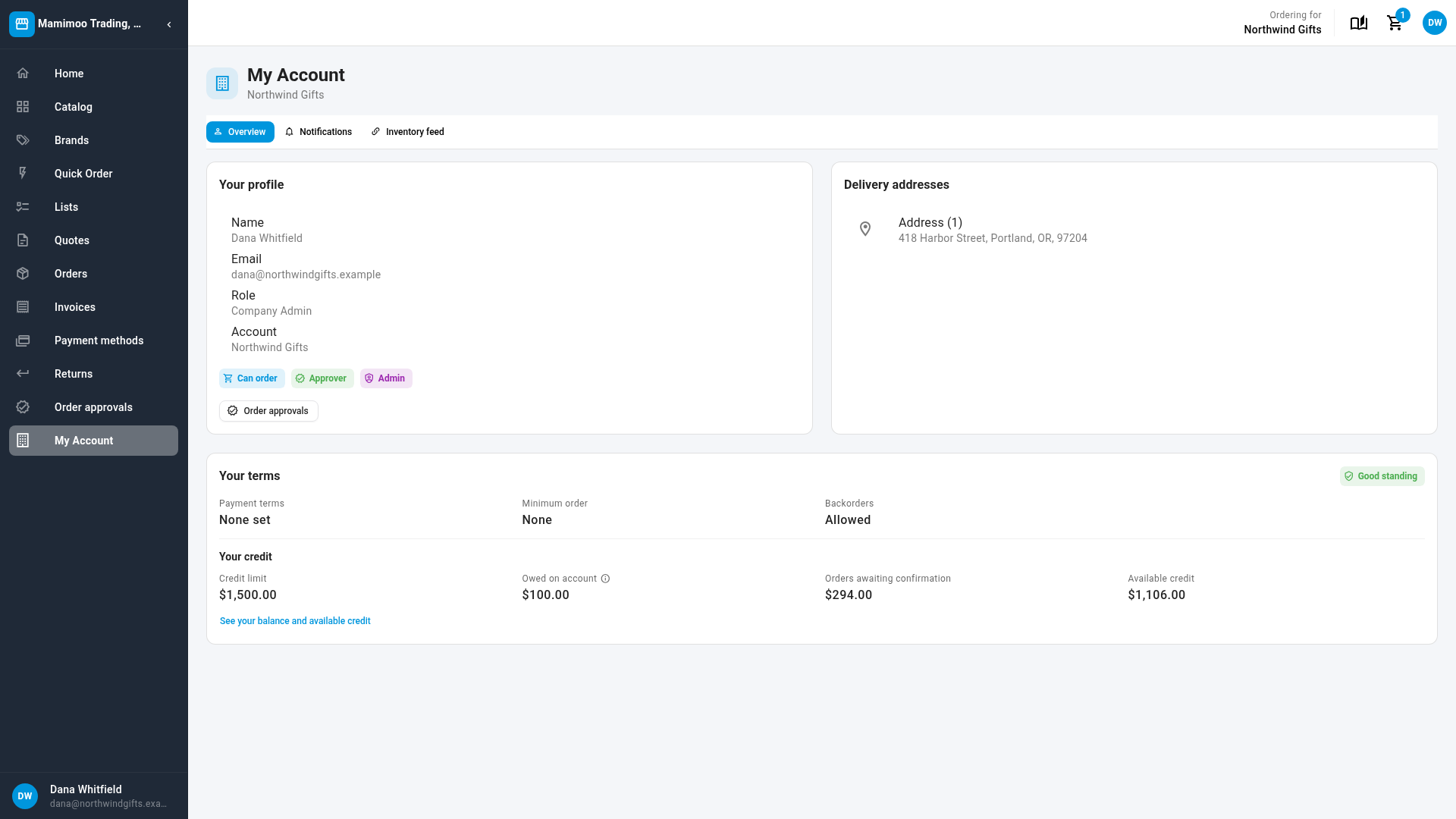
My Account shows Your credit: Credit limit, Owed on account, Orders awaiting confirmation and Available credit. When the account is over its limit, Available credit says by how much, and the chip beside Your terms reads Over credit limit.
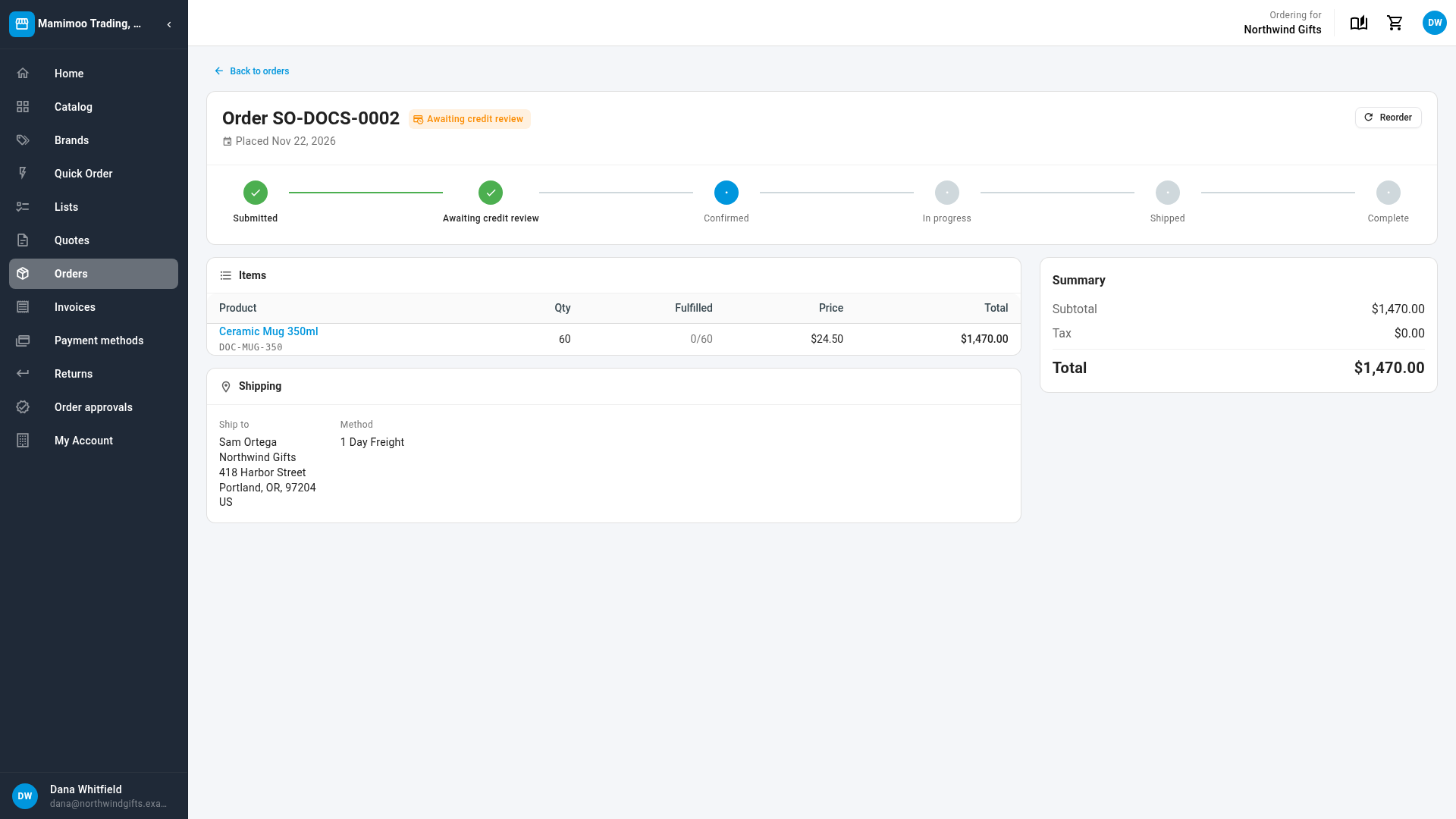
An order sent for review shows the status Awaiting credit review on the buyer's Orders list and on the order itself, until you release it.
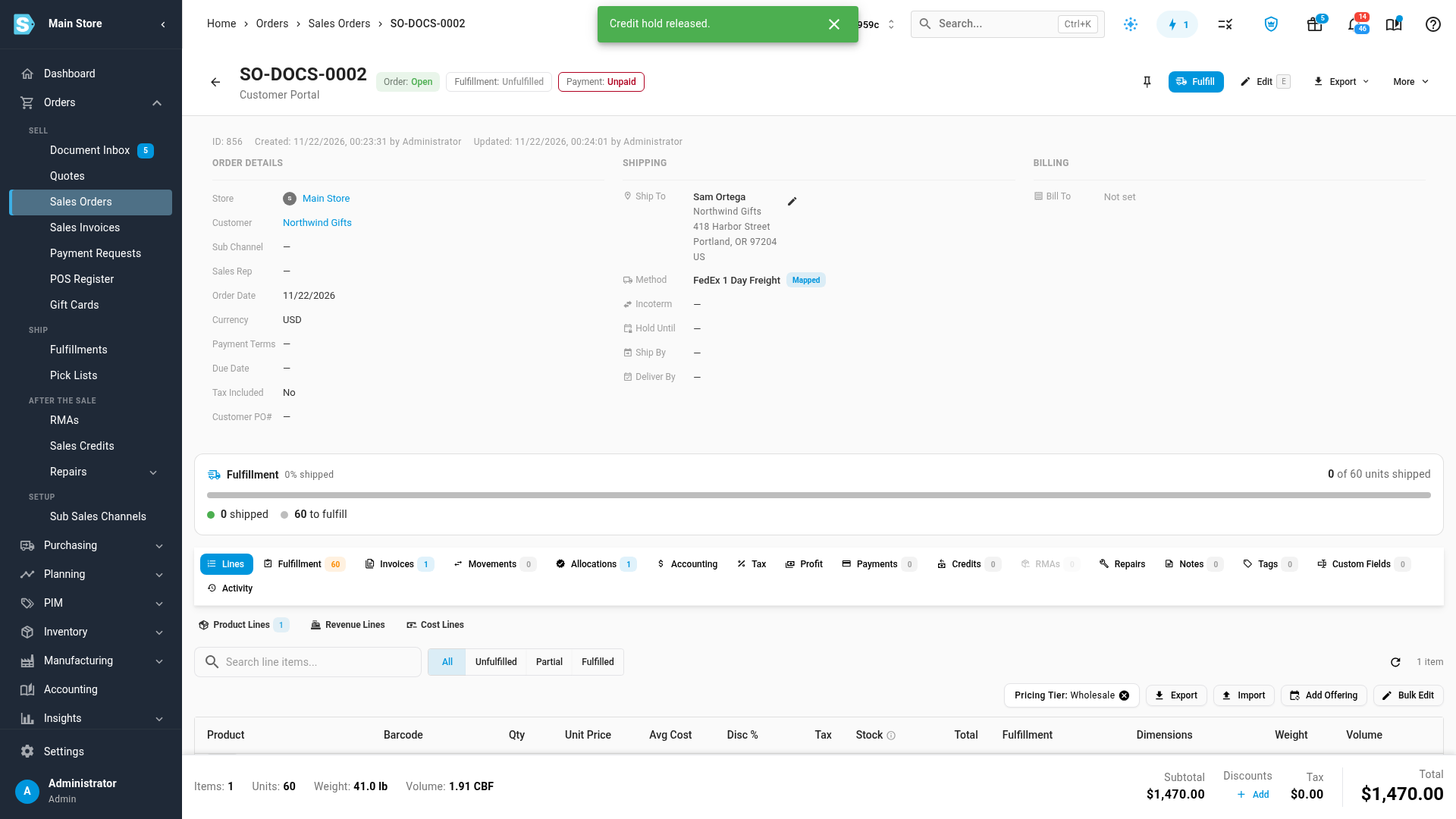
Release an order held for credit review
- Open the order in Orders → Sales Orders. Orders held for review are drafts with the banner Credit hold — this order stays a draft and will not be fulfilled until released. To find them all, filter the list by Credit hold status.
- Check the customer's balance. View receivables on the banner opens what they owe.
- Click Release hold, then Release hold again to confirm. The order is approved and opens for fulfillment, and the buyer's status moves on from Awaiting credit review.
A plain Approve doesn't release a held portal order, even when sales-order credit enforcement is off for your account. Only Release hold does, so only people with that permission can let it through. To turn the order down instead, cancel it. For everything else about holds, see Manage credit holds on sales orders.
Next steps
- Manage credit holds on sales orders
- Require approval for portal orders
- Let buyers join with an invite code: give new accounts a credit limit from the start.
Video transcript
Portal orders can be checked against each dealer's credit limit. To choose what happens, open CRM in the sidebar, and choose Customers. Click the Portal tab at the top, and then Portal settings, under Setup.
Scroll down to Credit limit at checkout, and choose one of two policies. Block the order stops the buyer at checkout until the order fits. Send it for credit review lets the order through, and holds it for you to check. Each dealer's limit is the credit limit on their account.
Here is what a buyer sees in their cart. Available credit shows what is left of their limit. This cart is bigger than that, so a warning says by how much.
The buyer moves on to checkout. There, After this order shows where the account would end up. Place order stays off, with the reason right above it. The buyer can edit the cart, or pay open invoices first.
Buyers can also check their credit under My Account. It lists the credit limit, what they owe on account, orders awaiting confirmation, and the credit still available.
Now switch the policy. Back in Portal settings, choose Send it for credit review. Then scroll to the bottom of the page, and click Save Changes.
At checkout, the button now reads Place order for credit review. When the buyer clicks it, the order goes through. A message says it's waiting for a credit review.
They open the order, and see its status, Awaiting credit review. It stays that way until you release it.
Back in the app, the order waits as a draft, with a credit hold banner across the top. Someone with the Release credit hold permission checks the order, and clicks Release hold. They confirm, and the order opens for fulfillment, ready to ship.