Manage active sessions
Every time you sign in to SKU.io from a new browser or device, that login is recorded as a session. Active Sessions lists all of them, so you can see where your account is currently signed in — and cut off anything that shouldn't be.
This is the page to open when you've left yourself logged in on a shared machine, lost a laptop or phone, or want to confirm nobody else is using your account.
Before you begin
- Every user has this page. It shows your sessions only — never another user's.
- These are browser and device logins, not API token activity. Personal access tokens and connected apps are managed separately, and nothing on this page affects them.
- The screenshots come from a demonstration account. Your devices, locations, and dates will differ.
See where you're signed in
Go to Settings → Developer → Active Sessions.
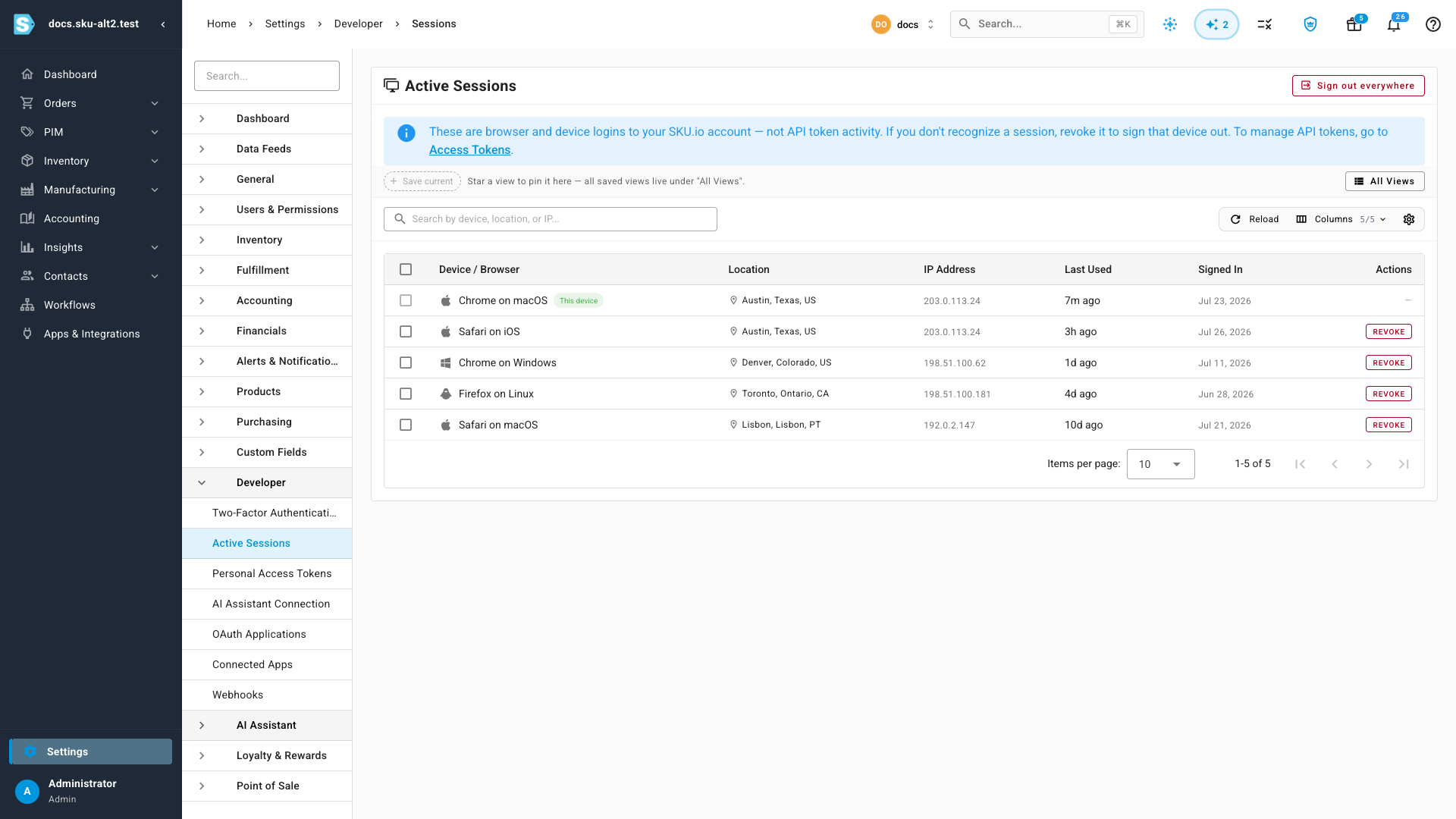
Sessions are sorted with the most recently used at the top. Each row shows:
| Column | What it tells you |
|---|---|
| Device / Browser | The browser and operating system that signed in — "Chrome on macOS", "Safari on iOS" |
| Location | The approximate city the sign-in came from, or — if it couldn't be determined |
| IP Address | The address the session last called from |
| Last Used | How long ago that session made a request — "2h ago", "4d ago", or Never |
| Signed In | The date the session was created |
Use Search by device, location, or IP to narrow a long list, or save a view if there's a filter you'll come back to.
Your current session
One row is the browser you're reading this in. It's marked with a green This device chip, and it has no Revoke button — a dash sits in the Actions column instead.

You can't revoke your own session from this page. To end it, log out normally, or use Sign out everywhere below.
What counts as a session
A session is created each time you sign in through the login screen, and it lasts until you log out, revoke it here, or it expires. The same browser signing in again after a logout creates a new one, which is why an old device can linger in the list even if you haven't used it in weeks.
Sessions are not the same as API credentials:
| Credential | Where it's managed | Affected by revoking a session? |
|---|---|---|
| Browser / device session | This page | Yes — that's what you're revoking |
| Personal access token | Access Tokens | No |
| Connected app (OAuth) | Connected Apps | No |
That separation is deliberate. Signing a forgotten laptop out shouldn't take down the nightly sync script running under a personal access token.
Sign out one device
-
Find the session in the list. Check the Location, IP Address, and Last Used columns — an unfamiliar city or an address you can't account for is the signal worth acting on.
-
Click Revoke on that row.
-
Confirm.
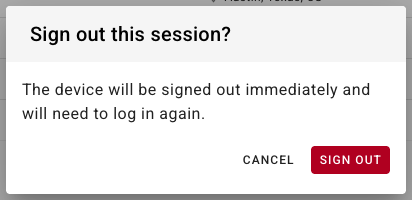
The device is signed out immediately and will need to log in again. It disappears from the list. Everything else you're signed in to — including the browser you're using right now — carries on unaffected.
Sign out several at once
When you're tidying up after a laptop refresh or an office move, revoke them together instead of one at a time.
-
Tick the checkbox on each session you want gone. Your current session's checkbox is disabled, so you can't include it by accident.
-
A panel appears above the table showing how many are selected.

-
Click Revoke Selected and confirm.
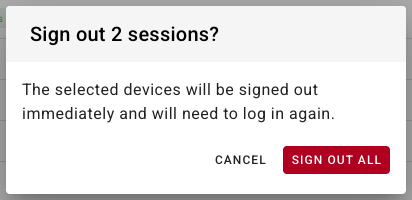
Use Clear to drop the selection without revoking anything.
Sign out everywhere
Sign out everywhere, at the top right of the page, ends every session at once — including the one you're using.
Reach for it when you think your password may have been exposed, when a device is genuinely lost, or when you'd rather start clean than work out which session is which.
-
Click Sign out everywhere.
-
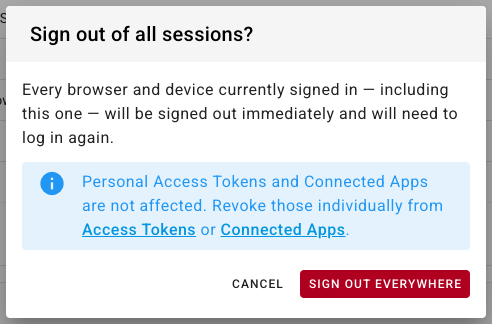
Read the confirmation.
-
Click Sign out everywhere to confirm.
You're returned to the login screen straight away, because your own session was just invalidated along with the rest. Sign back in as normal.
The reach of this is wider than the list you can see: it invalidates every session your account holds, on every SKU.io address you use. There's no device it can miss.
What it does not touch is API access. Personal access tokens and connected apps keep working — they're long-lived credentials meant to survive a logout. If you're signing out everywhere because something is compromised, revoke those separately from Access Tokens and Connected Apps.
If a password may have been exposed, change it after signing out everywhere, and consider turning on two-factor authentication.
Troubleshooting
| What you see | What it means |
|---|---|
| A session you don't recognise | Revoke it, then change your password. If it recurs, turn on two-factor authentication |
| Location shows — | The IP couldn't be matched to a city — common on corporate VPNs and mobile networks. The IP address column is still accurate |
| A location that looks wrong | VPNs and mobile carriers routinely report a different city. Judge it alongside the device and the IP rather than on its own |
| Last Used says Never | The session was created but hasn't made a request since. Safe to revoke if you don't recognise it |
| Your own device appears twice | Signing in again after a logout creates a new session. The older one is safe to revoke |
| The Revoke button is missing on a row | That's your current session. Log out, or use Sign out everywhere |
| More sessions than devices you own | Each browser counts separately, and each fresh sign-in adds a row. Sign out everywhere to reset to one |
Next steps
- Set up two-factor authentication — stop an exposed password being enough on its own.
- Manage personal access tokens — the API credentials a session logout leaves running.
- Review connected apps — third-party access, managed separately.