Read the Receipt-Cohort Sell-Through report
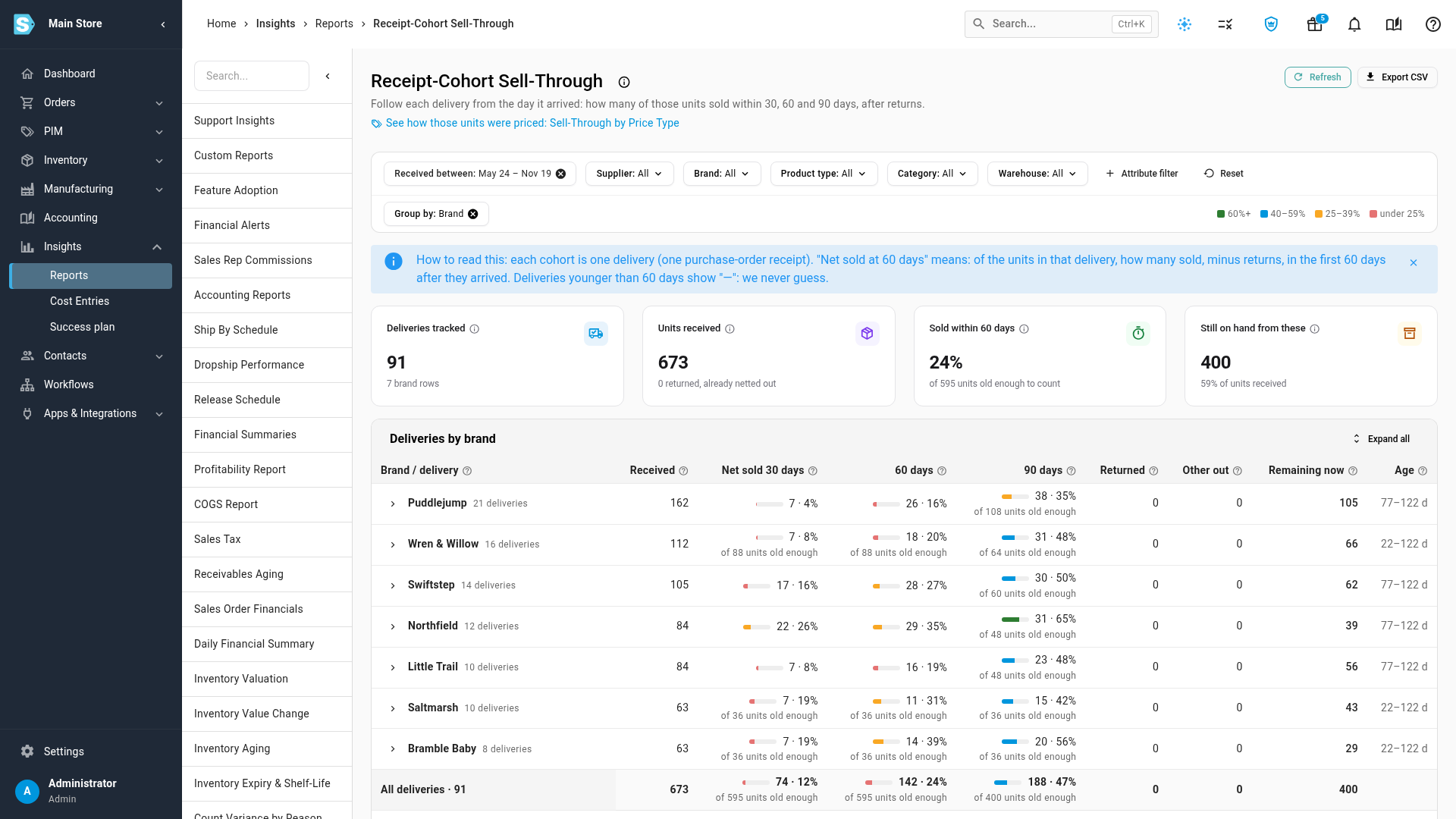
The Receipt-Cohort Sell-Through report follows each delivery from the day it arrived. For every purchase-order receipt, it shows how many of those units sold within 30, 60 and 90 days, minus returns, and how many are still on hand. Use it to see which deliveries sold through fast enough and which ones you over-bought.
Before you begin
- Receive your purchase orders in SKU.io. A delivery starts counting on the day it's received, so stock that arrived before you started receiving POs in SKU.io isn't in the report.
- Stock sells first in, first out: a sale takes units from the oldest delivery of that item first. A newer delivery shows nothing sold until the older stock of the same item has sold.
Steps
-
Go to Insights → Reports and open Receipt-Cohort Sell-Through.
-
Set Received between to the dates the deliveries arrived. Narrow the report with Supplier, Brand, Product type, Category, Warehouse or Attribute filter.
-
Read the cards:
- Deliveries tracked: how many deliveries arrived in the date range.
- Units received: the units on those deliveries, with how many were returned.
- Sold within 60 days: the share of units that sold in their first 60 days, minus returns. It counts only deliveries that are at least 60 days old, and says how many units that is.
- Still on hand from these: the units from these deliveries you still have today.
-
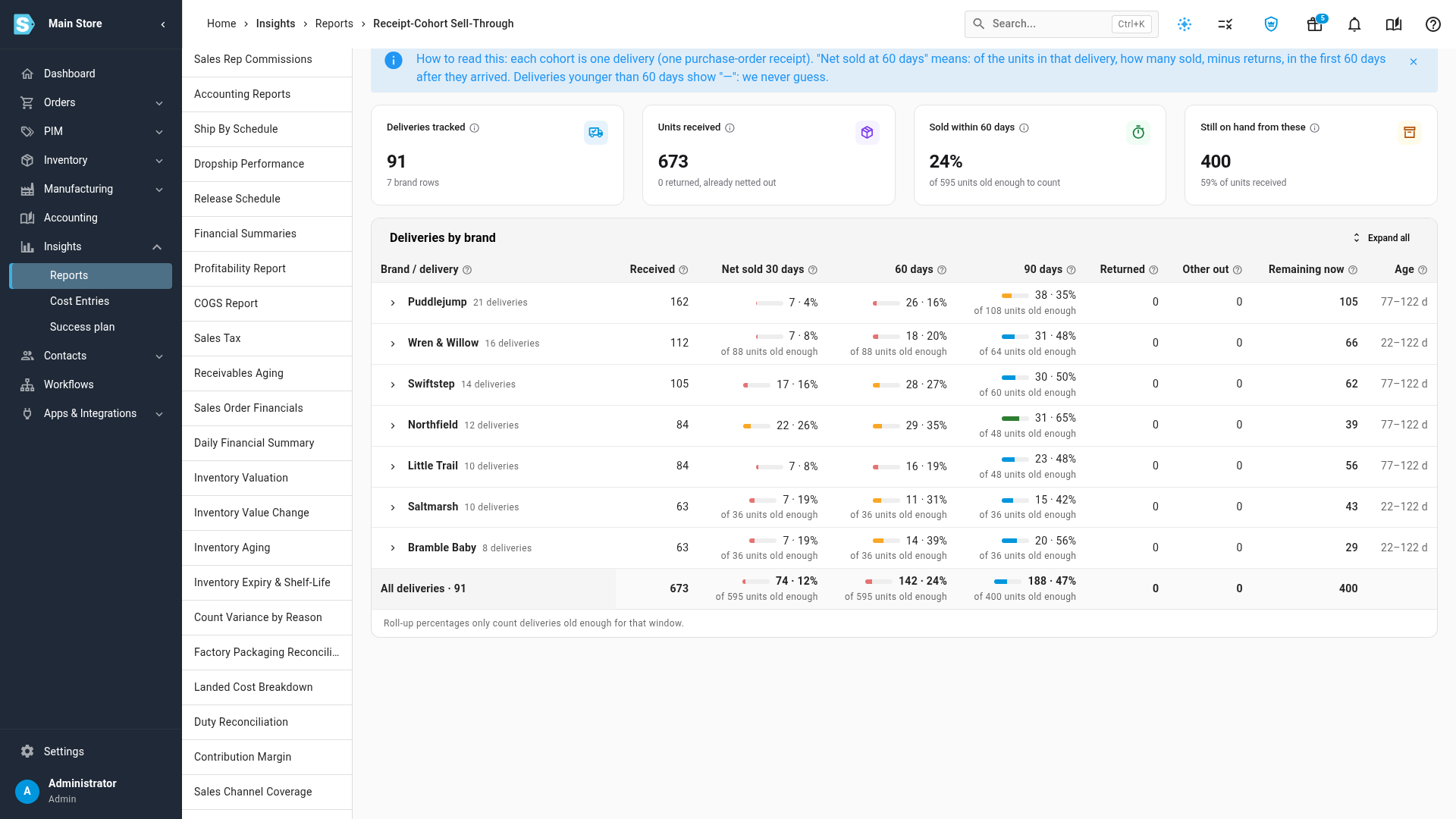
Read the table. For each group, Received is the units that arrived, and Net sold 30 days, 60 days and 90 days show the units sold minus returned in that window, with their share of what arrived. The colour bar marks the share: 60%+, 40–59%, 25–39% and under 25%.
-
Read the other columns: Returned (units from these deliveries that customers sent back, already taken off net sold), Other out (units that left for a reason other than a sale), Remaining now and Age (days since the delivery arrived).
-
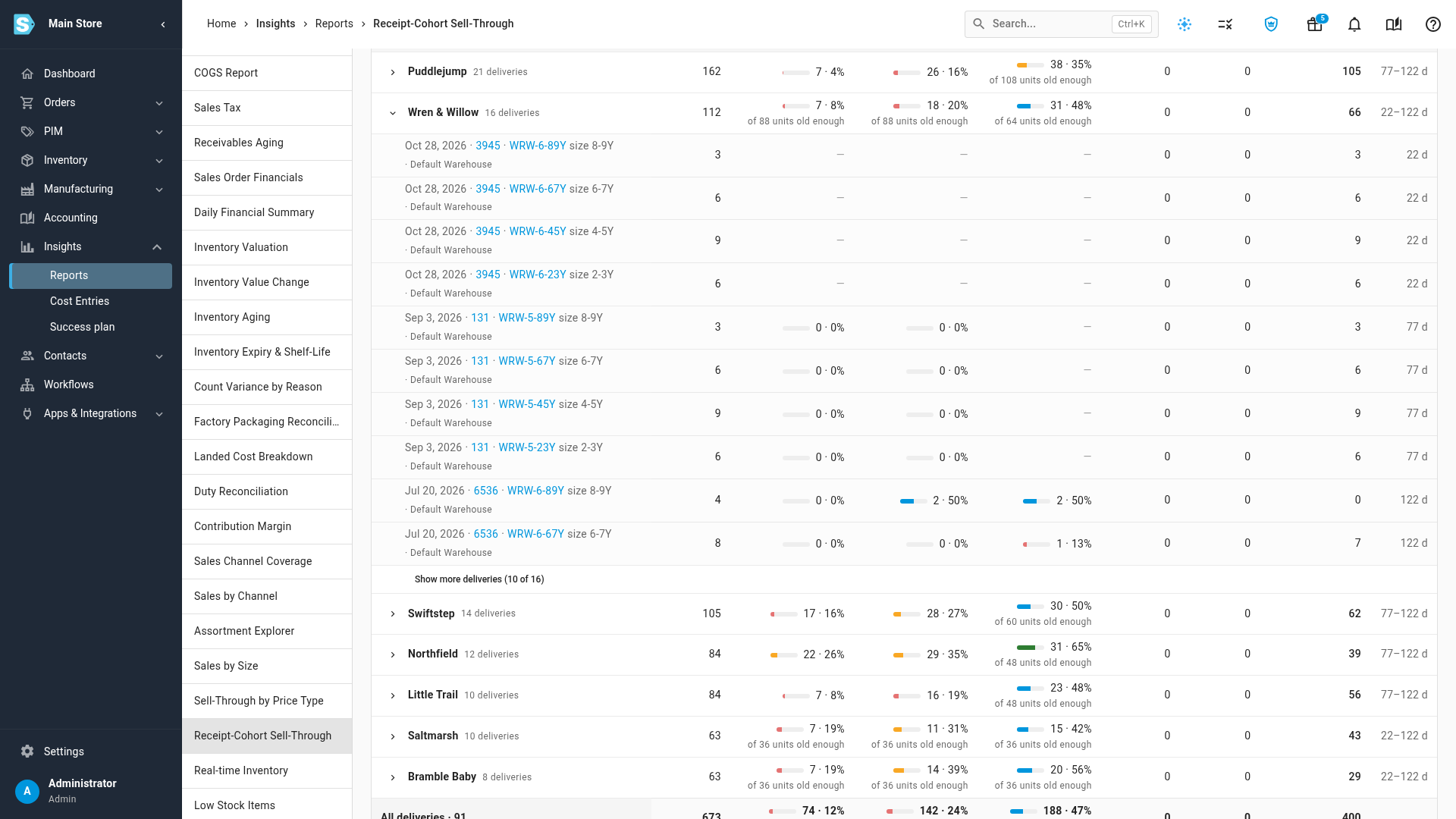
Click a group to see each of its deliveries, with the receipt date, purchase order, product, size and warehouse. Click Expand all to open every group, and Show more deliveries when a group has more than ten.
-
Choose a Group by: Purchase order, Supplier, Brand, Style, Product or Attribute… (such as size or colour).
-
Click Export CSV to download one row for every delivery in the range.
How the report counts
Click the information icon next to the report's title to see these definitions on screen.
| Term | What it means |
|---|---|
| Cohort (delivery) | One line of one purchase-order receipt: the units you received together on one day. If a PO line arrives in two shipments, each shipment is its own cohort. Day 0 is the day it was received. |
| Sold within N days | Units from that delivery that sold in its first N days. A sale made before the delivery arrived, such as a backorder it filled, counts on day 0. |
| Returned within N days | Units from those sales that customers sent back within the first N days. |
| Net sold and sell-through % | Net sold is sold minus returned. Sell-through % is net sold divided by units received. |
| Not yet N days (—) | The delivery hasn't been here N days yet, so there's no number. It's never estimated, and it's left out of the group's percentage. The units that are old enough are shown under it. |
| Other out | Units that left for any reason other than a sale: adjustments, write-offs, returns to the vendor, and customer returns that were discarded or sent to repair instead of restocked. |
| Remaining now | Received, minus net sold to date, minus other out. |
A few more things to know:
- Units moved to another warehouse stay with their delivery, so a transfer doesn't end a cohort.
- A customer return that goes back into stock stays with the delivery it came from, and can sell again.
- When units were sold before any receipt was recorded, a note says how many. They count toward the receipt that fills them.