Share an inventory feed with a buyer
Resellers often want your stock in their own spreadsheet or system. Instead of emailing a stock file every week, a portal buyer can generate an inventory feed link. The link returns their own catalog, at their own prices, with your current availability, as CSV or JSON, and keeps itself up to date every time it's read.
Before you begin
- The customer is a portal account with at least one active buyer. See Invite buyers to the Customer Portal.
- The feed shows only products in the account's catalog. See Restrict what buyers see with portal catalogs.
- The buyer's portal role is Buyer or Company Admin. A Viewer sees the Inventory feed tab, but Generate feed link, Regenerate and Revoke are greyed out, and hovering over them explains that the Viewer role is read-only.
Generate the link (buyer)
Send these steps to your buyer. They run them on the Customer Portal.
-
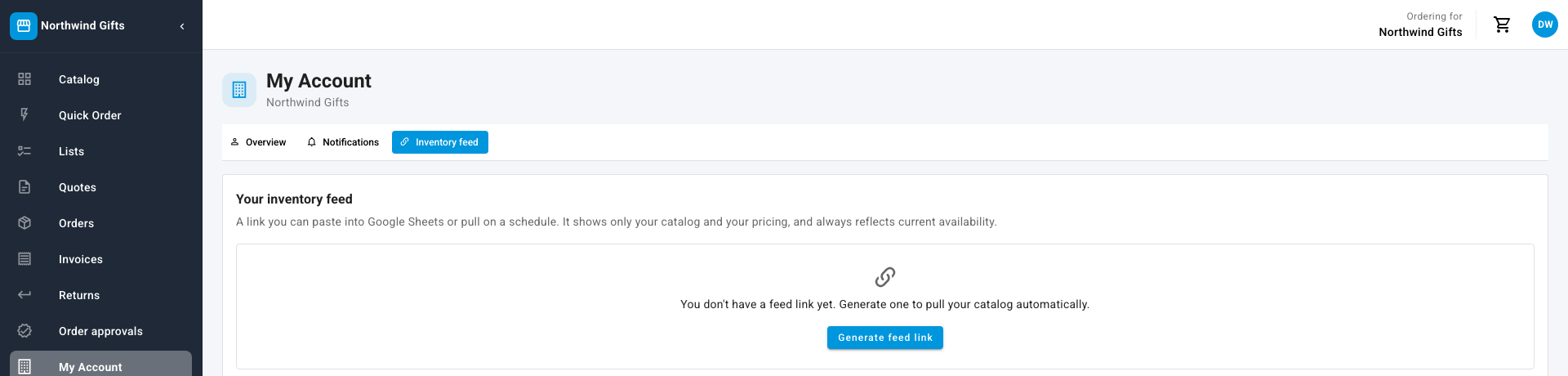
Click My Account, then the Inventory feed tab.
-
Click Generate feed link.
-
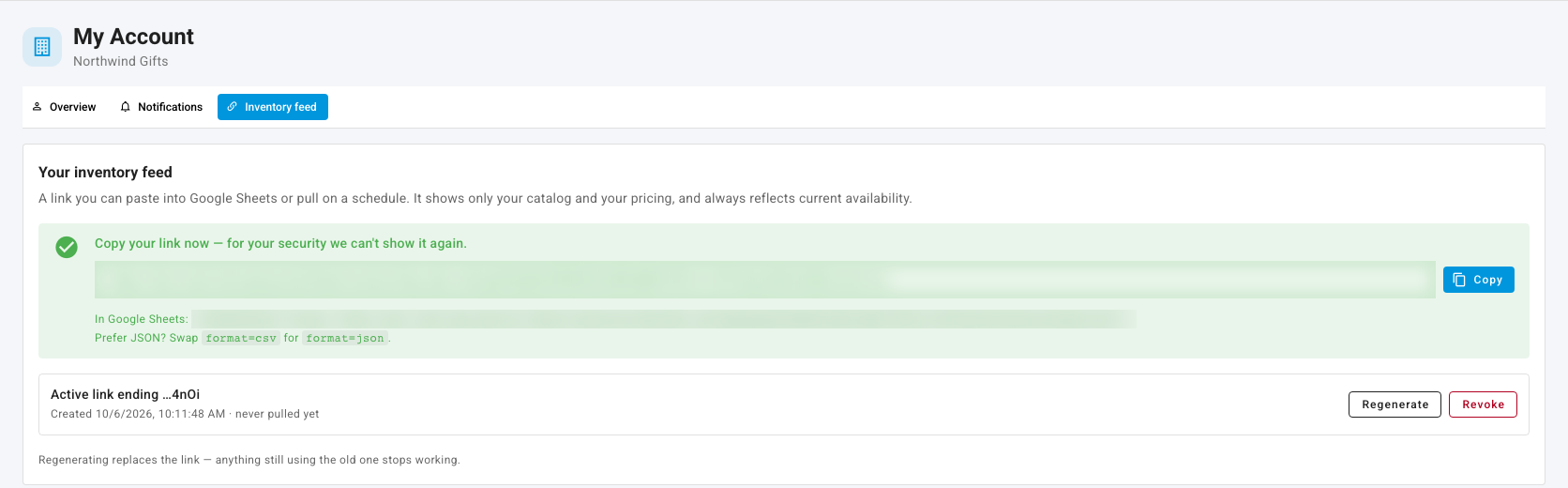
Click Copy. The full link is shown only once, so they should save it somewhere safe now.
-
To pull it into Google Sheets, paste the formula the page shows,
=IMPORTDATA("<the link>"), into a cell. For JSON instead of CSV, changeformat=csvin the link toformat=json.
Afterwards the tab shows Active link ending … with the last four characters, when it was created, and when it was last pulled. Regenerate replaces the link, and anything still using the old one stops working. Revoke turns it off. Both ask the buyer to confirm first.
An account has one feed link at a time. On an account with dropship turned on, the retailer's Dropship → Feed & API page shows that same link, not a second one: regenerating or revoking it on either page stops it working in both places. See Connect your store with the dropship API and feed. For a one-off download, a buyer can also click Export CSV on the Catalog page.
What's in the feed
One row per product, with these columns:
| Column | Holds |
|---|---|
sku, name, brand, category | The product. |
unit_price, currency | The buyer's own price. |
availability_status, available_qty | Stock as the buyer is allowed to see it: in_stock, low_stock or out_of_stock, and the quantity when the account may see quantities (blank otherwise). With an inventory holdback on, it's the reduced figure. |
lead_time_days, restock_date | When more is expected, if known. |
backorderable | Whether the buyer can order beyond stock. |
moq, order_increment | The least they can order and the multiple they must order in. |
The feed lists up to 10,000 products. The JSON version says when a larger catalog was cut short.
The feed can be read about 12 times a minute, which suits scheduled pulls and spreadsheets.
The feed on a dropship account
When you turn dropship on for an account, its feed link switches to what the retailer can actually dropship, so the retailer never lists a product or a price that a dropship order would refuse:
- Stock counts only warehouses that can ship blind, and holds back the Feed safety stock you set for each product on the account's Dropship tab. The status is worked out again from that lower figure.
- Products are only those in the account's dropship catalog, when you've chosen one.
- Prices are the dropship price tier's price for one unit, in the account's currency.
Turn dropship off and the feed goes back to normal. See Dropship settings reference.
See or revoke a buyer's link (you)
- Open the customer and click the Customer Portal tab.
- Inventory Feed Links & API Keys lists each live feed link and each API key the retailer's buyers created for dropship, with its name and the end of the Key, its Access, the Buyer who made it, and when it was Last used.
- To cut one off, click Revoke. It stops working at once, and the buyer keeps their portal login.
A key whose Access includes dropship orders runs the retailer's order connection. SKU.io asks you to confirm before you revoke it: once it's revoked, the orders, status checks and cancellations the retailer's system sends with it fail until the retailer creates a new key.