Stop retail and keep wholesale
Move a finished product to a Wholesale only state to stop every retail channel at once and let wholesale buyers order what's left. Retail listings publish 0. Wholesale listings keep publishing the stock you really have. Nothing is archived or taken off a channel.
To stop a single channel instead, see Stop selling on one channel but keep wholesale.
Before you begin
- Your role needs permission to manage product lifecycle. Adding the state and the bundle choice need Settings → Edit (
settings.update). Marking channels wholesale needs Sales Channels → Edit (sales_channels.update). Those are permissions on your role. - SKU.io is the Master of Stock for the channels you want to stop. SKU.io doesn't set the quantity on any others.
- On Shopify, keep Stop selling when out of stock on, under Settings → Products → Product Lifecycle → Channels. With it off, a variant that continues selling when out of stock can still be ordered at 0.
Steps
-
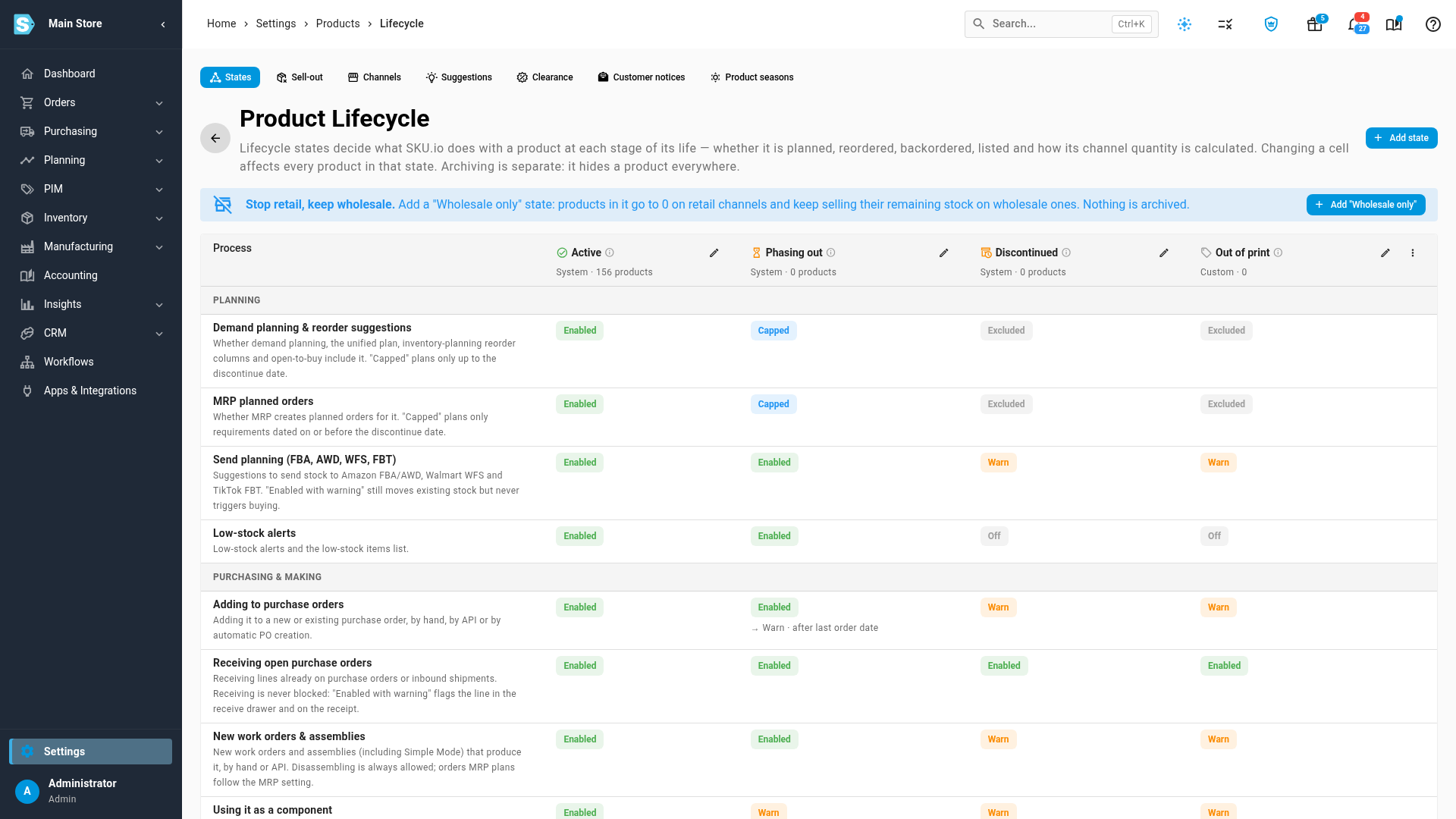
Go to Settings → Products → Product Lifecycle.
-
On the States tab, click Add "Wholesale only". The button shows until a state uses this channel quantity.
-
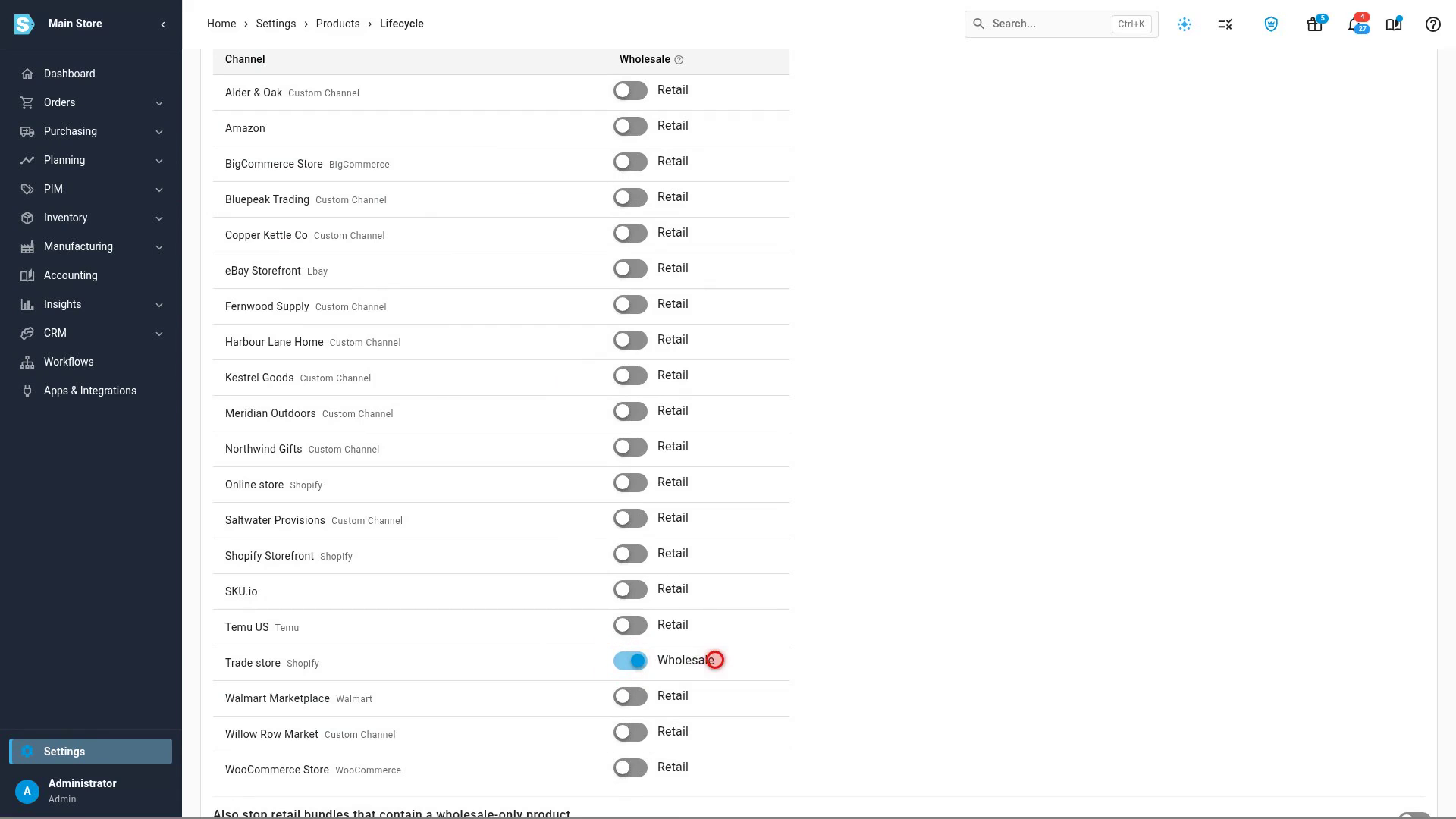
Click the Channels tab, and scroll to Retail and wholesale channels.
-
Turn on the switch for each channel where you sell wholesale, such as a trade store. The Customer Portal, EDI, NuORDER, Faire and SPS Commerce are always wholesale.
-
Click Save Changes.
-
Go to PIM → Products and open the product.
-
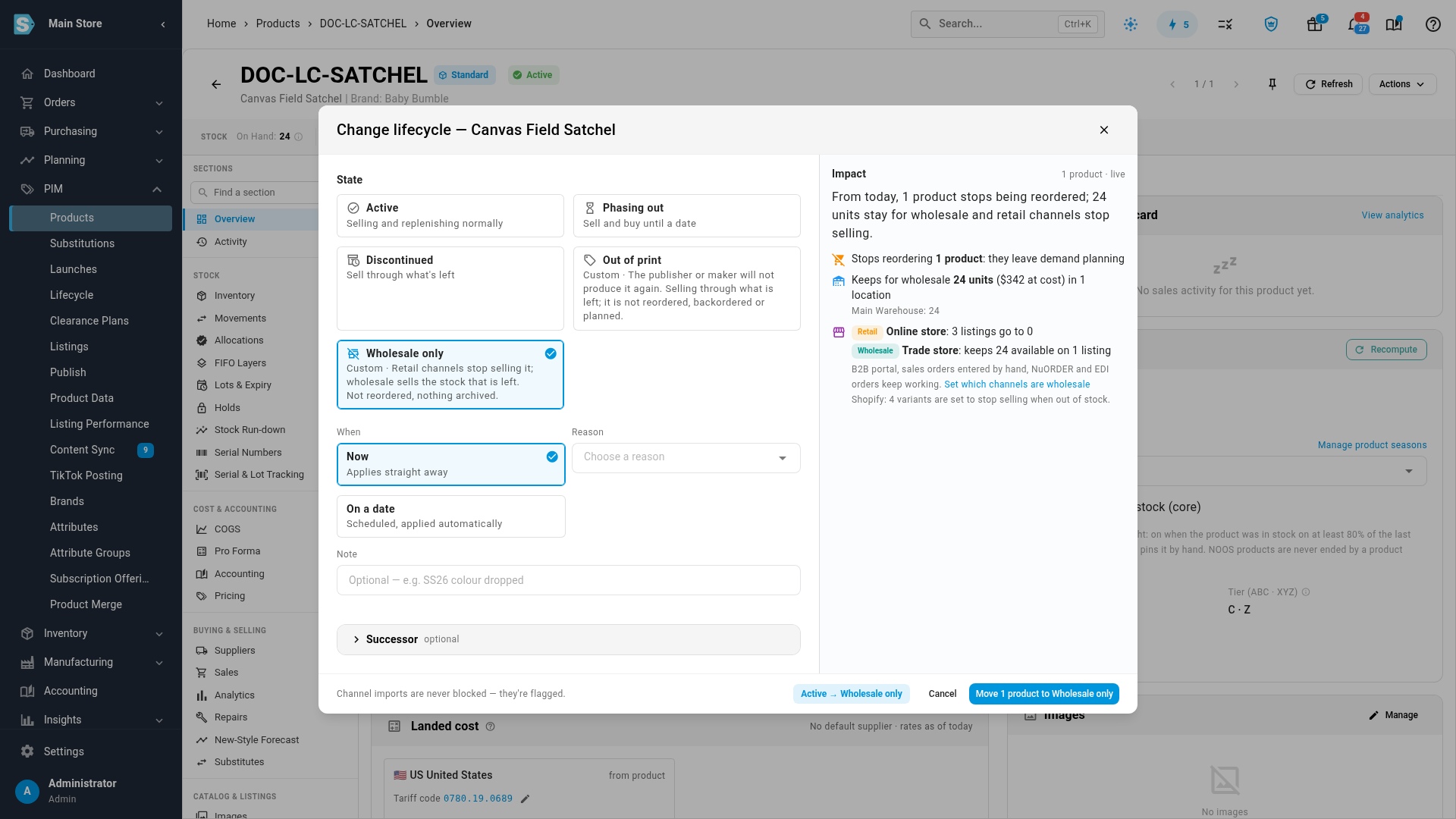
Click Actions, then Change lifecycle….
-
Click Wholesale only.
-
Read the Impact column. It lists every channel with live listings, such as "3 listings go to 0" or "keeps 24 available on 1 listing".
-
Click Move 1 product to Wholesale only.
SKU.io recalculates the listings and sends the new quantities. A message appears with an Undo button for 10 seconds, and you can undo for 24 hours. To sell on retail again later, use Actions, then Reactivate.
You can also add the state from the dialog in step 7: click Add a "Wholesale only" state under the state cards.
What keeps working
- Orders you enter yourself, NuORDER, Faire and EDI orders. Imported orders are never blocked.
- Your Customer Portal. Buyers see the product while it's in stock.
- Variants. The state applies to each variant on its own, so one color can stop on retail while the others carry on.
The state copies Discontinued, so the product also leaves demand planning and new backorders are blocked. It does nothing when the product sells out. Change any of this on the States tab.
Bundles that contain the product
A bundle follows its own lifecycle state, so a set keeps selling online when one of its pieces is wholesale only. To stop those sets too, turn on Also stop retail bundles that contain a wholesale-only product on the Channels tab. The set publishes 0 on retail channels as soon as one piece is wholesale only, including a piece inside a kit, and comes back when the piece does.
What this doesn't do
- It can't split one store in two. Retail or wholesale is set for the whole channel. If you sell wholesale through the same Shopify store, both stop.
- It doesn't change stock a marketplace holds. Amazon FBA, Walmart WFS and TikTok FBT listings keep selling the marketplace's stock. The Impact column counts FBA and WFS listings. End them to stop them.
- It doesn't take the page down. The channel shows the product as out of stock.