See each lot's age at Amazon on the aging report
When SKU.io follows your lots at Amazon FBA and AWD, the Inventory Aging report splits the stock you hold there by lot. A product's details show how long each lot has been at Amazon, at what cost, and how SKU.io knows which lot it is. The report's totals and its history don't change.
Before you begin
- The product has lot tracking on, and SKU.io follows its lots at the Amazon location. Read See which lots are at Amazon.
- To open the report, your role needs inventory access.
Open the report
- Go to Insights → Reports.
- Click Inventory Aging.
The summary, the age buckets, the Trend and the products table count each cost layer whole, as they always have. Splitting a layer by lot never moves those figures, so the weekly digest, the trend history and the FBA aged-inventory surcharge figures stay as they were.
Read a product's layers by lot
-
Click a product's row to open its details.
-
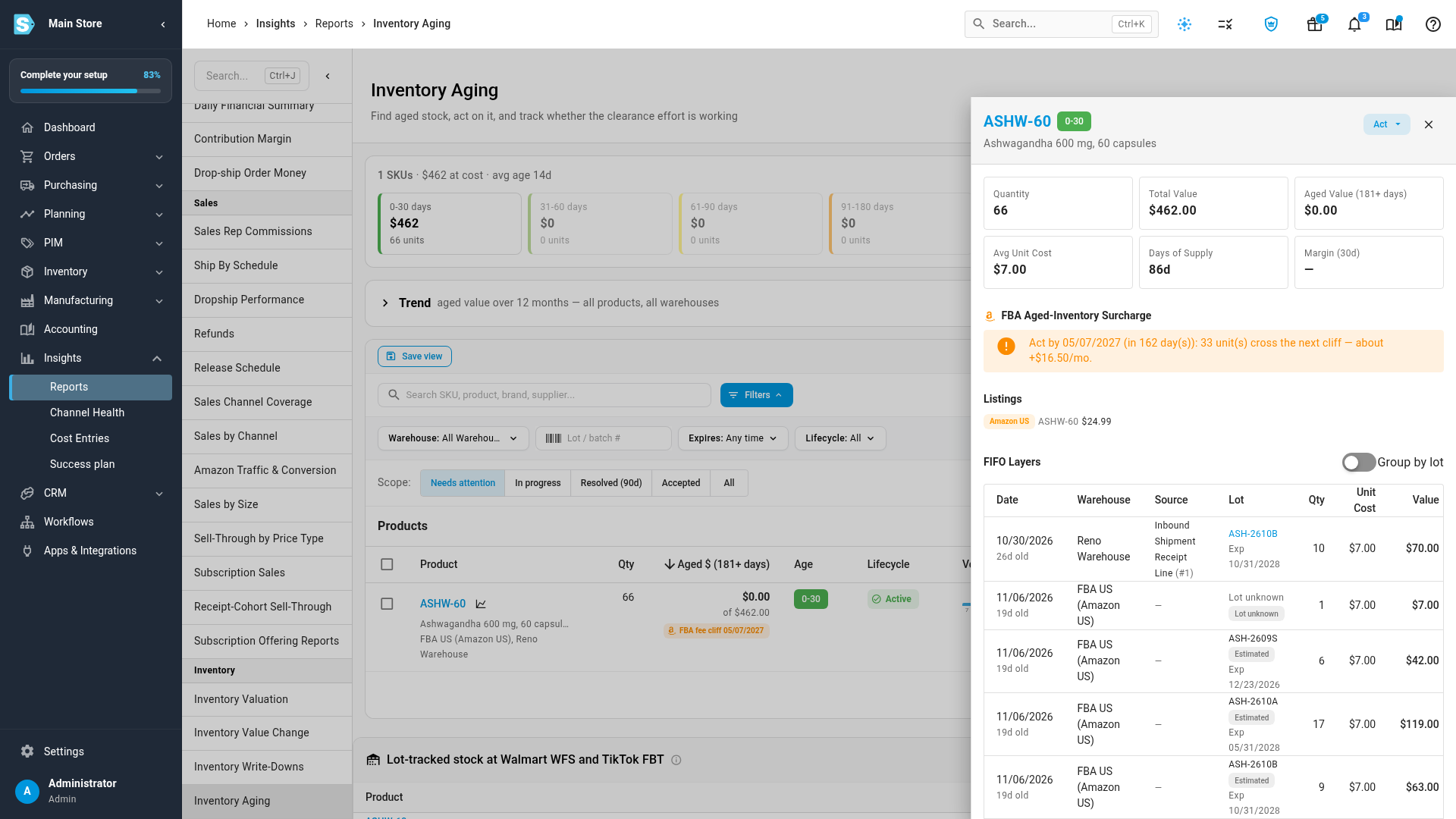
Under FIFO Layers, each cost layer at an Amazon location where SKU.io follows the lots shows one row per lot. Every row keeps its layer's date, age, warehouse and unit cost, and the rows of a layer add up to it.
-
Read the label under each lot:
Label What it means Estimated Amazon doesn't say which lot it holds. SKU.io worked the lot out from the lots you sent and what has left since. Reported by Amazon Amazon reported the lot and its expiry date, as it does for AWD stock. Lot unknown Units at Amazon that no lot accounts for. They sit in the oldest layers.
Layers in your own warehouses keep their real lots, as before.
Group the layers by lot
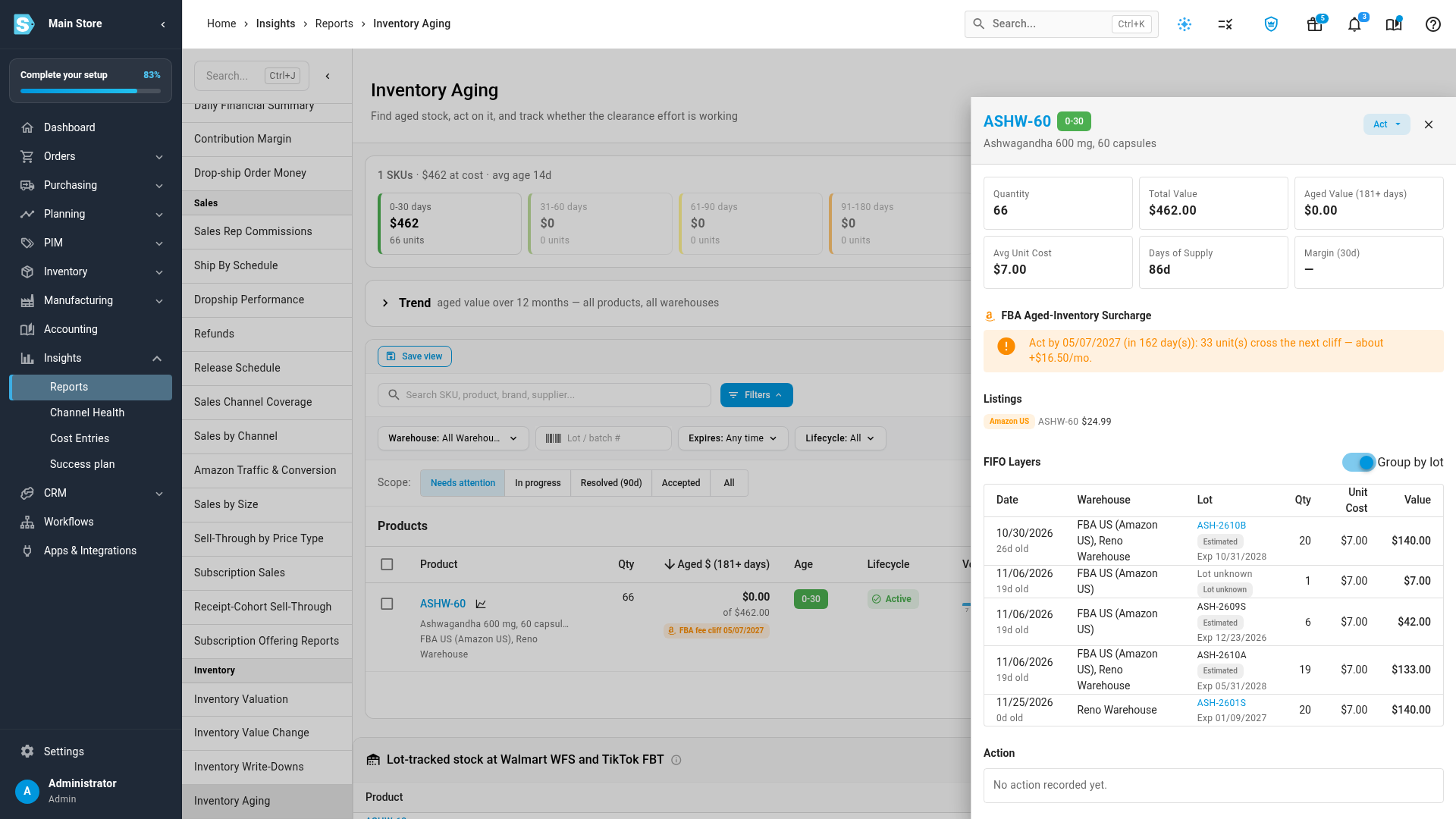
Turn on Group by lot to see each lot's units in one row, across your own warehouses and Amazon. A lot that is partly estimated is marked Estimated as a whole.
Look at one lot
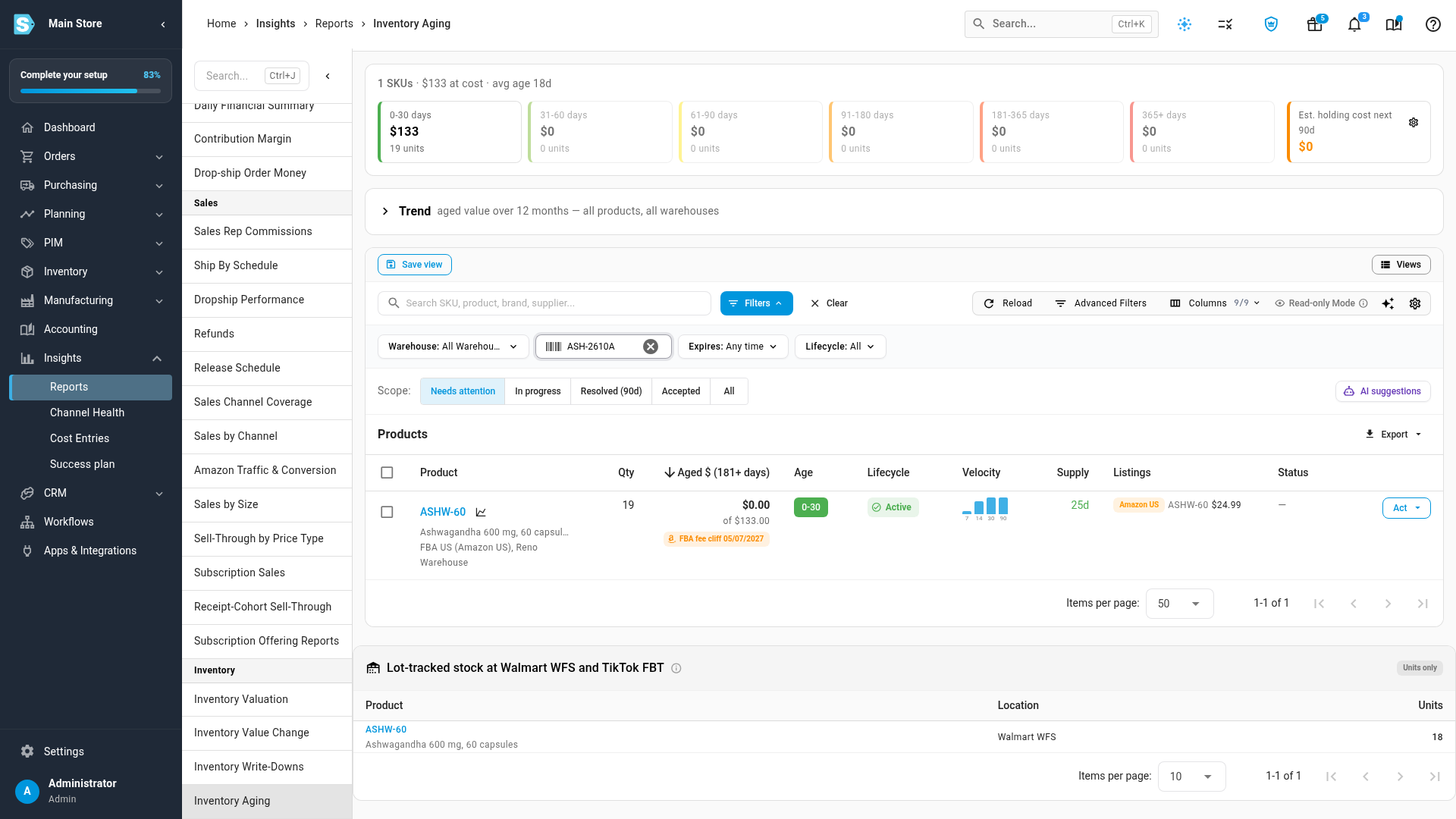
Type a lot number in the Lot / batch # filter. The summary, the age buckets and the products then count only that lot's units, including its estimated units at Amazon. Clear the filter to go back to whole layers.
Stock at Walmart WFS and TikTok FBT
Below the products, Lot-tracked stock at Walmart WFS and TikTok FBT lists your lot-tracked units at those networks, marked Units only. Walmart and TikTok don't report which lots they hold, so those units aren't aged or valued on this report.
In the export
The report's export has a Lot Basis column. It reads Estimated, Reported by Amazon or Lot unknown on the split rows at Amazon, and is empty on rows from your own warehouses. For every other column, read Find and clear aged inventory.