Track your own sales targets and pace
My targets shows a sales rep their own targets and sales, and whether they're on pace to hit them. It opens on the current year and shows only your numbers, never another rep's. Your manager sets the targets, as in Set sales targets and track rep performance.
Before you begin
- Field CRM is a paid add-on. If CRM isn't under Contacts in the sidebar, ask your account manager to turn it on.
- Your user needs to be linked to a sales rep.
- Your role needs the View own targets & pace permission (
sales_reps.view_own_performance). The Sales rep — Field CRM role has it. - Your manager needs to have set you a target for the period.
Steps
-
Go to Contacts → CRM → My Targets. You can also click My targets → on the Your … target strip at the top of My Day. My targets opens on the current year.
-
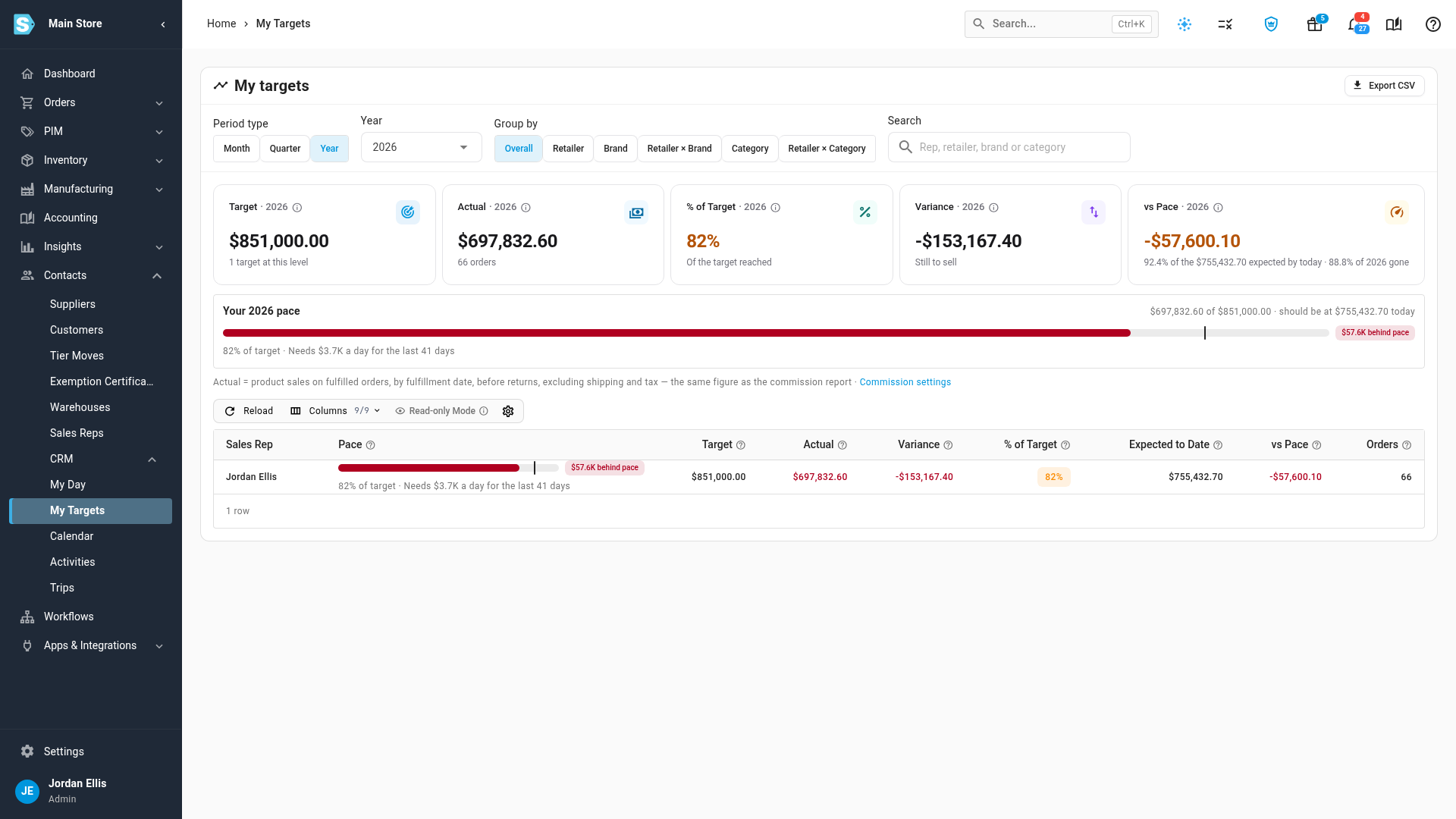
Read the cards. Target and Actual are your figures for the period, % of Target is how far you've got, Variance is actual minus target, and vs Pace says how far ahead of or behind today's pace you are.
-
Read the pace strip under the cards, for example Your 2026 pace. The bar fills with your sales so far against the target, and a line marks where your sales should be today. The words under it say how far ahead or behind you are, and what it takes to finish, for example $57.6K behind pace and Needs $3.7K a day for the last 41 days.
-
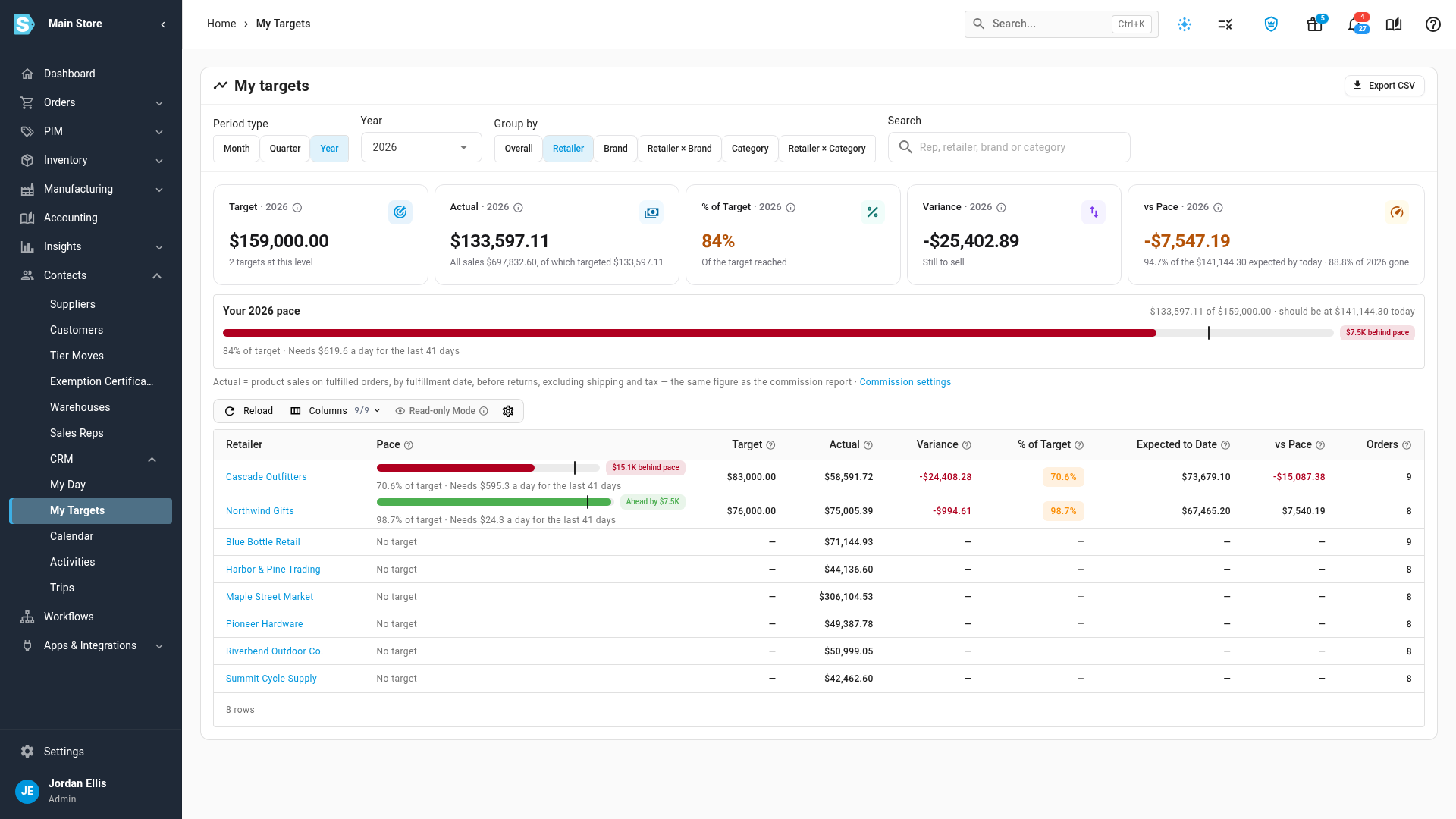
To see where your sales came from, choose an option under Group by: Overall, Retailer, Brand, Retailer × Brand, Category or Retailer × Category. Each row with a target has its own Pace bar. A retailer you sold to without a target of its own shows No target.
-
To look at another period, choose Month, Quarter or Year under Period type, then pick the period in the field beside it.
Actual counts the same sales as your commission, as the line under the table explains. A period that's over, or hasn't started, doesn't show pace.
On a phone, My targets lists each row as a card with its pace bar, so you can check your pace between visits.
If there's no target for the period, My targets says so. Pick another period, or ask your manager to add a target.
Next steps
- Plan your day with My Day
- Set sales targets and track rep performance — for managers.
- How Field CRM works
Video transcript
To check your targets, open Contacts in the sidebar, then CRM, and choose My Day. Your target for the year sits at the top. The bar shows your sales so far, and a mark shows where they should be today. Click My targets for the detail. My targets opens on the current year, with only your own numbers. The cards show your target, your sales, and how far ahead or behind pace you are. The pace strip says how far behind you are. It also says what it takes to finish the year on target. To see where your sales came from, choose Retailer under Group by. Each retailer with a target gets its own pace bar.