Order from a visit
While you're with a dealer, you can turn the visit straight into an order. Reorder these starts a sales order with the products from the customer's last order, priced at their own pricing tier today. Create starts a quote or a sales order filled in with the customer and their rep. Either way, the document is linked to the visit, so the visit shows what it raised.
Before you begin
- Field CRM is a paid add-on. If CRM isn't under Contacts in the sidebar, ask your account manager to turn it on.
- You need a visit, call or meeting with the customer, planned or completed. See Work a visit from My Day.
- Reorder these needs at least one earlier order from the customer.
- To create orders and quotes, your role also needs permission to create sales orders or quotes.
Steps
-
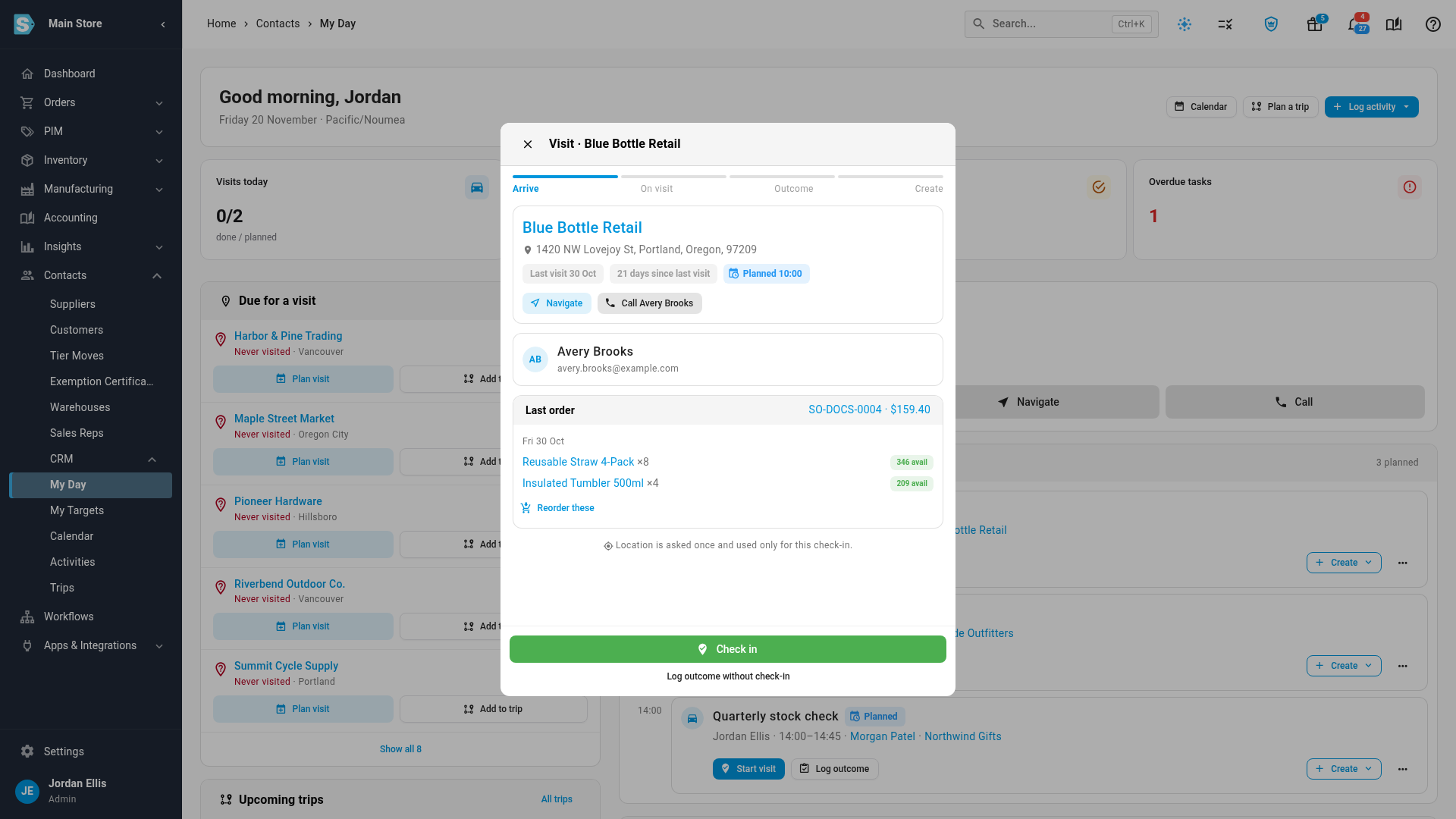
Go to Contacts → CRM → My Day, and click Start visit on the visit. The Arrive step shows the customer's Last order, with its number and total, and the stock available now for each product.
-
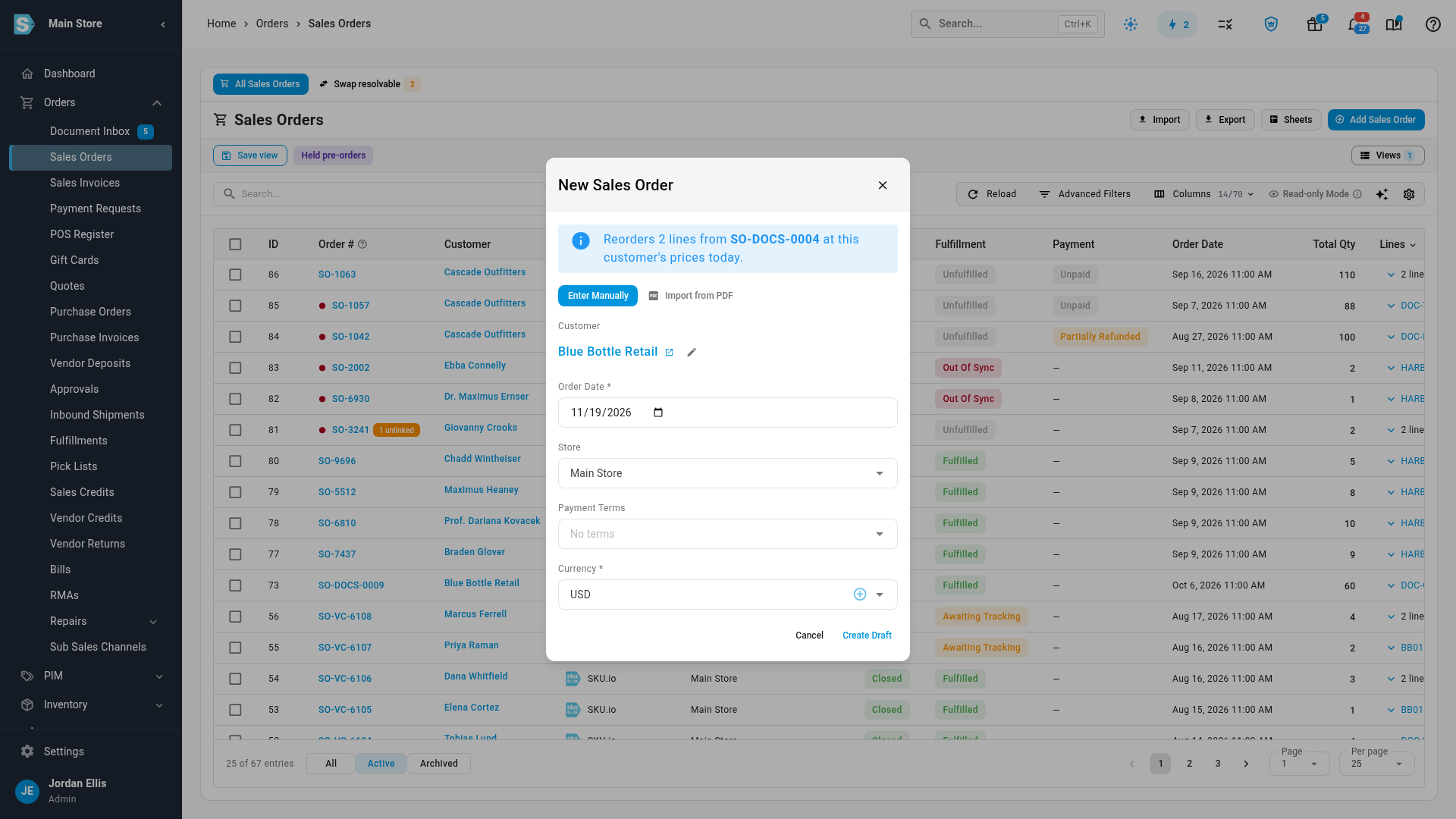
To order the same products again, click Reorder these. A New Sales Order opens for the customer. The banner says how many lines it reorders, and from which order, at the customer's prices today.
-
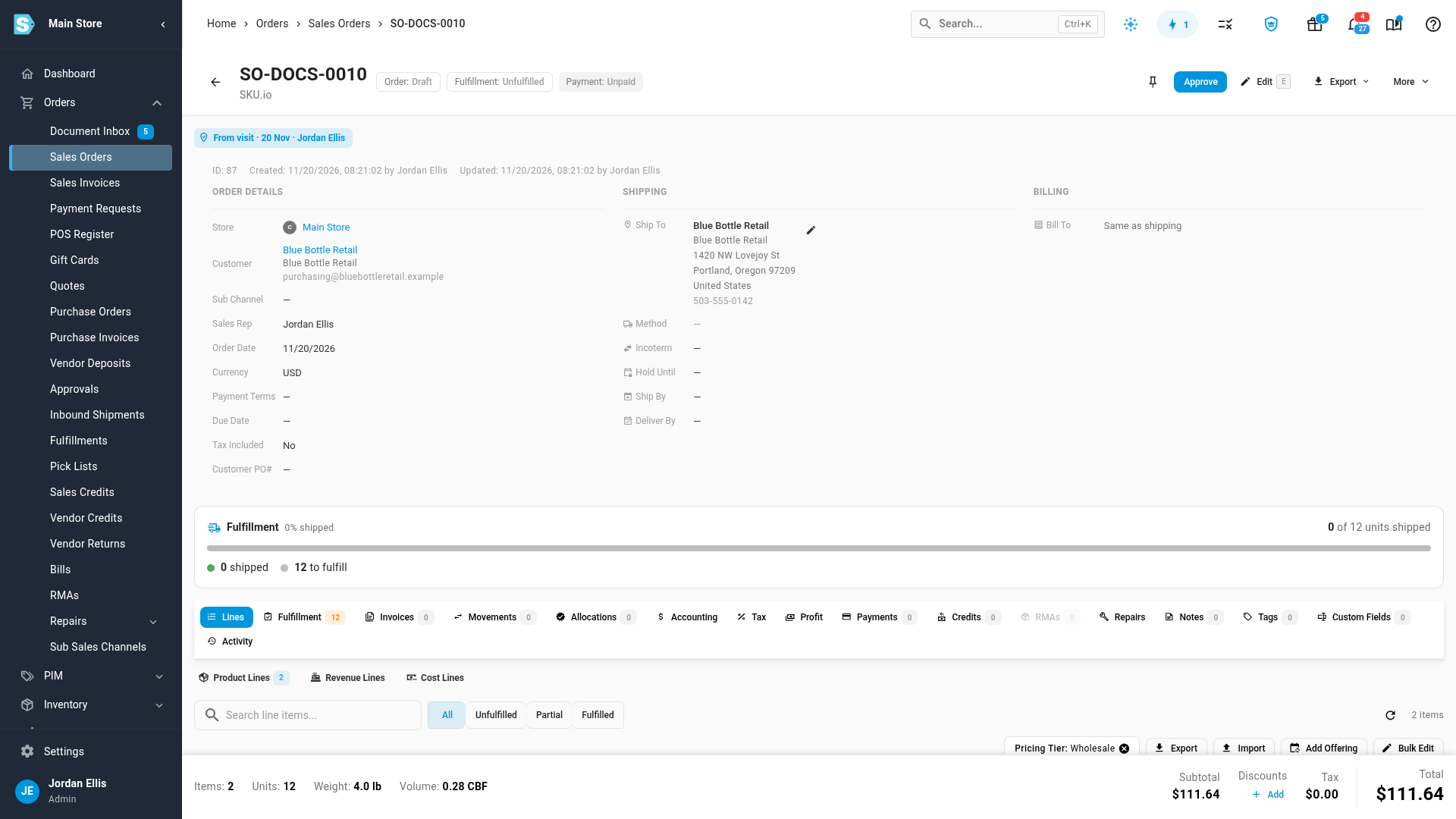
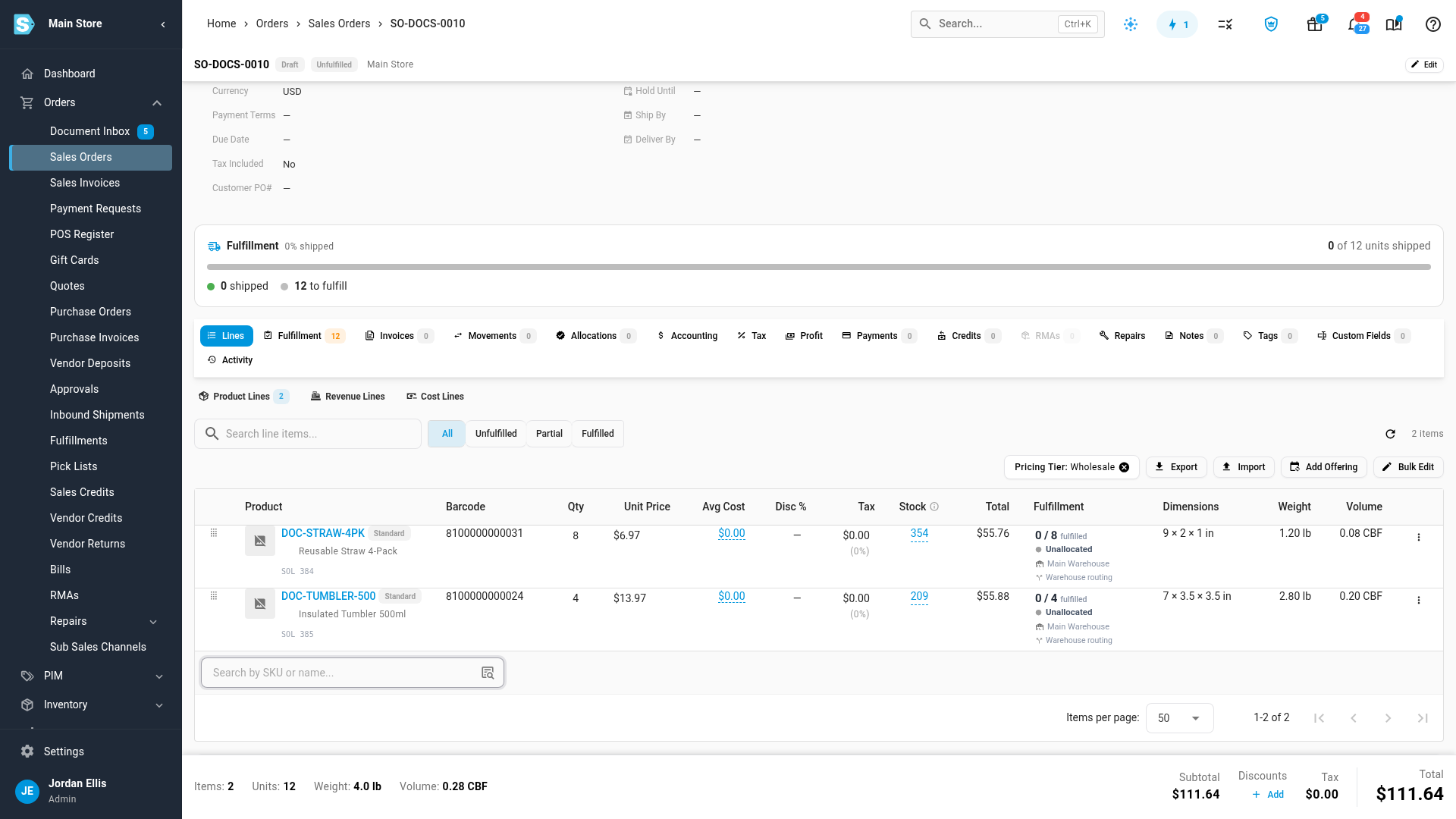
Check the Order Date, Store, Payment Terms and Currency, then click Create Draft. The draft sales order opens with the lines from the last order, priced at the customer's pricing tier. Its header shows a From visit chip with the visit's date and rep. Click the chip to open the visit on the customer's Activity tab.
-
Change quantities or add products as you would on any sales order, then approve it when the customer confirms.
Back on My Day, the visit shows the new order with its number, total and status. If the visit had no outcome yet, it's set to Order placed.
Start a quote or a sales order instead
You don't have to reorder the last order. On any visit, call or meeting, open the Create menu, on the activity card or under Create from this visit after you save the visit. Choose one of these:
- Quote opens New Quote with the customer and the Sales Rep filled in. The saved quote shows the same From visit chip, linking back to the visit. See Create and send a quote.
- Sales order opens New Sales Order for the customer. The saved order shows the From visit chip.
- Order as this dealer places the order on the Customer Portal on the customer's behalf. It's greyed out until the customer is on the portal. See Place a portal order for a customer.
Each one prices through the customer's own pricing tier and quantity breaks, the same as any other order or quote for them.
Next steps
Video transcript
To order from a visit, open Contacts in the sidebar, then CRM, and choose My Day. Today lists the dealers you plan to see. Click Start visit on the dealer's visit. The Arrive step shows the customer's last order, with the stock available now. To buy the same products again, click the Reorder these button. A new sales order opens for this customer. The banner says where the lines come from, priced for them today. Check the order date and the store. Then click Create Draft to save the order. The draft order opens on its own page. Up top, the From visit chip links this order back to the visit it came from. Further down, the product lines come straight from the last order. Each line is priced at the dealer's own pricing tier, not your list price.