Catch short-dated lots before you send them to a network
Amazon, Walmart and TikTok ask for a minimum shelf life on stock you send them, and they can refuse or dispose of stock that arrives too close to its expiry date. Before a send goes, SKU.io checks the lots it will take from your warehouse. When one of them has expired, or has fewer days left than the network needs, the transfer shows a warning. You can also tell SKU.io to refuse those sends.
Before you begin
- The product has lot tracking on, with expiry dates on its lots. Read Set up lot and expiration tracking.
- You send stock to the network with a SKU.io transfer: to Amazon FBA or AWD, Walmart WFS or TikTok FBT.
- To change the setting, your role needs the Settings Update permission (
settings.update).
How many days a network needs
The minimum is the network's Shelf life on arrival in the send planner, or the product's own Min Remaining Shelf Life on its Tracking tab, whichever is higher. Until you change it, Amazon FBA needs 105 days and Amazon AWD needs 185.
Days left count from today, not from the day the stock reaches the network.
See the warning on a transfer
-
Go to Inventory → Transfers and open a draft or open transfer to a network warehouse.
-
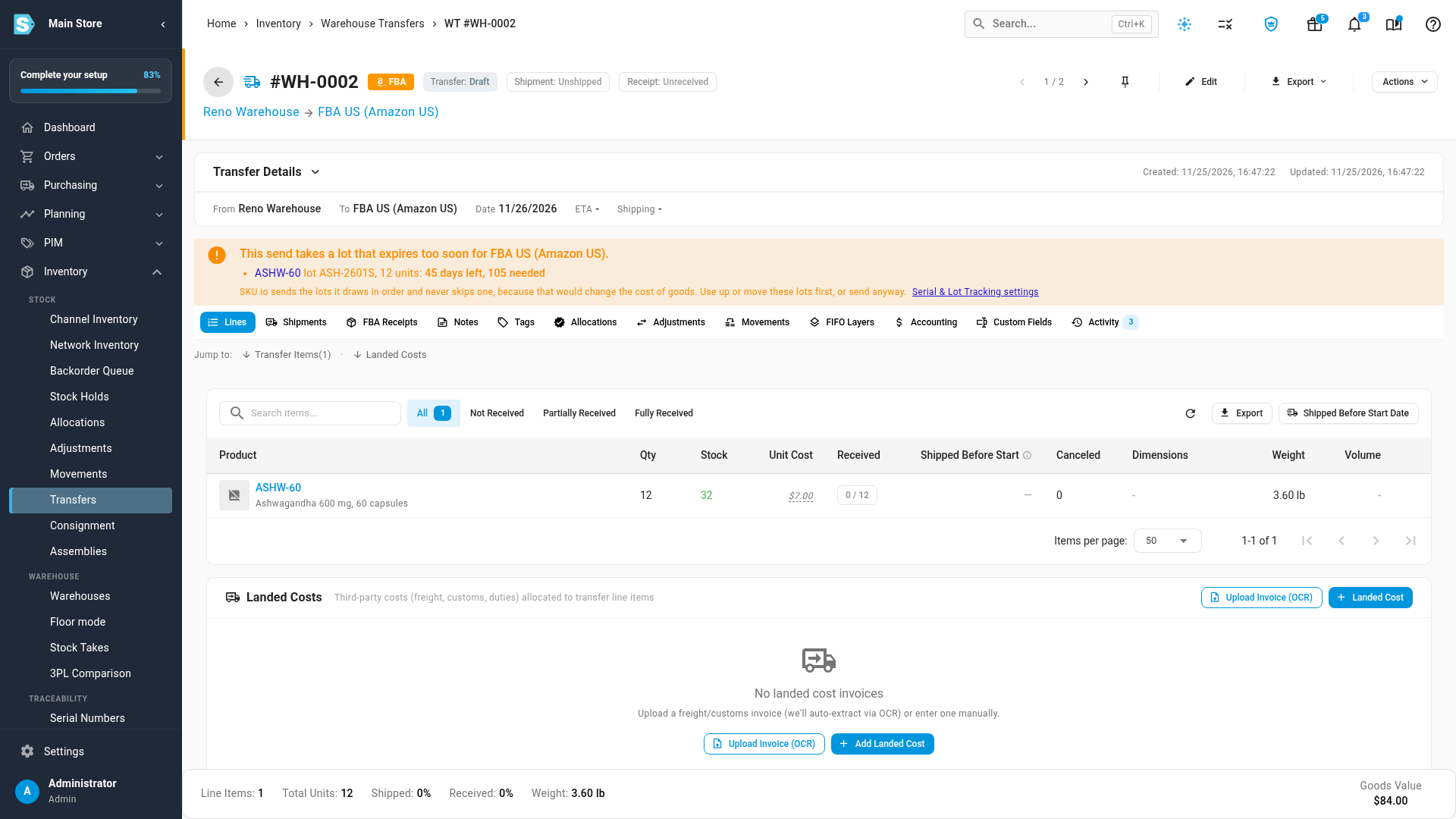
Under Transfer Details, read the warning. It names each product and lot the send will take that expires too soon, with its units, and either the days it has left and the days the network needs, or the date it expired.
-
Hover the days to see the lot's expiry date and where the minimum comes from.
SKU.io takes lots in the product's usual order, earliest expiry first for a product set to FEFO. It never skips a lot to avoid the warning, because taking a different lot would change your cost of goods. To send fresher stock, use up or move the short-dated lot first, or send anyway.
Refuse these sends
When you'd rather stop these sends than be warned:
-
Click Serial & Lot Tracking settings in the warning, or go to Settings → Inventory → Serial & Lot Tracking.
-
Turn on Refuse Sends of Expired or Short-Dated Lots to Networks. It is off until you turn it on.
-
Click Save Changes.
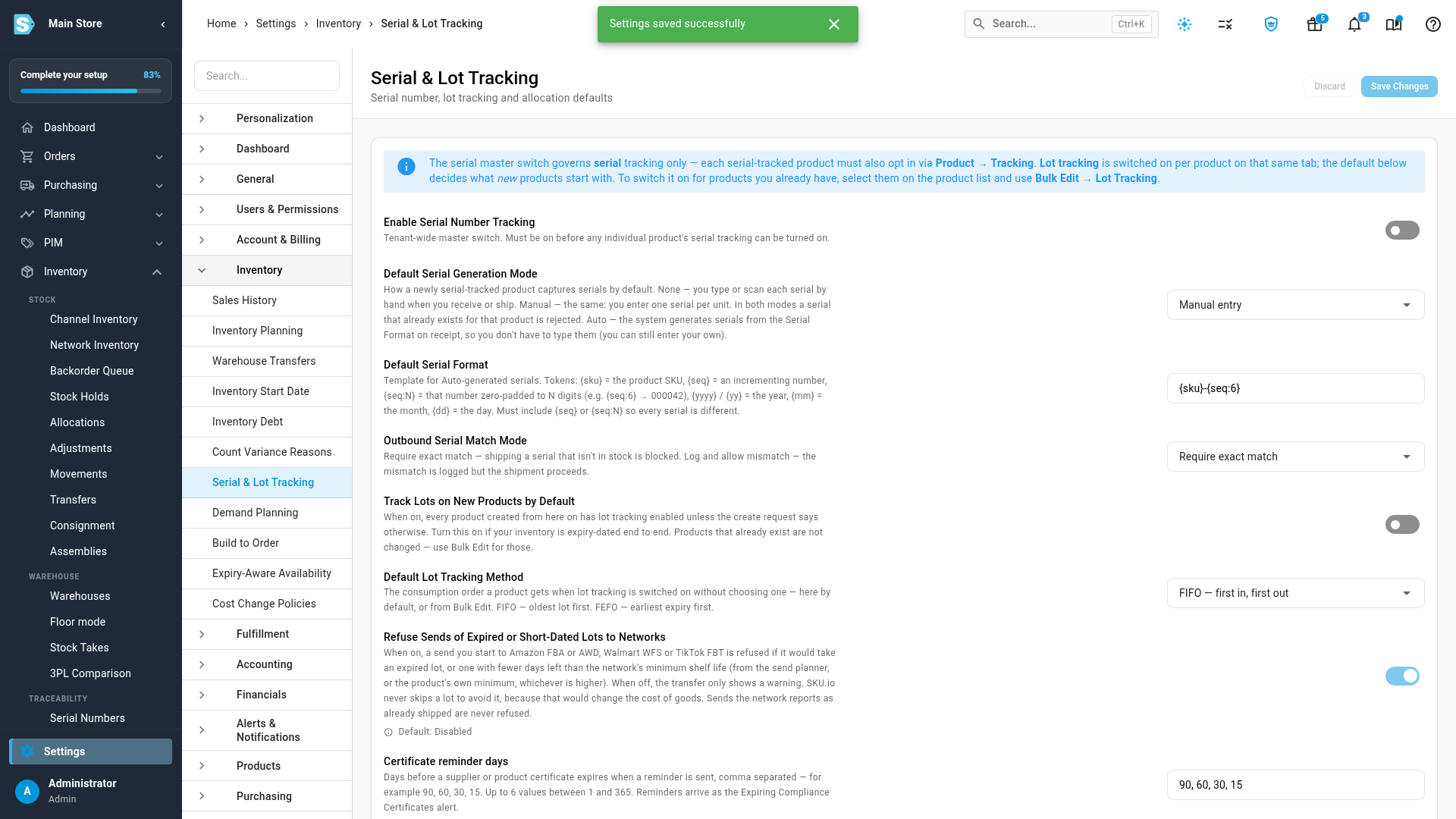
The warning on such a transfer turns red. SKU.io refuses the send when it starts it, at the same points where it refuses to send quarantined stock. A send the network has already reported as shipped is never refused.