Start tracking from an earlier date
Lot tracking at a network starts with what the network holds, and nobody knows those units' lots, so they show as Lot unknown. If you sent the stock with SKU.io transfers, you can move the start back to before those transfers arrived. SKU.io then reads Amazon's records from that day and names the lots your transfers brought there.
Before you begin
- The product has lot tracking on, and you sent it to Amazon FBA or AWD with SKU.io transfers.
- Your role needs the Inventory Adjust permission (
inventory.adjust).
Steps
-
Go to Manufacturing → Lots and click the At networks tab.
-
Click Start from an earlier date.
-
In Lot-tracked product, choose the product.
-
In From, pick the day to start from.
-
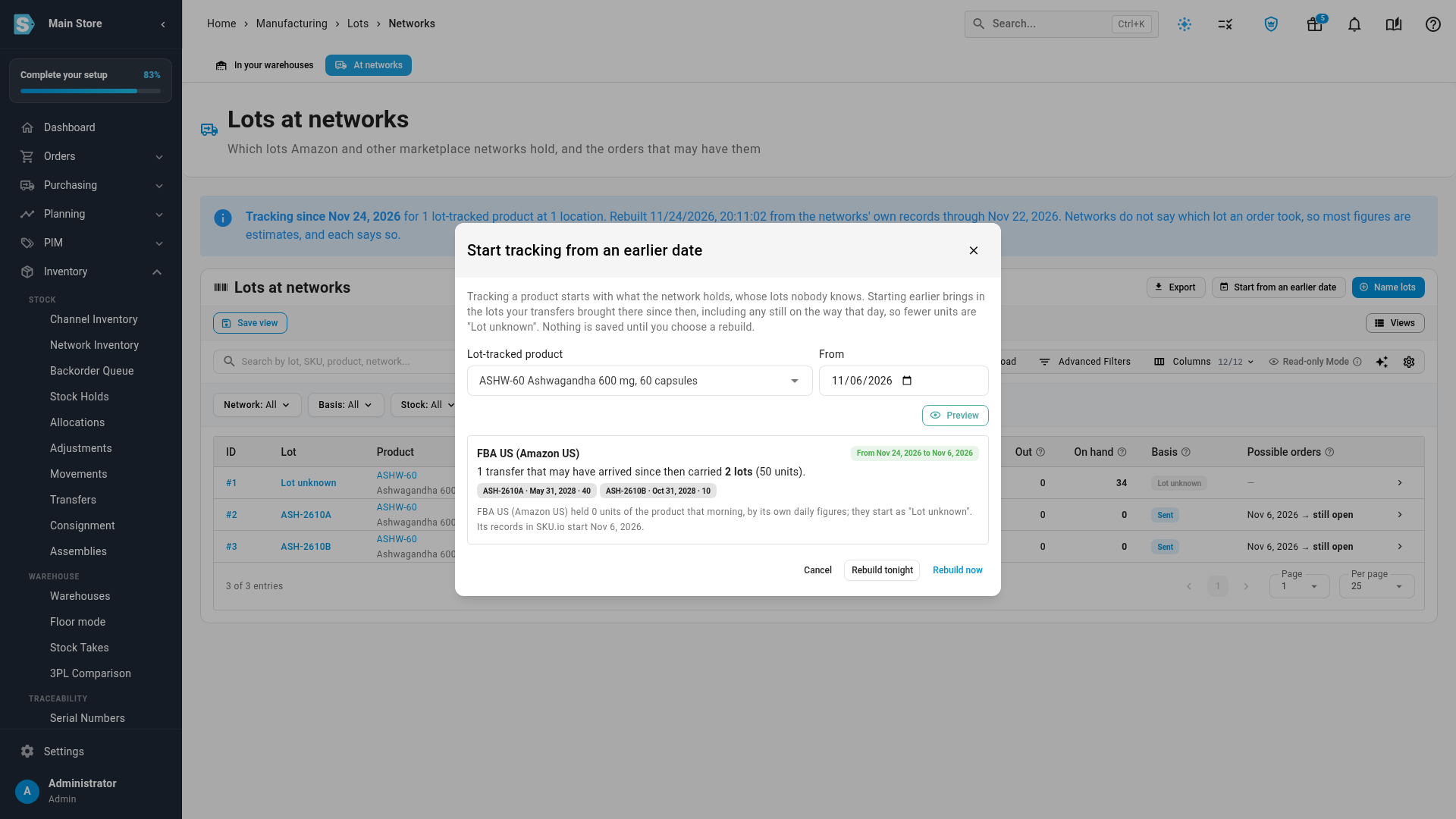
Click Preview. For each network location it shows:
- the change to its start date;
- the transfers that may have arrived since then, including any still on the way that day, and the lots and units they carried;
- how many units Amazon held that morning, by its own daily figures. Those start as Lot unknown.
Nothing is saved until you choose a rebuild.
-
Click Rebuild now to update the figures straight away, or Rebuild tonight to leave it to the nightly rebuild.
The page refreshes when the rebuild finishes, and the lots your transfers sent now show what the network received and what's left.
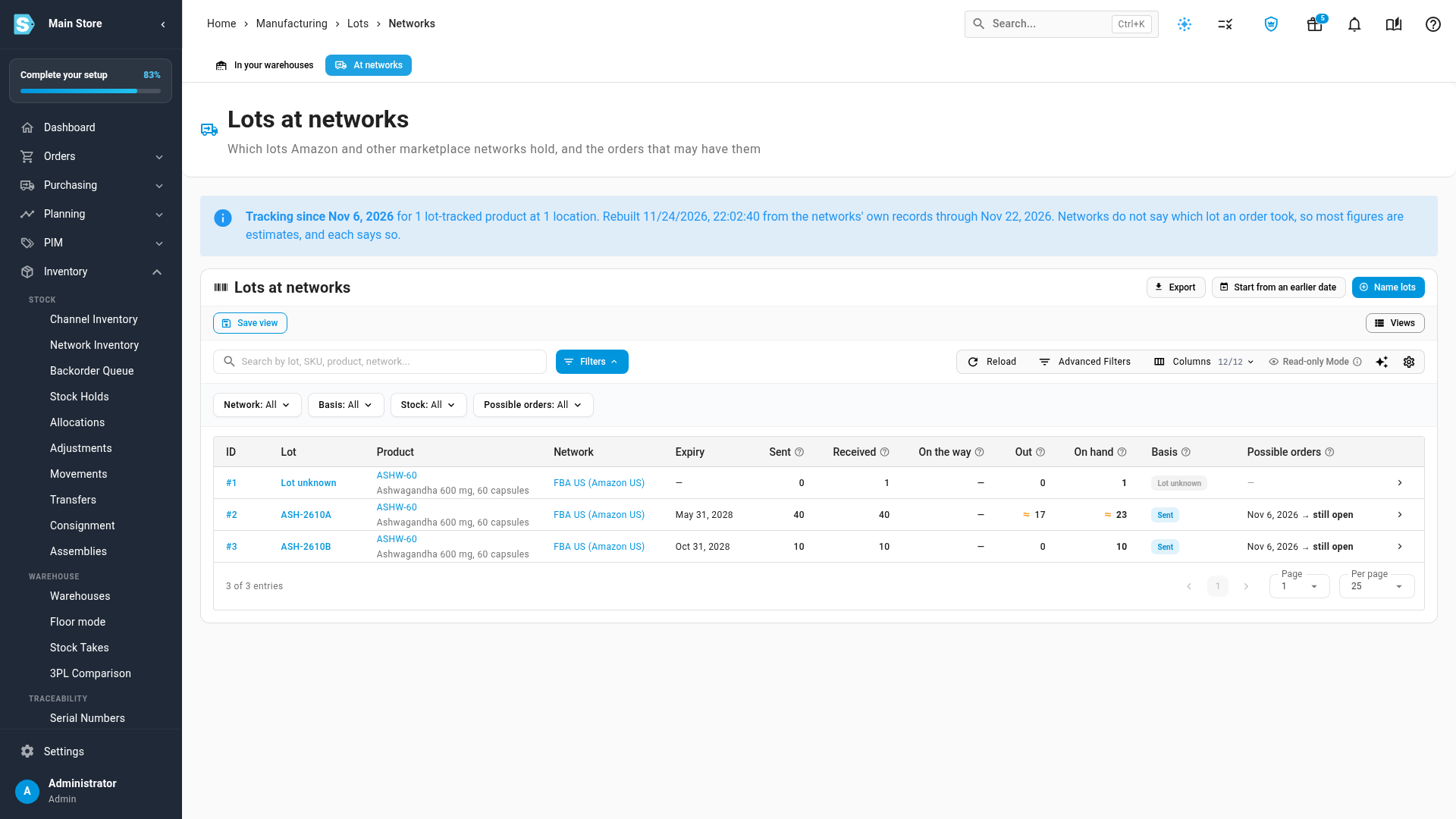
You can't start before the day Amazon's records in SKU.io begin. The preview says which day that is, and you can pick it or any later day. You also can't move a start later: tracking that already starts earlier stays as it is.