Name lots a network holds
SKU.io learns which lots are at Amazon from your transfers. When stock got there another way, it can't know the lot, and the units show as Lot unknown on the At networks tab. Name lots lets you say which lot they are, from a packing list, carton labels, or your own records. It changes only which lots the figures name: never your stock, its cost, or your accounting.
Before you begin
- Lots are already tracked at that network for the product. Read See which lots are at Amazon.
- Your role needs the Inventory Adjust permission (
inventory.adjust). Without it, Name lots is greyed out and its tooltip says why.
Steps
-
Go to Manufacturing → Lots and click the At networks tab.
-
Click Name lots. The Name lots at a network dialog opens.
-
In Product at network, choose the product and the network location.
-
Under What it is, choose one:
Option Use it for Already there Units the network held when tracking started. It names units Amazon already reports; it adds none. Sent straight there A purchase order shipped to the network without a SKU.io transfer. Choose the purchase order in Purchase order shipped there; its receipts at the network are matched to this lot. Correction Units found or lost at the network. Enter a negative number for units lost. 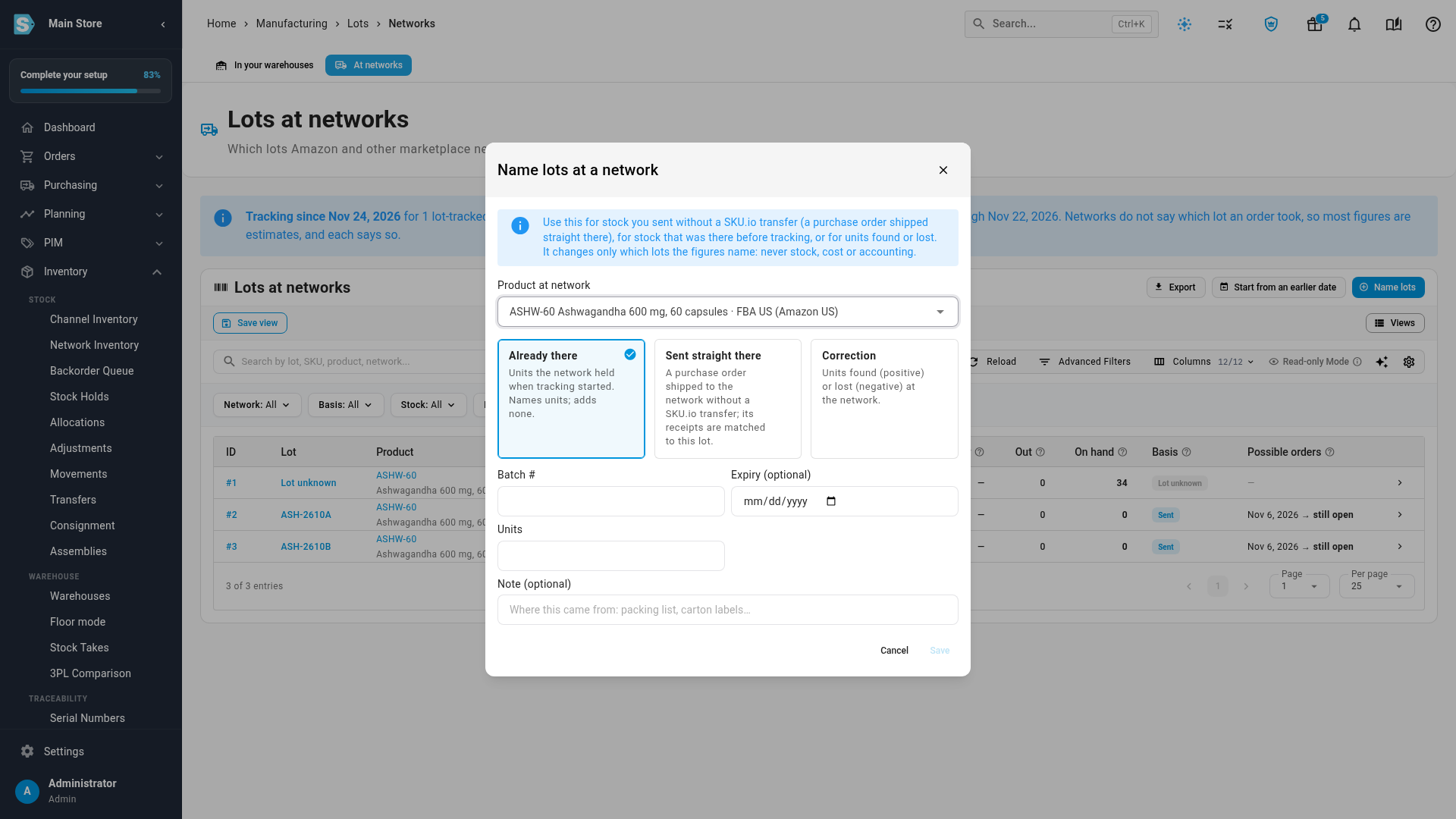
-
Enter the Batch #, the Expiry (optional), the Units and the Date. For Sent straight there, the date field reads Arrived on or after.
-
Optionally add a Note about where this came from, such as the packing list or carton labels.
-
Click Save. The figures at that network are rebuilt in the background, and the page refreshes when they're ready.
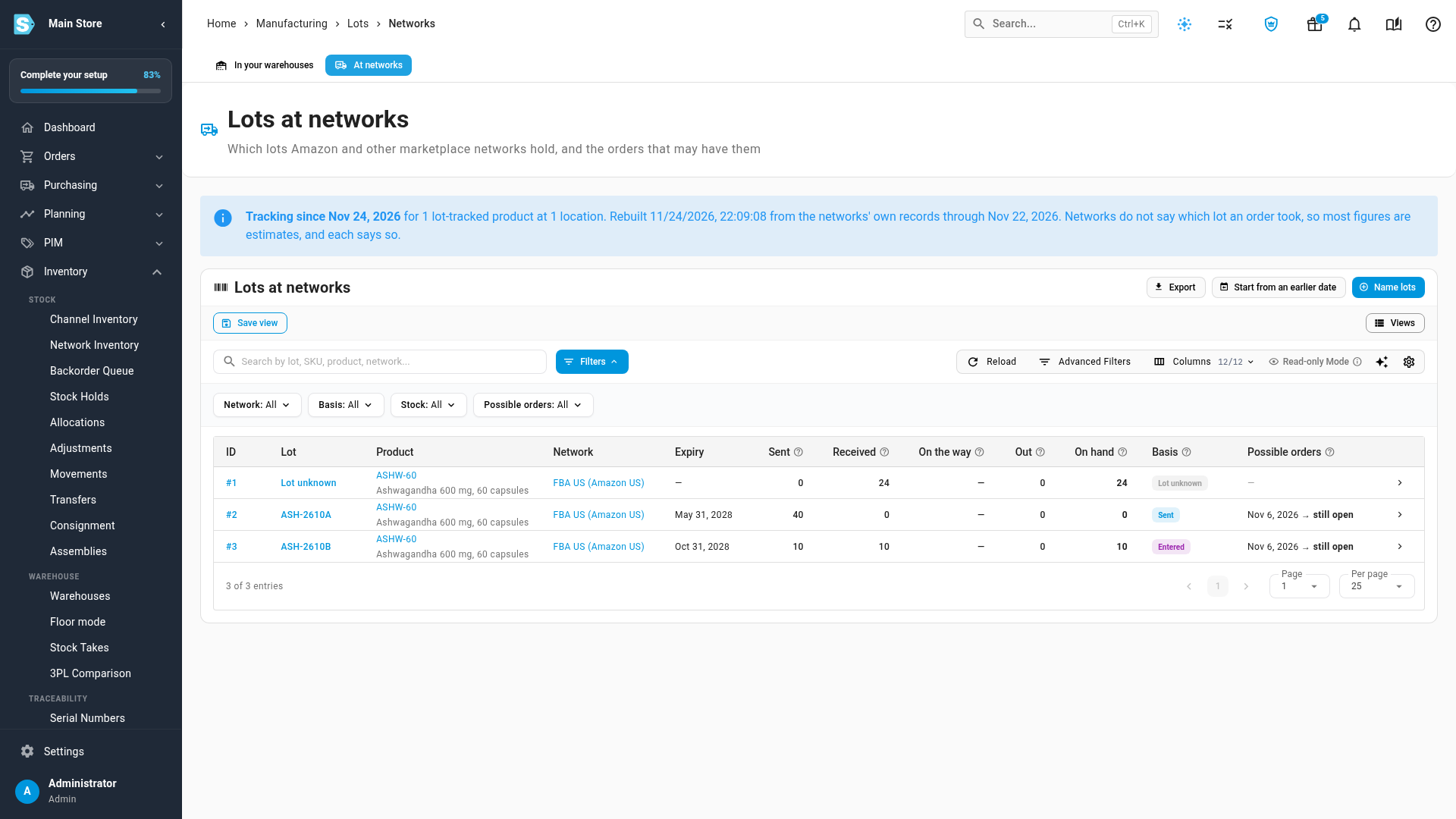
The lot's row shows Entered as its basis when someone on your team named it. To undo an entry, open the lot's side panel and remove it under Entered by your team.
An entry dated before tracking started at that network is refused. Choose Already there for units that were there then, or start tracking from an earlier date.