Send inventory losses to their own accounts
When stock goes missing, gets stolen or arrives broken, its cost leaves your inventory as a loss. Out of the box that loss posts to Cost of Goods Sold, so it's mixed in with the cost of what you actually sold, and your margin looks worse than it is. Give losses their own accounts and you can see shrinkage and damage as separate lines on your profit and loss.
Two settings do this: Inventory Shrinkage and Inventory Damage Write-Offs. Once they're mapped, every adjustment and stock take that records a loss reason posts to the matching account.
Before you begin
- You need accounts to map. The setup wizard and Apply ecommerce standard both add 5300 Inventory Shrinkage and 5310 Inventory Damage Write-Offs as Direct Costs accounts. You can also create your own under Accounting → Settings → Nominal Codes.
- The account must be a Direct Costs or Expense account. A loss belongs on your profit and loss, so asset, liability and income accounts aren't offered.
Map the loss accounts
-
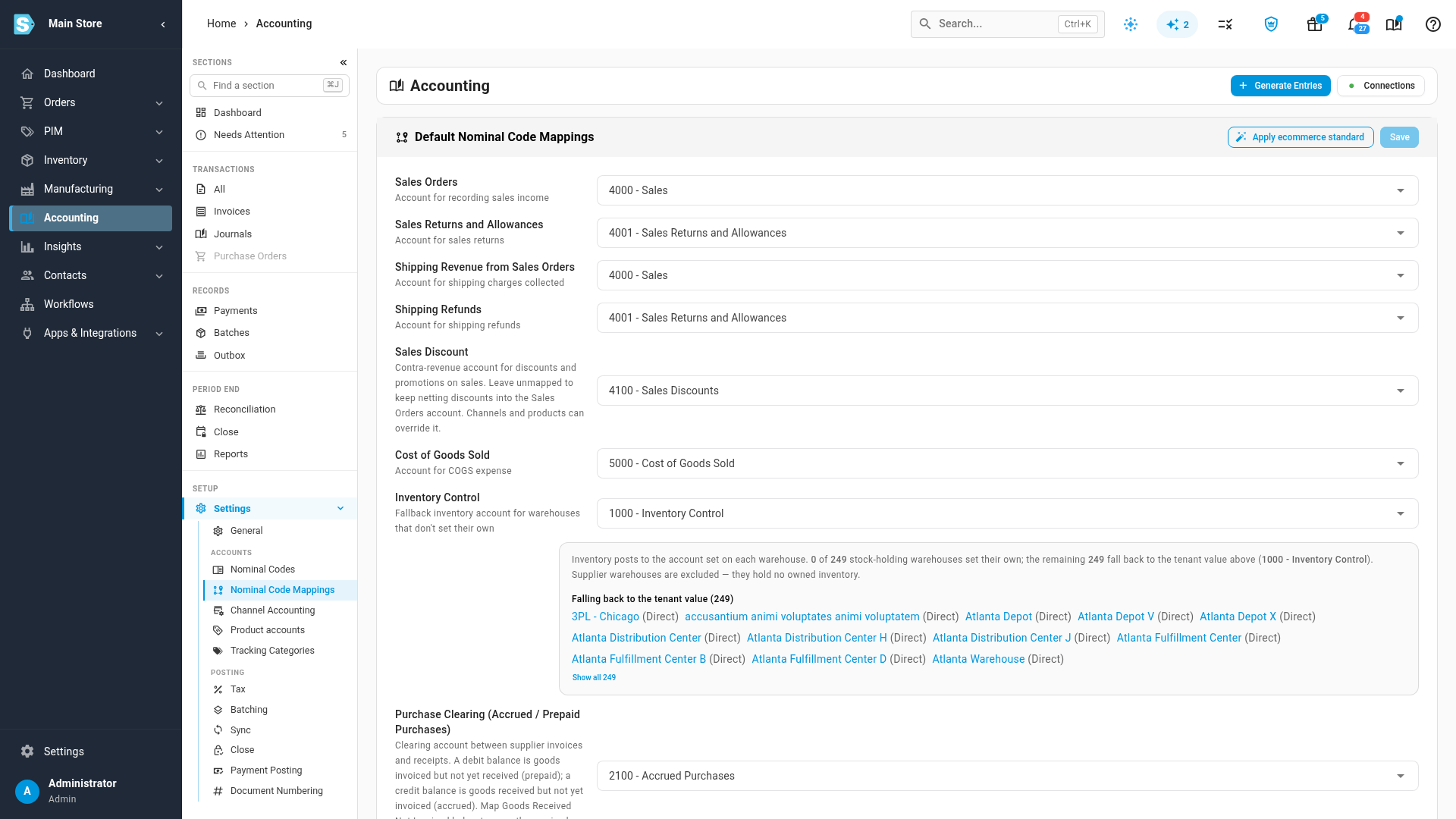
Open Accounting from the left sidebar.
-
Under Setup, click Settings, then click Nominal Code Mappings.
-
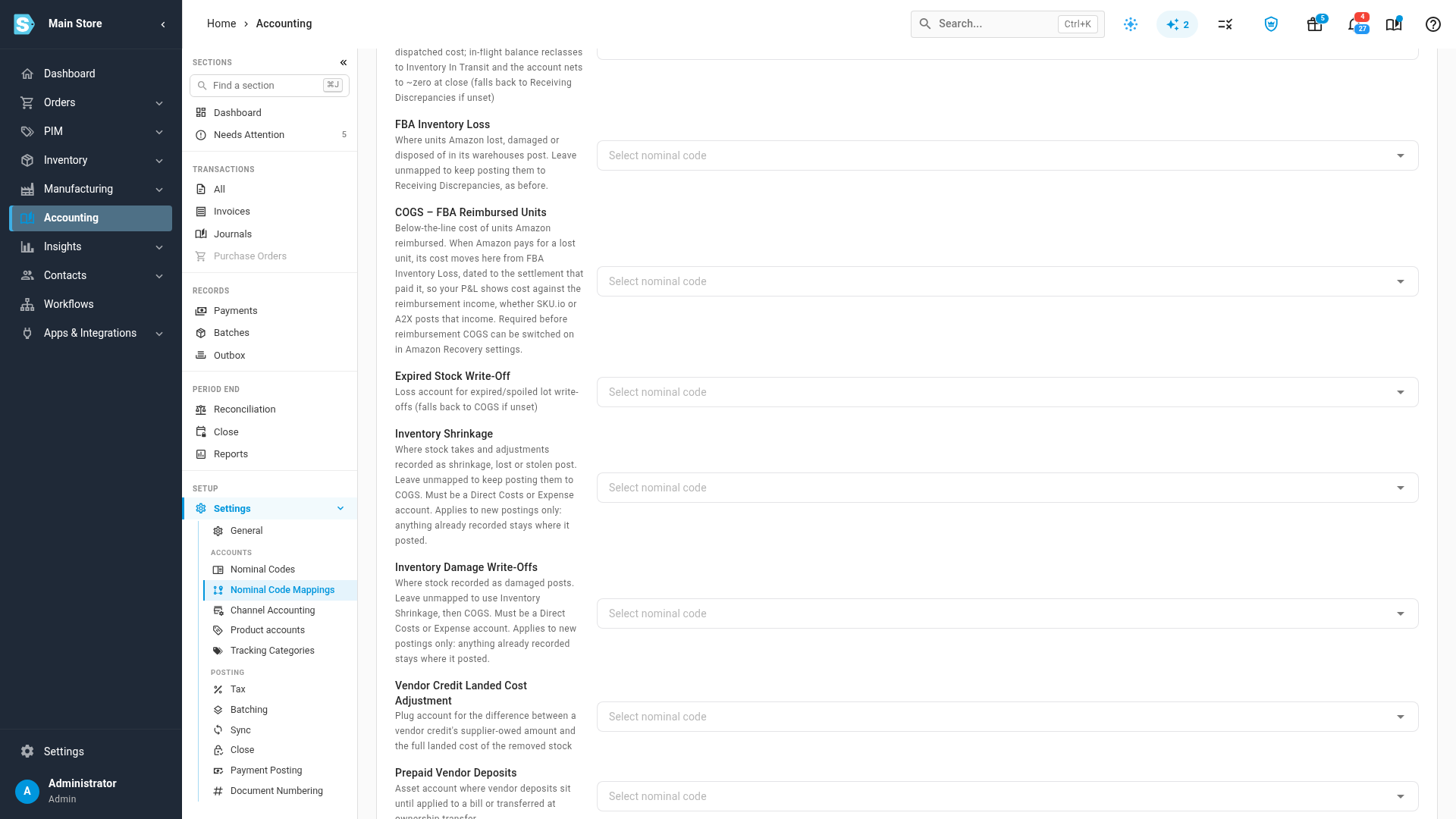
Scroll down to Inventory Shrinkage and Inventory Damage Write-Offs.
-
Click the Inventory Shrinkage field and pick your shrinkage account.
-
Click the Inventory Damage Write-Offs field and pick your damage account. Leave it empty if you'd rather damaged stock went to your shrinkage account too.
-
Click Save.
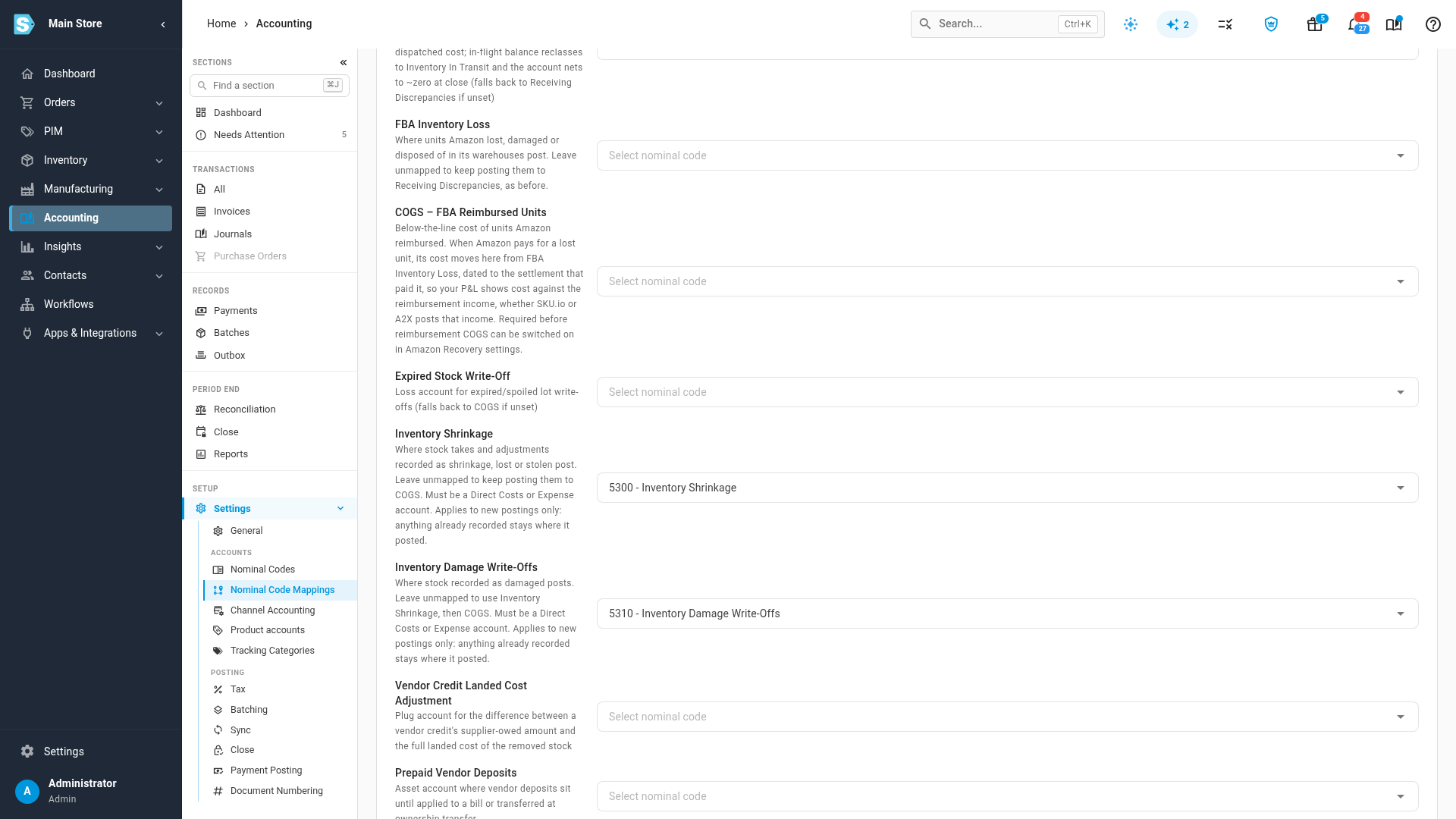
The accounts apply to losses you record from now on. Anything already recorded keeps the account it first posted to, even if it's rebuilt later, so a closed month never changes because you mapped an account.
Where each reason posts
The reason on a loss decides its account:
| Reason | Posts to | If that account isn't mapped |
|---|---|---|
| Shrinkage, Lost, Stolen | Inventory Shrinkage | Cost of Goods Sold |
| Damaged (on a stock take, Damage) | Inventory Damage Write-Offs | Inventory Shrinkage, then Cost of Goods Sold |
| Expired | Expired Stock Write-Off | Cost of Goods Sold |
| No reason | Cost of Goods Sold |
On a stock take, Receiving Error, Picking Error, Mislabel and Unknown also post to Cost of Goods Sold. They describe a counting mistake, not a loss.
Record a loss with a reason
-
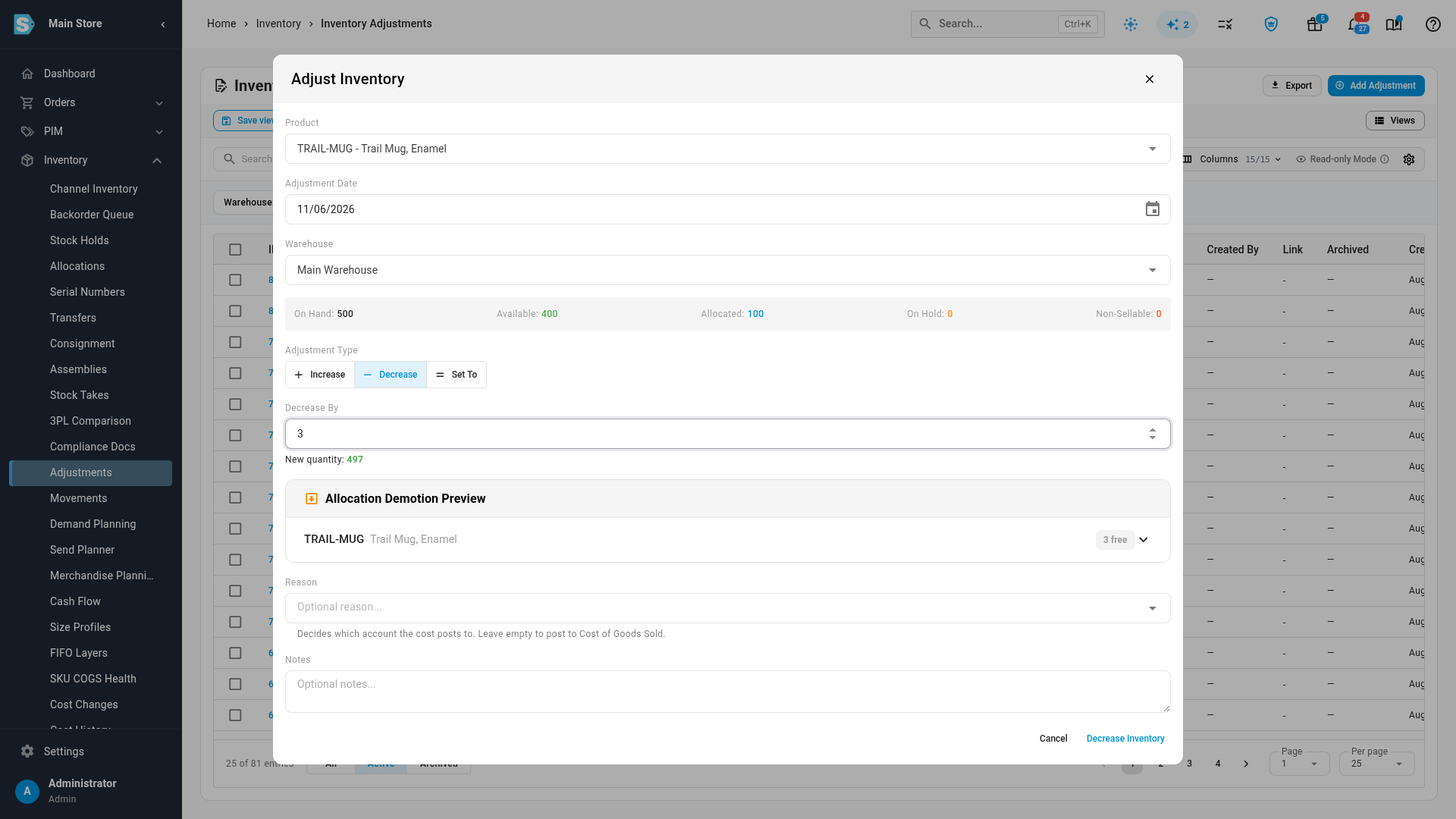
Open Inventory, then Adjustments, and click Add Adjustment.
-
Choose the product and the warehouse.
-
Click Decrease, and enter how many units you lost.
-
Open Reason and pick what happened: Shrinkage, Lost, Stolen, Damaged or Expired.
-
Add a note if you like, then click Decrease Inventory.
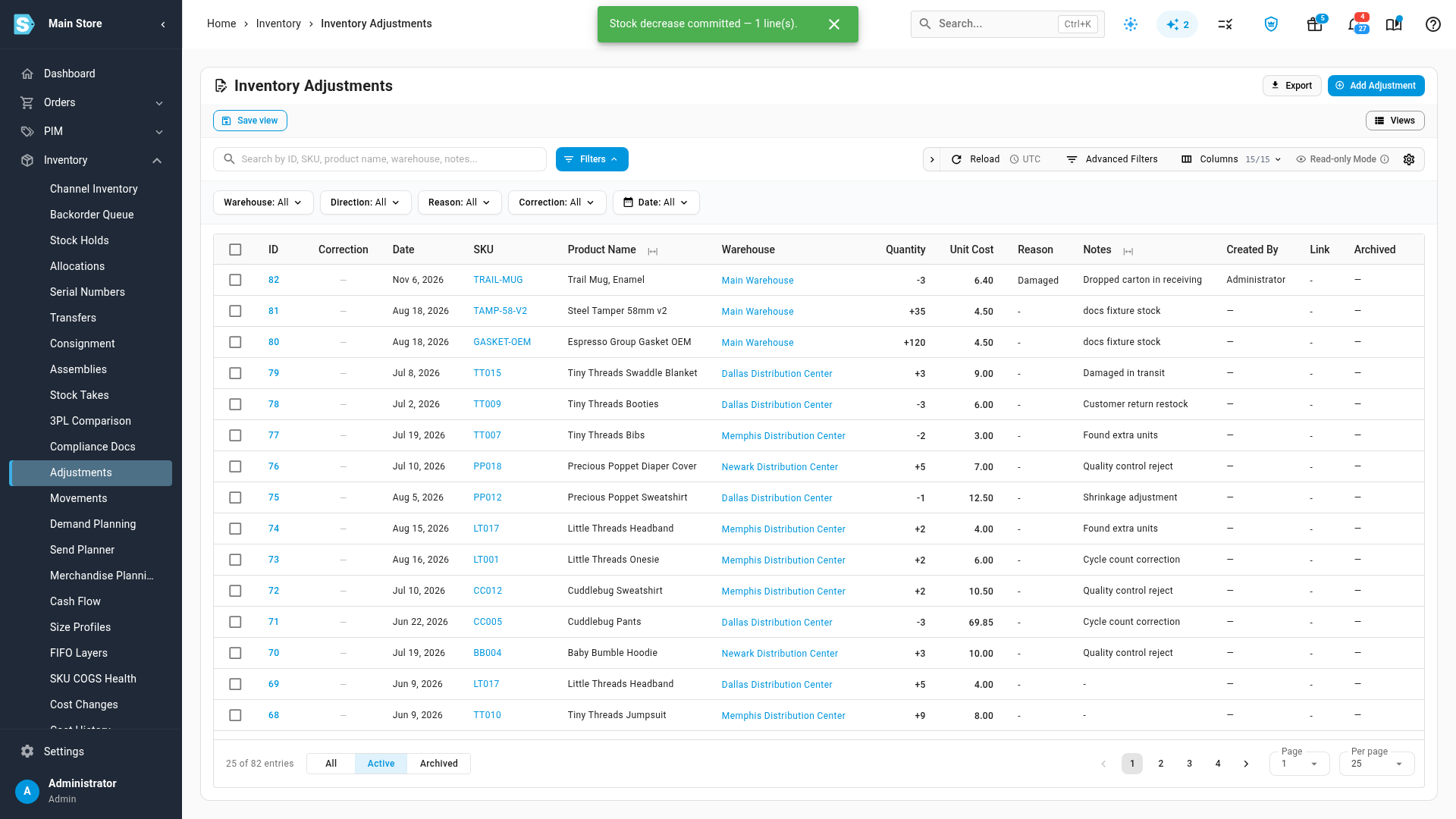
The adjustment shows its reason in the Reason column of the adjustments list, and you can filter the list by reason. You can also set a reason from a product's own Adjust Inventory dialog.
Check where it posted
-
Open the adjustment from the list.
-
Click its Accounting tab. It shows the journal entry the adjustment posted.
-
Click the entry to see each account it posted to.
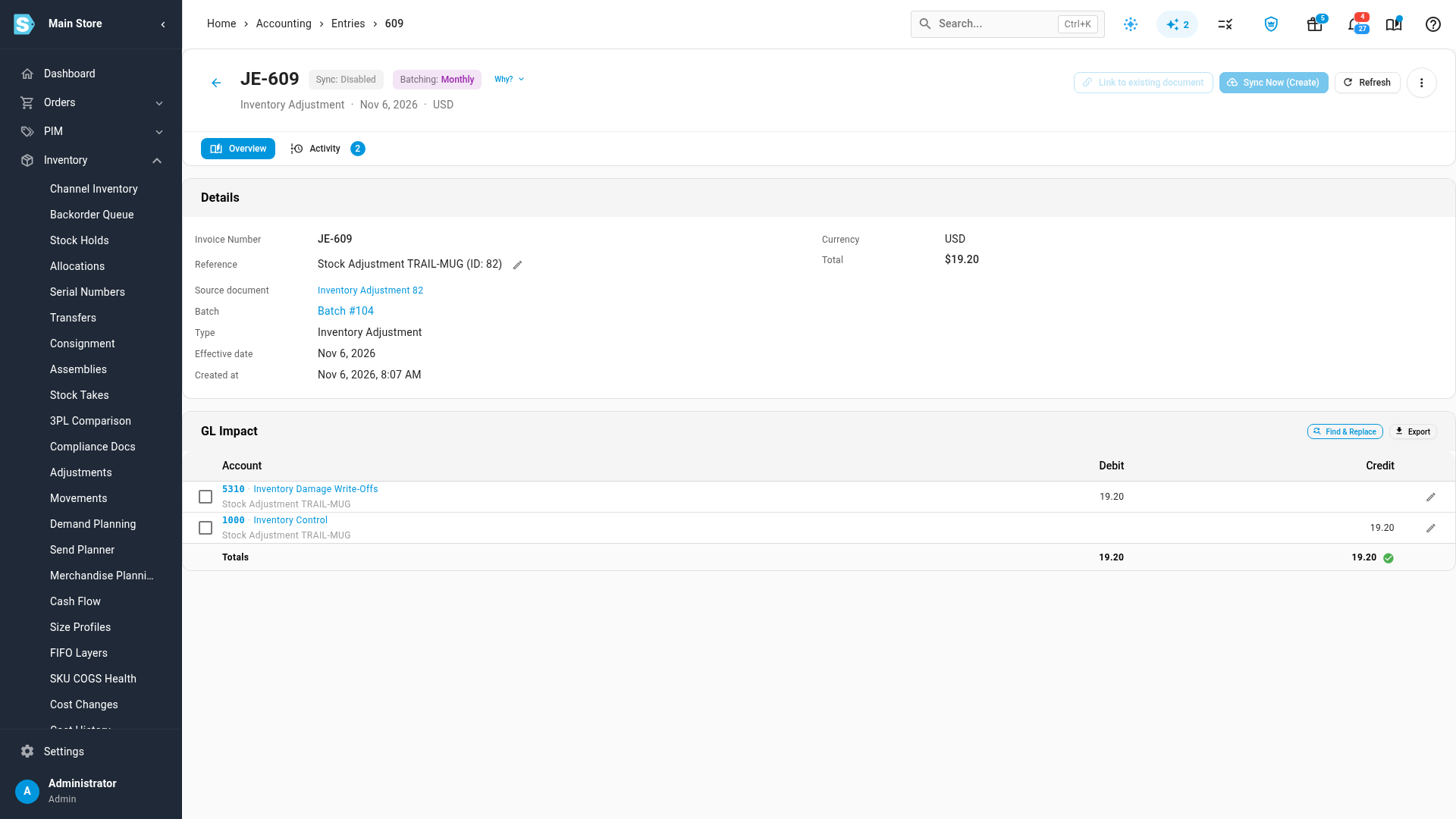
A closed stock take has the same Accounting tab.
Stock takes
Each line on a count can carry a Variance Reason. When the take closes, every line's variance posts to the account its reason maps to, so one count can send some lines to shrinkage, some to damage and the rest to Cost of Goods Sold. Found stock works the same way in reverse.
A closed take's reasons can't be changed. If a line went to the wrong account, edit the account on the take's journal entry instead. See Fix entries posting to the wrong account.
On your income statement
Both accounts are Direct Costs accounts, so they appear as their own lines under Direct Costs on your income statement, next to Cost of Goods Sold.
Next steps
Video transcript
When stock is lost or damaged, its cost leaves your books as a loss. By default, it's mixed in with the cost of everything you sold. To give losses their own accounts, open Accounting from the left sidebar. Under Setup, click Settings in the section list. When its list opens, look under Accounts and click Nominal Code Mappings. Scroll down to the two inventory loss rows. Inventory Shrinkage takes stock recorded as shrinkage, lost or stolen. Inventory Damage Write-Offs takes stock recorded as damaged. Leave a row empty, and its losses stay where they post today. Click the Inventory Shrinkage field. Only Direct Costs and Expense accounts are listed, because a loss belongs on your profit and loss. Type part of the account's name to narrow the list, then pick your shrinkage account from the results. Next, move down one row, and click the field for Inventory Damage Write-Offs. Type part of its name again, and pick your damage account. Each row now shows its account. When both rows are filled in, click Save at the bottom of the page. A message confirms that your mappings are saved. The new accounts apply to losses you record from today. Anything already recorded stays on the account it first posted to, so past months don't change. Now record a loss. Open Inventory in the left sidebar, then click Adjustments. On the adjustments list, click Add Adjustment in the top right corner. In the dialog, start typing the product's name in the Product field, and pick it from the results. Then type part of a name in the Warehouse field, and choose the warehouse where the loss happened. Click Decrease, and enter how many units you lost. Click the Reason field, and pick what happened: shrinkage, lost, stolen, damaged or expired. The reason decides which account gets the cost. Leave it empty, and it posts to Cost of Goods Sold. Choose the reason that fits what happened to the stock, and the list closes. Add a short note below it for your team. Then click Decrease Inventory, in the bottom corner, to save the adjustment. The new adjustment is at the top of the list, with its reason. Open it by clicking its number on the left. Its details page opens, showing the reason you chose. Next, click the Accounting tab, which shows the journal entry it posted. Click the entry to see the accounts it posted. The cost of the damaged units is on your damage write-offs account, where you can track it on its own. Stock take variances follow the same rules, using each line's variance reason.