Set up work centers
A work center is a place where production happens: a brew room, a bottling line, a packing bench, or a machine. Each recipe and manufacturing order operation can name the work center it runs at. The work center then supplies two things. Its rates price the operation, and its daily hours tell capacity planning how much work it can take.
Work centers are optional. A recipe can carry operations without them, but capacity planning and overhead only count operations that name a work center.
Before you begin
- You need access to Manufacturing.
- Decide what your work centers are. Make one for each place or machine whose time you want to cost or plan separately. A line where staff and machine always work together is usually one work center, not two.
Create a work center
-
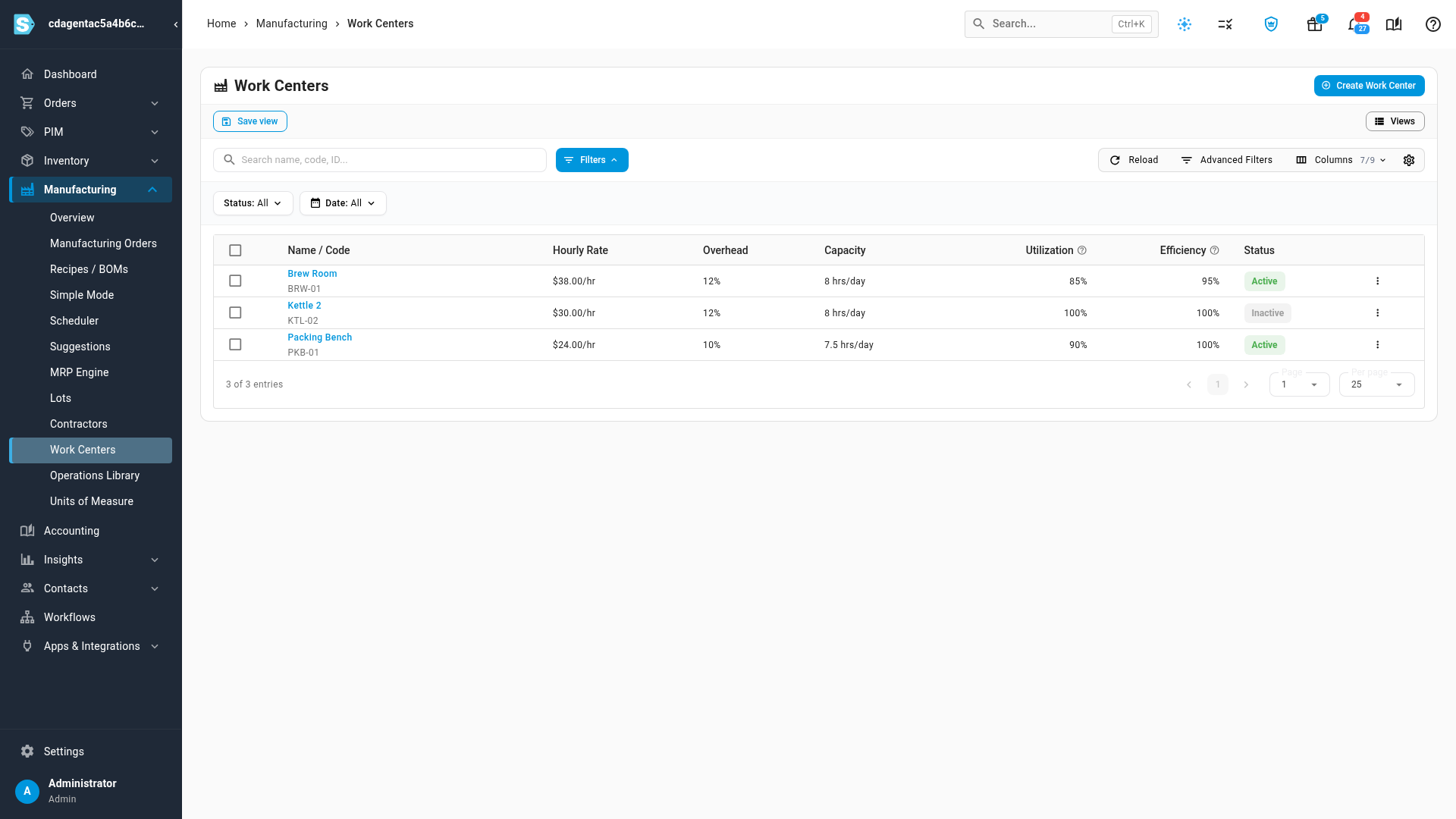
Go to Manufacturing → Work Centers. The list shows each work center's Hourly Rate, Overhead, Capacity, Utilization, Efficiency and Status.
-
Click Create Work Center.
-
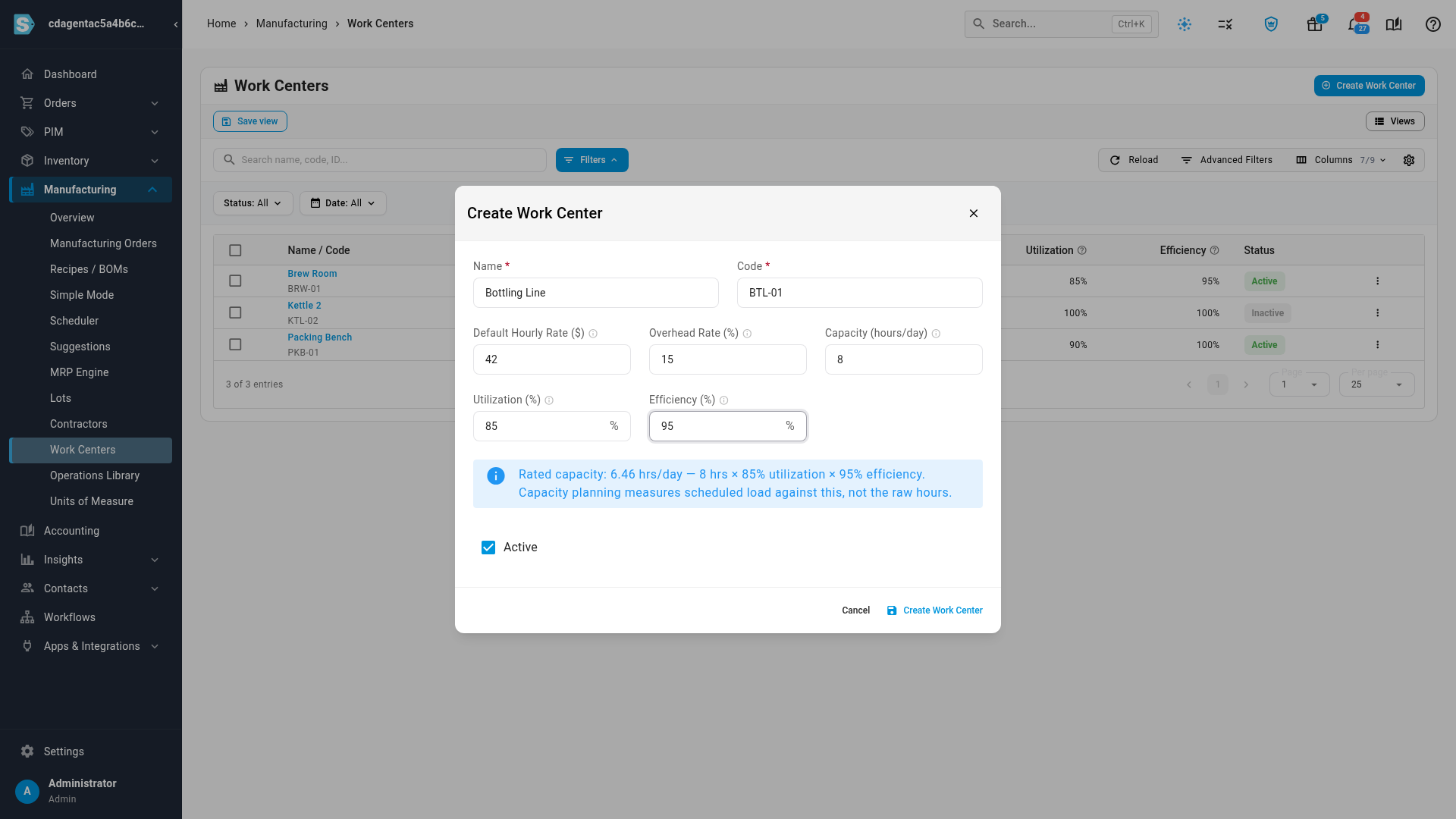
Enter a Name and a Code. Both are required. The code must be unique, and it's what the list shows under the name.
-
Enter the Default Hourly Rate ($). When you pick this work center on an operation that has no rate yet, the operation's Cost per Hour fills in with this rate.
-
Enter the Overhead Rate (%). When production is recorded, it adds this percentage on top of the labor cost of every Labor operation at this work center. Machine / overhead operations aren't marked up again.
-
Enter the Capacity (hours/day): the clock hours the work center is staffed on a working day.
-
Set Utilization (%) and Efficiency (%). Both start at 100. The info line below them shows the Rated capacity they work out to.
-
Leave Active ticked and click Create Work Center.
The new work center appears in the list. You can now pick it on an operation in the Operations Library, on a recipe's Operations tab, or on a manufacturing order.
How rated capacity is worked out
Capacity planning doesn't measure load against the raw hours. It uses rated capacity:
Rated capacity = Capacity (hours/day) × working days × Utilization % × Efficiency %
| Field | What it means | Example |
|---|---|---|
| Capacity (hours/day) | Hours staffed on a working day | 8 |
| Utilization (%) | The share of those hours actually available for production, after breaks, changeovers, maintenance and meetings | A line staffed 8 hours that runs 6.8 of them is at 85% |
| Efficiency (%) | How much of the available time turns into standard output | A crew that needs 10 hours to finish 9 standard hours of work is at 90% |
So 8 hours at 85% utilization and 95% efficiency rates at 6.46 hours a day. Working days come from the planning calendar, so a week with a holiday rates lower than a full week. Leave both percentages at 100% when your operation times already reflect how the line really performs.
Leave Capacity (hours/day) blank and capacity planning has nothing to measure against. The work center then reports 0% utilization however much work is scheduled on it.
How work centers feed the rest of manufacturing
| Where | What the work center does |
|---|---|
| Operations on recipes, the Operations Library and manufacturing orders | Picking it fills in Cost per Hour from the Default Hourly Rate when the operation has no rate of its own. The operation keeps that rate, so changing the work center's rate later doesn't reprice operations that already exist. |
| Production costs | Labor operations at the work center pick up its Overhead Rate (%) when production is recorded. |
| Capacity planning | The Load Profile and Heatmap turn a planning run's orders into hours through the operations on their recipes, per work center, and compare them with its rated capacity. Capacity Setup adds calendars and bills of resources per work center. |
Edit or retire a work center
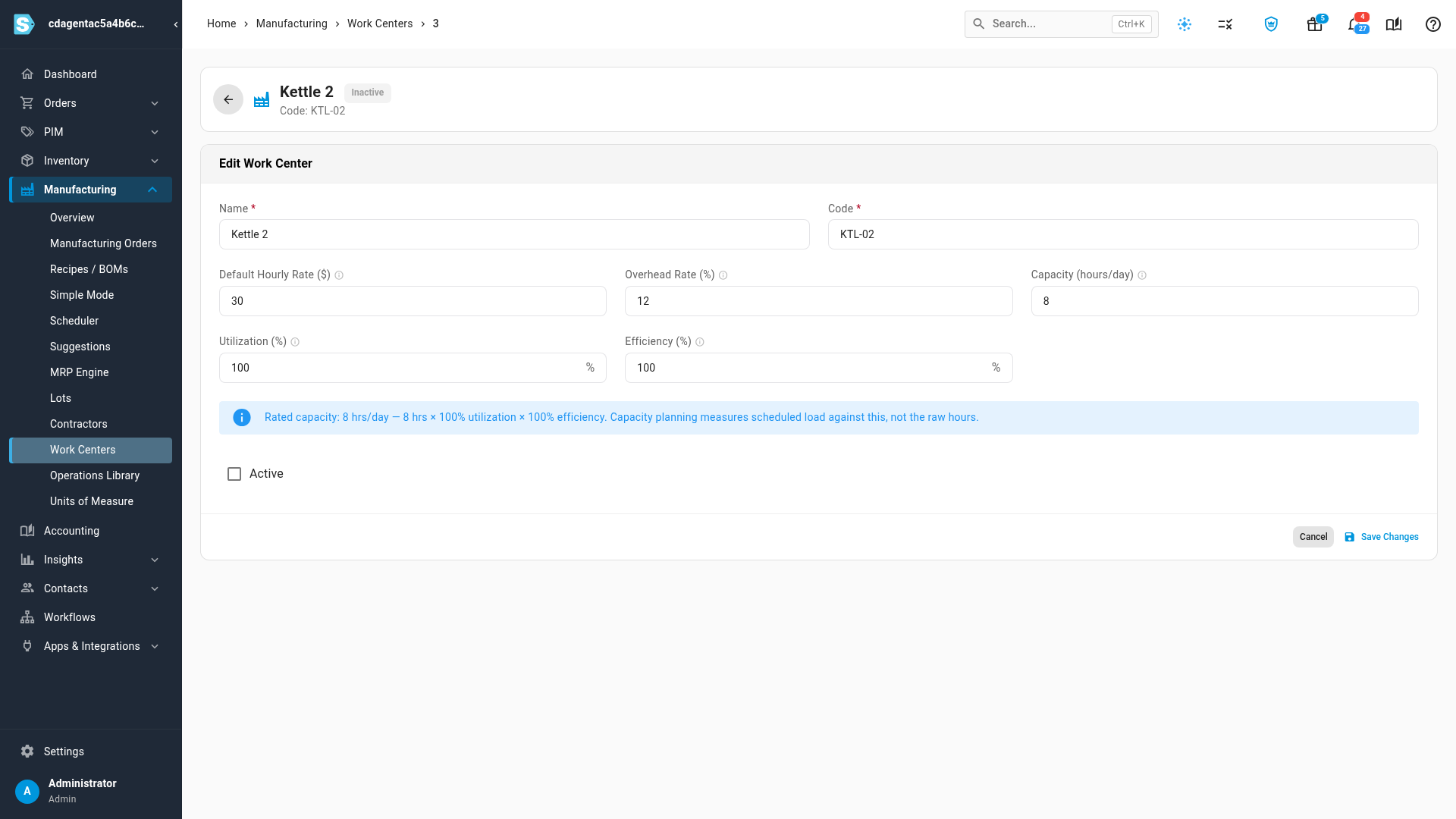
- In Manufacturing → Work Centers, click the work center's name. It opens on its own page with the same fields under Edit Work Center.
- Change what you need and click Save Changes.
To stop using a work center, clear Active and save. Operations that already name it keep it, and it still counts toward capacity planning for that work. But it no longer appears when you pick a work center for a new operation. The list's Status filter shows Active or Inactive work centers.
Deleting a work center with the Delete button on its row can't be undone. Operations that used it keep their own times and rates but lose the work center. Capacity planning and overhead then stop counting those operations, and the work center's calendar and bills of resources are deleted with it. Clear Active instead unless you created the work center by mistake.
Next steps
- Add operations to a recipe: cost labor and machine steps at a work center.
- Check capacity: whether your work centers have the hours a plan needs.
- Record operations and labor time: time each step on a manufacturing order.