Monitor production from the Manufacturing overview
Manufacturing → Overview is the morning check for production. It counts your manufacturing orders by stage, flags the late ones, and lists what's due to start this week. Every number opens the orders behind it.
Open the overview
Go to Manufacturing → Overview.
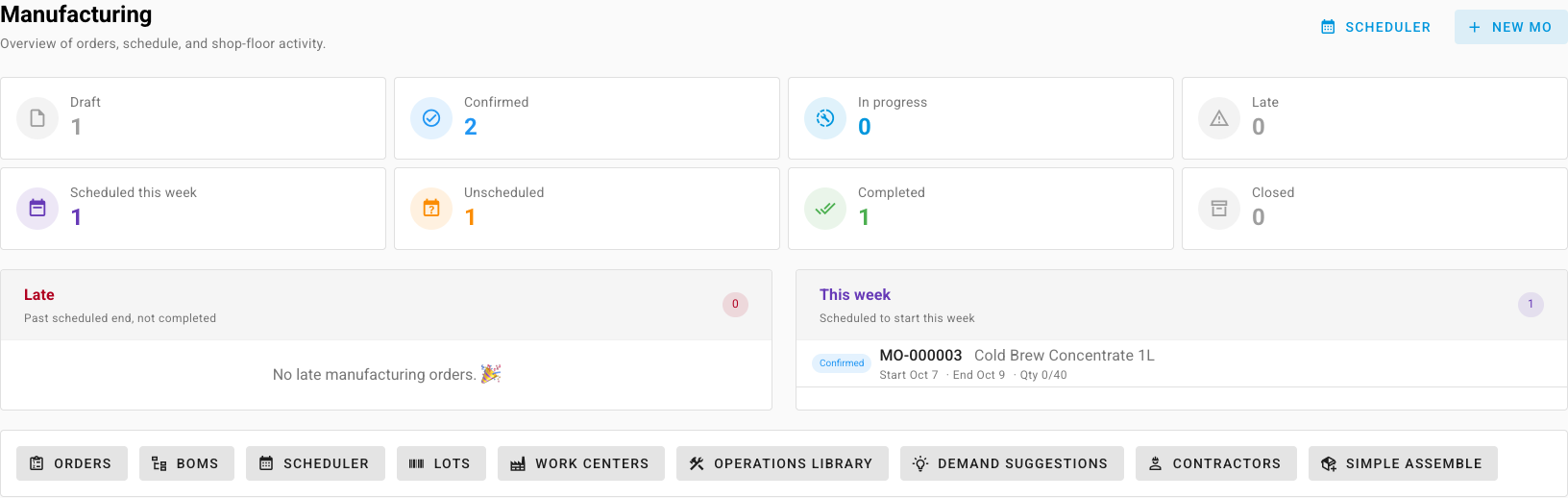
Read the cards
| Card | Counts | Clicking it opens |
|---|---|---|
| Draft | Orders still being prepared | Draft orders |
| Confirmed | Orders with components committed, not yet started | Confirmed orders |
| In progress | Orders started, including partly completed ones | Orders in progress |
| Late | Active orders whose Scheduled End has passed | Late orders |
| Scheduled this week | Orders scheduled to start this week | The Production Scheduler |
| Unscheduled | Draft or confirmed orders with no Scheduled Start | Unscheduled orders |
| Completed | Orders that produced their planned quantity | Completed orders |
| Closed | Orders whose costs are frozen | Closed orders |
Late turns red and Unscheduled turns orange when they aren't zero. Those are the two to clear first.
Work the lists
Below the cards, two lists show the orders themselves:
- Late: past their scheduled end and not completed. Open one to start it, record production, or move its dates.
- This week: scheduled to start this week, with each order's status, start and end dates and progress.
Click an order to open it. Scheduler and New MO at the top right take you to the timeline or start a new order. The row of buttons at the bottom links to the rest of manufacturing.
Put manufacturing on your dashboard
To see production without leaving the dashboard, add these widgets:
- Manufacturing summary: active, late, scheduled-this-week and unscheduled orders.
- MO status breakdown: orders split by status.
- Manufacturing demand suggestions: the latest suggestions for what to build next.
See Customize your dashboard for how to add a widget.
Look deeper into an order
The overview counts orders. For what happened on one order, such as quantities, scrap, time and cost against the plan, open it and see Compare planned and actual production.
Next steps
- Schedule and prioritize production: give orders dates and sequence the queue.
- Build with a manufacturing order: move an order from draft to completed.