See whether a cost reached your orders
Allocating a cost gives it a target, such as a product or a brand. That doesn't always put it on an order. If the target sold nothing in the allocation's period, there's no order line to carry the cost. A cost entry shows you which part of its amount landed on orders, and which part didn't.
Before you begin
- Allocate the cost entry. An entry with no allocations has nothing to report here.
Read the totals
Go to Insights → Cost Entries and open an entry. The cards at the top split its amount.
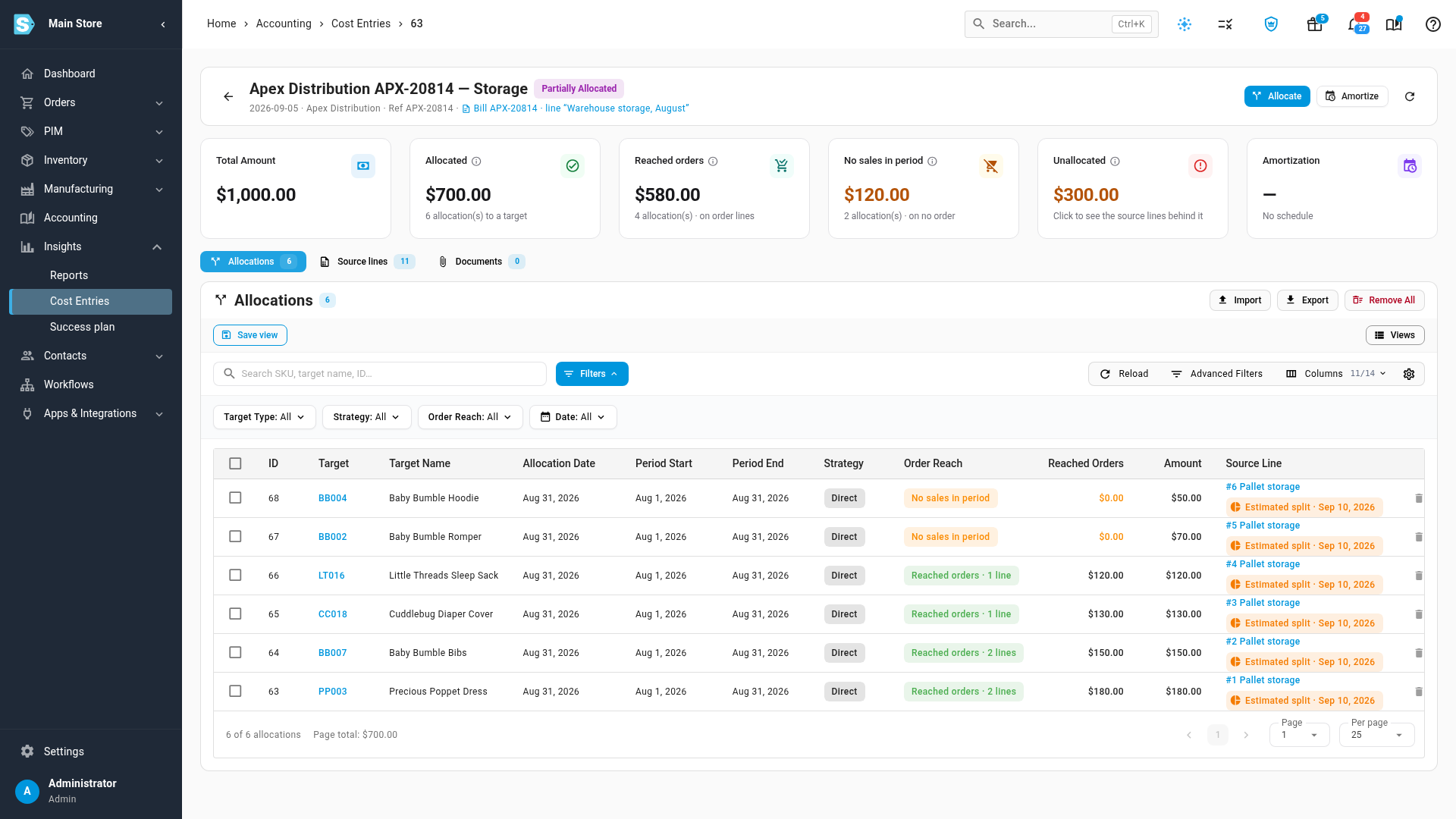
| Card | What it shows | What clicking it does |
|---|---|---|
| Total Amount | The entry's full amount. | Nothing. |
| Allocated | Everything assigned to a target, with the number of allocations. | Opens Allocations and clears the Order Reach filter. |
| Reached orders | The part of Allocated that landed on order lines. | Opens Allocations, filtered to Reached orders. |
| No sales in period | The part of Allocated that found no order. | Opens Allocations, filtered to No sales in period. |
| Unallocated | What hasn't been assigned to any target yet. | With source lines, opens the lines behind it. See Explain a cost entry with source lines. Without them, opens the Allocate Cost wizard. |
| Amortization | The schedule's progress, if there is one. | Nothing. |
Reached orders and No sales in period add up to Allocated. The cards are clickable on desktop. On a phone they're a summary only.
How an allocation reaches orders
An allocation is all or nothing. It reaches order lines only if a non-draft order line in its scope was placed in its period. If one matching line exists, the whole allocation counts as reached. If none exists, the whole allocation is No sales in period. It's never split between the two.
-
Its period is the allocation's Period Start to Period End. With no period, it's the whole calendar month of its Allocation Date.
-
Its scope depends on the target:
Target Order lines in scope Product Lines for that product. Brand Lines for products of that brand. Supplier Lines for products whose default supplier is that supplier. Sales Channel Lines on orders from that channel. Sales Order Line That one line. -
Non-draft means any order that isn't a draft, so closed and cancelled orders count too.
See which allocations reached orders
-
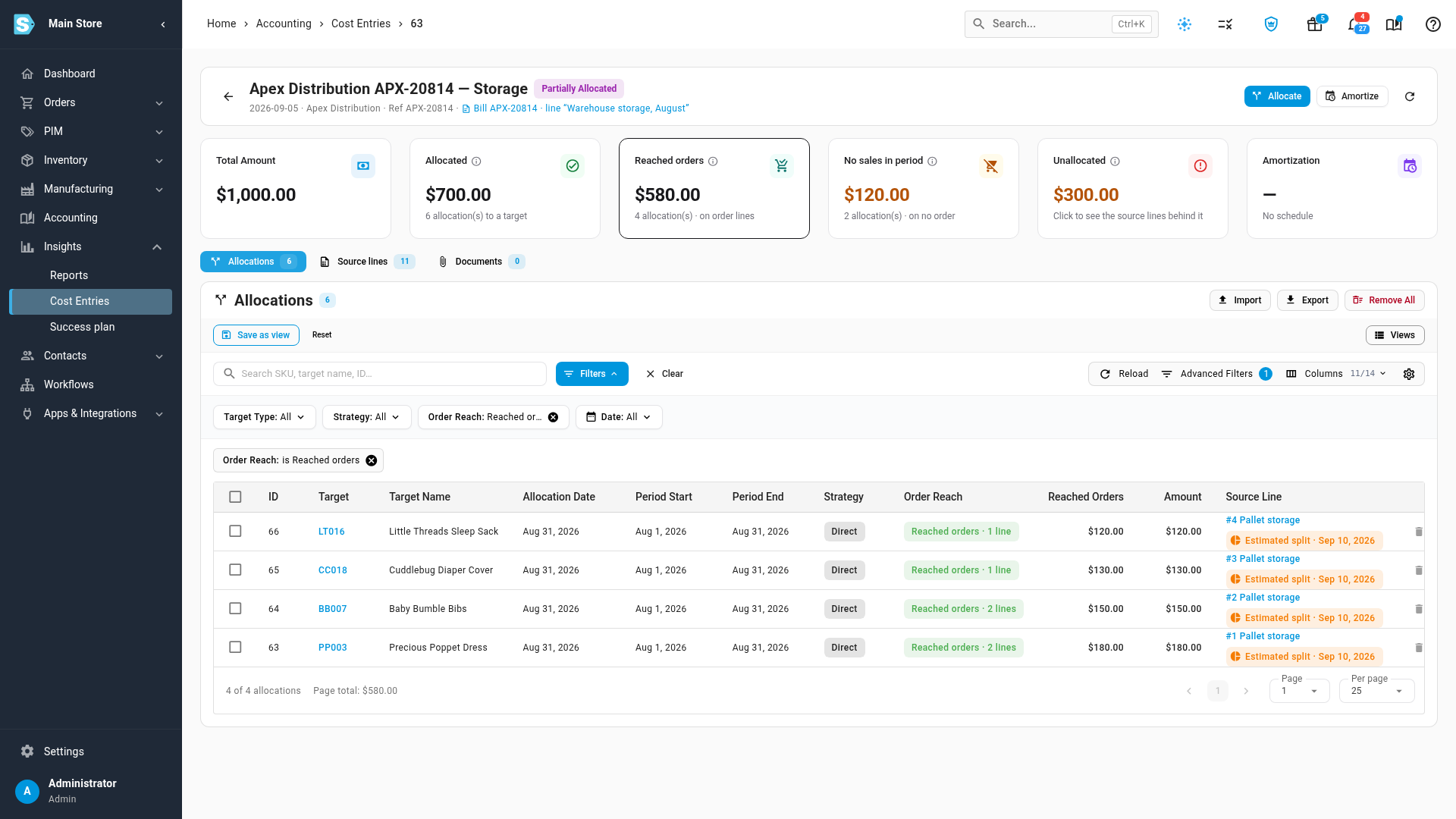
Click Reached orders. The Allocations tab opens, filtered to the allocations that landed on order lines. The Order Reach column says how many lines each one reached.
-
Hover over a row's Order Reach chip to see the amount, the target and the period it covers.
-
Click No sales in period to see the rest. Their Reached Orders amount is $0.00.
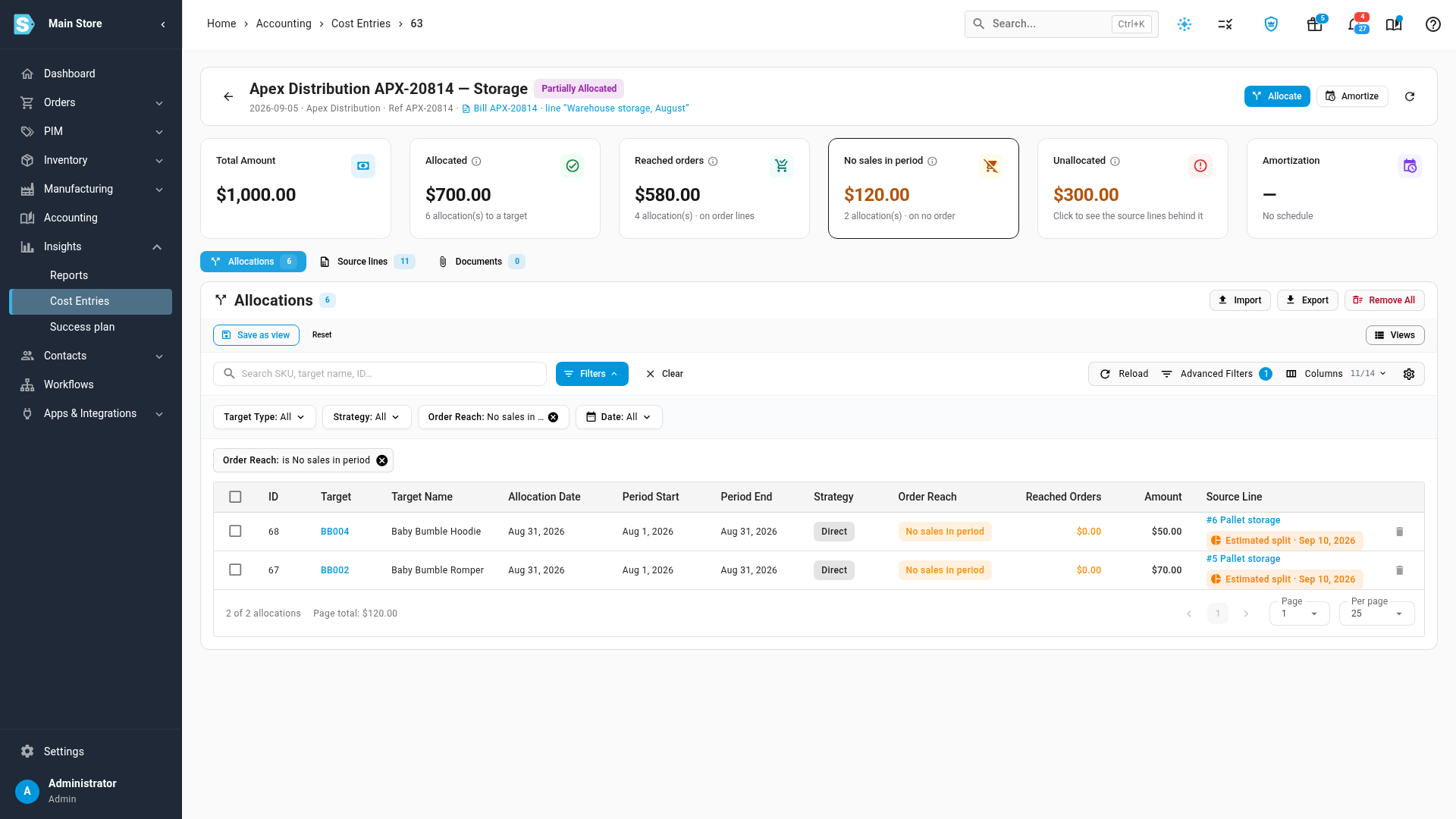
You can get the same lists from the Order Reach filter above the table, which you can combine with your other filters. See Work with the allocations table.
No sales in period still counts
No sales in period doesn't mean the cost is lost, and it doesn't mean it's unallocated. It has a target. It just has no order to sit on, so you won't see it on any sales order.
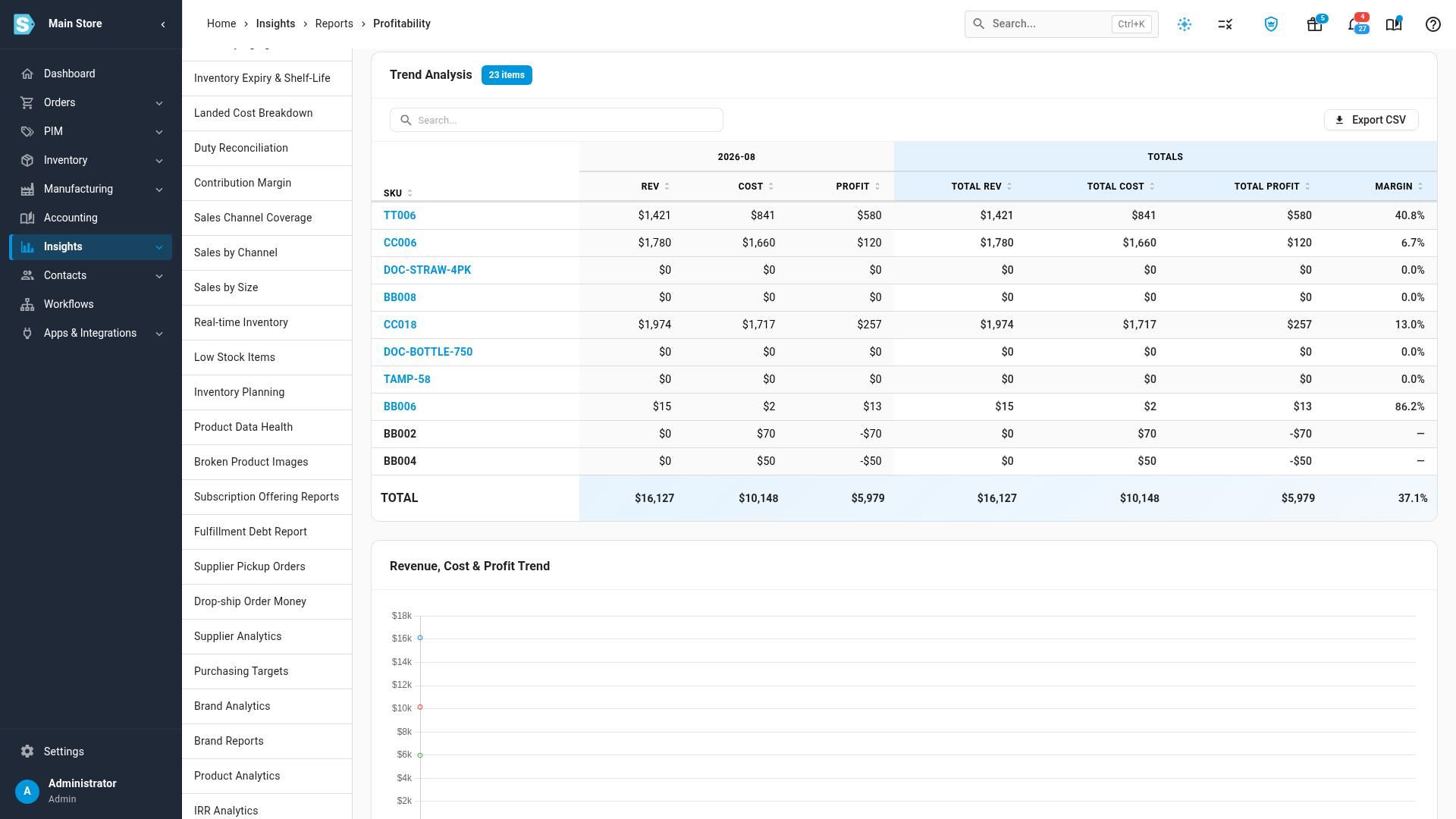
The Profitability report still subtracts it, as long as Include indirect costs is on and the allocation falls in the report's dates. A product with no sales in the month appears with its cost against $0 revenue, so its profit is negative.
Next steps
- See where an order's indirect costs come from
- Explain a cost entry with source lines
- Analyze profitability
Video transcript
Allocating a cost doesn't always put it on an order. A product can carry a cost and still sell nothing. To see where the money went, open the Insights menu, then choose Cost Entries. Click the entry you want to look at more closely. The cards across the top show where its amount stands. Allocated is everything you assigned to a target. Reached orders is what landed on order lines. No sales in period found no order at all. Unallocated hasn't been assigned at all. Reach is all or nothing for each allocation. It reaches order lines only if a non-draft line in its scope was placed in its period. If none was, the whole amount stays off your sales. Click Reached orders to list those allocations. Each row shows how many lines it touched. Click No sales in period to see the rest. These targets sold nothing in those dates, so nothing carries this cost. That money is not lost. The Profitability Report for the same month still counts every dollar. A product with no sales shows its cost against zero revenue.