Connect a freight account
SKU.io quotes and books freight with your own freight account, at your own negotiated rates. Connect it once in Settings → Freight, then set the defaults every quote starts from: pallet size, dock hours and your hazmat emergency contact. Quoting is free. A booking is billed to your freight account by the provider, never through SKU.io.
Before you begin
- You need a Warp account and its API key, from your Warp account page (wearewarp.com/agents/account). You can quote without a payment card. Warp asks for one before your first booking.
- Your role needs the Integrations Edit permission to connect and change the account, and Delete to disconnect it.
- You can connect one account per provider.
Connect Warp
- Go to Settings, then under Fulfillment choose Freight. You can also open Apps & Integrations, find Warp Freight under Freight, and click Connect.
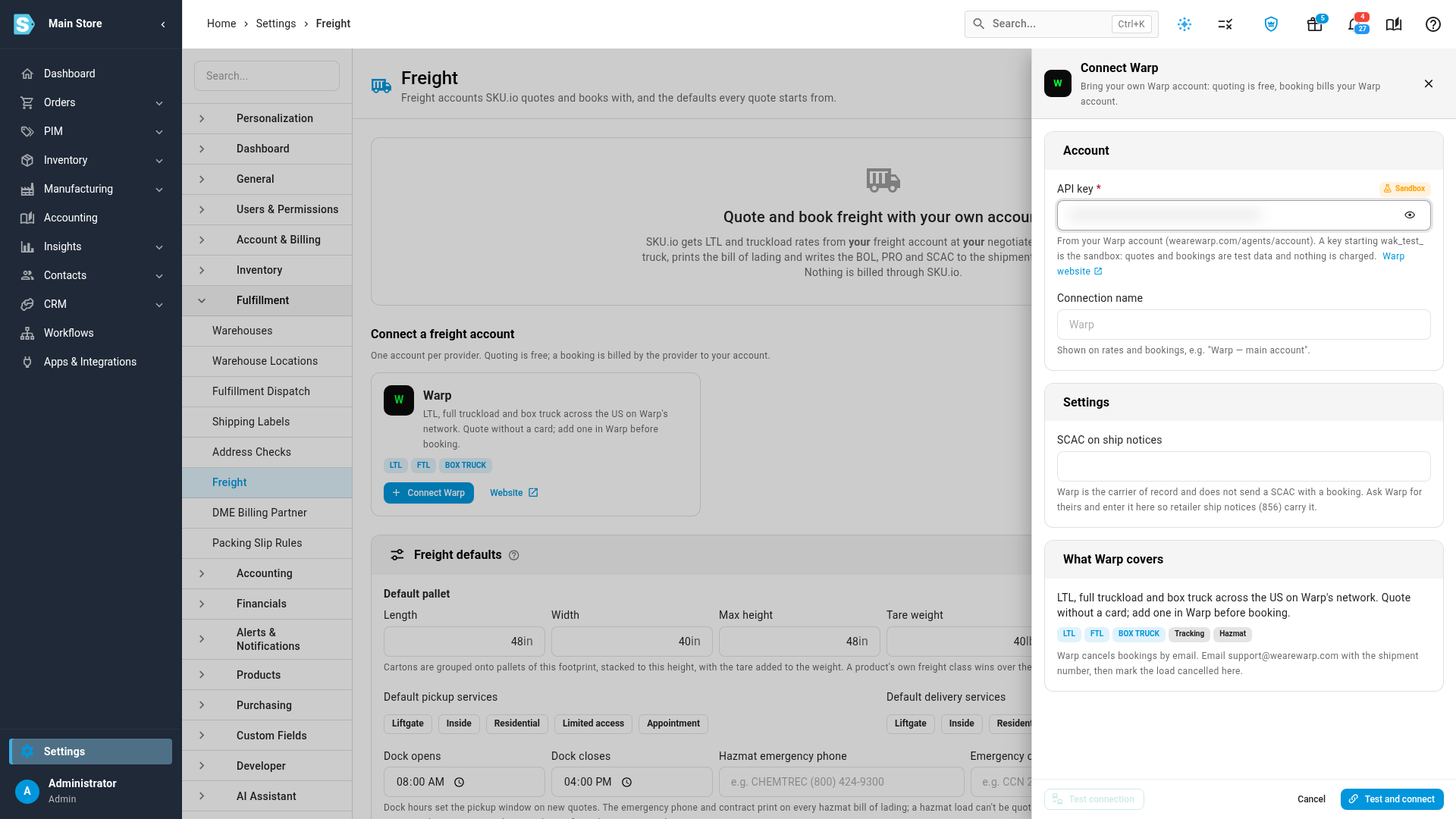
- Under Connect a freight account, click Connect Warp.
- In API key, paste the key from your Warp account. A key that starts wak_test_ is a sandbox key: rates and bookings are test data, no truck comes and nothing is charged. A wak_live_ key is your production account.
- Optionally, change the Connection name that appears on rates and bookings.
- Under Settings, enter the code Warp gives you in SCAC on ship notices. Warp is the carrier of record and doesn't send a carrier code with a booking, so this is the SCAC that retailer ship notices (856) and the bill of lading carry. You can add it later.
- Click Test and connect. SKU.io tests the key with Warp first and only saves it if Warp accepts it. If Warp refuses the key, you see Warp's message and nothing is saved.
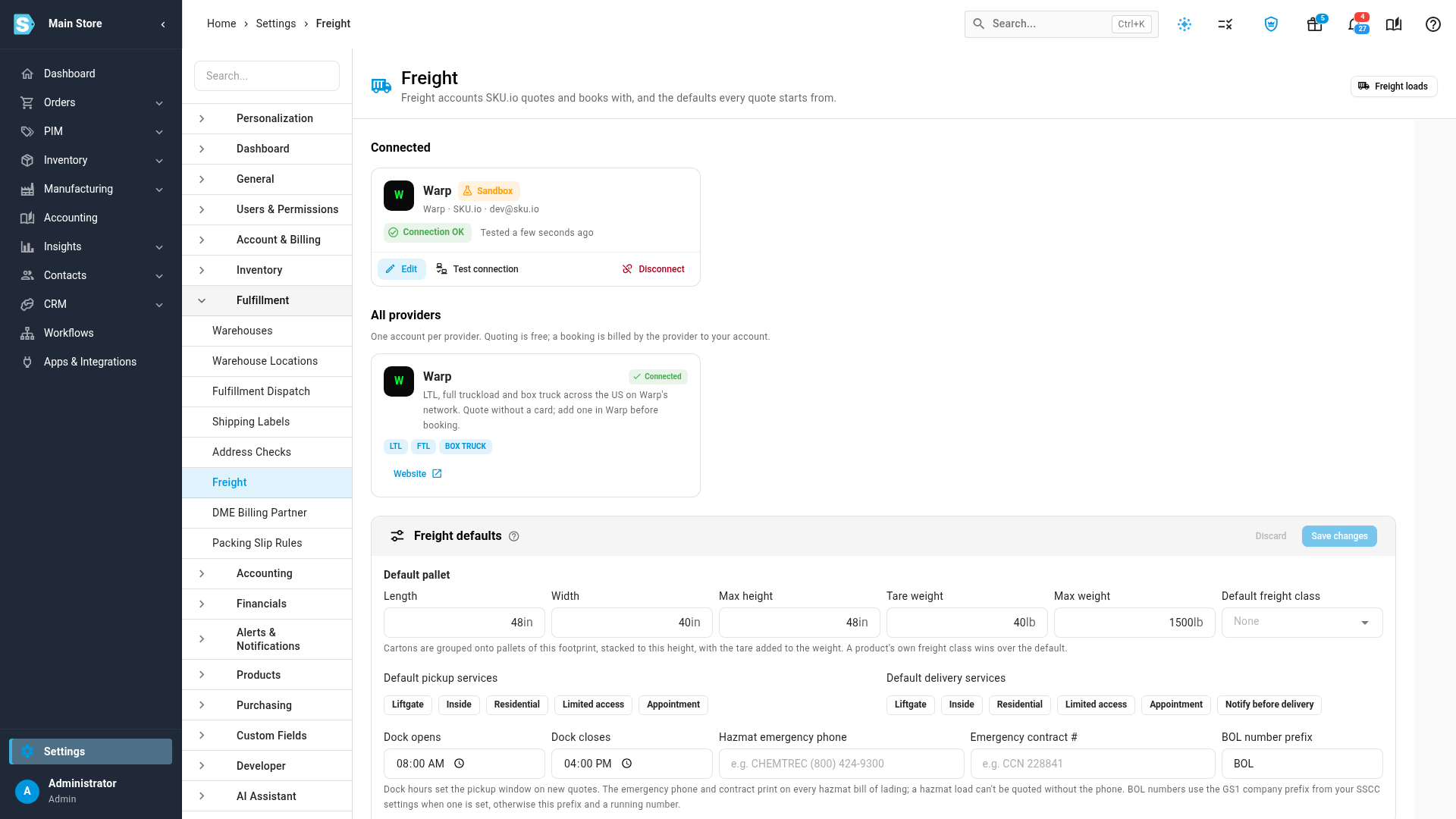
The connection appears under Connected with its environment (Sandbox or Production), Connection OK, when it was last tested, and how many bookings it has made in the last 30 days.
If the card says Add a payment card in your Warp account before booking, quoting works, but add a card in Warp before you book.
Set the freight defaults
The Freight defaults card on the same page sets what every new quote starts with. You can change any of them on a single quote.
| Default | What it does |
|---|---|
| Default pallet: Length, Width, Max height, Tare weight, Max weight | The pallet SKU.io builds from cartons and order lines: cartons are stacked onto pallets of this footprint, up to this height and weight, with the pallet's own weight (tare) added. Starts at 48 × 40 in, 48 in high, 40 lb tare. |
| Default freight class | The class a handling unit gets when none of its products has one. A product's own freight class always wins. |
| Default pickup services / Default delivery services | Services ticked on every new quote, such as Liftgate or Appointment. |
| Dock opens / Dock closes | The pickup window on new quotes. Starts at 08:00–16:00. |
| Hazmat emergency phone / Emergency contract # | The 24-hour emergency response phone and contract number printed on every hazmat bill of lading. A load with hazmat can't be quoted until the phone is set. |
| BOL number prefix | The prefix of your bill of lading numbers, such as BOL-000123. When your SSCC label settings have a GS1 company prefix, SKU.io uses 17-digit VICS numbers instead. |
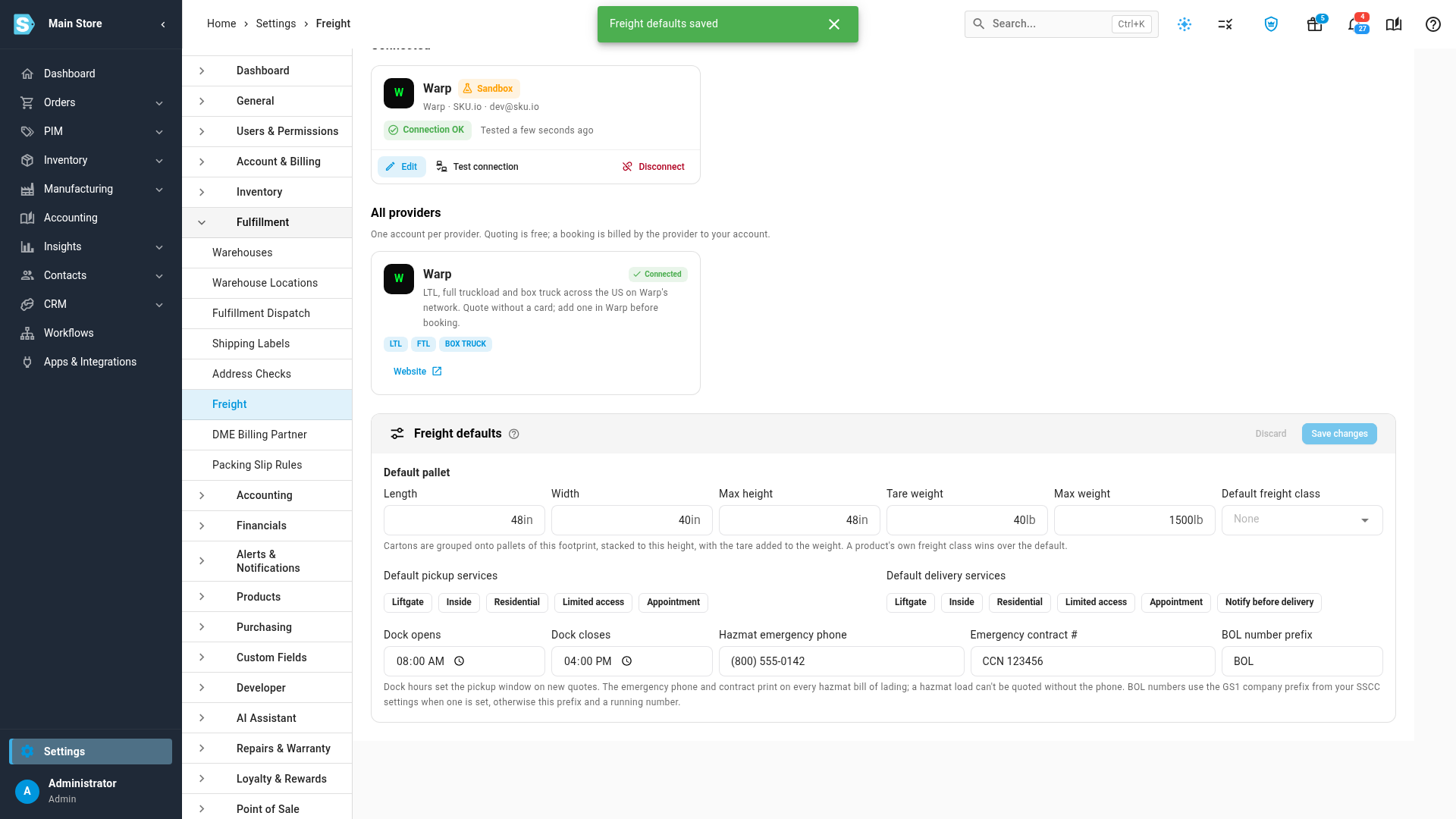
Change what you need, then click Save changes.
Edit, test or disconnect
- Edit changes the key, name or SCAC. Leave API key blank to keep the saved key. A new key is tested before it replaces the old one.
- Test connection checks the saved key with Warp again.
- Disconnect stops quoting and booking with the account. Past rates and bookings stay readable. SKU.io refuses to disconnect while loads booked with the account are still moving or waiting on booking confirmation: disconnect after they're delivered, or cancel them first.
Next steps
Video transcript
To quote and book freight with your own freight account, start by opening Settings from the sidebar. Settings groups its pages into cards, so find the Fulfillment card. Under Fulfillment, choose Freight, where your freight accounts and freight defaults live. This is where you connect the account that SKU.io quotes and books with. You get your own negotiated prices, and nothing is billed through SKU.io. Under Connect a freight account, click Connect Warp. Then paste the API key from your Warp account page into the API key field. A sandbox key returns test rates and bookings, and nothing is charged. Under Settings, you can add the carrier code that Warp gives you for retailer ship notices. When the key is in, click Test and connect at the bottom of the drawer. It tests the key first, and only saves it if Warp accepts it. The connection shows its environment, and Connection OK. Next, set the freight defaults that every quote starts from. The default pallet decides how cartons are stacked onto pallets. Dock hours set the pickup window. For hazmat freight, add the 24-hour emergency phone that prints on the bill of lading. Add the emergency contract number too. When you're done, click Save changes. Edit changes the key or the carrier code later. Test connection checks the key again at any time. You can't disconnect while loads booked with Warp are still moving.