Re-quote a stale or expired quote
Freight rates only hold while the load is what the provider priced. When the order behind a quote changes, or the rates run out, SKU.io turns Book off until you get new rates. This stops you booking a truck for the wrong address or the wrong weight. That's the mistake that comes back weeks later as a re-weigh or re-class charge.
Before you begin
- Your role needs the Get freight rates permission.
Why a quote goes stale
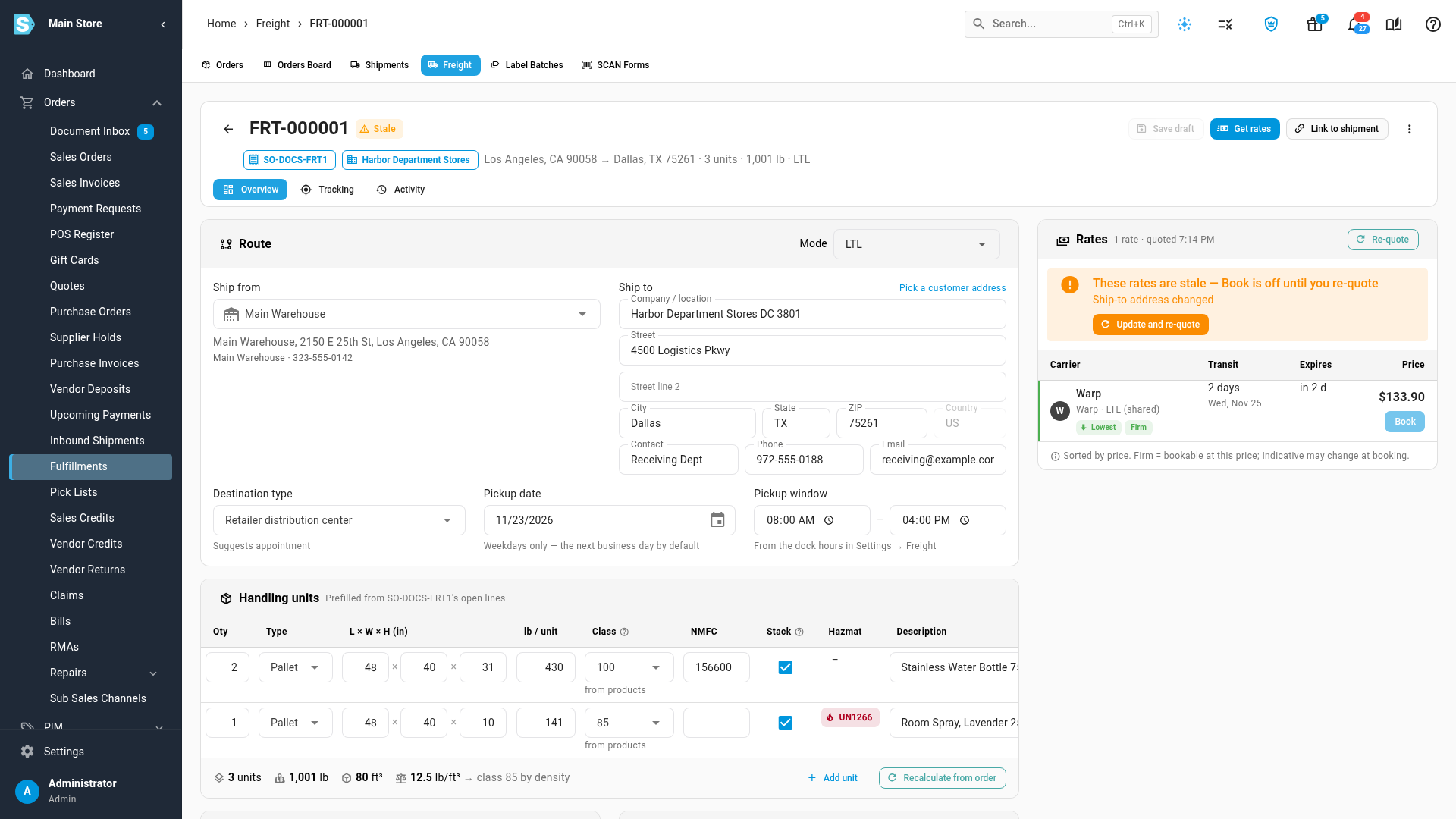
SKU.io remembers what the load looked like when it was quoted. If the linked order or shipment changes afterwards, the rates are stale, and the load's chip reads Stale. The Rates panel shows These rates are stale — Book is off until you re-quote, followed by what changed:
- Ship-to address changed or Ship-from address changed
- the order's lines changed: lines added or removed, or quantities changed
- Cartons changed, for a load quoted from a packed shipment
A load that isn't linked to an order or shipment never goes stale.
Update and re-quote a stale quote
- Open the load.
- In the stale banner, click Update and re-quote.
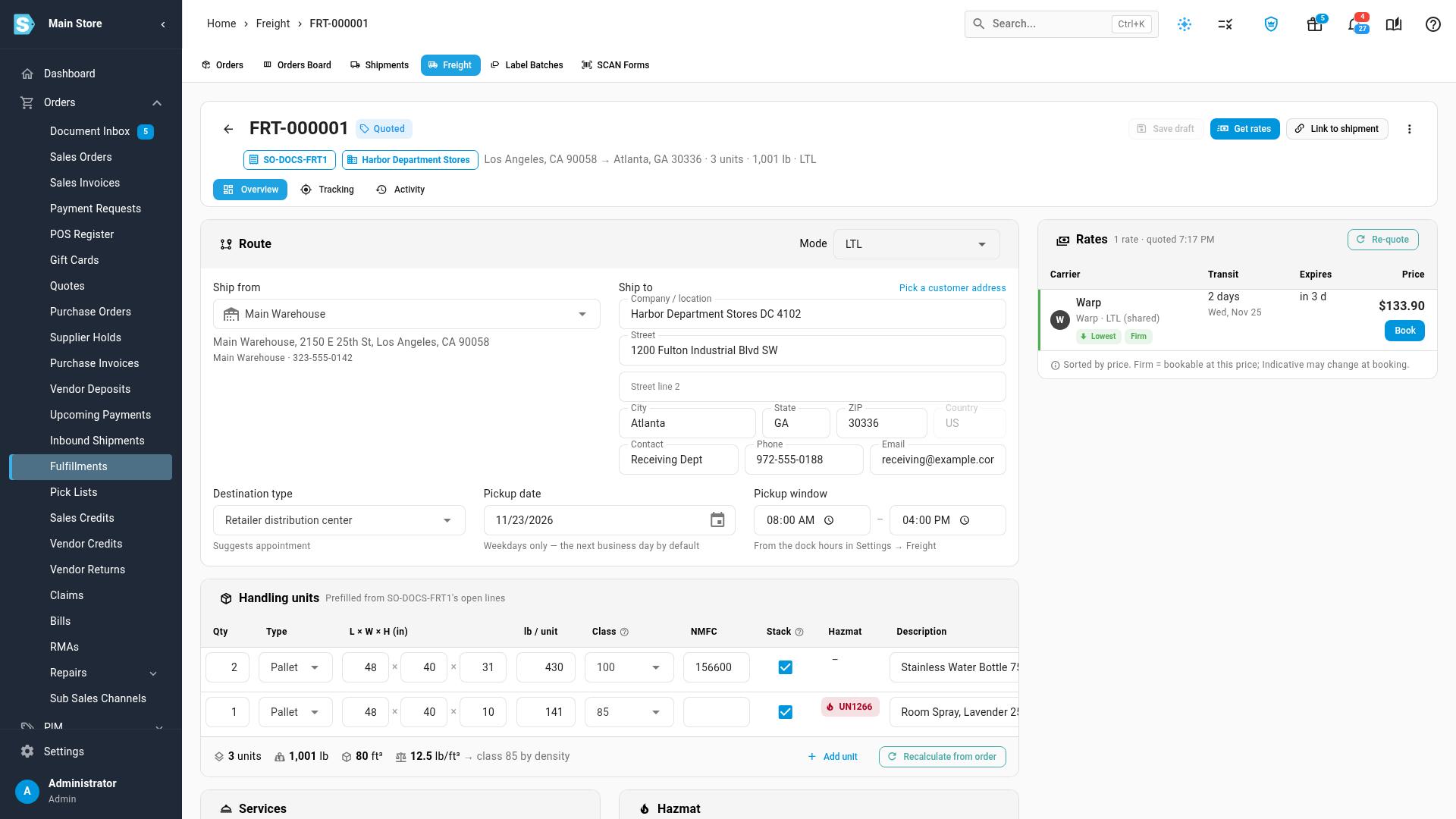
SKU.io takes the new route and handling units from the order or shipment (Route and handling units updated from the order), then asks for new rates. Your other edits, such as services and references, stay as they were. When the new rates arrive, Book works again.
Get new rates for an expired quote
Every rate has an expiry, shown in the Expires column, which turns red under 15 minutes. Once all of a load's rates have expired, the chip reads Expired and the panel shows These rates expired. Click Get new rates. The load details are kept.
If you change the load yourself
If you edit the load after it was quoted, Book stays off with You changed the load since these rates. Save and get new rates to book. Click Re-quote (it saves the load first).
After booking
A booked load isn't blocked, because the truck is already booked. If the order changes afterwards, the Booking card says The order changed after booking, with what changed, so you can call the carrier.
Next steps
Video transcript
Rates only hold while the load is what the provider priced. This order's ship-to changed after it was quoted, so the rates are stale, and Book is off. The banner says what changed. Click Update and re-quote. SKU.io takes the new route and pallets from the order, and asks for new rates. Your other edits stay as they were. The new rates are bookable again. When rates simply expire, click Get new rates instead, and the load details are kept.