Cancel a freight booking
Cancel a load when the truck is no longer needed. An unbooked quote cancels at once. A booked truck has to be cancelled with the provider too: SKU.io does that for you when the provider allows it online, and gives you the email to send when, as with Warp, it doesn't.
Before you begin
- Your role needs the Book freight permission.
- Delivered and already-cancelled loads can't be cancelled.
Cancel a booking
- Open the load.
- Click More actions (⋮), then Cancel booking. On the Freight list, the row's menu has the same option.
- For Warp, the dialog says Warp cancels by email:
- Click Copy email text. It tells Warp support which shipment to cancel.
- Send it to Warp support from your email.
- Click Mark cancelled.
- For a provider that cancels online, click Cancel booking. SKU.io asks the provider to cancel the truck, then marks the load cancelled.
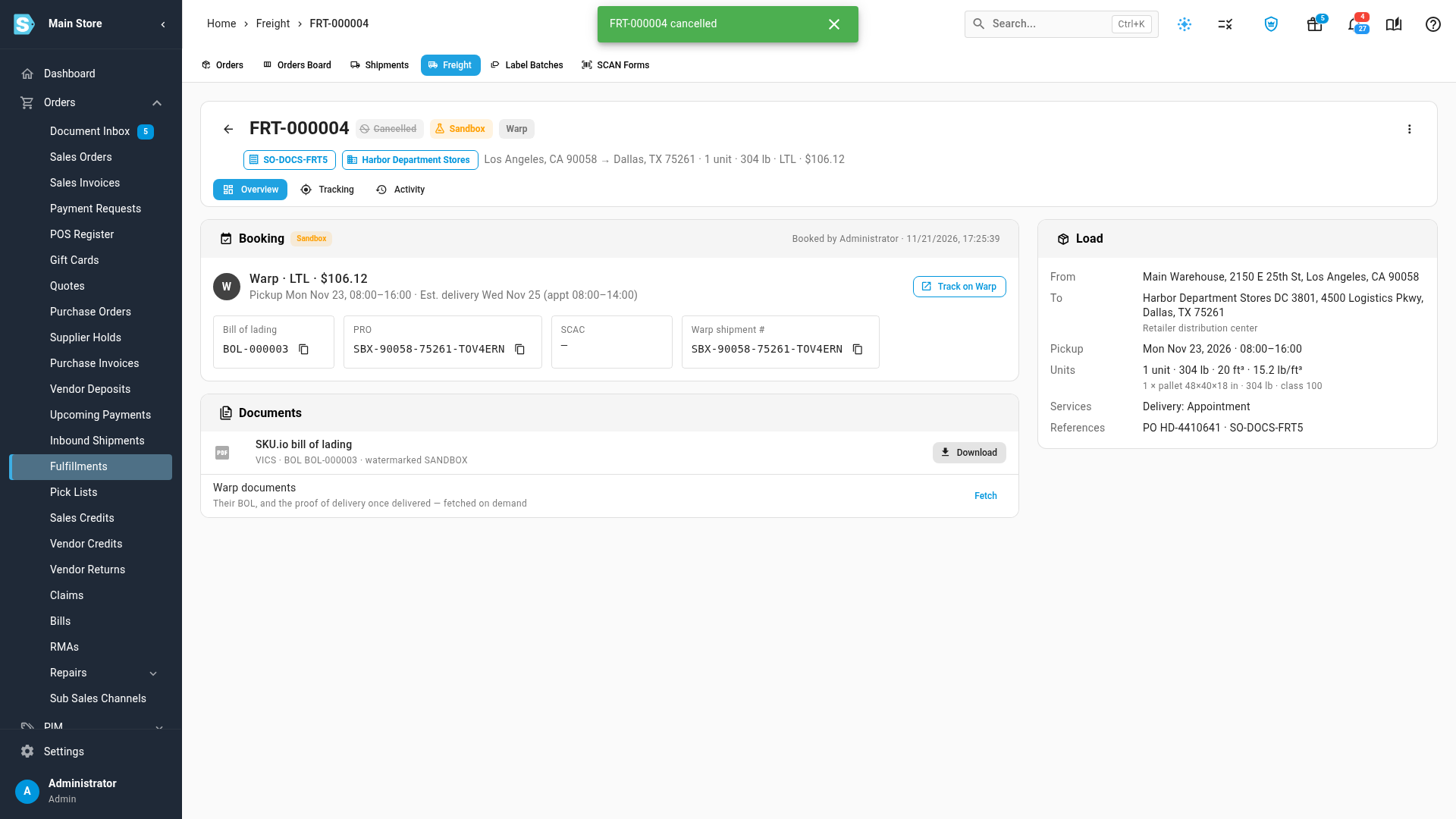
The load turns Cancelled. Click Keep booking instead to leave it as it is.
Cancel a quote
For a load that isn't booked, choose Cancel quote, then Cancel quote again in the dialog. Nothing was booked, so no provider is contacted. To just tidy the list, you can archive the load instead.
What cancelling changes on the shipment
When the load is linked to a shipment, cancelling clears the bill of lading, PRO and SCAC that SKU.io wrote to the shipment's freight details, but only where they still hold the values SKU.io wrote. Anything someone changed by hand stays. The shipment can then be booked again with another load.
Cancelling the sales order
Cancelling a sales order doesn't cancel its freight. If the order has a booked load, the cancel confirmation warns A freight load on this order holds a truck. Cancel the truck with the freight provider too, and links to the load.
Next steps
Video transcript
To cancel a booked truck, click the More actions menu at the top of the load. Then choose Cancel booking, and the cancel dialog opens. Warp cancels bookings by email. Click Copy email text, and send it to the provider's support team from your own email. Then click Mark cancelled, so SKU.io shows the load as cancelled too. On a load linked to a shipment, cancelling clears the bill of lading, PRO and carrier code that SKU.io wrote there, unless someone has changed them since. An unbooked quote cancels straight away, because nothing was booked.